Video Intercom Doorbell Guide for Homes and Businesses
You're halfway through cooking dinner when the doorbell rings. The visitor is standing outside, but you're not expecting anyone. You can answer through your phone, ask what they need, and decide whether to open the door without walking across the house or exposing yourself to an unknown caller. At a shop, the same system can let staff identify a courier, contractor, or customer before releasing a rear entrance or gate.
That's the practical value of a video intercom doorbell. It combines a camera, microphone, speaker, doorbell button, and communication link so you can make a more informed decision about who is requesting entry. The important buying question, however, isn't which model has the sharpest image or the most attractive app. It's whether the system will work reliably at your entrance, respect neighbours and passers-by, and integrate properly with CCTV, access control, or gate automation where needed.
Table of Contents
- Introduction to Video Intercom Doorbells in Modern Security
- How a Video Intercom Doorbell Actually Works
- Key Features That Matter for Audio Video and Connectivity
- Integration With CCTV Access Control and Gate Automation
- Installation Options and What Professional Fitting Solves
- UK Privacy Neighbour Disputes and Responsible Use
- How to Choose the Right Video Intercom Doorbell With Local Support
Introduction to Video Intercom Doorbells in Modern Security
A traditional bell tells you that someone has pressed a button. It doesn't tell you whether the caller is a delivery driver, a neighbour, a salesperson, or someone who shouldn't be there. A video intercom doorbell adds the missing context. You can see the entrance, speak to the visitor, and, with a compatible lock or gate controller, manage access without opening the door blindly.
That change has moved the product beyond a novelty for early adopters. The UK smart doorbell market generated USD 345.2 million in revenue in 2023 and is forecast to reach USD 2,542.5 million by 2030, with a projected 33% CAGR from 2024 to 2030, according to Grand View Research's UK smart doorbell market outlook. Wired doorbells were the largest revenue-generating segment in 2023, while wireless models were the fastest-growing, showing the tension between dependable permanent power and retrofit convenience.
Ring's UK launch in 2016 helped bring video doorbells into mainstream awareness. By 2025, one report estimated that one in five UK homes had a video doorbell, while separate reporting put household adoption at about 22% in 2024 and 30% in 2025, as summarised by The Telegraph's coverage of video doorbell adoption. The exact figures differ between reports, but the direction is clear. Many households now treat a camera at the entrance as part of ordinary security planning.
The same decision applies to smaller commercial premises, but with more responsibility. A shop manager may need to identify visitors at a staff entrance, a landlord may need to manage a shared doorway, and a warehouse operator may want the doorbell to work alongside cameras and controlled access. By the end of this guide, you'll be able to distinguish a basic notification device from a genuine intercom system, assess wired and wireless installation, and judge whether a professional integrated design is appropriate.
How a Video Intercom Doorbell Actually Works
Think of a video intercom doorbell as a secure digital peephole combined with a two-way telephone. The outside unit observes the entrance and sends an alert. Your phone, tablet, or indoor monitor shows the visitor and carries the conversation. If the equipment is connected to an electric lock or gate, a separate control can release access after you've made your decision.
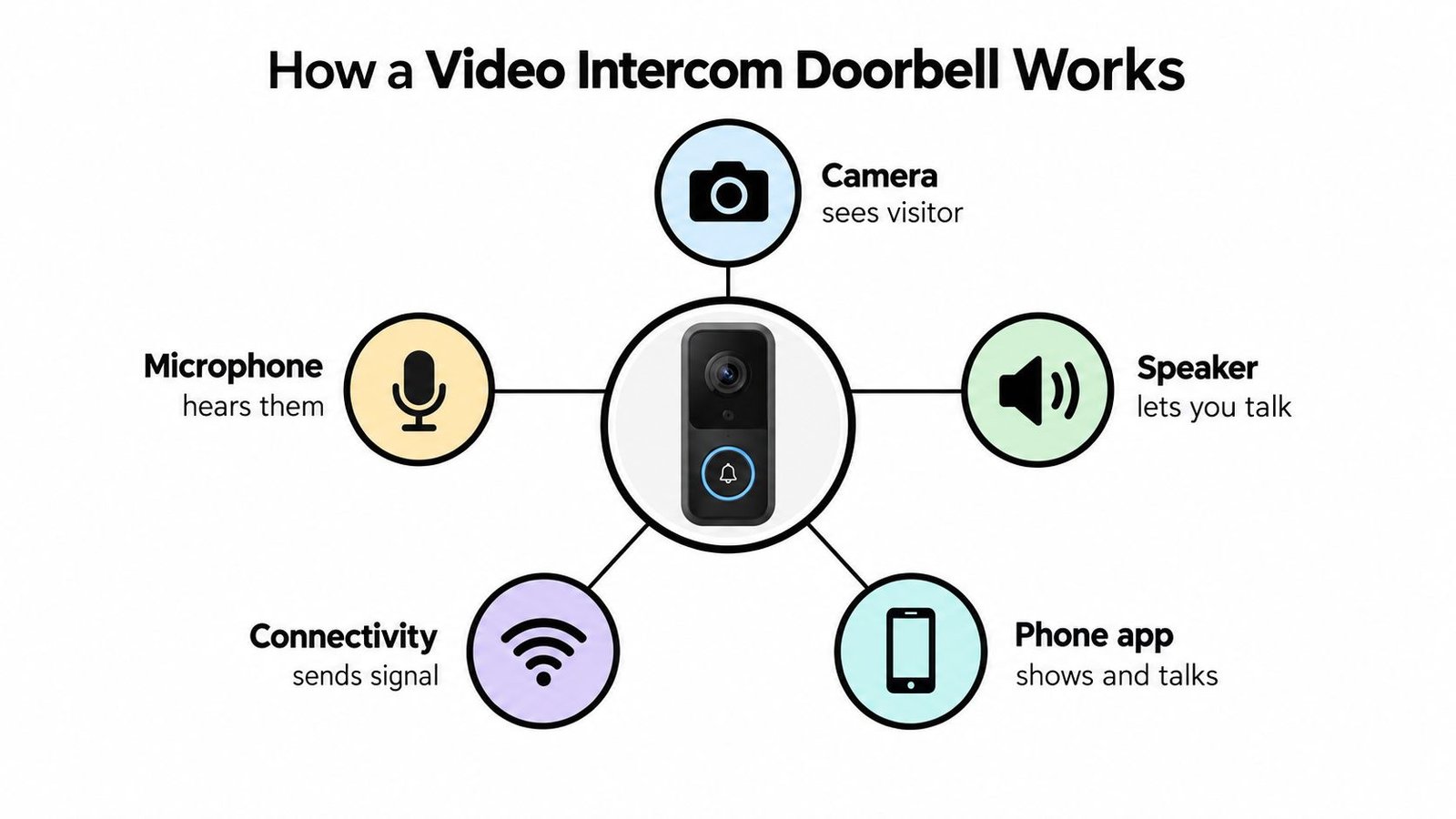
The basic communication loop
The process normally follows a straightforward sequence:
- The visitor activates the unit. They press the bell button, or the system detects movement near the entrance.
- The camera captures the scene. The device sends a live view or event clip to the connected application or indoor screen.
- The microphone picks up speech. You hear the caller through your phone or monitor.
- The speaker sends your reply. You can ask the visitor to wait, leave a parcel in a safe place, or explain why you won't grant entry.
- The connection carries the exchange. Wi-Fi, wired networking, or another approved connection transfers the audio and video.
- The access device responds, if fitted. A compatible lock, strike, barrier, or gate controller can release the entrance after authorisation.
The key distinction: a video doorbell helps you observe and communicate. A video intercom system can also form part of the decision and control process for entry.
A traditional doorbell only creates an audible alert. A standalone CCTV camera may record the entrance, but it usually isn't designed around a visitor pressing a button and receiving an immediate reply. The intercom function joins those actions into one conversation.
The word intercom can cause confusion because products vary. Some rely entirely on a smartphone app. Others include an indoor colour monitor, which can be useful for children, older residents, or properties where visitors need to be answered without locating a mobile phone. Systems designed for gated homes, flats, or commercial buildings may also include a directory, door release, or multiple user permissions.
A camera doesn't automatically make an entrance secure. The system still depends on suitable positioning, stable connectivity, sensible access permissions, and a person making the final decision. Treat it as one controlled communication point, not as a replacement for every other security layer.
Key Features That Matter for Audio Video and Connectivity
Feature lists can make every product appear similar. A better approach is to start with the problem you're trying to solve. If missed deliveries are the concern, reliable alerts and clear two-way speech matter more than a long list of artificial intelligence labels. If the entrance is a shared commercial doorway, privacy controls and user management may matter more than maximum image detail.
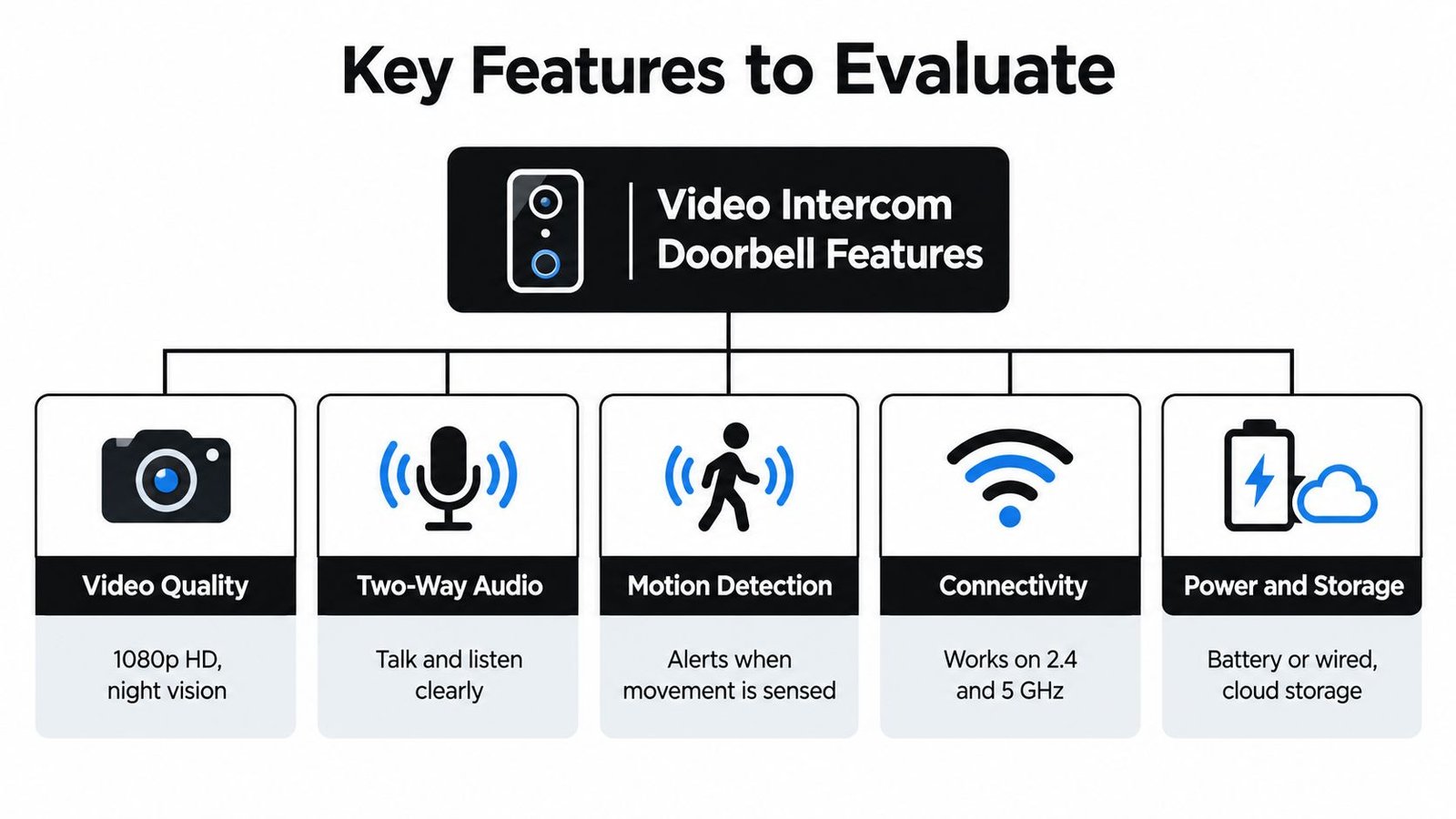
Video should serve the entrance
A useful image shows the visitor's face, hands, and the area immediately around the threshold. A wide view can help with parcels and approach paths, but excessive width may capture neighbours, pavements, or shared spaces that you don't need. Night vision is valuable when the entrance has poor lighting, although installers should still check for glare from walls, reflective surfaces, and nearby lamps.
Higher resolution can reveal more detail, but it also places greater demands on network capacity and storage. A sharp picture that arrives late or drops during a conversation is less useful than a dependable image at a sensible setting.
Audio is often the deciding factor
Two-way audio needs more than a microphone and speaker on the specification sheet. Listen for echo, wind noise, road traffic, and the delay between speaking and hearing a response. A shop staff member must be able to understand a courier while standing near a busy frontage. At home, you should be able to tell a caller where to leave a parcel without repeating yourself.
Some systems include noise reduction or push-to-talk controls. These can help, but physical placement still matters. Mounting the unit beside a noisy gate motor or under a surface that channels rain towards the microphone will undermine otherwise capable equipment.
Motion alerts need sensible boundaries
Motion detection can notify you before someone presses the bell. It can also become irritating if every passing pedestrian triggers an alert. Look for activity zones, sensitivity controls, person detection where appropriate, and scheduling options. Configure alerts around the entrance rather than treating the entire camera view as equally important.
Connectivity, power, and storage deserve equal attention:
- Connectivity: Confirm that the chosen location receives a stable signal. A good broadband connection elsewhere in the building won't compensate for weak coverage at the door.
- Power: Battery operation can simplify a retrofit, but charging becomes part of routine maintenance. Wired power avoids that task but requires proper electrical assessment.
- Storage: Decide whether you need event clips, local recording, continuous CCTV coverage, or only live viewing. These are different requirements.
- Application controls: Check who can receive alerts, whether access can be revoked, and how footage can be exported or disclosed.
For a practical explanation of viewing security footage remotely, see this guide to viewing CCTV on a phone.
The interface should let an authorised user answer, speak, review an event, and manage access without hunting through menus. A feature is useful only when the person on duty can operate it under pressure.
Integration With CCTV Access Control and Gate Automation
A video intercom doorbell can be a complete answer for a front door that only needs identification and conversation. It becomes more valuable when the entrance is part of a larger movement route. A driveway gate, pedestrian gate, reception door, staff entrance, and loading area may each need a different form of monitoring and control.
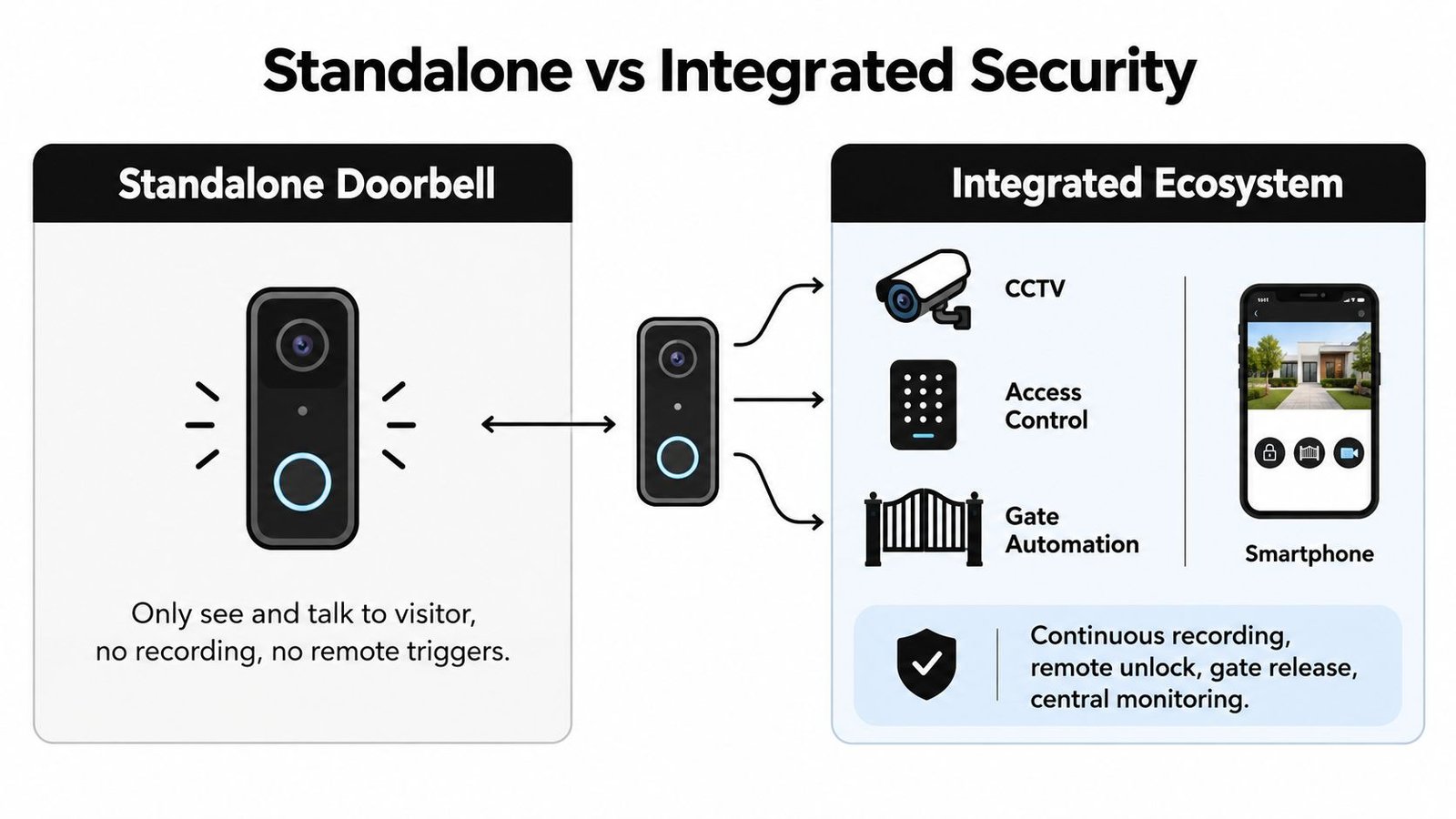
CCTV provides the wider view
The doorbell camera focuses on the caller and the immediate threshold. CCTV can cover the approach, side path, car park, shop floor, loading bay, or boundary. If an incident begins outside the doorbell's view, a wider camera system may provide the missing context.
Integration also reduces the need to operate separate applications. Depending on the equipment and design, an authorised user or monitoring team may be able to associate the visitor interaction with nearby camera footage. That makes investigation more organised, particularly for businesses where staff changes and incidents need a clear record.
A domestic example is a home with a pedestrian gate and a front door set back from the road. The doorbell handles the conversation, while a separate camera observes the gate and path. A commercial example is a retail unit where the intercom identifies a caller at the rear entrance and CCTV checks the surrounding delivery area.
Access control answers the next question
Seeing someone is not the same as deciding how they should enter. Access control adds a structured method for authorised people, using options such as keypads, cards, fobs, or biometric readers. A video intercom can handle visitors who need a conversation, while regular staff use their assigned credentials.
That arrangement is useful in offices, warehouses, workshops, and multi-tenant buildings. It avoids giving every visitor a permanent key or allowing staff to release a door without knowing who is outside. A system can also support user administration, so permissions can be changed when a tenant, employee, contractor, or service provider no longer needs access.
For a broader view of combining security technologies, read about security system integration.
Gates need designed control, not just an app button
A gate release can be convenient at a home, but it needs careful planning. The installer must consider the gate's motor, pedestrian access, vehicle movement, safe release behaviour, and the people who may be authorised to operate it. At a commercial site, the system may need to distinguish between a visitor calling reception and a driver approaching a vehicle gate.
A standalone doorbell is usually enough when the entrance is simple, the household has no controlled gate, and the priority is basic communication. Integration is justified when staff, tenants, visitors, vehicles, or multiple entrances must move through a property in a controlled way.
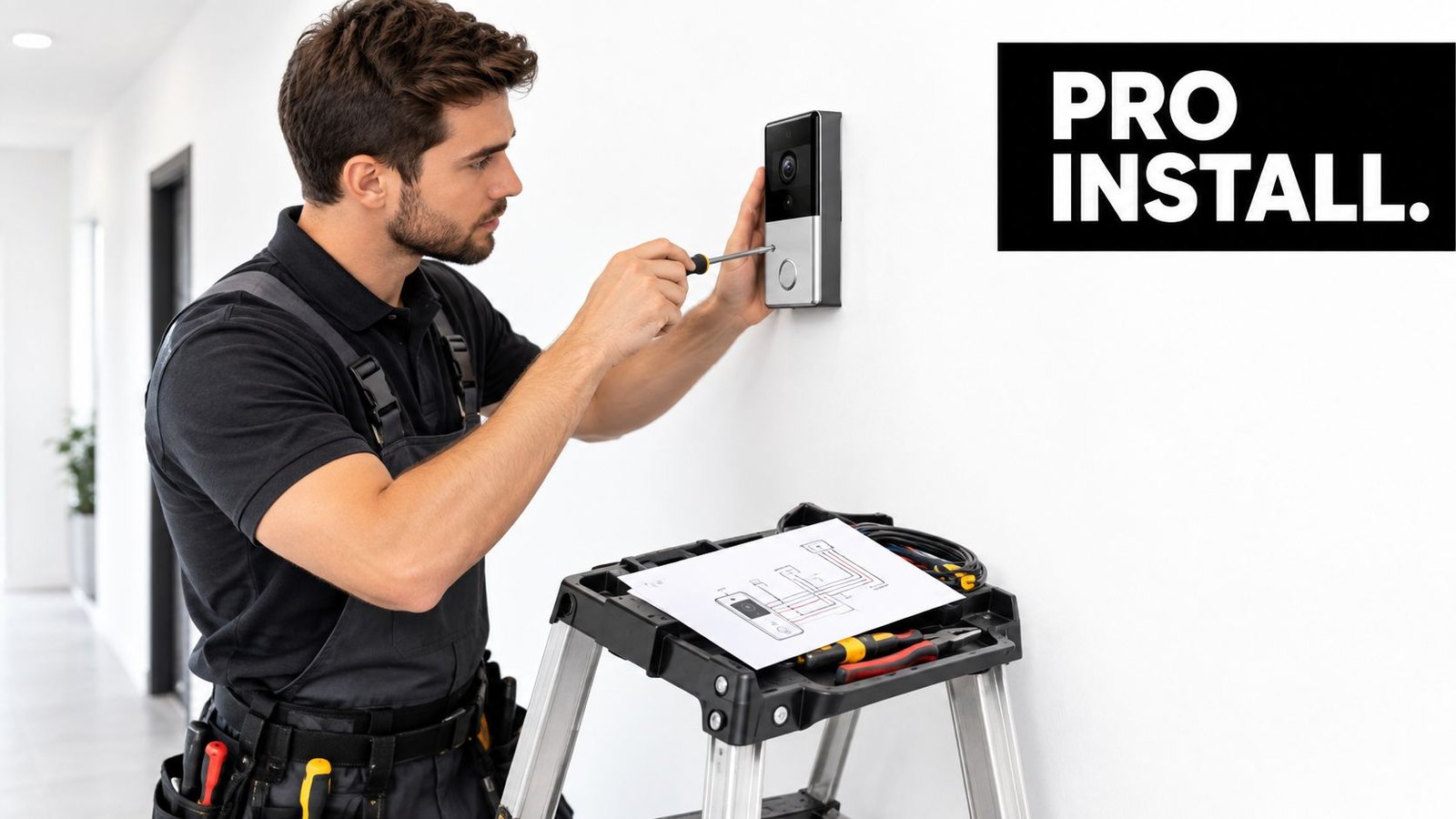
Installation Options and What Professional Fitting Solves
The choice between wired and wireless isn't a choice between difficult and easy. It's a decision about power, network stability, building fabric, maintenance, and how much control the entrance needs over time.
Wired and wireless suit different properties
A wired system usually makes sense where the entrance is permanent, the property already has suitable cabling, or the device forms part of a larger access-control design. It can provide continuous power and a stable connection, but installing it may involve routes through walls, ceilings, external surfaces, or communal areas.
Wireless equipment can be more suitable for a finished home or a rental property where new cabling would be disruptive. It still needs dependable power and connectivity. A battery may need regular attention, and a weak signal can cause delayed notifications, failed live views, or broken conversations.
UK wired installation needs a transformer check before the device is fitted. Basic models typically operate at 8–24VAC, while Pro-class units can require 16–24VAC and a higher VA supply than a standard bell transformer provides, as explained in this UK wired and wireless doorbell installation guide. An underpowered transformer can lead to chime failure, reboots, or unstable operation. If the mains-side electrical system is altered, the relevant work should be treated as Part P work.
What an installer checks on site
A professional survey should examine the mounting height, visitor approach, viewing angle, lighting, rain exposure, Wi-Fi coverage, cable routes, transformer rating, and the relationship with existing locks or gates. The engineer should also consider whether the camera captures a public path, shared entrance, or neighbouring property before fixing the final angle.
DIY can be reasonable for a simple, battery-powered home installation with no lock, gate, or new mains work. Professional fitting is more appropriate when the system includes permanent wiring, a door release, a gate, multiple users, communal access, or business operations. It also helps ensure that the device is configured rather than merely attached to the wall.
| Property situation | Practical route |
|---|---|
| Straightforward home entrance with strong connectivity | Wireless may be suitable if battery maintenance is acceptable |
| Existing bell wiring with uncertain transformer capacity | Arrange a transformer and circuit check before replacement |
| Home with electric gate or controlled pedestrian access | Use a designed intercom and gate interface |
| Shop or warehouse staff entrance | Consider professional installation with CCTV and access control |
| Flat, HMO, terrace, or shared doorway | Resolve privacy, permissions, and communal sightlines before purchase |
The cheapest installation route can become expensive if the device repeatedly loses connection, fails to power an attached chime, or releases the wrong entrance. A good design treats the doorbell as part of the building's security operation.
UK Privacy Neighbour Disputes and Responsible Use
Many people assume that a camera outside their front door can record anything visible from the doorstep. That assumption becomes unsafe when the view includes a pavement, shared entrance, communal corridor, neighbouring garden, or another person's doorway.
The Information Commissioner's Office guidance on smart doorbells for commercial use explains that recording beyond the private domestic boundary can involve processing personal data under the UK GDPR and Data Protection Act 2018. Domestic users may therefore need to consider responsibilities that wouldn't arise if the camera captured only their own property.
Design the view before you press record
The strongest privacy measure is physical and technical limitation. Aim the camera towards the threshold, use privacy masking zones to block unnecessary areas, and avoid recording more of a public or communal space than the security purpose requires. A sign can help explain that recording is taking place, particularly where visitors, staff, tenants, or members of the public may approach.
Retention matters too. Keep footage only for as long as there's a clear reason to retain it, protect stored clips with appropriate account security, and limit access to people who need it. Businesses should document the purpose, lawful basis, access arrangements, disclosure process, and retention approach. The ICO's CCTV and UK GDPR guidance for businesses provides useful context for that wider compliance task.
Audio is frequently overlooked. A microphone may capture conversations that have nothing to do with a visitor requesting entry, especially on a busy pavement or in a shared hall. Publicly sharing footage can create another problem, even when the original recording had a legitimate security purpose.
Practical rule: Collect the smallest amount of video and audio needed to answer the entrance-security question.
Shared buildings need an agreed process
Terraces, flats, HMOs, and mixed-use premises often have overlapping sightlines. A doorbell pointed at one flat's entrance may also observe another resident's approach. Neighbours can object to being recorded and may request copies of footage showing them. The installer and property manager should agree who controls the system, who can access clips, and how requests or complaints will be handled.
Privacy isn't a feature you add after installation. It should influence the product, mounting point, audio settings, masking zones, signage, user permissions, and retention policy before anyone buys the equipment.
How to Choose the Right Video Intercom Doorbell With Local Support
Start with the entrance, not the product catalogue. A homeowner with one front door may need reliable notifications, clear speech, night vision, and sensible privacy masking. A shop manager may need a door release, staff permissions, CCTV coverage, and a documented process for storing and sharing footage.
Use this checklist before requesting quotations:
- Property layout: Identify doors, gates, communal routes, delivery points, and areas that must remain outside the camera view.
- Power and connectivity: Confirm whether existing wiring is suitable, whether the transformer has enough capacity, and whether the entrance has dependable network coverage.
- Access requirements: Decide whether visitors only need to speak to someone, or whether authorised users must release a lock, pedestrian gate, vehicle gate, or barrier.
- Wider security: Consider whether the doorbell should connect with CCTV, access control, intruder alarms, or central monitoring.
- Privacy controls: Specify masking, audio behaviour, signage, retention, user access, and the process for handling footage requests.
- Maintenance: Plan for battery checks, software updates, account administration, cleaning, testing, and fault response.
A professionally installed integrated solution is usually easier to justify for businesses, landlords, multi-tenant properties, and entrances with electrical or gate-control work. For a simple home doorway, a wireless device may be sufficient if its limitations are understood and maintained.
Wisenet Security Ltd designs, installs, and maintains video intercoms alongside CCTV, access control, and gate automation across South Wales and the South West, including Cardiff, Bristol, Newport, and Swansea. The company can assess the entrance, check practical installation constraints, configure privacy controls, and propose a system that matches the property rather than forcing the property to match a device.
Arrange a free consultation with Wisenet Security Ltd to assess your video intercom doorbell, wiring, connectivity, privacy requirements, and any CCTV, access-control, or gate integration. Speak with the team about a design and professional installation for your home, shop, warehouse, or multi-tenant property.