CCTV Systems and Installation Complete Guide for Homes
You get home, check your phone, and see the gate open. Or your shop alarm pings after closing and staff are already gone. In both cases, the first thought is usually the same: “Have we got it on camera?”
That's where people often find the hard truth. A camera on a wall isn't the same thing as usable evidence. If the lens is aimed too high, you get the top of a hood. If the recorder overwrote the clip, there's nothing to view. If the time is wrong, the footage becomes harder to trust. If the system reaches into public space or your neighbour's boundary without proper thought, the legal side starts to matter just as much as the picture.
That's why good CCTV systems and installation work isn't really about buying the sharpest camera on a leaflet. It's about building a complete chain that captures the right scene, stores it properly, lets you find it quickly, and stands up when someone needs to rely on it.
For homes across South Wales and the South West, that might mean identifying who approached the front door at night. For a shop manager, it might mean seeing a till area clearly enough to review an incident. For a landlord or warehouse operator, it often means balancing coverage, privacy, storage, access, and maintenance over time.
Table of Contents
- Introduction to CCTV Systems and Installation for Modern Properties
- How CCTV Systems Work and the Core Components Explained
- Choosing the Right CCTV Camera Types for Your Needs
- Camera Placement Cabling Power and Night Vision Planning
- UK Legal Compliance and Privacy for CCTV Systems
- Professional Installation Process and Remote Viewing Setup
- Maintenance Costs and Long Term Value of Your CCTV System
Introduction to CCTV Systems and Installation for Modern Properties
I've seen the same conversation play out hundreds of times. A homeowner wants “a couple of cameras for peace of mind”. A shop owner says they “just need cover front and back”. Then we walk the site, and need is narrower and more important. They need footage that answers a specific question after something has happened.
That difference matters. A wide shot of a driveway may show that a car arrived. It may not show who got out. A camera in a stockroom may prove movement. It may not show what was taken if the lighting and angle are poor. Evidence lives in the details, and those details come from planning, positioning, commissioning, and upkeep.
Across the UK, CCTV stopped being a niche bit of kit a long time ago. A British Security Industry Association estimate, reported by the BBC, put the number of CCTV cameras in Britain at between 4.9 million and 5.9 million, often summarised as roughly one camera for every 11 to 14 people, with private systems outnumbering police and local-authority-operated cameras by as much as 70 to 1. The same reporting also highlighted around 750,000 cameras in sensitive locations such as schools, hospitals, and care settings according to BBC Newsround's summary of the research. That tells you something simple. CCTV is now normal across homes, shops, schools, care sites, and mixed-use buildings.
A lot of buyers still focus on specs first. HD or 4K. App or no app. Night vision or spotlight. Those things matter, but they only matter in context. The more useful starting point is: what do you need the footage to prove, where will the system record it, and who will make sure it still works properly six months from now?
Practical rule: If a system can't give you clear, correctly timed, retrievable footage when an incident happens, the specification sheet doesn't rescue it.
If you're weighing up entrances, gardens, shared access points, loading bays, till lines, or car parks, it helps to think in layers:
- Capture: What the camera can see.
- Transport: How the video gets back to the recorder.
- Storage: How long you can keep it and how easily you can find it.
- Use: Who can view it and from where.
- Compliance: Whether you're using it in a way that respects privacy and follows guidance.
If you want a broader look at the day-to-day benefits of CCTV for homes and businesses, that's a useful companion to the more practical side covered here.
How CCTV Systems Work and the Core Components Explained
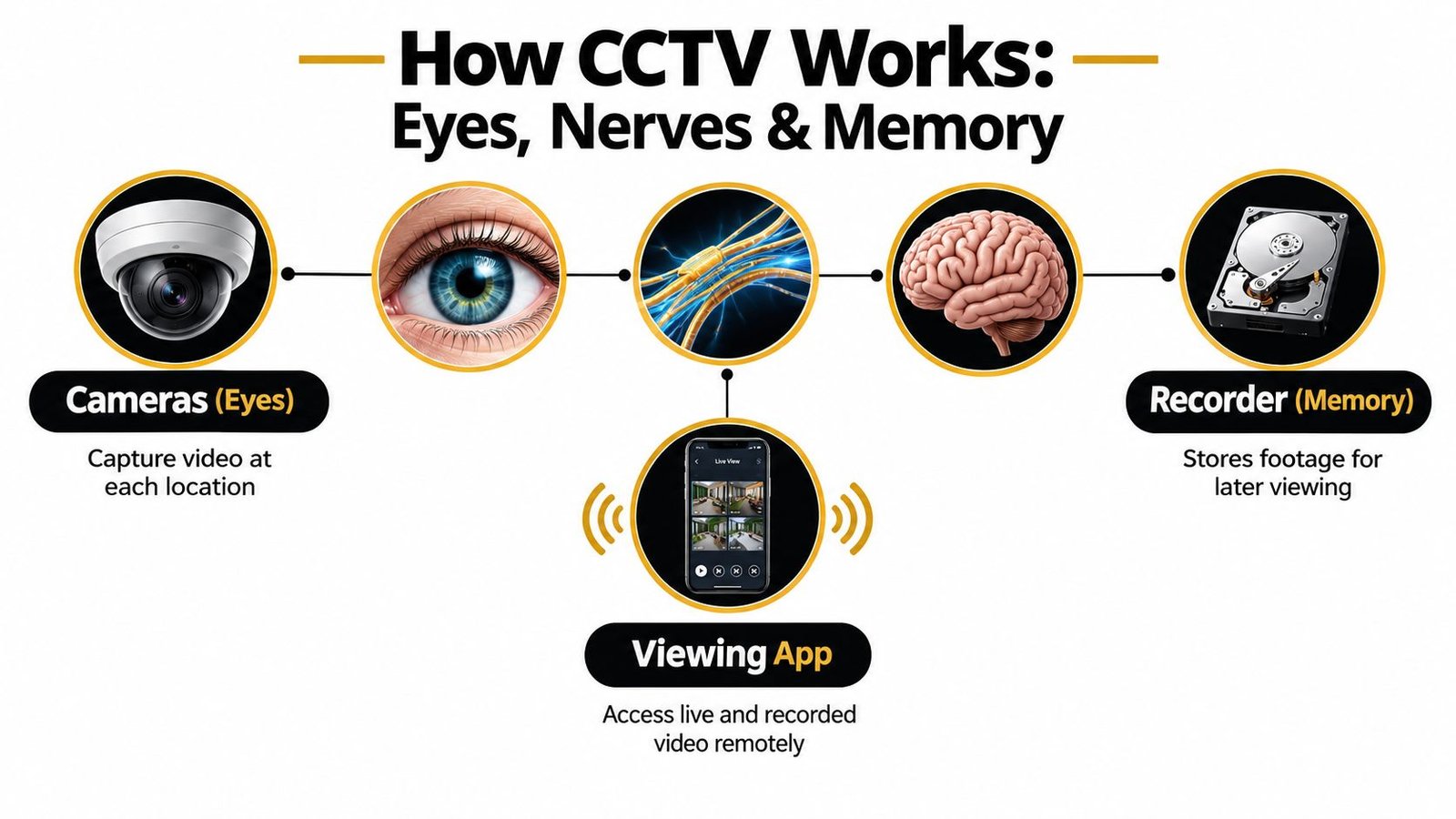
The simplest way to understand CCTV is to compare it to a body.
Your cameras are the eyes. They look at the scene.
Your cables or wireless links are the nerves. They carry the signal.
Your recorder is the memory. It stores what happened.
Your phone or monitor is how you check the memory.
The four parts that have to work together
A good system fails if any one part is weak.
- Camera: This decides what can be seen in the first place. If the angle is wrong, the best recorder in the world can't fix it.
- Connection path: This may be network cabling, coax, or a wireless link. If the path drops out, so does the footage.
- Recorder: This stores live and recorded video. If storage is too small or badly set up, clips disappear sooner than expected.
- Viewing method: Phone apps and monitors make the system usable day to day, but they must be set up securely and sensibly.
People often ask about IP versus analogue. In plain English, analogue systems are the older style, usually based around coaxial cabling and a DVR. IP systems send digital video over a network and usually record to an NVR or a networked platform. In practice, IP gives you more flexibility in layout, remote access, and future expansion. Analogue can still suit some upgrades where cabling is already in place and the brief is straightforward.
What HD and 4K actually mean in real life
Resolution matters, but not in the way sales pages make it sound.
A higher-resolution camera gives you more image detail. That's useful if you need to zoom into a doorway, a till point, or a gate after the event. But resolution isn't magic. If the camera is too far away, pointed into glare, mounted badly, or recording with poor settings, the extra pixels don't automatically become better evidence.
Three settings work as a team:
| Setting | What it affects | Why it matters |
|---|---|---|
| Resolution | Image detail | Helps when reviewing faces, clothing, or small scene details |
| Frame rate | Motion smoothness | Affects how clearly movement is captured |
| Compression | File size and quality balance | Poor settings can make footage blocky or harder to review |
A bigger sheet of paper helps, but not if the original picture was blurred.
Good evidence comes from the whole chain. Camera choice, lens choice, placement, settings, storage, and testing all matter together.
Why design and commissioning count as much as the camera
In the UK, CCTV should be designed and commissioned against the BS EN 62676 family of standards, with BS EN 62676-4 covering selection, planning, installation, commissioning, maintenance, and testing, while BS8418 applies to detector-activated, remotely monitored CCTV systems, as set out in the recommended surveillance camera standards published by GOV.UK. That matters because the standards tie performance to the installed system, not just the hardware box.
That's why a decent installer tests image quality, checks time settings, confirms recording behaviour, reviews night performance, and makes sure the customer can retrieve footage. Buying a camera is easy. Building a system that still produces usable evidence months later takes proper commissioning.
Choosing the Right CCTV Camera Types for Your Needs
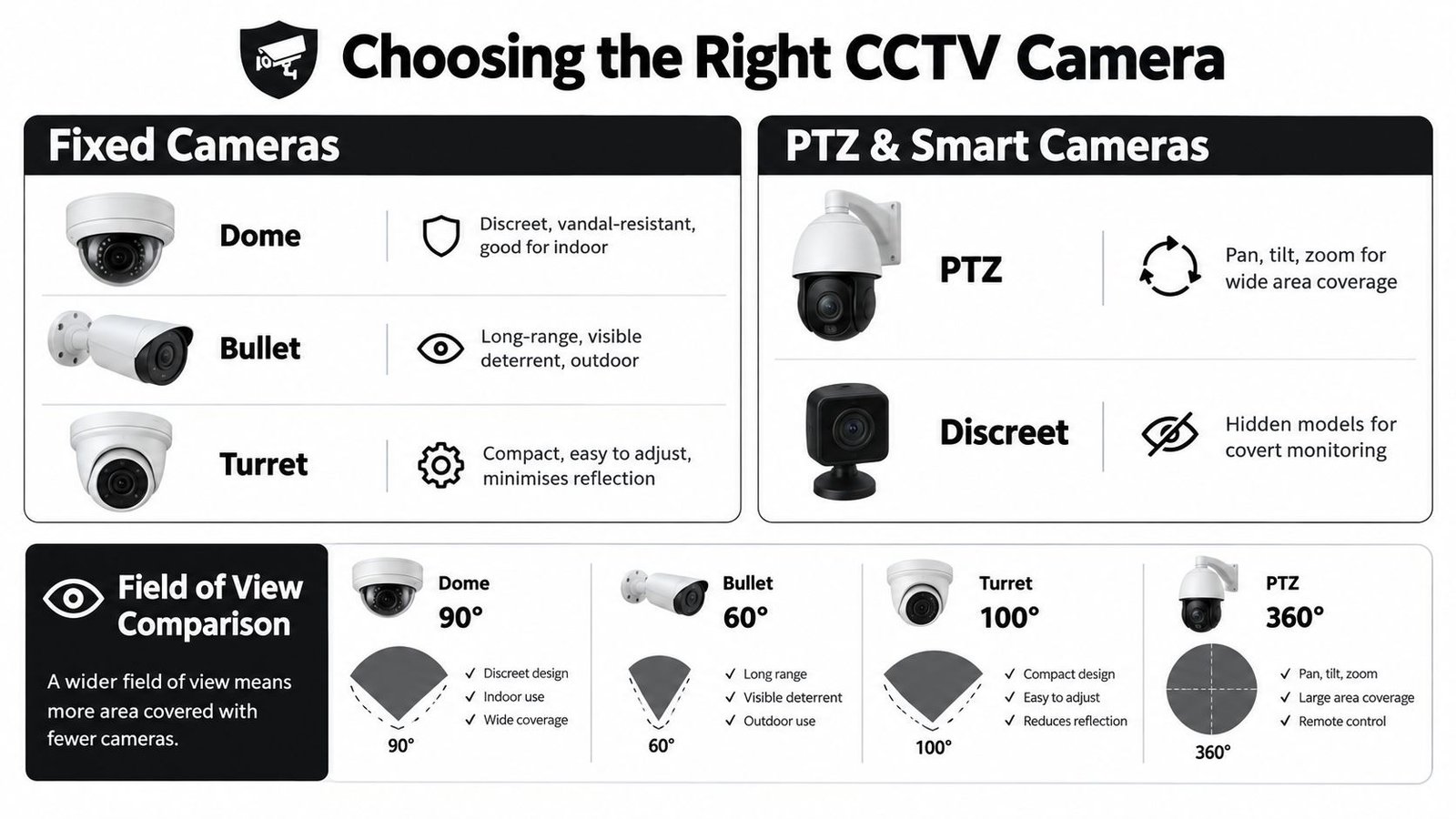
Camera shape isn't just about appearance. It affects what the camera does well, where it can go, how obvious it looks, and how easy it is to keep the picture clean.
A front door, a warehouse aisle, a shared entrance, and a car park don't all need the same thing. If you match the camera type to the job, you'll get better evidence with less faffing later.
The main camera types in plain English
| CCTV Camera Types Compared by Typical Use | |||
|---|---|---|---|
| Camera Type | Best For | Key Strength | Watch Out For |
| Dome | Shops, hallways, indoor entrances | Discreet look, often good against tampering | Can suffer reflections in some lighting conditions |
| Bullet | Driveways, perimeters, yards | Visible deterrent, suits longer views | More obvious visually, can be easier to spot from distance |
| Turret | Mixed indoor and outdoor use | Easy to aim, usually handles night image issues well | Still needs careful positioning to avoid glare |
| PTZ | Large open areas, active monitoring | Can pan, tilt, and zoom | Doesn't watch everywhere at once unless someone controls it |
| Discreet | Sensitive interior areas, low-profile installs | Less visually intrusive | Must be used carefully with privacy in mind |
Match the camera to the question you need answered
If the question is “Who came to the front door?”, use a camera and lens that prioritise identification at the entrance.
If the question is “What happened across the yard?”, you may want broader coverage with a second camera dedicated to a choke point such as a gate.
If the question is “Can we follow movement across a large car park?”, a PTZ can help, but only if someone is actively watching or if the design includes fixed cameras covering key routes as well.
That's where readers often get caught out. They buy one very capable camera and expect it to do three jobs at once. It rarely does.
Lens choice matters more than many people realise
A wide view sounds attractive because it covers more ground. The trade-off is that people and objects appear smaller in the frame. A tighter lens sees less width, but gives more useful detail where it matters.
Standing at the back of a room, you can see everyone, but you can't read a badge. Move closer and you lose the whole room, but gain the detail.
Use cases usually split like this:
- Entrances: Narrower, more focused framing for faces.
- Open retail floor: Wider views for activity and movement.
- Fence lines or side returns: Longer-looking views with care taken over lighting.
- Shared residential access: Balanced framing that avoids unnecessary overspill into neighbouring areas.
One camera should have one main job. When people ask a single lens to cover identification, overview, and tracking at once, evidence usually suffers.
Aesthetics matter too. Homeowners often prefer domes or turrets because they sit more neatly on soffits or walls. Retail managers may want domes inside because customers notice them less. Warehouses often lean toward visible bullets or mixed systems because practical coverage matters more than appearance.
If you want a visual breakdown of common shapes and where they fit best, this guide to different CCTV camera types is a useful reference.
Camera Placement Cabling Power and Night Vision Planning
Most CCTV problems aren't caused by the camera model. They're caused by where it went, how it was powered, or what happened after dark.
I've lost count of how many systems I've seen with lovely kit and useless angles. A driveway camera mounted too high gives you a tidy overview and no face. A back-door camera pointed straight into a security light gives you a bright wash and a dark person-shaped blob.
Placement that helps evidence, not just coverage
The aim isn't “see everything”. The aim is “see the right thing clearly”.
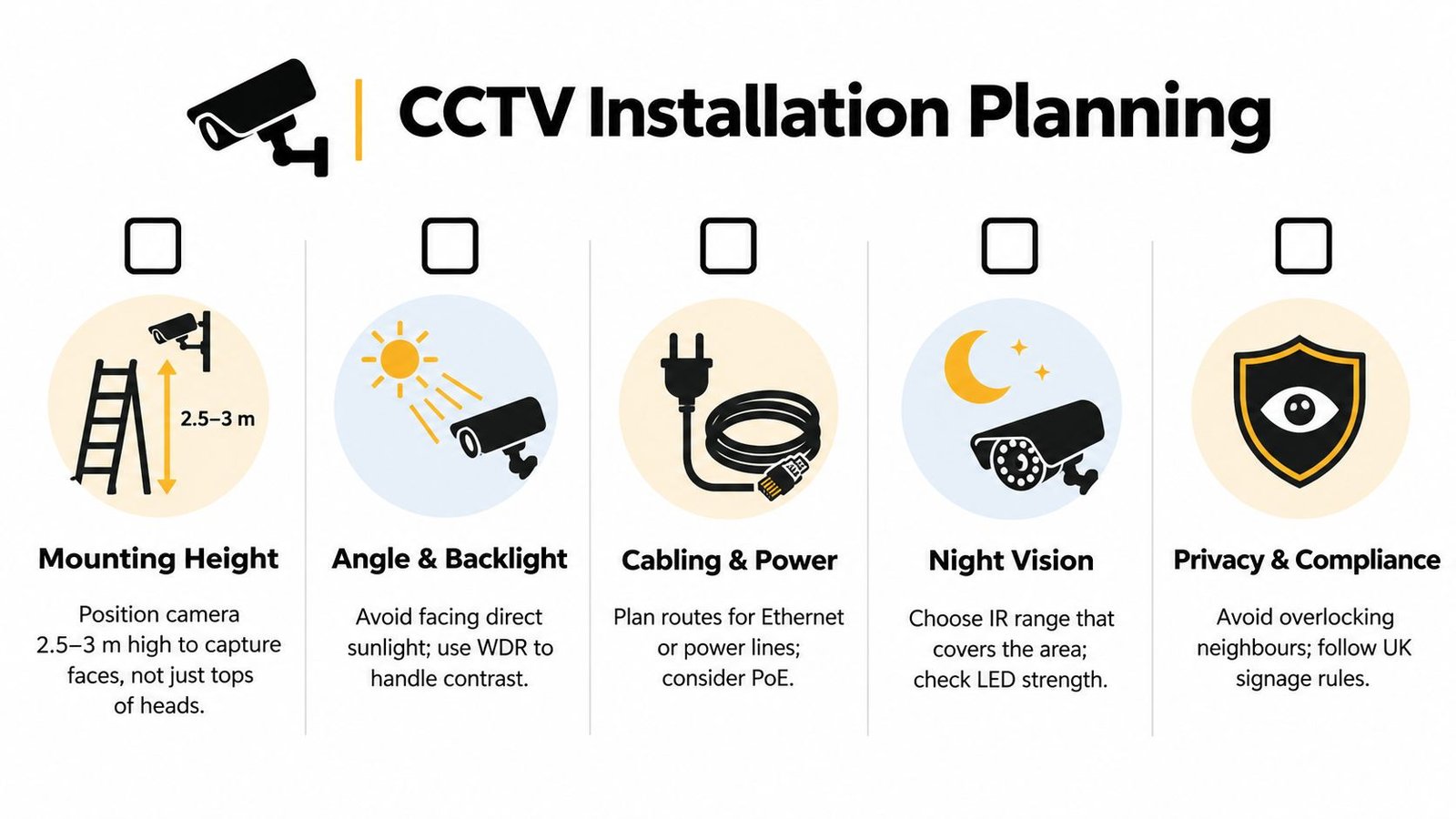
For doors and gates, place cameras where they catch a person approaching or pausing, not just walking underneath. For stockrooms, think about the route to the shelves and the exit, not just a broad room shot. For a shop floor, cover the entrance, till, and any blind spots where incidents are likely to happen.
A quick site walk usually picks up the main trouble spots:
- Backlight: Cameras facing low sun, roller shutters opening to daylight, or bright car headlights.
- Height issues: Too low invites tampering. Too high turns people into hats and shoulders.
- Obstructions: Gutters, signs, foliage, and even spider webs around night vision LEDs.
- Privacy spill: Neighbouring gardens, upper windows, shared footpaths.
Cabling and power choices
A stable hardwired connection usually gives the least trouble over time. In many modern systems that means PoE, where one network cable carries both power and data. That keeps installation neater and often makes fault-finding simpler later.
Wireless has its place, especially where cabling is difficult, but it asks more of the local signal environment. Battery-powered cameras can suit light-duty domestic use, though they need realistic expectations around charging, event capture, and ongoing checks.
A cleaner design usually comes from deciding these points early:
- Recorder location. Keep it somewhere secure, ventilated, and sensible for cable routes.
- Cable route. Plan how cables enter and leave the building without creating obvious weak points.
- Power resilience. Decide how much you want the system to rely on local plugs, adapters, or separate power supplies.
- Future expansion. Leave room for an extra camera if the use of the building changes.
Night vision is a design issue, not a tick-box feature
Infrared, low-light colour modes, and white-light support can all work well. The right choice depends on the scene.
A narrow side alley may benefit from infrared if you want discreet observation. A front entrance may benefit from carefully controlled white light if colour detail is more useful and the lighting won't annoy neighbours. In a warehouse, mixed lighting often needs proper testing after dark because forklifts, shutters, and reflective surfaces can confuse a badly aimed setup.
On-site habit: Always judge a camera twice. Once in daylight, once after dark. A scene that looks fine at noon can become poor evidence at night.
Domestic users in England and Wales are also advised by GOV.UK to keep the date and time accurate, check that storage is sufficient, review camera position and image quality regularly, and delete footage when it's no longer needed, as set out in the domestic CCTV guidance for owners and installers. In practice, that means placement and maintenance are linked. If a camera drifts, dirt builds up, or the clock is wrong, the value of the footage drops quickly.
For more practical examples, this guide on where to place CCTV cameras helps people think about entrances, gardens, side access, and business premises in a more useful way.
UK Legal Compliance and Privacy for CCTV Systems
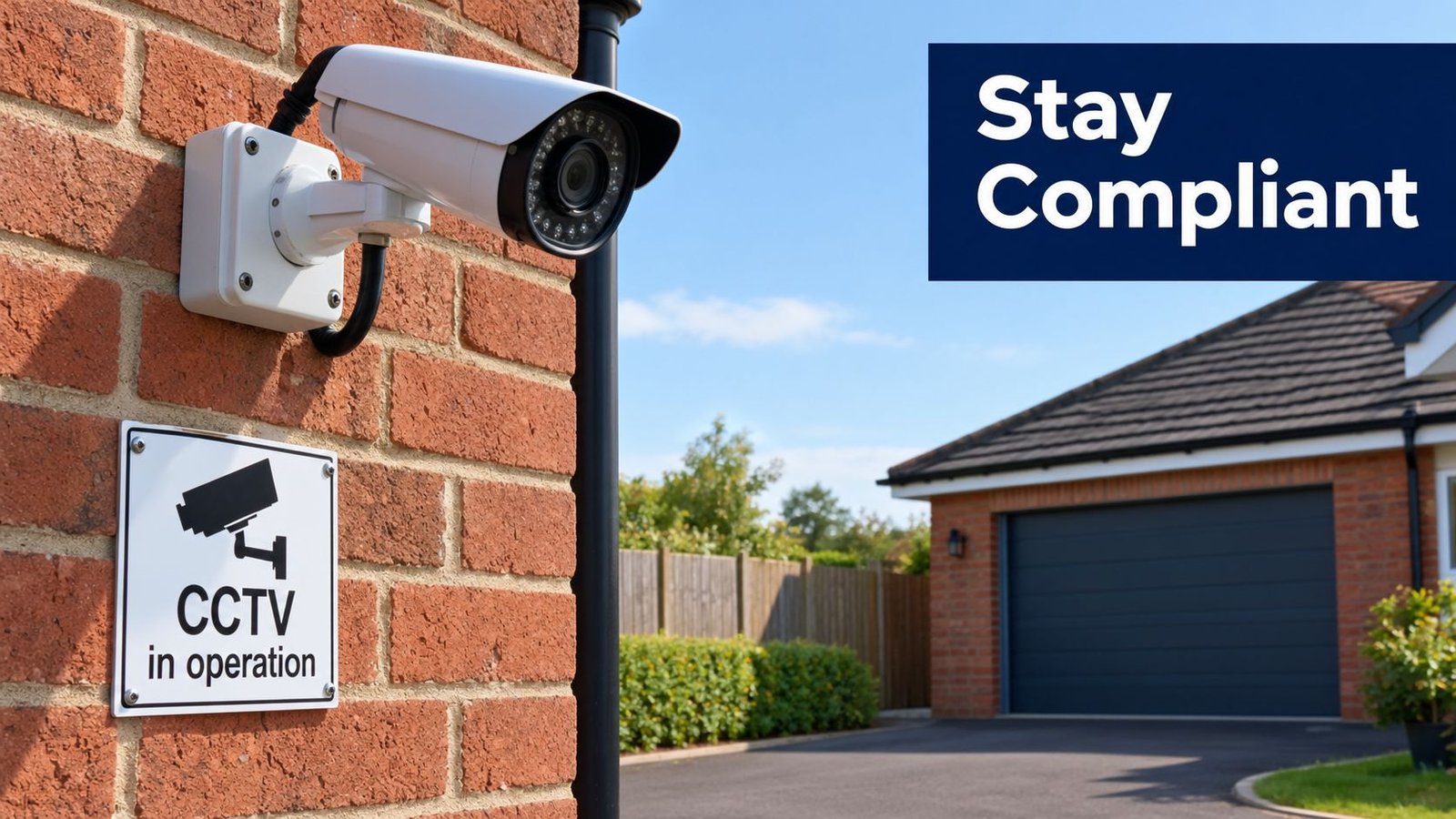
A compliant CCTV system isn't just one that records. It's one that records for a clear reason, captures what it should, protects the footage, and avoids collecting more than necessary.
For householders, the rules often feel simple until a camera looks beyond the boundary. For a business, the duties are broader because you're usually recording staff, customers, visitors, delivery drivers, and members of the public.
The basic question to ask before install
Ask this first: what specific problem is this camera solving?
If the answer is vague, the system often becomes vague too. Cameras end up pointing wider than needed. Retention is left on default settings. Too many people get app access. Nobody reviews whether the setup still makes sense after the property use changes.
A tighter purpose gives you better decisions:
- Home driveway: protect vehicles and identify callers
- Retail till area: review incidents and staff safety concerns
- Rear service yard: monitor deliveries and unauthorised access
- Landlord common entrance: record entry and exit to shared areas
That also helps with privacy. If the purpose is entrance coverage, there's usually no need to watch a neighbour's patio or an upstairs window opposite.
What daily compliance looks like
Compliance is often viewed as a sign on a wall and nothing more. It isn't.
Day to day, it usually means:
- Clear purpose: Know why each camera is there.
- Limited view: Avoid unnecessary overspill into spaces you don't need to monitor.
- Secure access: Only authorised people should be able to view or export footage.
- Sensible retention: Keep footage only as long as needed for the purpose.
- Regular review: Check that image quality, positioning, storage, and time settings still hold up.
If you run a business, document those decisions. If you're a homeowner, keep the same mindset even if your setup is modest. It protects both privacy and the usefulness of the evidence.
A short visual explainer can help if you want the legal side put plainly:
CCTV should be proportionate. Record what you need, for the reason you need it, and no more than that.
This is also where maintenance returns to the conversation. If the time stamp is wrong, clips can be challenged. If the recorder is accessible to too many people, chain of custody becomes murkier. If nobody checks whether a camera has shifted toward a public area, privacy problems creep in.
Professional Installation Process and Remote Viewing Setup
A professional install should feel calm and methodical, not mysterious. You shouldn't be left guessing why a camera went in one place instead of another, or whether the app on your phone is the only way to view an incident later.
The job usually starts with a site survey. That's where the installer looks at the building, the likely routes people take, lighting changes, power availability, and where the recorder can live safely. Good survey work often saves more trouble than expensive hardware.
What happens on installation day
The sequence is usually straightforward.
First comes the cable route and first-fix work. Then cameras are mounted, aimed, and connected. After that, the recorder is configured, recording behaviour is checked, and the images are tuned for the actual scene rather than left on factory settings.
The part many people underestimate is commissioning. The installer proves the system does what it was meant to do. They'll check live view, playback, storage behaviour, time settings, remote access, and often night performance as well.
A sensible handover should include:
- Live viewing basics: How to see all cameras and switch layouts.
- Playback training: How to find a date, time, or event quickly.
- Exporting footage: How to save clips when police, insurers, or management need them.
- User permissions: Who in the household or business should have access.
- Care routine: Cleaning, visual checks, and when to call for service.
Remote viewing without creating a security mess
Remote access is useful. It's also one of the easiest things to set up badly.
You want the right people to check cameras from a phone or office PC, but not in a way that hands out unmanaged access to everyone on the staff group chat. In a home, that might mean only the household adults having app access. In a business, it may mean different access levels for owners, managers, and keyholders.
Where systems tie into alarms, intercoms, or access control, the installer should explain how those pieces interact. For example, an alarm event may help you jump to a recording point more quickly, or an access-controlled entrance may make footage easier to review against known entry activity.
If your site needs more than one live angle shared at the same time, such as a training room, event space, or a monitored process area, it's worth understanding how to go live with two cameras so the viewing setup matches the operational need rather than becoming a workaround later.
One practical example of an end-to-end provider in this space is Wisenet Security Ltd, which designs, installs, configures, and maintains CCTV systems for homes and commercial sites across South Wales and the South West. The important bit isn't the badge on the van. It's that whoever installs the system should leave you with working footage, secure remote access, and a clear handover.
Maintenance Costs and Long Term Value of Your CCTV System
The cost of CCTV isn't just the install day. It's what happens after month three, month six, and the first time you need to pull footage fast.
A system keeps its value when the lenses stay clean, the recorder stays healthy, the time stays accurate, and someone notices when a camera has shifted or a scene has changed. A new sign, a grown hedge, a moved shelf, or a brighter external light can all lower evidential value without the owner realising.
What maintenance actually covers
Routine maintenance is less glamorous than camera shopping, but it's where long-term value lives.
- Image checks: Review daylight and night footage for focus, glare, dirt, and drift.
- Storage checks: Make sure recording is happening as intended and clips can be found.
- Software and firmware updates: Keep the platform stable and reduce avoidable security issues.
- Privacy review: Confirm cameras still point where they should and access rights still make sense.
For many small businesses and landlords, the bigger choice is no longer just “which camera?”. It's “who will look after this over time?”
Buy outright or move toward managed surveillance
The UK market has been moving in that direction. Recent UK market coverage says services are the fastest-growing component at about 9% CAGR, while cloud VSaaS is the fastest-growing deployment model at about 14% CAGR, even though on-premise systems still dominate the installed base, as noted by Expert Market Research's UK video surveillance market coverage. The practical reason is easy to understand. Plenty of owners don't want to become part-time CCTV administrators.
A managed approach can suit sites where nobody on site wants responsibility for updates, retention settings, or routine checks. A local recorder can still make sense where the internet connection is limited, where users want direct control, or where the building already has a stable infrastructure in place. There isn't one right answer for every property.
A simple way to decide is this:
| If your priority is… | You'll usually lean toward… |
|---|---|
| Direct control on site | Recorder-based local system |
| Less day-to-day admin | Managed or service-backed setup |
| Easy scaling across multiple sites | Cloud or hybrid approach |
| Lowest disruption to existing cabling | Upgrade around current infrastructure |
There's also a wider market backdrop behind all of this. A Freedom of Information-based study reported that 336 authorities spent £314,835,170.39 on installing and operating CCTV cameras, while a later Big Brother Watch report put local-authority CCTV installation and maintenance at £515 million between 2007 and 2011. That same report said Britain had at least 51,600 CCTV cameras controlled by 428 local authorities, up from 21,000 in 1999, and the National Surveillance Camera Strategy later noted UK video and CCTV surveillance sector turnover of £2,120 million in 2015 in the Statewatch-hosted report and related cited strategy material. The lesson for buyers is straightforward. CCTV isn't just a box-product purchase. It's a long-term infrastructure decision.
If you want a system that's planned around usable evidence rather than just camera specs, Wisenet Security Ltd can help with site surveys, professional CCTV installation, remote viewing setup, and ongoing maintenance for homes and businesses across South Wales and the South West. To see what that looks like in practice, visit Wisenet Security Ltd.