CCTV Installation Newport: Your Expert Local Guide
If you're looking at CCTV installation in Newport, you're probably in one of two positions right now. You either want to secure a home without turning it into a building site, or you run a business and need a system that helps when something goes wrong. In both cases, the same problem comes up. There's a lot of generic advice online, and not much of it reflects Newport's weather, property layouts, or the compliance issues that catch people out.
That matters because CCTV is no longer unusual. One estimate put the UK at over 7.3 million CCTV cameras in 2022, or one camera for every 11 people, while updated industry analysis cited in the same discussion puts the UK closer to approximately 21 million cameras now operational, compared with 7.5 million a decade ago. The BSIA also reports roughly 7.5 million cameras nationally, with 16 to 24 cameras per square kilometre in major urban areas such as London, a useful benchmark when thinking about city environments in South Wales (Scottish Government review of public space CCTV). For most homes and commercial sites, CCTV now sits alongside locks, alarms, and lighting as a standard security layer.
Table of Contents
- Choosing the Right CCTV System for Your Newport Property
- The Professional Installation Process From Start to Finish
- Understanding CCTV Costs and Justifying the Investment
- Navigating UK CCTV Laws and Newport Compliance
- How to Choose a Reputable Newport CCTV Installer
- Aftercare Long-Term Maintenance and Monitoring Options
- Your Newport CCTV Questions Answered
Choosing the Right CCTV System for Your Newport Property
A house near the coast, a shop front on a busy road, and a unit on an industrial estate don't need the same CCTV setup. Good system design starts with what you need to see, when you need to see it, and what conditions the cameras will face day after day.
Start with the risk not the camera
For most domestic properties, the priority is simple coverage of the front approach, driveway, side access, and rear garden. For businesses, the priority often shifts to entrances, loading areas, shutter lines, vehicle spaces, and any blind spots where people can move unseen.
A useful way to choose the system is to match it to the site:
| Property type | Usually the better fit | Why |
|---|---|---|
| Small home or flat entrance | Wireless or compact IP setup | Less disruption, easier placement |
| Detached home with multiple elevations | Wired IP system | More stable over longer runs |
| Shop, office, or warehouse | IP cameras with recorder and remote access | Better image detail and expansion options |
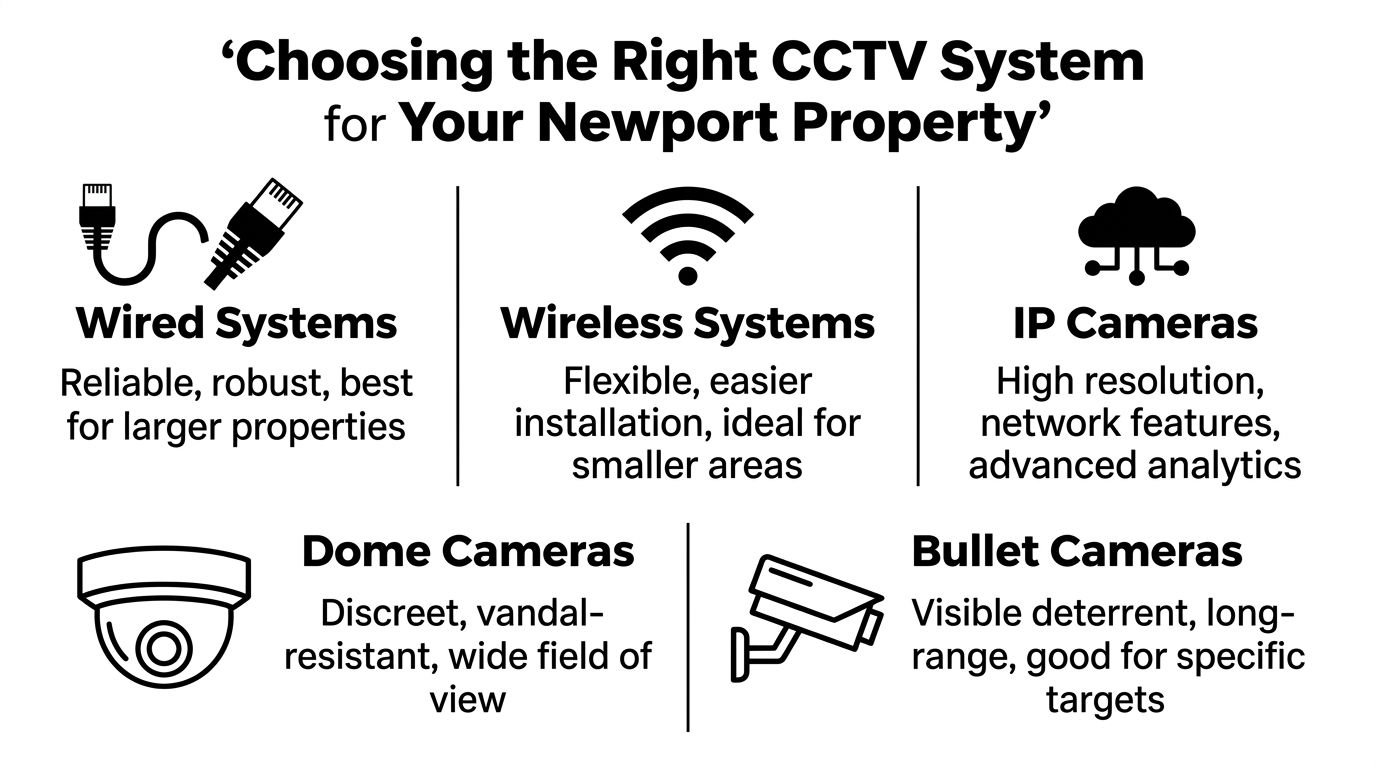
Camera style matters as well. Dome cameras tend to suit entrances, soffits, and lower mounting points where you want a more discreet look. Bullet cameras are usually better when you want a clear visual deterrent and a defined view down a driveway, side lane, or yard.
Practical rule: Choose the camera based on the job. Don't buy a long-range bullet for a porch, and don't expect a wide-angle dome to identify detail at the far end of a car park.
Resolution is another area where people get pushed into the wrong decision. 1080p HD can still be fine for general overview footage. 4K or UHD becomes worthwhile when you need sharper identification, wider scenes without losing detail, or the option to zoom into recorded footage. If a camera covers vehicles, gates, entrances, or stock movement, higher resolution usually pays for itself in usable evidence rather than prettier marketing screenshots.
What works well in Newport conditions
A key aspect many generic guides miss is how Newport's weather should influence hardware choices from the start. According to the cited weather-related guidance, Newport's average annual rainfall is 1,200mm, the highest in South Wales, and that level of exposure can reduce infrared effectiveness by up to 30% compared to inland areas. The same source states that 45% of CCTV failures in coastal UK towns are due to moisture ingress, which is why IP68 minimum weather-resistant housings are worth serious attention on exposed installations (weather and moisture guidance referenced here).
That has practical consequences:
- Use properly rated housings: IP67 is common, but exposed coastal positions benefit from IP68 minimum where available for the environment described above.
- Avoid exposed weak points: Cheap junctions, poorly sealed terminations, and bargain mounting boxes fail first.
- Think about night image quality: Rain on lenses and coastal residue degrade image clarity faster than many owners expect.
- Mount for maintenance: If a lens will need regular cleaning, place it where it can be reached safely.
Remote viewing is worth having, but it shouldn't be the main buying reason. The app is useful for checking alerts, reviewing incidents, and confirming whether a call-out is necessary. It's not a substitute for a well-designed camera layout. A poor angle viewed on a smartphone is still a poor angle.
The Professional Installation Process From Start to Finish
A good installation starts before a drill comes out. In Newport, that matters more than many owners expect, because the job is not only about camera positions. It is also about choosing cable routes, fixings, and mounting points that will stand up to coastal weather, salt in the air, and the practical limits of the building itself.
What happens before installation day
The first visit should be a proper site survey. The installer needs to understand what you need to see, when you need to see it, and what standard of image is required in each area. Identifying a face at a front door is a different job from watching a yard gate, a car park, or a shop floor.
On a Newport property, I would also expect the survey to pick up things generic guides miss. Exposed elevations near the coast often need better placement and better sealing. Older terraces can limit cable routes. Flats and mixed-use buildings can raise extra questions about shared access areas, privacy masking, and whether cameras may capture part of a public space.
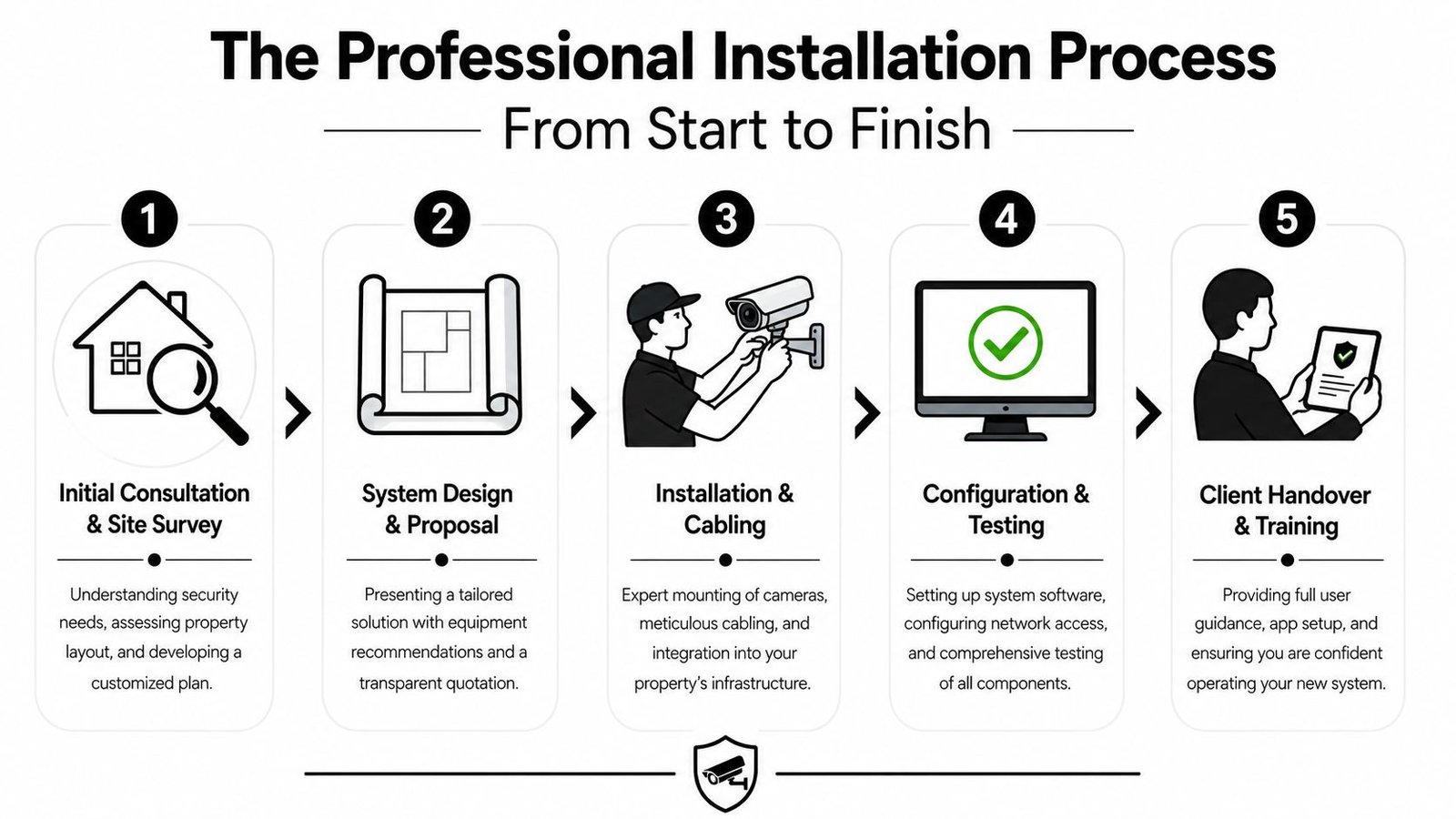
A clear proposal should show where each camera will go, what each one is expected to capture, where the recorder will sit, how footage will be stored, and how you will access it. It should also explain any legal points that apply to the layout, especially if coverage reaches beyond your boundary. If a quote skips over those details, ask for more before work starts.
If budget is part of the decision, it helps to review practical CCTV installation cost factors before approving the design. That makes it easier to judge where you are paying for better coverage, better hardware, or a more difficult install.
What should happen on the day
Installation day should follow an agreed plan. Engineers should confirm final positions, protect internal areas where needed, and keep changes to a minimum unless a site condition requires an adjustment.
The work usually follows a straightforward order:
- Confirm camera positions on site: Small alignment changes are normal, especially once sightlines are checked from ladder height.
- Run and secure cabling: Good cable work is neat, protected, and planned around weather exposure and future access.
- Mount cameras and junction points: External fittings should be sealed properly, with no exposed weak spots where water can get in.
- Install and configure the recorder or NVR: This includes storage settings, time and date, user permissions, and network setup.
- Test the full system: Every camera should be checked in daylight and, where possible, for night performance as well.
Clean work matters. A tidy finish usually reflects care in the parts you cannot see, such as terminations, labelling, recorder setup, and network security.
Commissioning is where a professional job separates itself from a rushed one. Cameras should be focused properly, motion settings adjusted to reduce false alerts, and recording checked through playback rather than live view alone. On business premises, the installer should also confirm who can access footage, how exports are made, and whether the system needs privacy masking or signage before it is put into regular use.
Handover should be practical, not rushed. You should be shown how to search by time and date, export an incident, use the phone app, and spot early signs of a fault. For Newport sites exposed to harsher weather, I also advise owners to ask how often lenses, housings, and external connections should be inspected, because that simple maintenance step prevents a lot of avoidable call-outs.
Understanding CCTV Costs and Justifying the Investment
A Newport quote can look straightforward until the site survey starts. A terraced frontage with one easy cable route is one job. A coastal property with exposed walls, salt air, and a detached garage is another.
That is why CCTV pricing varies so much. You are paying for equipment, labour, storage, and the installer's judgement on where corners can be cut safely and where they should not be cut at all.
What affects the final price
For homes, the starting point is usually driven by system size and camera quality, then pushed up or down by the building itself. Newport properties often add a few practical complications. Sea air can shorten the life of poor-grade external fittings, exposed runs need better weather protection, and older buildings can make cable access slower than owners expect.
The main cost factors are usually:
- Camera count: More cameras increase hardware, installation time, and recorder capacity.
- Image quality and lens choice: Clear identification at a gate, driveway, till point, or loading area often needs better cameras than a basic overview system.
- Storage and retention: Longer recording periods need larger hard drives and proper setup to avoid gaps.
- Property layout: Extensions, side access, outbuildings, and mixed-use premises all affect labour time.
- External conditions: Coastal exposure, driving rain, and vulnerable fixing points can justify better housings, stainless fixings, or more protected cable routes.
- Access requirements: High elevations, fragile roofing, or awkward rear access can add time and equipment costs.
If you want a clearer sense of what changes the price between a basic setup and a better-specified system, this guide to CCTV installation costs for different property types and system sizes gives a useful breakdown.
Cheap quotes often leave out the parts that matter later.
I see this most often with low-grade cameras fitted in poor positions, undersized storage, badly protected external connections, or recorders set up with default settings that were never adjusted for the site. The system works on day one, but the footage is disappointing in rain, at night, or when you need to identify a face or number plate.
Cost versus value
The value of CCTV is usually judged too narrowly. Owners focus on the purchase price, but the real question is whether the system helps you prevent disputes, review incidents quickly, and get usable footage when something goes wrong.
For a homeowner, that may mean clear coverage of a driveway, side path, or delivery point. For a Newport business, it often means protecting stock yards, customer entrances, staff access doors, and vehicle areas where incidents are harder to resolve without video. In those cases, a well-planned system earns its keep through evidence, accountability, and time saved.
There is also a Newport-specific point that generic buying guides miss. Equipment choice affects long-term cost. On exposed sites, paying more for better external cameras, proper junction boxes, and corrosion-resistant fittings can reduce faults and call-outs over the next few winters. A lower upfront figure is not always the lower ownership cost.
Good value comes from matching the system to the risk. A small flat near the town centre does not need the same layout as a trade yard near the docks. The right investment is the one that records the areas that matter, stands up to the local conditions, and produces footage you can use.
Navigating UK CCTV Laws and Newport Compliance
The legal side of CCTV surprises more owners than the hardware side. Many assume that if a camera is on their own wall, everything it records is automatically fine. That isn't how the rules work.
When your system becomes a legal responsibility
If your cameras capture footage beyond your private boundary, such as a pavement, shared access, road frontage, or a neighbour's property, you become a data controller under UK GDPR and the Data Protection Act 2018. For commercial premises, government guidance states that this requires ICO registration, a Data Protection Impact Assessment, and clear signage stating who is operating the system and why (UK government guidance on CCTV at commercial premises).

Many otherwise decent installations become non-compliant. The issue usually isn't malicious use. It's poor planning. A camera aimed too wide, mounted too high, or left without masking can capture more than it needs to.
What compliant installation looks like
A compliant installation is usually less about paperwork volume and more about disciplined setup. The system should collect what is needed for a legitimate purpose such as crime prevention, and avoid collecting what isn't needed.
That means paying attention to these points:
- Privacy masking: If a camera can see public paths or adjacent windows, masking may be needed to block those areas.
- Signage: The sign should identify the operator and explain the purpose of the surveillance.
- Documented reasoning: A DPIA helps show why surveillance is necessary and proportionate.
- System positioning: Good legal compliance often starts with a better angle, not a bigger sign.
If a camera records more than it needs to, the fix is usually design, not legal wording.
The government guidance is clear that failing to use privacy masking on public paths can make an installation unlawful where personal data is captured without a legitimate and pressing need. That's why legal compliance should be addressed during design, not after installation. Retrofitting signage is easy. Correcting a badly aimed system after complaints is much harder.
How to Choose a Reputable Newport CCTV Installer
A poor installer can make a tidy property look covered while leaving you with weak footage, nuisance faults, and avoidable call-backs after the first spell of hard rain off the Bristol Channel. In Newport, I would judge the installer before I judge the camera brand.

Standards matter more than sales language
A reputable installer should be able to explain how they design for image quality, weather exposure, and network security in plain English. BS EN 62676 is a good sign because it shows they understand recognised CCTV performance standards, but the true test is how that thinking appears on site.
On Newport properties, coastal moisture, driving rain, and salt in the air can shorten the life of badly chosen external equipment. An installer who knows the area will talk about housing ratings, mounting positions, cable protection, and how to reduce glare and water spotting on exposed cameras. They should also explain whether the recorder and cameras will sit on the main network or be separated properly on business premises, because convenience and security are often in tension.
Clear answers matter. If you ask why one camera has been specified over another, the reply should relate to lens choice, target distance, lighting, entry points, and the quality of identification you are trying to get. Good installers can explain trade-offs without hiding behind jargon.
For readers comparing trades more broadly, the same vetting mindset used for CCTV also applies when you're vetting local HVAC technicians. Credentials, documentation, and the quality of the survey matter more than a polished quote.
Questions worth asking before you sign
Ask questions that show how the company works after the sale, not just how quickly it can install.
- How will you confirm coverage on my site? Look for site-specific answers such as walk tests, live view checks, and handover verification against the areas that matter most.
- How do you handle exposed coastal locations? A Newport installer should be comfortable discussing corrosion risk, external fixings, weather-rated equipment, and realistic maintenance intervals.
- Who carries out the work? You want to know whether the surveyor, installer, and support team are known to the company and accountable for the result.
- What paperwork will I receive? For many commercial sites and shared buildings, the answer should include system details, user guidance, and any records needed to support lawful use.
- How do you deal with network and remote access security? On business systems, they should have a clear answer that goes beyond “we'll put it on your Wi-Fi”.
One answer tells you a lot. If an installer rushes past local compliance, that is a warning sign. In Newport, the missed details are often simple ones such as how cameras affect shared accessways, whether the owner has thought through signage and responsibility, and who is expected to manage footage requests once the system is live.
This short overview gives a sense of what a more established provider should look like in practice:
When comparing firms, look for evidence that they can support more than the day of installation. Broader experience in alarms, access control, maintenance, and commercial security usually means better accountability when faults, upgrades, or compliance questions come up later. This profile of a security company in Newport with wider system capability is a useful benchmark for the level of service depth worth checking for.
Aftercare Long-Term Maintenance and Monitoring Options
A CCTV system isn't fit-and-forget. It keeps working only if the lenses stay clean, the recorder stays healthy, the app remains accessible, and the settings still match how the site is used.
Self-managed versus professionally maintained
Some owners are happy to manage their own system. That can work well on a simple domestic setup if someone performs checks. The problem is that many faults aren't obvious until footage is needed. A dirty lens, failed drive, time-sync issue, or disabled alert can sit unnoticed for months.
A maintenance arrangement usually makes more sense for commercial premises, larger homes, shared buildings, and any site where CCTV forms part of a wider security plan.
Compare the two approaches:
| Option | Best for | Main drawback |
|---|---|---|
| Self-managed | Small, simple systems | Problems are often found late |
| Professional maintenance | Business sites and higher-dependability systems | Ongoing service cost |
If you want to see what a structured service plan usually includes, this overview of CCTV system maintenance and support options gives a practical benchmark.
Reliable CCTV depends on small routine checks. Most avoidable failures start as minor issues nobody noticed.
Monitoring options in plain English
Monitoring sits on a separate decision from maintenance. Some people only want smartphone alerts and local recording. Others want a response pathway if the system detects an intrusion out of hours.
The broad options usually look like this:
- App-based self-monitoring: You receive alerts and review footage yourself.
- Bell-only linked security setup: The system acts as a local deterrent without external monitoring.
- Remotely monitored setup: A monitoring centre can respond according to the agreed protocol.
What works best depends on the building and the consequence of missing an event. A family home may only need alerts and good playback. A warehouse with stock, vehicle access, and periods of vacancy may need something more structured.
Your Newport CCTV Questions Answered
Do I need to register with the ICO for home CCTV
If your home CCTV captures any public area, even partly, you're legally required to register with the ICO and pay an annual fee. This is one of the most misunderstood parts of domestic CCTV. A 2024 survey found that 78% of UK domestic CCTV users were unaware of that requirement, which helps explain why so many household systems drift into non-compliance (survey reference on domestic CCTV awareness).
Can CCTV work with alarms and access control
Yes. In practice, integration often makes the whole system easier to manage. Alarm events can be checked against video, entry points can be reviewed visually, and owners don't have to jump between disconnected systems when something happens.
Is remote viewing safe
It can be, if the system has been set up properly and access is controlled. The biggest mistakes usually happen during setup rather than day-to-day use. Strong passwords, controlled permissions, and professional configuration matter.
Will one camera cover the whole front of my property
Usually not well. One camera may give you an overview, but entrances, driveways, and side access often need different angles if you want usable footage rather than a broad but vague picture.
How do I know what system is right for my site
Start with the outcome. Do you need deterrence, identification, remote checks, legal compliance, or all of the above? Once that's clear, the camera count and specification become much easier to decide.
If you want clear advice on CCTV installation in Newport, the best next step is to speak to a local specialist that can assess the property properly, explain the legal side, and recommend a system that suits the site rather than a package. Wisenet Security Ltd provides consultations across South Wales and can help you plan a compliant, practical CCTV setup for your home or business.