Video Intercom Installation Cost: 2026 Guide
A typical fitted video intercom installation for a single UK home costs roughly £600–£1,200. Multi-tenant systems and GSM options raise the bill further, both at installation and through ongoing service charges.
You're probably reading this after calling several installers and receiving quotes that seem to describe completely different jobs. One price covers a panel swap. Another includes new wiring, a door-release mechanism and a monitor upstairs. A third looks cheap until you notice the monthly SIM or cloud-service fee.
That's why the video intercom installation cost needs to be judged by property type and scope, not by the panel's advertised price. A straightforward home installation can sit in the mid-hundreds, while difficult cable routes, multiple handsets, shared entrances and managed-building requirements quickly change the calculation. A site survey remains the only reliable way to confirm the figure, because the installer needs to inspect the door, wall construction, power supply, cable route and network position.
Table of Contents
- What You Can Expect to Pay for a Video Intercom in the UK
- The Main Cost Drivers Behind a Video Intercom Quote
- Like-for-Like Swap Versus a Full New-Circuit Install
- Homes, Flats and Small Business Price Bands Compared
- The Hidden and Day-Two Costs Most Quotes Forget
- Two Real Worked Examples From South Wales and the South West
- Budgeting Checklist and Questions to Ask Your Installer
What You Can Expect to Pay for a Video Intercom in the UK
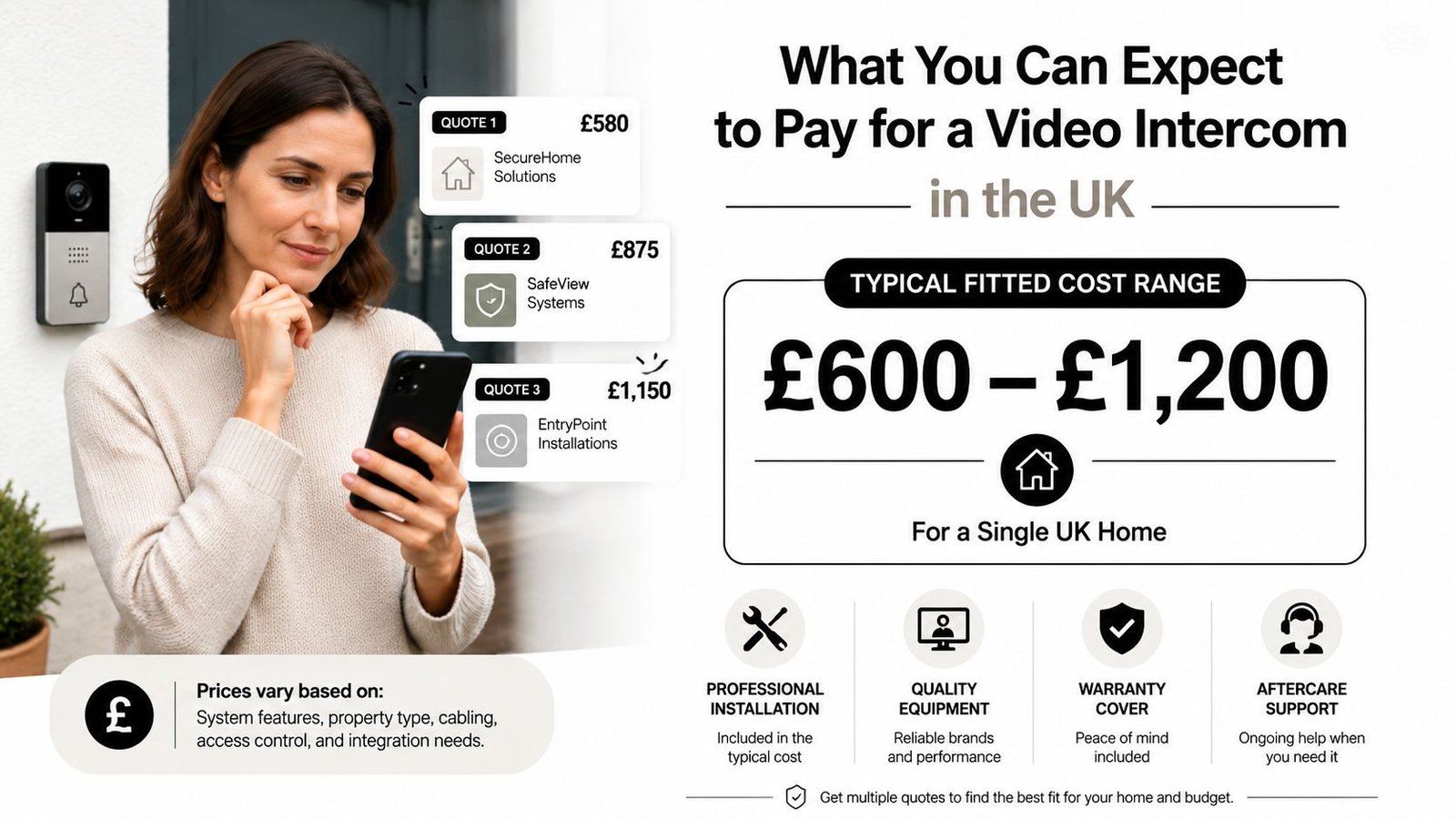
You receive three quotes for the same front door, yet the totals differ sharply. One covers a panel replacement. Another includes new cabling, an electric release and an indoor monitor. The cheapest may still exclude the SIM, cloud service or remedial plasterwork.
For a single UK home, budget £600–£1,200 fitted, based on UK domestic pricing guidance for video door-entry installations (UK fitted video intercom pricing). That usually covers one entrance, one indoor monitor or handset, standard cabling and a conventional electric door release.
The property and the job scope determine where your quote falls. A basic camera panel and handset suit the lower end. A hardwired IP system with handsfree monitors, app access, network setup and a larger entrance panel costs more. GSM or 4G equipment can raise the installation price and create a recurring SIM or service charge. Multiple doors, several stations and shared resident access need a separate budget, especially in flats and small commercial premises.
What fitted should include
A proper quotation lists the equipment, first-fix wiring, installation labour, programming, testing and commissioning. Check whether VAT is included. The scope should also confirm the door lock, power supply, exit button, transformer and making-good work.
Published UK cost guidance puts basic equipment at about £200–£800, assessment at £50–£100, cabling and wiring at £100–£300, configuration at £100–£200, and testing and commissioning at £50–£150 (UK intercom equipment and installation breakdown). Use these figures to inspect a quote, not as a promise that every property will match them.
Practical rule: A quote naming only the panel and “installation included” is too vague to compare.
Before choosing equipment, review a video intercom system for home and decide whether you need local monitoring, smartphone answering, remote door release or simple visitor confirmation. Pay for extra stations and cloud features only when you will use them. A cheaper panel is false economy if it cannot support the existing cable, lock or power arrangement.
The Main Cost Drivers Behind a Video Intercom Quote
A video intercom quote is built from several separate jobs. The entrance panel is only one line. Labour, internal stations, first-fix wiring, power and door hardware usually determine whether the finished price stays low or rises sharply.
Equipment and internal stations
UK pricing guidance places video intercom hardware at roughly £150–£400, with labour and commissioning adding £280–£550. A new circuit may add £120–£300 (UK intercom installation pricing breakdown). A higher-priced panel can provide a better camera, keypad, directory, weather protection or IP connectivity. Those features do not reduce the time needed to install and test it.
Each indoor monitor or handset adds equipment, cable termination, programming and testing. One station suits a straightforward home. Multiple stations cost more because the installer must route or terminate extra cable and confirm that calls reach the correct rooms.
For flats or small business premises, the equipment cost spreads across more users, but programming and testing become more involved. A multi-tenant system may need a directory, separate call destinations and clearer labelling. Ask whether the quote covers every flat, not just the entrance panel.
Wiring, power and the door
Cable length and access often matter more than the cable itself. Suitable low-voltage wiring may be reusable, but older cable can be damaged, poorly terminated or incompatible with the selected video system. Running a new route through masonry, a ceiling void or a shared riser increases labour. Chasing cable into plaster also creates patching and making-good work.
Power and door hardware can change the job completely. An electric strike, magnetic lock, exit button, power supply or fire-release interface turns a communication system into a broader access-control installation. Existing equipment may be reusable, but the installer must test voltage, wiring and compatibility first.
| Cost Driver | Typical Price Band |
|---|---|
| Basic video intercom equipment | £200–£800 |
| Assessment or site survey allowance | £50–£100 |
| Cabling and wiring | £100–£300 |
| Configuration | £100–£200 |
| Testing and commissioning | £50–£150 |
| Hardware within a domestic installation | £150–£400 |
| Labour and commissioning within a domestic installation | £280–£550 |
| New circuit allowance | £120–£300 |
These figures show why quotes are additive rather than magical bundles. Do not add every row automatically. Installers often package configuration, testing and labour together, so compare the stated scope rather than the arithmetic alone.
For an IP system, ask how cable will be routed, terminated, labelled and tested. Read this guide to expert structured cabling advice before accepting a wireless workaround or an improvised cable route.
Like-for-Like Swap Versus a Full New-Circuit Install
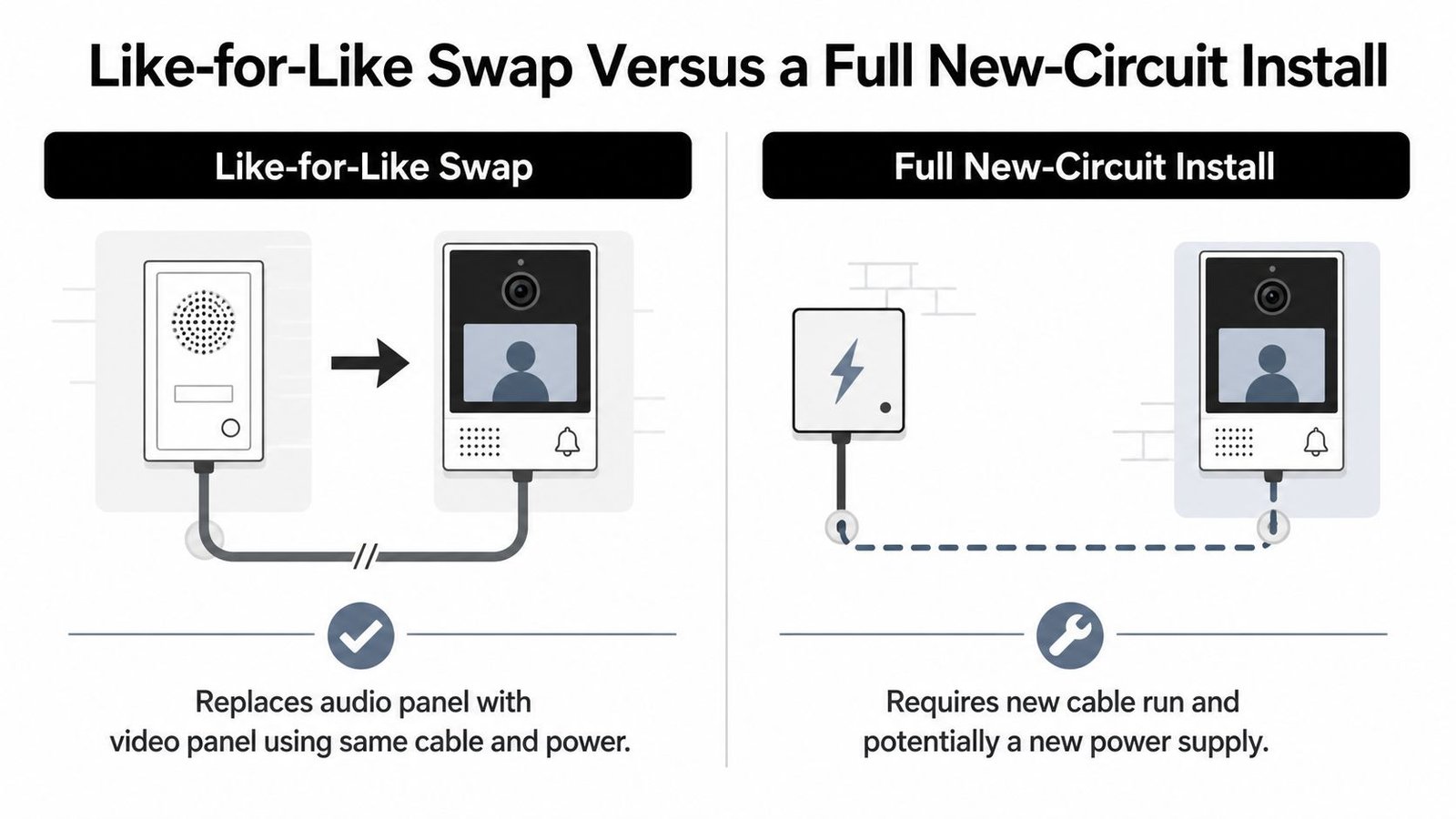
A homeowner replacing a working audio intercom can often avoid the messiest part of the job. If the existing cable route, power supply and mounting position suit the video equipment, the installer may change the entrance panel and indoor monitor without opening walls. A like-for-like swap is usually cheaper than a new-circuit installation, which must include first-fix wiring and more making-good work. Use the earlier UK comparison as a guide, then check exactly what each quote includes.
A swap still requires proper testing. Existing cable may not support the new equipment, the door-release voltage may differ, or the old power supply may be close to failure. The installer should check cable condition, voltage, terminations and compatibility before promising a quick replacement. Reusing unsuitable infrastructure only postpones the fault.
Where a new circuit costs more
A property without an intercom needs first-fix work. Cable must run from the entrance to the monitor or network point, with suitable power and containment where the route cannot be fished through. Drilling through walls or ceilings adds labour. Chasing cable into plaster also creates patching and surface repairs.
Stone façades, rendered walls, listed features and awkward layouts raise the installation time. The cost covers measuring, drilling, pulling, terminating, testing and repairing the route, not just extra cable. Higher-specification cable or a dedicated fused spur may also be needed.
A low swap quote is not comparable with a new-circuit quote. Ask whether first-fix wiring, power work, testing and making good are included.
IP equipment adds network planning. The entrance panel or monitor may need a network connection, a suitable power arrangement and configuration. Systems using Session Initiation Protocol or wider network integration need a separate setup allowance. Review this explanation of SIP config and network setup so the configuration line in the quote is clear.
An intercom system installation service should start by identifying the existing cable, power supply and door hardware. Good infrastructure can reduce the hardware and labour bill. The installer should record what is being reused, what is being replaced and what happens if testing finds a fault. That distinction prevents a cheap swap quote becoming an expensive new installation on the day.
Homes, Flats and Small Business Price Bands Compared
Property type changes the quote before the installer has priced a single component. A family house usually has one entrance and one or two answering points. A converted building needs a shared entrance panel, separate handsets and distribution equipment. A shop or office may also need a keypad, electric strike or controlled staff access, even with one external door.
For a single home, fitted video door-entry work commonly sits around £600–£1,200, depending on the cable route, monitor and door hardware. Domestic fitted cost guidance supports this range. A larger residential block spreads shared entrance equipment and cabling across several flats. Multi-flat pricing guidance places the work at approximately £250–£450 per flat where one shared door station and cabling serve multiple units. Multi-flat intercom cost guidance
A practical comparison
| Property Type | Typical Installed Cost | Per-Door Average | Key Cost Driver |
|---|---|---|---|
| Single family house | £600–£1,200 | £600–£1,200 | Cable route, monitor and door release |
| Small converted residential property | Site-specific | Shared across units | Shared panel, distribution and handsets |
| Larger residential block | Cost scales by flats and entries | Can fall as units increase | Multi-way wiring and per-flat equipment |
| Small office or retail premises | Site-specific | Usually based on controlled entrances | Keypad, strike, network and staff access |
Do not force a fixed band onto a building where the cost depends on the number of flats, entrances and cable routes. A two-flat conversion can be efficient when the route is accessible. Finished walls, long risers or separate runs to each flat can quickly remove that saving.
GSM and IP systems change the split between hardware, labour and ongoing service. GSM may avoid a hardwired telephone connection, but it depends on a mobile service. IP can provide app access and central management, while network equipment and configuration add installation work. Compare the complete proposal, not just the entrance panel.
Why block pricing needs care
A per-flat figure works only when residents share the infrastructure. Separate entrances, long risers, difficult access and individual indoor stations reduce the saving from shared equipment. A lift-served building may also need more complex cabling through communal areas, so the installer should survey those routes before residents approve the work.
Ask for two totals in every block quote: the whole-project cost and the cost per flat or controlled entrance. Then ask which amount covers the shared panel, distribution equipment, indoor stations, first-fix wiring and labour. That breakdown makes a wired design easier to compare with an IP or GSM alternative, without hiding shared costs inside a resident-side figure.
The Hidden and Day-Two Costs Most Quotes Forget
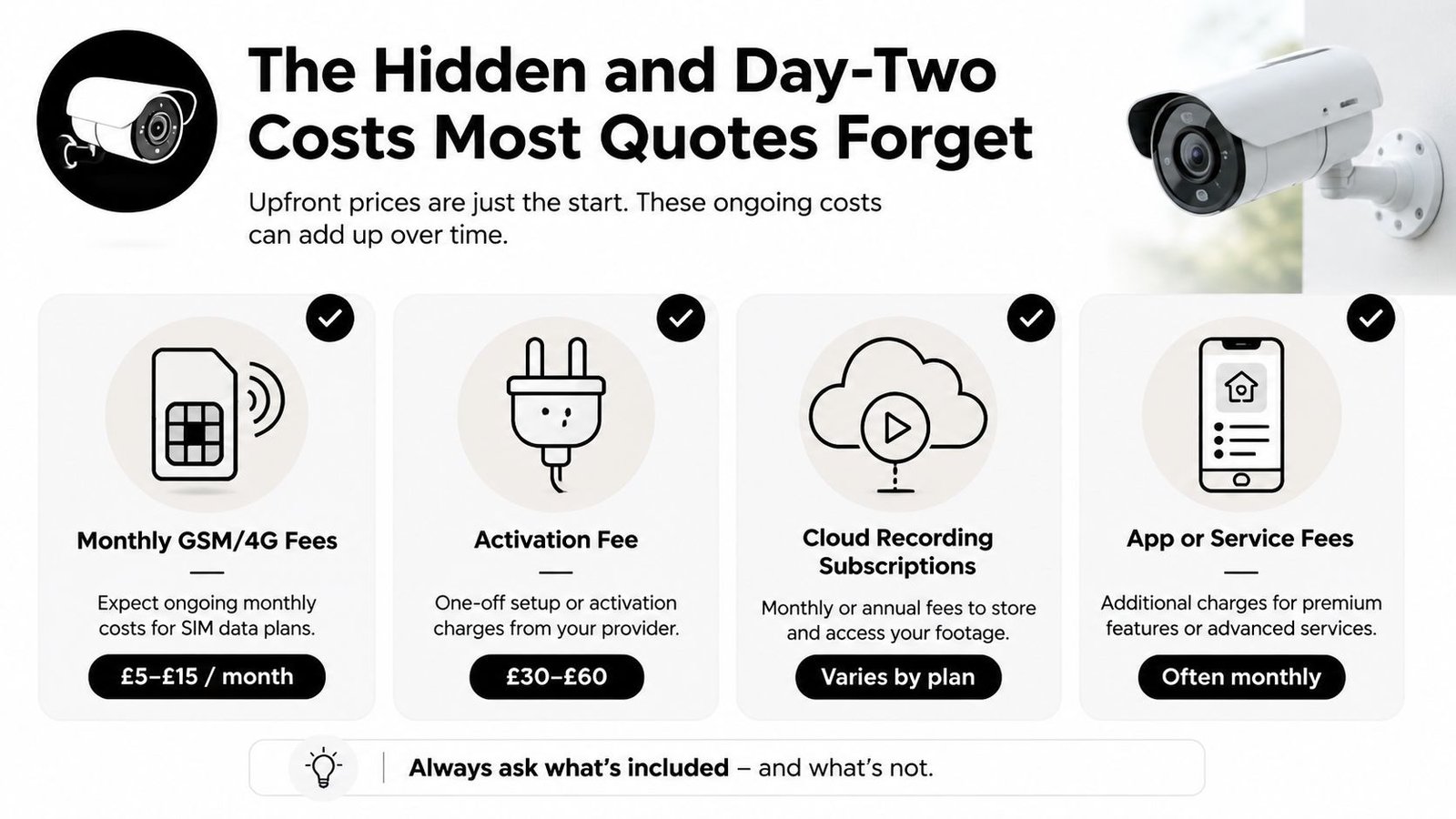
The installation total isn't the ownership total. GSM intercoms can add £10–£25 per month for SIM or service fees, according to UK guidance on GSM intercom costs (GSM intercom installation and service costs). That charge may cover connectivity, platform access or a managed service, so ask exactly what continues after the installer leaves.
Cloud features create a similar issue. Remote answering, event history, video storage and administration may depend on a subscription. Some systems work locally without a continuing platform charge, while others are designed around paid services. The right choice depends on how much remote access and management you need.
Check the parts that sit outside day one
A quote can exclude access-control hardware even when the sales description says “door release included”. Confirm whether it includes the electric strike or magnetic lock, power supply, exit button, request-to-exit arrangement and any interface with an existing alarm or access system.
Maintenance is another dividing line. A domestic system may need little planned attention, but shared residential and commercial equipment benefits from documented checks, fault response and replacement planning. Ask whether future callouts are charged by visit, by time or under a maintenance agreement.
Ownership test: Compare the purchase price, required service fees, repair arrangements and upgrade path together. The cheapest panel can be the wrong bargain.
The strongest warning sign is a quote that hides the recurring element. Ask for the monthly and annual cost, the contract term, what happens if the service is cancelled and whether the system still answers locally. A GSM design may be perfectly sensible where a network connection is unavailable, but the ongoing fee belongs in the original decision.
For door-release requirements, review a video intercom system with door release before accepting a basic camera-only proposal. A camera that lets you see a visitor but doesn't operate the entrance may leave you paying again for the hardware the property needs.
Two Real Worked Examples From South Wales and the South West
The following examples are illustrative quote walkthroughs, not verified case studies or market statistics. They show how an installer might structure the scope and where a homeowner or business owner should challenge omissions.
Example one, Cardiff Victorian terrace
The property has one front entrance and an internal answering point. A CAT5 first-fix route is already available from an earlier refurbishment, so the installer doesn't need to chase the walls or create a new cable path.
| Line Item | Allowance |
|---|---|
| Video panel, colour handset and power supply | £420 |
| Labour | £280 |
| Sundries | £40 |
| Total | £740 |
The existing cable route keeps the job controlled. The installer still needs to confirm termination quality, power compatibility, camera position and door-release operation. The quote should state whether programming, testing and any replacement lock hardware are included rather than assuming they come free.
This total is only a worked illustration. Difficult access, a failed existing cable or a new door-release arrangement could move the cost substantially higher. Conversely, a sound existing panel position and compatible power supply could keep the work close to the stated scope.
Example two, Bristol two-storey office
The office has one shared entrance, four internal handsets, a keypad and an electric strike. That is no longer a simple domestic panel replacement. The installer has multiple internal stations to configure and access-control hardware to integrate.
| Line Item | Allowance |
|---|---|
| Intercom hardware | £1,050 |
| Access-control integration | £420 |
| Labour | £480 |
| Sundries | £60 |
| Total | £2,010 |
The higher total comes from the number of answering points and the controlled-entry requirements, not solely from choosing video. A long cable route, difficult ceiling access or extra door hardware could add to the scope. If suitable cable containment and power already exist, the installer may avoid some of that work.
Neither illustration should replace a survey. UK guides specifically show that domestic hardware, wiring, labour and commissioning can vary independently, so an itemised quote is more useful than a single round figure. Ask the installer to confirm the warranty terms, inclusions and exclusions in writing, especially where a business relies on the entrance system every working day.
Budgeting Checklist and Questions to Ask Your Installer
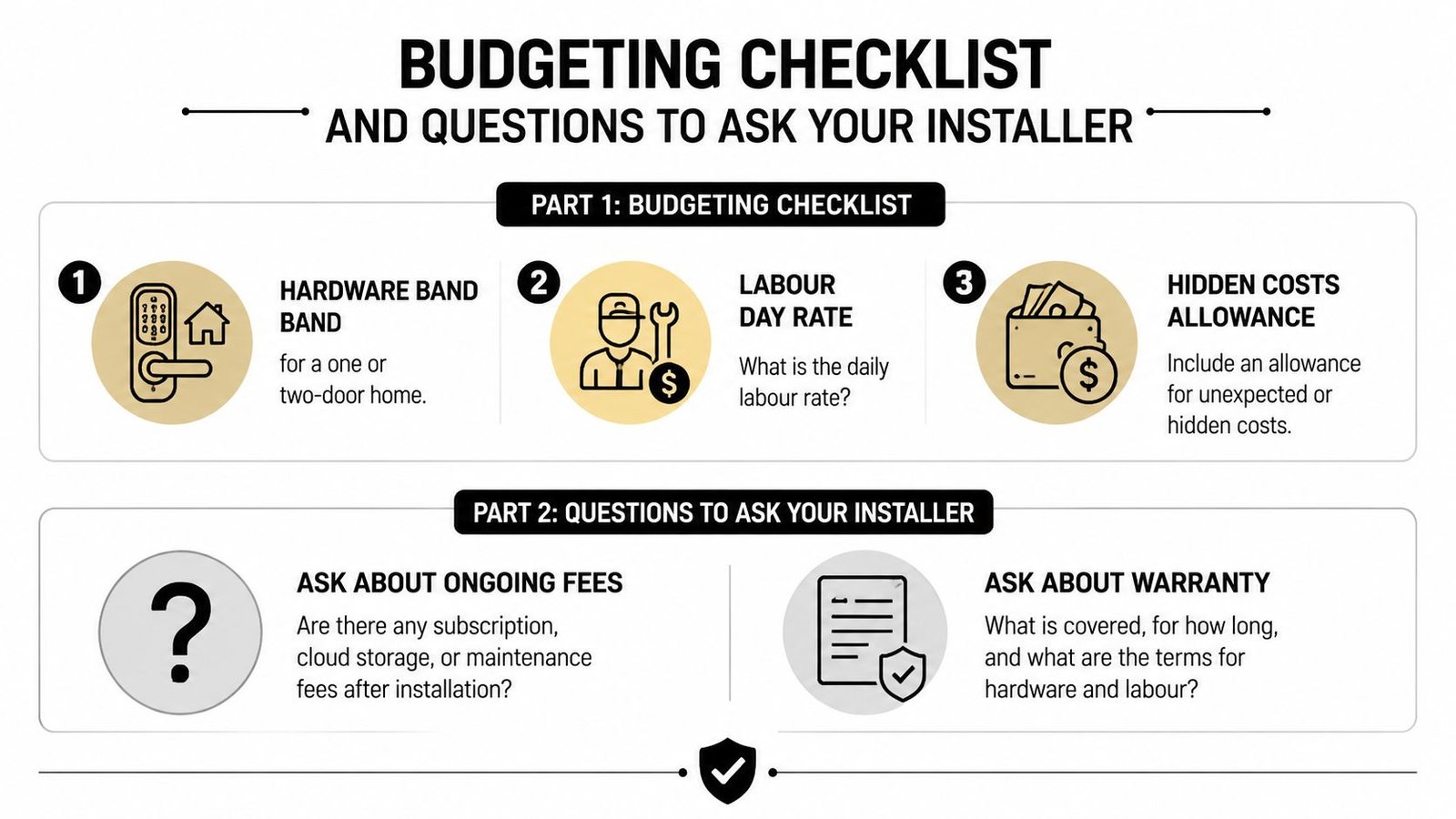
Start with the scope, then set the budget. For a one-door home, use the verified domestic fitted band as your first planning point, then allow room for new wiring, door hardware and making good if the survey finds problems. Don't build a budget around the cheapest panel advertised online.
Budgeting checklist
- System scope: Confirm the number of entrance panels, internal monitors, handsets and door releases.
- Infrastructure: Establish whether existing cable and power can be reused or whether first-fix wiring is required.
- Recurring charges: Record every SIM, cloud, app, support and monitoring fee separately from the installation price.
- Access hardware: Check whether the electric strike, magnetic lock, exit button and power supply are included.
- Aftercare: Ask who repairs the system, how faults are reported and whether replacement parts are covered.
Questions to put to the installer
- Is the quotation split between equipment, labour, cabling, configuration and testing?
- Does the stated price include VAT and making good?
- What happens if the existing cable fails during the installation?
- Does the system work locally if the internet or SIM service is unavailable?
- What warranty covers the equipment and the workmanship?
- Who handles future repairs, and what are the callout terms?
- Can the chosen system support another handset, entrance or access-control function later?
A broader checklist such as these questions to ask a generator installer is also useful for thinking through accreditation, warranty, maintenance responsibility and emergency support. The equipment differs, but the buying discipline is the same.
A free survey should include measured or sensibly estimated cable distances, photographs of the entrance and existing containment, a check of the door and lock, the proposed monitor locations, power requirements and network needs. Insist on a written fixed-price scope, with clear exclusions and confirmation of whether any electrical work is Part P notifiable. That's how you compare quotes properly instead of comparing attractive but incomplete totals.
If you're planning a video intercom in South Wales or the South West, Wisenet Security Ltd can survey the entrance, separate equipment from installation costs and design a system that fits your property. Contact the team for a clear consultation covering homes, offices, shops and multi-tenant buildings, with installation and ongoing maintenance planned from the start.