CCTV Signage Requirements UK: Legal Rules and Compliance
You've just had a CCTV system installed at a shop in Cardiff, a warehouse near Newport, or a house overlooking a shared driveway. The cameras are recording, the app works, and the installer has shown you how to export footage. Then someone asks where the warning signs are.
That's when many property owners discover that a camera system can be technically sound and still fall short of UK data protection expectations. CCTV signage isn't decoration, and it isn't an optional extra. It forms part of the notice you give people before your system records them.
The practical test is simple. A person approaching your monitored area should understand that CCTV operates there, who controls it, why it's being used, and how to make contact. Your signage should also match the way you manage footage, including who can access it and how long you keep it.
Table of Contents
- Why CCTV Signage Is a Legal Requirement Not an Option
- The Legal Framework Behind UK CCTV Signage Rules
- What Information Your CCTV Signs Must Include
- Sign Size Visibility and Placement Guidance
- Domestic vs Business CCTV Signage Obligations
- Common Mistakes and Enforcement Risks to Avoid
- CCTV Compliance Checklist for South Wales and South West Properties
Why CCTV Signage Is a Legal Requirement Not an Option
A business owner in Swansea might install cameras after repeated damage to a rear entrance. The cameras cover the loading area, the staff access point, and part of the approach from the public pavement. The owner puts up a small “CCTV in operation” sticker inside the reception area and assumes the job is complete.
It isn't. Anyone entering through the loading gate or staff entrance may be recorded before they see any notice. The sign also gives no indication of who operates the system, why the footage is collected, or where people can ask questions. That creates a transparency problem before the footage is ever used.
The Information Commissioner's Office says people must be told they may be recorded, normally through clearly visible signs. The sign should be readable before someone enters the monitored area, and it should identify the organisation operating the system, explain its purpose, and provide basic contact details such as a website, telephone number, or email address. Read the ICO's CCTV and video surveillance guidance before approving a new layout.
What can go wrong
Poor signage can weaken your position when a customer, employee, neighbour, or visitor challenges the surveillance. It can also create difficulty when you need to rely on footage in an incident, because the system may not have been operated transparently.
That doesn't automatically mean every recording becomes unusable in every dispute. It does mean you've created an avoidable argument about fairness, notice, and the way the footage was obtained. A complaint can also bring wider questions about your camera angles, access controls, retention policy, and stated purpose.
Installer's rule: If a person can reach a camera's view without passing a clear notice, your site has a signage gap.
GOV.UK's business guidance states that a business must put up a sign to tell people they may be recorded. The guidance on using CCTV was published on 11 July 2012 and was still being maintained in 2026, which shows that signage has long been treated as part of the expected compliance process, not as a cosmetic improvement. See the GOV.UK guidance on using CCTV in your business.
The same guidance links signage to the wider handling of recordings. You need to control who can see footage and keep it only for as long as the business needs it. A compliant sign therefore sits at the front of a chain that includes purpose, access, retention, and secure operation.
The Legal Framework Behind UK CCTV Signage Rules
UK CCTV signage requirements come from data protection obligations, not from a single prescribed poster design. The law doesn't give every business one mandatory layout, colour scheme, or sentence. Instead, it requires you to be transparent about surveillance and fair in the way you process identifiable images.
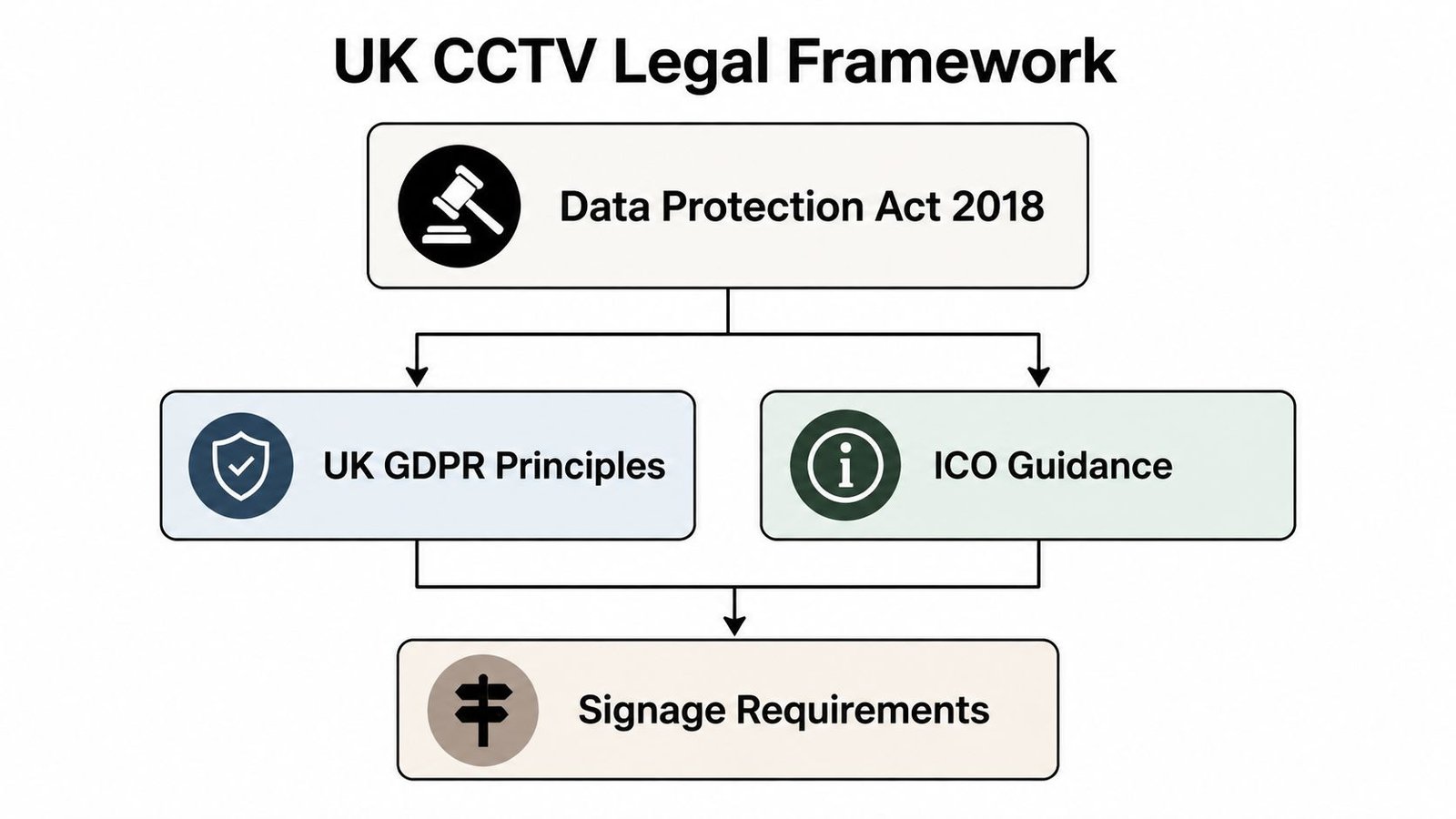
For most commercial systems, recorded images can amount to personal data when people can be identified. That brings the system within the wider framework of the UK GDPR, the Data Protection Act 2018, and guidance issued by the ICO. Signage is the practical way a business gives people an initial privacy notice at the point where recording begins.
Transparency rather than a fixed template
The ICO's position is practical. People should know that surveillance is taking place, who is responsible for it, why it's being carried out, and how to obtain further information. The sign doesn't need to contain an entire privacy policy, but it must provide enough information to make the processing understandable.
That's why a generic sign can be inadequate. “CCTV in use” tells someone that a camera may be operating, but it doesn't tell them whether the purpose is crime prevention, staff safety, traffic control, access management, or something else. The purpose matters because organisations should use footage consistently with the reason they gave people for collecting it.
The ICO registration and data protection guidance can help a business consider its wider responsibilities. Registration questions sit outside the sign itself, but they belong in the same handover conversation because the customer, not the installer, decides why footage is processed and how the system is governed.
The compliance chain
Treat the following as connected decisions rather than separate paperwork:
- Purpose: Define the security or safety reason for recording.
- Notice: Put readable signage where people see it before entering the monitored area.
- Access: Restrict footage to people with an authorised need to view it.
- Retention: Delete or overwrite recordings when the stated need ends.
- Review: Check that camera views and signage still match the current operation.
A warehouse that originally used cameras for perimeter security shouldn't start using the same footage for unrelated staff monitoring without reviewing its purpose and notice. If the business changes the system, adds audio, expands coverage, or introduces a new use for recordings, it should reassess its transparency arrangements rather than leaving old signs in place.
The legal framework is therefore straightforward in principle. Tell people what's happening, limit the surveillance to a justified purpose, and manage the recordings consistently with that explanation. A sign is the visible front end of that process.
What Information Your CCTV Signs Must Include
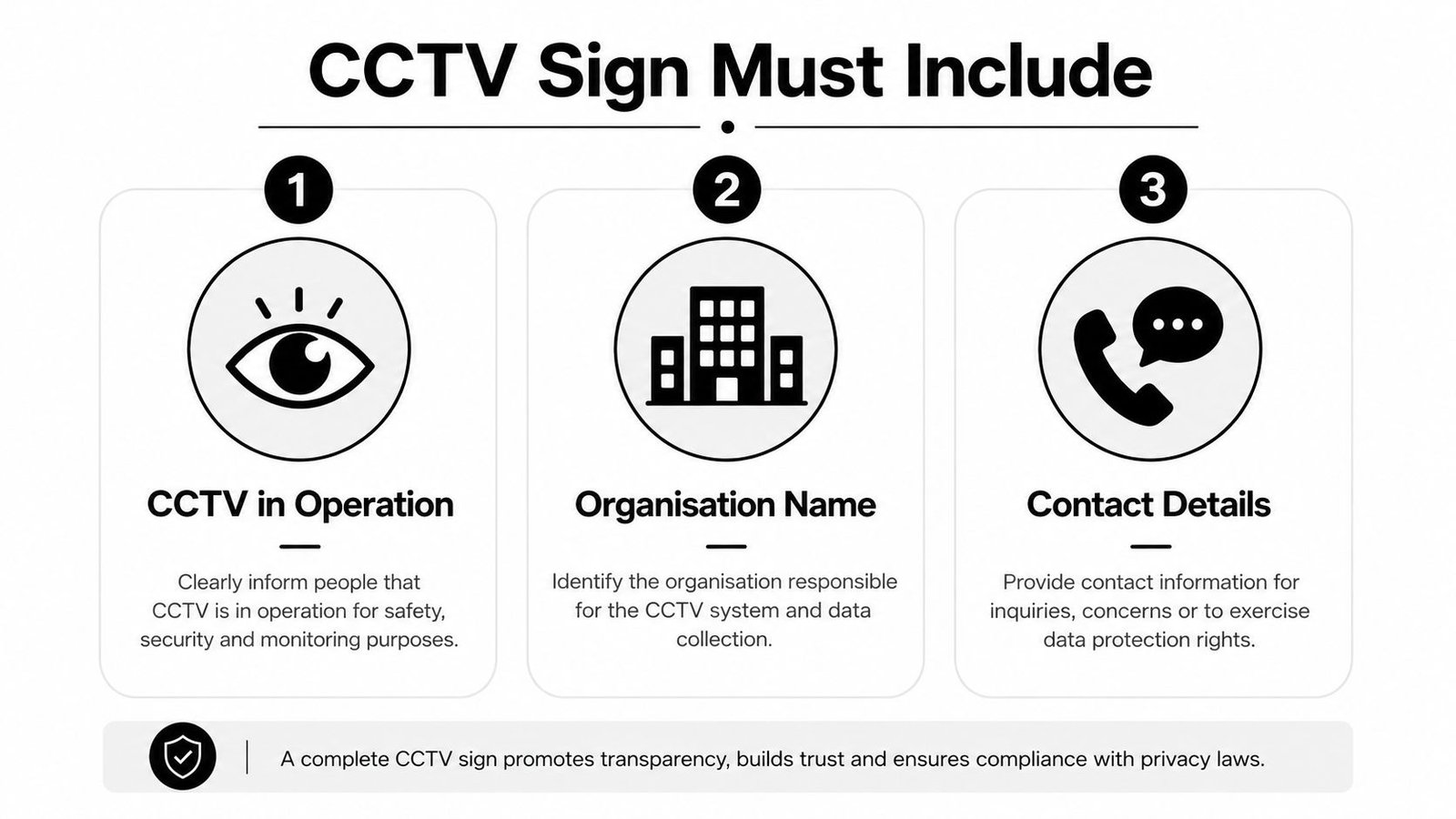
A compliant sign should answer four questions quickly. Is CCTV operating? Who operates it? Why is it being used? How can someone contact the operator or find more information?
The ICO specifically says signage should identify the organisation operating the system, state the purpose of the CCTV, and give basic contact details. Use those requirements as your drafting brief, then make the wording fit the property and the actual camera coverage.
Start with the operator and the activity
Lead with a clear statement such as “CCTV in operation” or “CCTV recording in this area.” A recognised camera symbol can reinforce the message, but an icon doesn't replace readable wording.
Name the controller or operating organisation. Use the trading name people recognise at the site, and add the legal entity where that's necessary for clarity. A sign that says only “Management” or “Security” leaves people guessing who controls the images.
Add a contact route that works. A monitored email address, business telephone number, or website can direct people to a fuller privacy notice. Don't print a number that nobody answers or a web address that leads to an unrelated home page.
State the purpose accurately
Purpose wording should describe the reason for surveillance. Examples include:
- Retail premises: “CCTV operates for crime prevention, customer safety, and the security of premises and stock. Operated by [business name]. Contact [email or website].”
- Warehouse or industrial site: “CCTV operates for site security, incident investigation, and the safety of staff and visitors. Operated by [organisation]. Contact [telephone or email].”
- Domestic driveway: “CCTV operates for the security of this property. Operated by [resident or household name]. Contact [email or telephone].”
These examples are starting points, not universal legal wording. If you record vehicle registration details, audio, staff activity, or a public access route, your privacy information needs to reflect that operation. Don't claim “security only” if the system is also being used for another defined purpose.
The business guide to CCTV and GDPR is useful when your sign needs to align with a broader privacy notice and internal CCTV policy.
Avoid the vague sign trap
“CCTV in operation” on its own is weak because it omits the operator, purpose, and contact route. A sign that contains all the words but uses tiny type, poor contrast, or a hidden contact line still fails the practical transparency test.
Put the important information on the sign itself. You can point to a fuller privacy notice for details such as access rights, sharing arrangements, and retention, but don't force a recorded person to guess who runs the cameras.
Sign Size Visibility and Placement Guidance
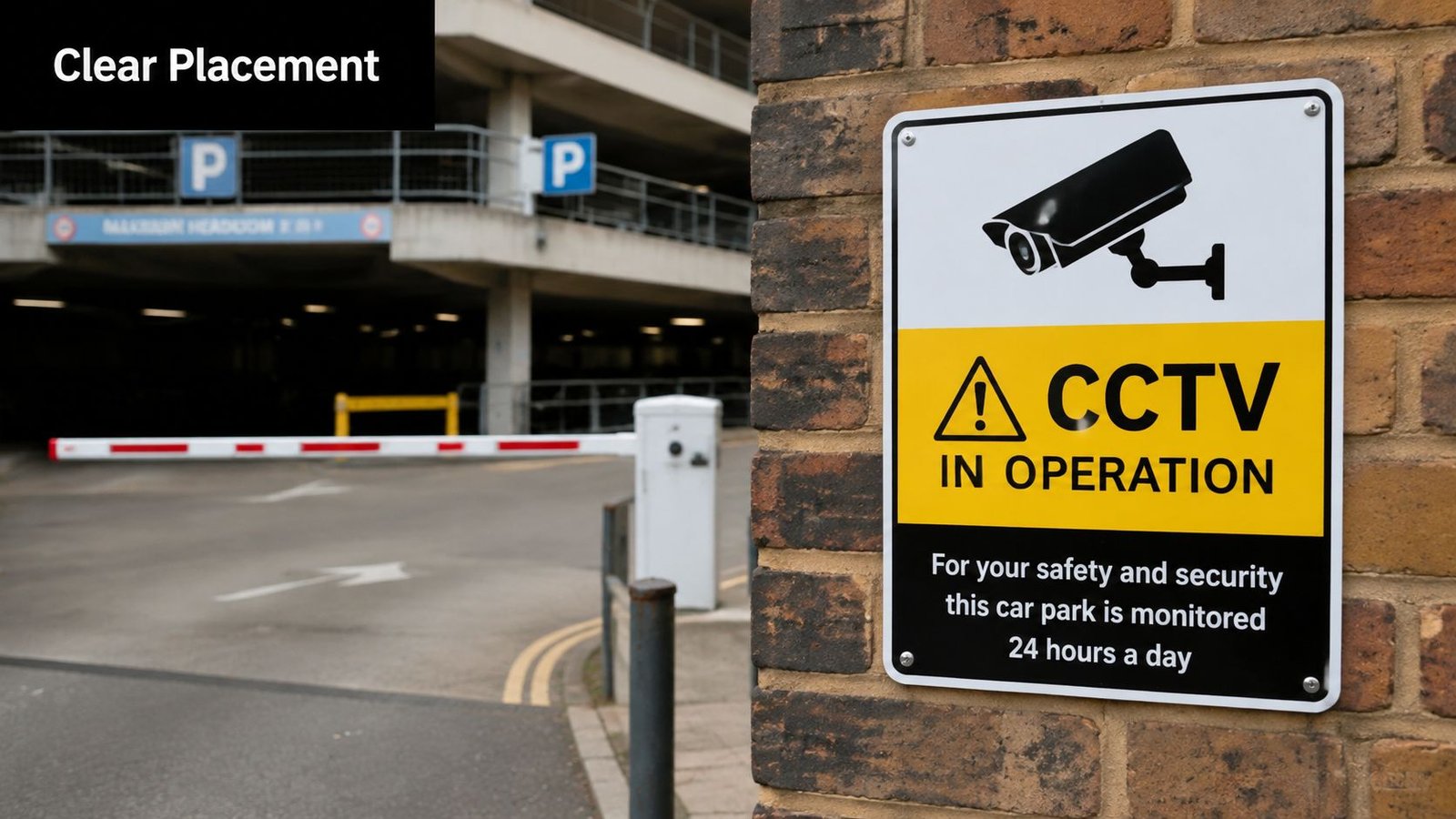
The ICO's practical benchmark is clear. A person should be able to read the notice before entering the monitored area. That means placement matters as much as wording.
A sign hidden behind an open door, mounted inside a reception area, or fixed above a cluttered shop window doesn't give proper advance notice to someone approaching the camera view. The right size depends on the viewing distance, lighting, background, and speed at which people approach. There's no universal sign dimension that passes every site.
Survey the approach, not just the building
Stand where a visitor, customer, employee, or delivery driver approaches. Look towards the sign in the same conditions they'll face, including evening light and vehicle glare. If you need to walk past the camera's view before you can read the sign, move the notice towards the boundary or alter the camera's coverage.
A useful site audit asks:
- Can people see the sign from the normal approach? Check gates, paths, ramps, vehicle lanes, and side entrances.
- Can they read the main wording? Use strong contrast, a simple typeface, and a layout that doesn't bury the purpose or contact details.
- Does each route have notice? A front entrance sign won't cover an unmarked rear gate or loading bay.
- Does the sign remain visible? Account for parked vans, seasonal displays, foliage, scaffolding, and changed lighting.
- Does it match the camera view? A sign at the building entrance may not cover a camera monitoring a separate car park boundary.
Local examples across South Wales and the South West
A high street shop in Cardiff may need notice at the main doorway and any side route that opens directly into the recorded sales floor. A Bristol car park should place signs where drivers and pedestrians approach the controlled area, not only beside the payment machine. A warehouse near Newport may need separate notice at the staff entrance, vehicle gate, and loading bay if each route enters the recorded perimeter.
For a residential driveway in Swansea or Bristol, keep the sign proportionate to the setting but don't hide it behind a hedge or inside the porch. If the camera captures beyond the property boundary, the household should review its data protection position and adjust the view where possible.
Procurement decisions also affect legibility. Comparing materials, mounting options, finishes, and placement before ordering supports more informed signage procurement decisions, especially on exposed coastal properties or busy industrial sites.
Domestic vs Business CCTV Signage Obligations
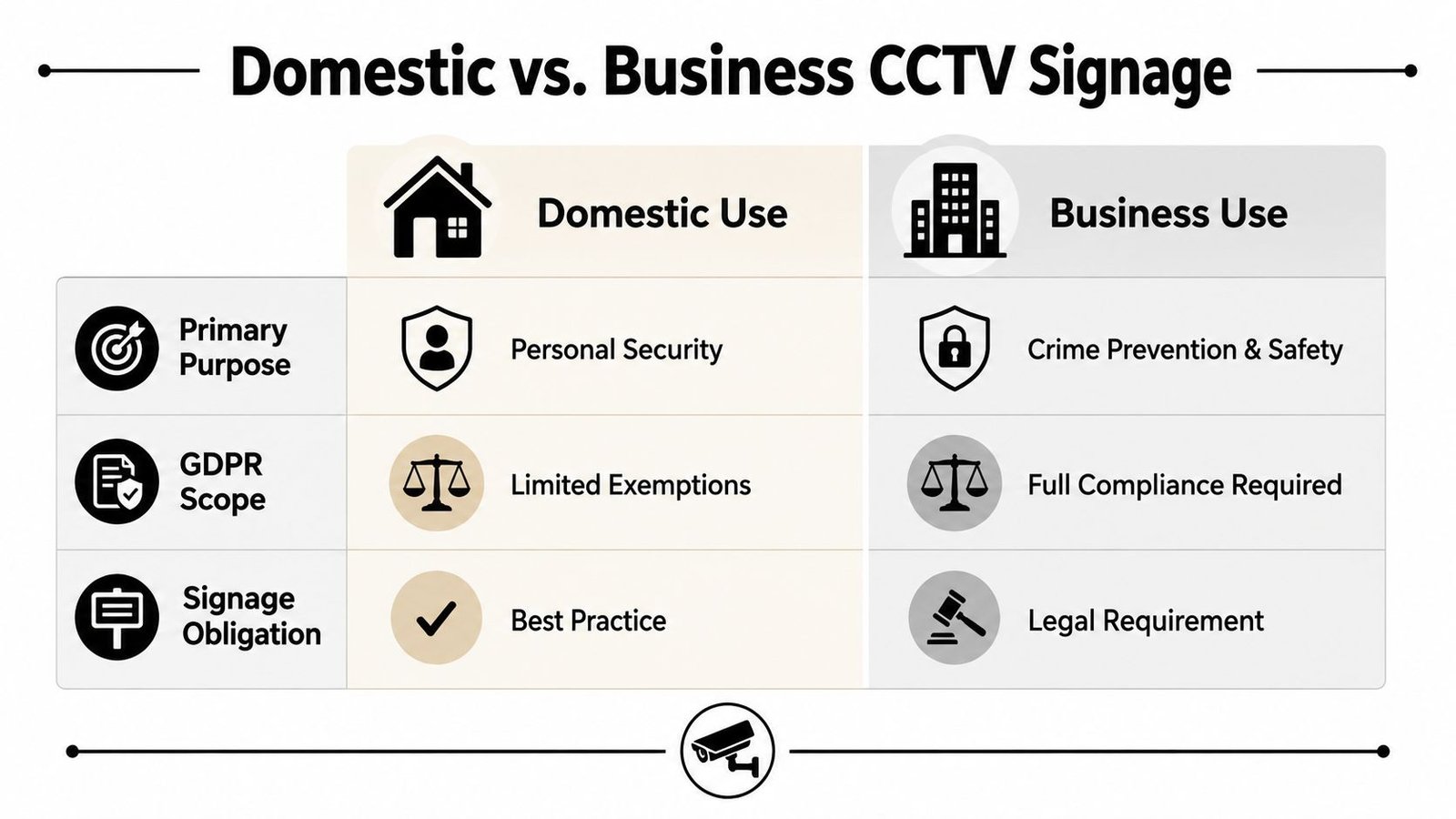
Domestic CCTV is often treated as a special case, and it is. A homeowner using cameras solely for personal and household security has a narrower data protection burden than a business operating surveillance as part of its organisation.
That flexibility disappears when the camera records beyond the private boundary. A view that includes a public pavement, shared access lane, neighbour's garden, communal parking area, or another person's property can bring the installation into a more regulated zone. At that point, the homeowner should treat notice, camera positioning, purpose, and footage handling seriously.
The domestic decision
Ask what the camera captures, not what you intended it to capture. A camera marketed for a driveway may also record people walking past, neighbours arriving home, or visitors using a shared path. Review the live view, privacy masking options, lens angle, and mounting position.
For a purely private view, signage may be sensible but isn't assessed in exactly the same way as a commercial system. Once external areas are recorded, a clear sign helps show that people are being informed and gives them a route to raise concerns.
Keep the purpose narrow. “Security of this property” is better than wording that implies general monitoring of everyone nearby. Don't point cameras into private spaces, and don't retain or share footage casually.
The business position
A business has a clearer obligation to tell people that recording takes place and why. That includes customers, employees, contractors, delivery drivers, and members of the public who enter the monitored area.
Business signs should name the organisation, identify the purpose, and provide contact details. The business should also align signage with its wider privacy information, access controls, and retention policy. Workplace cameras need particular care because footage collected for site security shouldn't automatically become a tool for unrelated staff monitoring.
The guidance on CCTV in the workplace is relevant for offices, shops, warehouses, and other sites where employees work within camera coverage.
| Domestic installation | Business installation |
|---|---|
| May fall within a narrower personal and household context | Operates as part of an organisation's data processing |
| Requires closer review when public or shared areas are captured | Requires clear notice for people entering monitored areas |
| Purpose usually centres on private property security | Purpose, operator, contact route, access, and retention should align |
| Camera positioning can reduce the compliance burden | Signage forms part of a wider documented governance process |
If you're unsure which category applies, use the camera's real field of view and the reason for recording as your starting point.
Common Mistakes and Enforcement Risks to Avoid
The most common failure isn't a missing camera warning. It's a sign that technically exists but doesn't give meaningful notice.
A small laminated sheet behind reflective glass may be present, yet unreadable from the approach. A sign at the front door may look adequate until you discover that a side gate, delivery entrance, or car park route leads directly into the recorded area. Inspect your site as a stranger would, not as the person who knows where the sign is.
Wording that creates a mismatch
A sign saying “crime prevention” sets an expectation about the purpose of the footage. If the business later uses recordings to assess staff punctuality, investigate unrelated conduct, or monitor performance, the original notice may not explain that processing.
That doesn't mean every incident involving staff can never be reviewed. It means the employer should decide and communicate purposes properly, use surveillance fairly, and avoid treating a security sign as blanket permission for any later use.
Other wording errors include:
- No operator identity: People can't tell which business or household controls the system.
- No contact route: There's no practical way to ask about footage or privacy information.
- Overly broad purpose: “For security and other purposes” gives little meaningful information.
- Outdated details: The sign names a previous operator or points to an inactive website.
- Unmarked technologies: The notice doesn't reflect additional recording features that affect privacy.
Treat the system as an ongoing process
Signage should match the technical setup and the management arrangements. If you add a camera, change an entrance, expand coverage, or alter the reason for monitoring, review the notice at the same time.
GOV.UK guidance also stresses control over who can see recordings and keeping footage only as long as the business needs it. That makes access and retention part of the same compliance chain. A clear sign won't rescue a system where every employee can browse recordings or where footage remains stored indefinitely without a documented reason.
Site check: Compare every sign with the camera map, the stated purpose, the user permissions, and the retention setting. Any mismatch needs correcting.
Keep a simple record of the survey, sign locations, system purpose, authorised users, and retention decision. That record won't replace proper advice, but it demonstrates that someone has considered how the system operates rather than treating signage as a last-minute purchase.
CCTV Compliance Checklist for South Wales and South West Properties
Use this checklist during a site walk at a property in Cardiff, Bristol, Newport, Swansea, or the surrounding area. The location doesn't change the core UK rules, but weather, building layout, public footfall, shared access, and multiple entrances can make deployment more demanding.
- Notice every approach: Confirm that people can see a readable sign before entering each monitored area.
- Name the operator: Check that the organisation or responsible household is clearly identified.
- State the purpose: Make sure the wording matches the actual use, such as crime prevention, site security, or safety.
- Provide contact details: Use a working telephone number, email address, or website leading to fuller privacy information.
- Check the camera view: Reduce unnecessary capture of neighbouring property, shared areas, or public space where possible.
- Control access: Limit viewing and export permissions to people with an authorised need.
- Set retention deliberately: Document how long recordings are needed and configure the system to overwrite them consistently.
- Review changes: Recheck signs and policies after adding cameras, changing entrances, or introducing new surveillance purposes.
- Record the handover: Keep the camera layout, sign locations, access arrangements, and retention decision with your site records.
An unmanned car park, a staffed retail unit, and a domestic driveway need different practical arrangements, but the same principle applies. Signage, purpose limitation, access control, and retention must agree with each other.
A professional installer can help identify blind spots, position signs at the right approaches, configure recording equipment, and explain where the technical work ends and the data controller's responsibilities begin.
Wisenet Security Ltd designs, installs, and maintains CCTV systems for homes, shops, warehouses, car parks, and managed properties across South Wales and the South West, with signage and system operation considered together. Visit Wisenet Security Ltd to arrange a practical site consultation and review your cameras, access controls, and recording setup.