Automated Threat Detection for Homes and Businesses
At 02:14 on a quiet Tuesday morning, a figure crosses the rear yard of a Cardiff city-centre retail unit on St Mary Street. The shutters are down, the loading bay is empty and the owner is asleep in Pontcanna. The person pauses by the roller door and tests the handle. Nothing sounds, and nobody is watching the camera feed.
A well-designed automated threat detection system has already noticed the sequence. It has classified the subject as a person, recognised unusual dwell time near a protected entrance, checked the hour and location, and sent one prioritised alert to the responder. That is the difference between useful security and a hard drive full of footage nobody reviews.
Table of Contents
- What Automated Threat Detection Actually Means
- The Technologies Behind Automated Threat Detection
- How Detection Integrates With CCTV, Alarms and Access Control
- Practical Use Cases for Homes and Local Businesses
- Why Better Prioritisation Beats More Detection
- Deployment, Tuning and Ongoing Maintenance
- Privacy, Compliance and ROI for UK Sites
- Choosing the Right Provider in South Wales and the South West
What Automated Threat Detection Actually Means
A camera doesn't detect a threat because it sees movement. A motion sensor doesn't understand whether a fox has crossed the garden, a bin has blown into a driveway or someone is trying to force a side gate. Those systems record or notify. They don't necessarily decide what deserves attention.
Automated threat detection uses software to watch, classify and prioritise activity from cameras, alarms, sensors and access systems. It can identify a person, vehicle or animal, apply rules such as loitering or line-crossing, compare the event with access records, and escalate only when the combined evidence indicates a meaningful risk.
That distinction matters in South Wales and the South West. A detached home in the Vale of Glamorgan has different problems from a Bristol warehouse, and neither resembles a multi-tenant building in Bath. A useful system must understand the site, the normal activity and the consequence of a missed event.
Practical rule: If every movement produces the same notification, you haven't automated detection. You've automated noise.
Passive recording is not detection
Passive CCTV gives you evidence after an incident. That's valuable, but it doesn't help much when nobody knows which of several cameras to open or when an event occurred. A basic motion alert improves speed slightly, yet it still leaves the recipient to decide whether the movement came from a person, animal, vehicle, shadow or weather.
Automated detection adds context. It can send a low-priority event to a log, direct a verified intrusion to an alarm receiving centre, or trigger a speaker warning when somebody remains by a shutter after closing. The system's job isn't to replace judgement. Its job is to reserve human judgement for events that need it.
Cyber and physical risks also overlap. A compromised account, exposed service or suspicious access pattern may not be visible through a camera, which is why a business owner assessing wider exposure may also find InsecureWeb dark web monitoring useful alongside site-based controls.
The right question isn't, “How many cameras can I install?” Ask instead, “Which event should wake someone up, and which event should disappear into the audit log?”
The Technologies Behind Automated Threat Detection
Think of the system as a security guard who never sleeps, never gets bored and remembers every camera angle. It watches several inputs at once, compares activity with rules, and decides whether to ignore, record, alert or trigger a response.
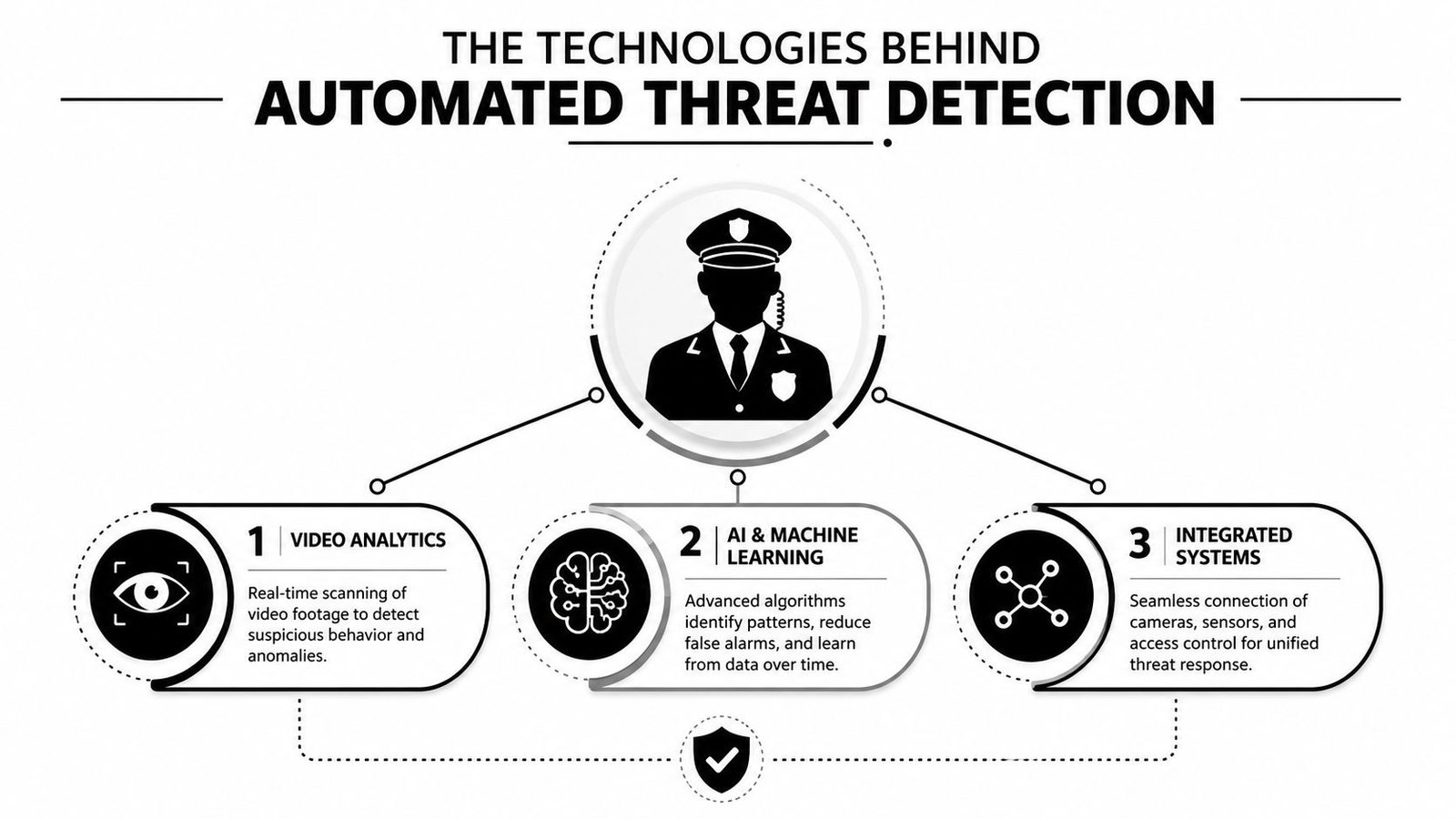
Video analytics provides the first filter
The simplest layer detects changes between pixels. That works in a controlled corridor, but it struggles outdoors, where rain, headlights, insects, moving branches and changing shadows create movement.
Modern analytics adds object classification. It can separate people, vehicles and animals, then apply behavioural rules:
- Line crossing: Flag a person entering a restricted yard or crossing a virtual boundary.
- Intrusion zones: Watch a roller door, gate, roof access point or plant area.
- Loitering: Escalate when somebody remains in a defined area beyond the site's normal dwell time.
- Direction and route: Identify movement against the expected flow, such as a person entering through an exit.
- Object removal: Detect when equipment, stock or a vehicle leaves a protected area.
The rule matters more than the camera specification. A high-resolution camera aimed at the wrong angle still generates poor evidence.
AI and machine learning add context
Modern systems use trained models to recognise patterns across many image features. In practical terms, that helps the camera distinguish a courier from a crow, or a person from a shadow, without relying only on raw pixel movement.
AI classification isn't magic. It works best when the installer sets suitable mounting height, lighting, focus, detection zones and schedules. A camera facing direct low sun at a Swansea docks warehouse will produce a different result from one covering a sheltered side passage in Newport.
You can read more about how AI CCTV systems improve security when comparing object detection, event rules and system design. For organisations concerned about staff behaviour, the design must also respect proportionality and purpose. Guidance on detecting internal risks without surveillance is useful because security teams need to detect genuine risk without turning every employee into a suspect.
Sensors confirm what the camera sees
Cameras shouldn't carry the entire burden. PIR detectors, glass-break sensors, door contacts and vibration sensors on roller shutters provide independent evidence. Lidar can help in car parks, while audio analytics may identify breaking glass or aggressive sounds.
Edge processing runs analytics on the camera or local device. That reduces dependence on a wide-area connection, which suits rural homes and smaller sites with limited bandwidth. Server or cloud processing can provide broader management and correlation, but it introduces network, subscription and resilience considerations.
This video gives a visual overview of how automated analysis can support detection workflows:
Every option can produce false positives without tuning. The installer must test it in the actual environment, at different times, under changing weather and lighting conditions.
How Detection Integrates With CCTV, Alarms and Access Control
Detection earns its keep when it sits inside one response workflow, not three separate systems. CCTV may see the event, access control may record the credential and the alarm may sound, but the operator needs one coherent incident with enough evidence to act proportionately.
Consider a Bristol warehouse during a scheduled delivery. The driver presents a valid credential at the gate. Access control accepts it, the vehicle reader matches the expected booking, the camera confirms the vehicle type and the event is logged as routine. No responder receives a needless alarm.
Now change the conditions. At 23:00, an unknown vehicle approaches the rear fence. Access is denied. Video analytics detects a person crossing the protected boundary, a PIR confirms movement inside the detection area and the alarm panel receives a verified trigger. The camera moves to the relevant preset, the operator sees the scene and the alarm receiving centre can follow the agreed escalation procedure.
One event should carry the evidence
Good integration creates a chain:
- Access control records the credential, door and decision.
- Video analytics checks the person, vehicle, direction and protected zone.
- Sensors confirm physical movement, impact or entry.
- The alarm panel assigns the event to a defined response category.
- The monitoring centre receives the relevant footage and audio context.
- The responder follows the escalation plan, rather than guessing.
Tailgating provides a useful example. A valid user may open a door, but a second person follows without presenting a credential. The system can compare the access event with people-counting or direction analytics and flag a mismatch for review.
| System Layer | Trigger Input | Detection Response | End Outcome |
|---|---|---|---|
| CCTV analytics | Person, vehicle or boundary event | Classifies activity and raises a rule-based event | Relevant footage is presented to the operator |
| Access control | Credential, door state or denied entry | Correlates identity with movement | Normal access is logged, suspicious access is escalated |
| Intruder alarm | PIR, contact, glass-break or vibration | Confirms a physical alarm condition | Alarm handling follows the agreed response plan |
| Monitoring and audio | Verified event with live or recorded context | Sends footage, audio or talk-down instruction | The operator can deter, assess or escalate |
The design principles behind security system integration are straightforward. Use each system for what it measures best, then make the software correlate those measurements before it interrupts a person.
Practical Use Cases for Homes and Local Businesses
The same camera model can serve very different purposes on different sites. The value comes from tuning the rule to the environment, not from enabling every available analytic feature.
A Vale of Glamorgan home
A detached house needs perimeter awareness without waking the homeowner for every garden visitor. Analytics can filter likely animals and environmental movement, then prioritise a person approaching the side gate or rear door during the night. The response might be a smartphone alert with a short video clip, not an external siren for every boundary event.
A Cardiff retail unit
A shop on a city-centre street faces public footfall, late-night pedestrians and occasional nuisance behaviour. A simple motion rule would be unusable. A better design watches the shutter and doorway, applies dwell-time rules after closing, and uses a speaker for a proportionate verbal warning when somebody tests the entrance.
A Bristol warehouse
Vehicle classification matters more than garden-style perimeter detection. The system should distinguish a scheduled HGV from an unknown van, compare arrival timing with access records and prioritise movement near loading doors outside operating hours. A clean scheduled delivery should remain a log entry.
A Swansea multi-storey car park
Plate recognition can help connect a vehicle event with the access record. A known staff vehicle may be handled differently from an unregistered vehicle entering a restricted level, especially when the system also sees a person moving towards plant or payment equipment.
A mixed-use building in Bath
Shared entrances create credential problems, including denied credentials and tailgating. The system should correlate door events, reader decisions and movement direction, while masking neighbouring properties and avoiding unnecessary monitoring of residents.
| Site Type | Primary Detection Rule | Secondary Rule | Typical Response |
|---|---|---|---|
| Detached home | Person approaching a protected gate or door | Animal and environmental filtering | App alert, light or local deterrent |
| City-centre retail | Loitering near shutters after closing | Tampering or aggression cues | Talk-down, keyholder alert or verified alarm |
| Warehouse | Unknown vehicle or person after hours | Fence, loading door and route correlation | Monitoring-centre assessment |
| Multi-storey car park | Vehicle or plate outside expected use | Movement near restricted areas | Operator review and targeted escalation |
| Mixed-use building | Denied credential or tailgating | Door-held-open and direction analysis | Building manager alert or access review |
The priority changes with the site. Perimeter first for homes, dwell time for retail, vehicles for warehouses, plates for car parks and credential integrity for shared buildings.
Why Better Prioritisation Beats More Detection
More cameras, sensors and rules can reduce safety when nobody can process the resulting alerts. A security manager in Newport or Gloucester needs a short, ranked queue showing what happened, where it happened and why it matters. That principle applies equally to a home in Swansea, a shop in Bridgend or an SME in Bath.
The UK government's Cyber Security Breaches Survey 2025 found that 43% of businesses experienced a cyber breach or attack in the previous 12 months. The NCSC recorded 429 incidents in 2024–25, including 204 classified as highly significant or significant, according to its Annual Review 2024 to 2025. Those figures concern cyber activity, yet the operating lesson also fits physical security. High event volume requires firm prioritisation. The 204-incident classification is also reported in IBM's X-Force Threat Intelligence Index.
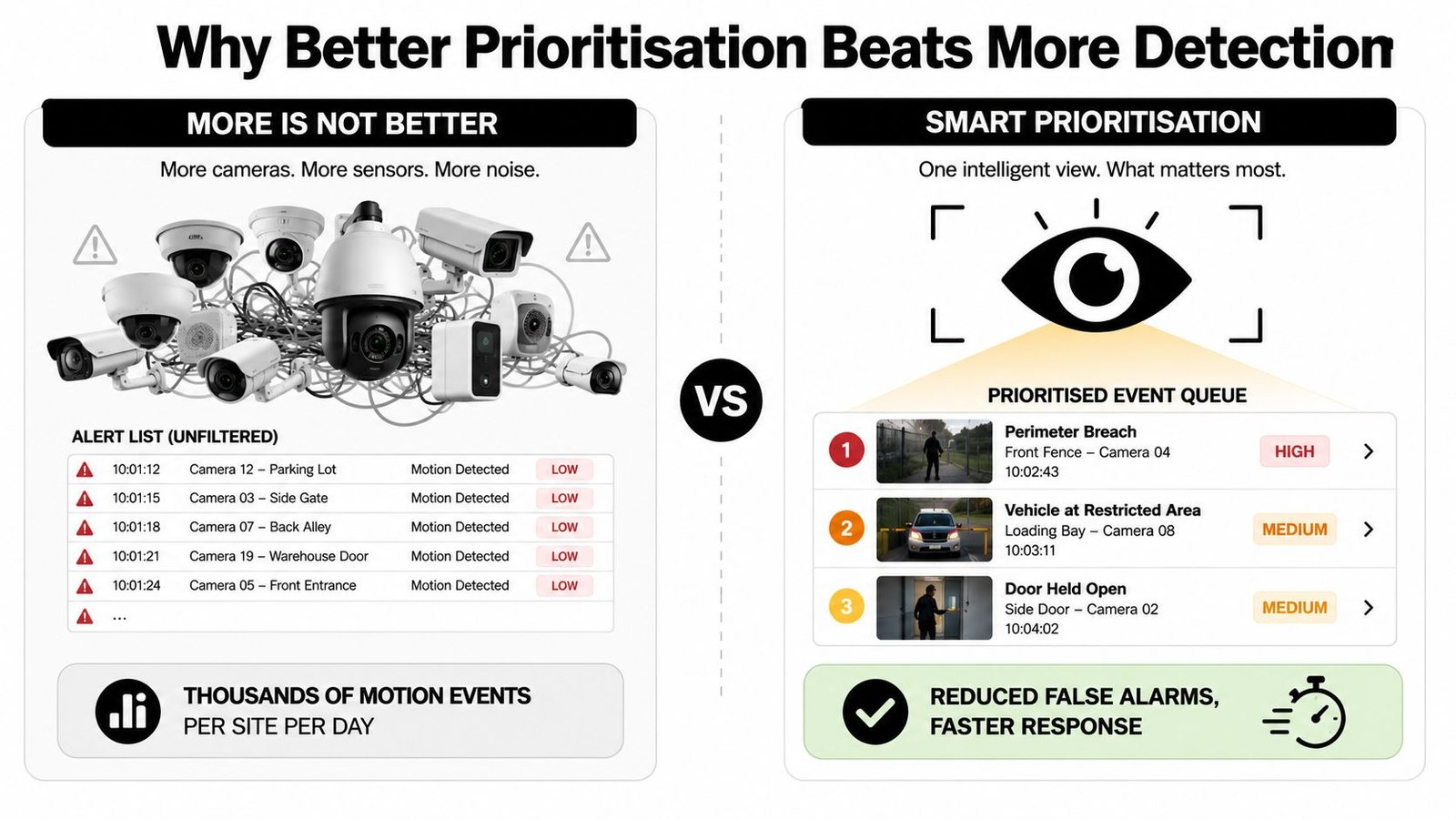
Score the event, don't just count it
A useful system combines three filters:
- Severity: A person crossing a rear fence ranks above movement inside a masked public footpath.
- Time: Movement during trading hours may be routine. The same activity after closing deserves review.
- Asset criticality: A server room, cash office, pharmacy store or plant area needs a stronger response than a low-risk boundary.
The system must also learn from the site manager's decisions. If a rule repeatedly creates harmless events, the engineer should adjust its zone, schedule or threshold. A rule that technically works but produces unusable alerts is poorly configured.
The best engineers prune detection rules until only useful signal remains.
Treat false alarms as design failures
A Bridgend shop may stop checking its alarm panel after repeated nuisance notifications. That response indicates a design problem. Detection logic has failed to match the premises, its normal activity and the response capacity of the people monitoring it.
Use low-priority logging for routine movement, send medium-priority events to a daily review and reserve immediate push notifications for defined combinations, such as a person in a closed yard plus confirmed door contact. Set the threshold in the commissioning record, based on the site, rather than relying on a generic factory preset.
BS EN 50132-7 provides guidance relevant to CCTV application and operation. Alarm verification methods help operators judge whether an event is genuine before escalation. The system should support a clear response process, so staff do not have to inspect every frame.
Deployment, Tuning and Ongoing Maintenance
A reliable installation begins before anyone mounts a camera. The site manager should ask for a documented survey covering lighting, field of view, mounting positions, network capacity, privacy boundaries and the path from detection to response.
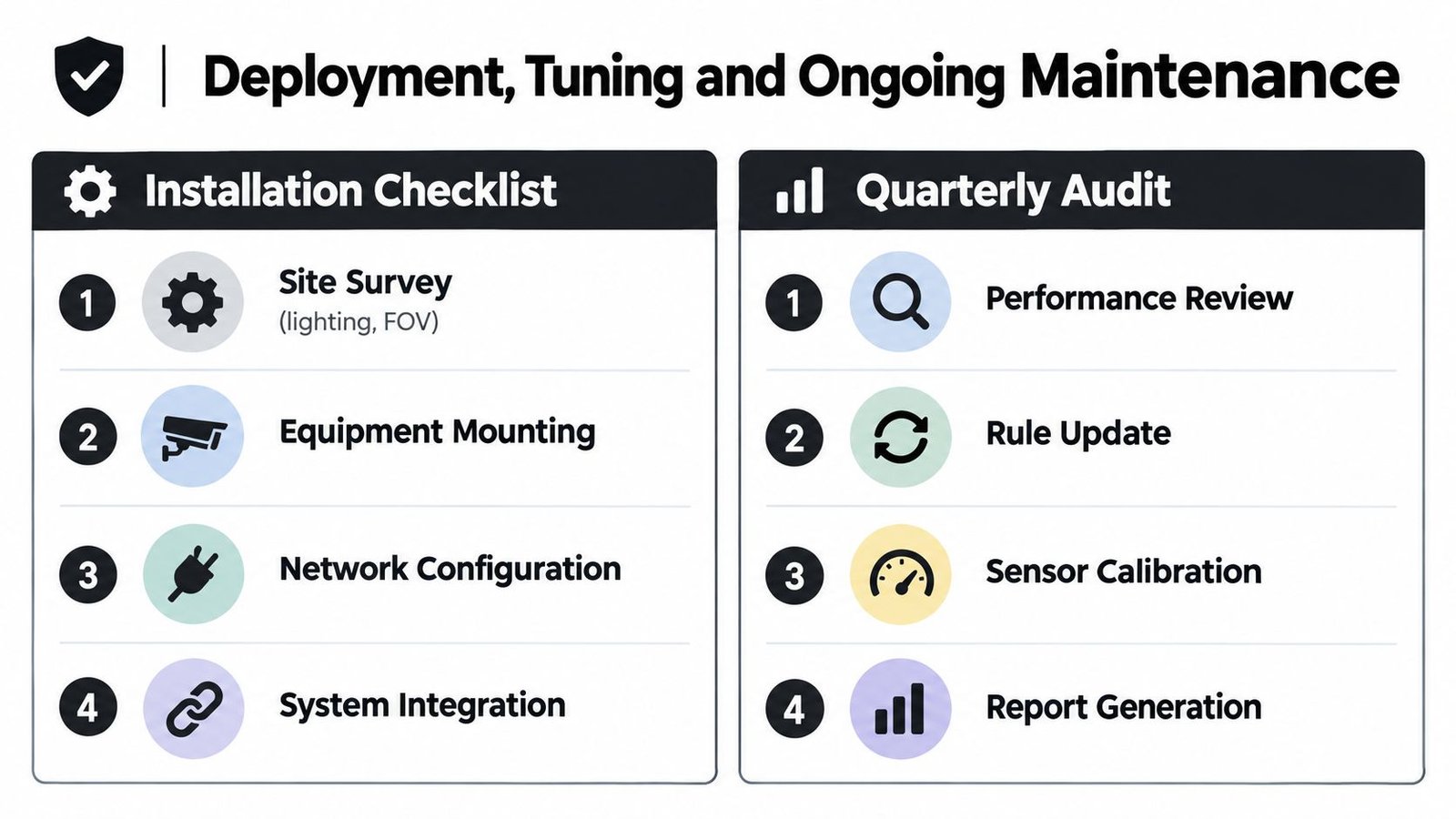
Installation decisions that affect detection
At a Swansea docks warehouse, a camera facing low evening sun may lose useful detail through glare and backlight. At a listed building in Bath or Chepstow, the installer must plan cable routes and fixings without damaging the structure. PoE and switch capacity need checking before the camera count grows, especially where several devices run analytics locally.
Choose edge processing where the site has limited connectivity or needs local resilience. Choose local server or cloud processing where central management and cross-site correlation justify the added dependency. Either way, record what happens if the network fails, the recorder fills or a camera loses power.
The installer should also define privacy masks. A neighbour's driveway, public footpath or unrelated property shouldn't sit inside an active detection zone because the camera can see it.
Commissioning is where the system becomes site-specific
Use rules appropriate to the environment rather than enabling every analytic option. Set operating schedules, test day and night scenes, confirm alarm panel triggers, verify camera presets and check that the monitoring centre receives the right evidence.
Document the escalation route:
- Local event: Recorded for review without disturbing anyone.
- Remote notification: Sent to a keyholder or site manager.
- Verified alarm: Passed to the alarm receiving centre with the agreed handling process.
- Deterrence: Audio talk-down, lighting or access restriction where appropriate.
The first month needs active review. Sample events, categorise false positives and adjust zones, schedules and sensitivity. Seasonal changes matter. A Cardiff retail park may develop new evening shadows as the sun position changes, while vegetation can alter a home perimeter.
Maintenance must include analytics
Firmware patching, model updates, NVR storage checks, lens cleaning and sensor calibration all affect results. Review the system whenever the business changes its layout, adds stock, changes opening hours or introduces new access routes.
A site manager can review event quality and confirm user permissions internally. A qualified, accredited engineer should handle safety-critical integration, alarm signalling and any police Unique Reference Number requirements. Ask for a quarterly audit record and an annual re-survey rather than accepting a system that remains untouched after installation.
Privacy, Compliance and ROI for UK Sites
A camera covering a Cardiff shopfront can record a public footpath, neighbouring windows and passing faces long after the security concern has ended. That creates extra data, storage and justification work. Frame cameras tightly around entrances, gates, cash points and vulnerable boundaries, then use masking where a wider view is unnecessary.
UK GDPR applies when footage includes staff, customers, visitors or neighbouring property. Automated classification and behavioural analytics need a clear purpose, proportionate settings, controlled access and a defensible retention period. Use the ICO's video-surveillance guidance when the system analyses behaviour rather than only recording images.
Set four checks before approving each camera or detection rule:
- Purpose: Which specific security problem does it address?
- Minimisation: Can masking, narrower zones or shorter retention provide the same result?
- Access: Who can view or export footage, and who can change detection rules?
- Review: How will the business confirm that the configuration remains proportionate?
For a home in Swansea or a small warehouse near Bristol, calculate the full operating cost. Include installation, maintenance, monitoring, storage, connectivity and staff time. Record likely savings from fewer unnecessary call-outs, faster verification and less manual footage searching. Avoided loss is a scenario, not a guaranteed return, so reject payback promises that lack site-specific assumptions.
| Cost / Saving Line | Annual Figure (£) | 3-Year Total (£) |
|---|---|---|
| Installation and equipment | Obtain a written quotation | Quotation multiplied across the agreed term |
| Monitoring and connectivity | Confirm recurring charges | Annual charge multiplied across the agreed term |
| Maintenance and recalibration | Confirm service allowance | Annual allowance multiplied across the agreed term |
| Reduced manual review | Measure current staff time | Time saving multiplied across the agreed term |
| Avoided incident loss | Model using local business risk | Scenario total across the agreed term |
IBM's UK 2025 breach-cost research reported £3.11 million average breach costs for organisations using AI and automation extensively in security operations, compared with £3.78 million for organisations not using them. It also reported mean identification and containment times of 148 and 42 days, compared with 168 and 64 days. These findings concern cyber security, not a promise of physical-security savings. They still support a useful deployment rule for South Wales and South West sites: automation earns its cost when it helps staff prioritise credible events and contain them sooner.
For practical UK privacy guidance, read CCTV and GDPR in the UK alongside the site's purpose, access and retention records.
Choosing the Right Provider in South Wales and the South West
A local installer should be able to explain the response workflow without hiding behind product names. Ask what happens when a person crosses a zone at night, who receives the event, what evidence they see and how the system behaves when the network or power fails.
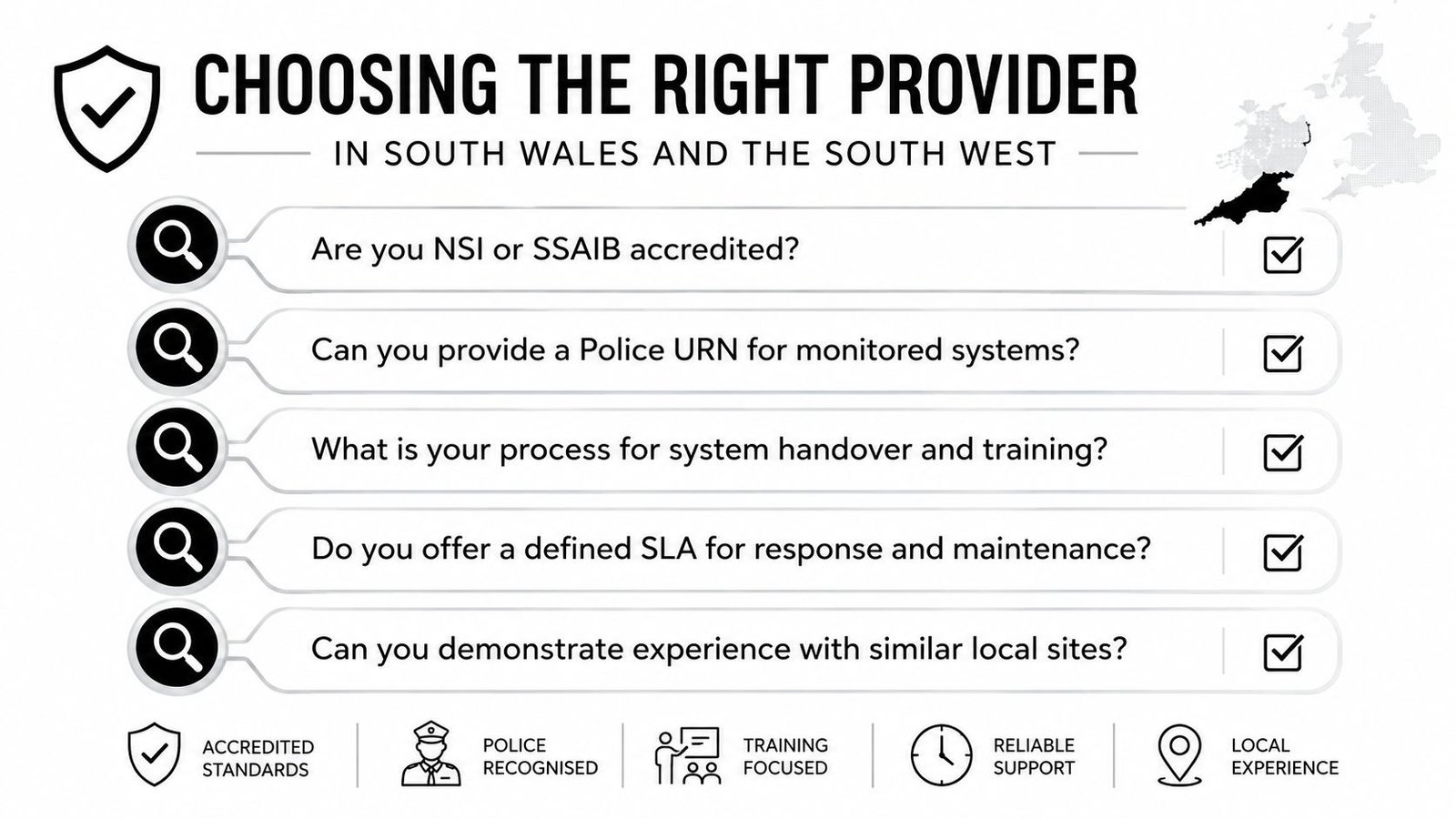
Questions that expose weak proposals
Ask the shortlist:
- Accreditation: Are you NSI or SSAIB accredited for the services being proposed?
- Monitoring: Can you provide a Police Unique Reference Number route for a monitored system, and what conditions apply?
- Processing: Do analytics run on the camera, on a local recorder or in the cloud?
- Commissioning: Will you provide a written detection tuning report after testing the site?
- Maintenance: What does the service-level agreement cover for false alarms, firmware and recalibration?
- Local delivery: Can your engineers attend between Cardiff, Bristol, Newport, Swansea and Gloucester without unexpected travel charges?
- Training: Who will train keyholders, and how will you record changes to users and rules?
The provider should understand local operating conditions. A warehouse near the Welsh borders may depend on a monitoring centre serving a broad area, while a Bristol site may need familiarity with Avon and Somerset processes. The relevant question isn't whether the company claims fast response. Ask how it verifies the event and what the operator does next.
Wisenet Security Ltd offers integrated CCTV, intruder alarms, access control, fire alarms, intercoms and gate automation for homes, SMEs, warehouses, car parks and multi-tenant sites across South Wales and the South West. Its service includes design, installation and maintenance, with analytics configured as part of the wider security workflow rather than treated as a standalone camera feature.
Demand evidence: A professional handover should show the zones, schedules, escalation paths, privacy masks and test results in writing.
Don't sign for a system that only demonstrates a live image. Require a commissioning test, a tuning review and a maintenance plan. Automated threat detection is worthwhile when it gives the right person a clear decision at the right time.
If your Cardiff, Bristol, Newport, Swansea or South West site is producing too many alerts or missing the events that matter, speak with Wisenet Security Ltd about a site survey and integrated detection plan. Ask for a written proposal covering camera analytics, alarm and access-control integration, privacy settings, response routes and ongoing tuning.