9 Access Control System Types Explained for UK Sites
A homeowner securing a side gate needs a different answer from a retailer protecting a stockroom. A warehouse manager may need access to follow shifts and zones, while a multi-tenant building manager may need temporary credentials for contractors, visitors and new occupiers. Treating these as interchangeable problems usually produces the wrong installation.
Access control system types describe several different decisions. Some concern how users authenticate, such as a PIN, card, fob, phone or biometric characteristic. Others describe where administration happens, how the system connects to doors, how it supports attendance or visitors, and what happens when power fails or a fire alarm activates. The UK market is expanding across keypad, card and fob, biometric and automated systems, with one forecast estimating growth from about USD 0.44 billion in 2024 to roughly USD 0.62 billion by 2029, a projection associated with a 7.0% CAGR (UK access control market forecast).
This guide compares nine practical options by security level, strengths, limitations, suitability, installation and maintenance. It also explains why a keypad may be sensible for a home gate, why cards remain useful in commercial premises, and why emergency behaviour matters as much as the reader on the wall. For property owners in South Wales and the South West, Wisenet Security Ltd is one relevant local specialist for designing, installing and maintaining integrated access control alongside CCTV, alarms, intercoms and gate automation. If your starting point is a leisure facility, this guide to smart access control for a fitness gym provides a useful sector-specific comparison.
Table of Contents
- 1. Keypad Access Control Systems
- 2. Proximity Card and Fob Access Control
- 3. Biometric Access Control Systems
- 4. Mobile and Smartphone Access Control
- 5. Multi-Factor Authentication Access Control
- 6. Cloud-Based and Remote Access Control Management
- 7. Time and Attendance Integration Access Control
- 8. Visitor Management and Temporary Access Systems
- 9. Emergency Override and Failsafe Access Control
- 9-Point Access Control Systems Comparison
- Turn the Shortlist Into an Installer Brief
1. Keypad Access Control Systems
Keypad systems authenticate users with a PIN or alphanumeric code. They're straightforward to explain, quick to install at a single door and often a practical first step for a homeowner, small retailer or storage operator that doesn't need every person to carry a credential.
A Cardiff homeowner might use a keypad at a driveway gate, while a Bristol shop could protect its back office during opening hours. Storage units, shared garages and car parks across South Wales can also use PINs where users need access without collecting a physical card. The main advantage is simple administration. Add a code, remove a code and set a schedule without issuing a card or enrolling a biometric template.
Where keypads work well
Keypads suit small user groups and predictable access routines. A shop can give staff a code for the stockroom, and a landlord can issue separate codes to residents or contractors. Time-based permissions can limit entry to working hours, reducing the chance that an old code remains active indefinitely.
The weakness is accountability. People can share a PIN, observe someone entering it or continue using a code after their relationship with the property ends. A keypad also doesn't identify the individual unless each user receives a unique code and the system records events against that code.
Practical rule: Use individual codes wherever the system supports them. A shared code is convenient, but it weakens the audit trail.
Install the keypad in a well-lit, visible position, and consider pairing it with CCTV. Review failed attempts and change codes when employees, residents or contractors leave. For a gate or external door, the installer should also consider weather protection, cable routes, vehicle positioning and whether users can safely enter without standing in a blind spot. An example of the installation considerations around an electronic access gate in Leeds shows why the access device should be designed as part of the entrance, not treated as an isolated keypad.
2. Proximity Card and Fob Access Control
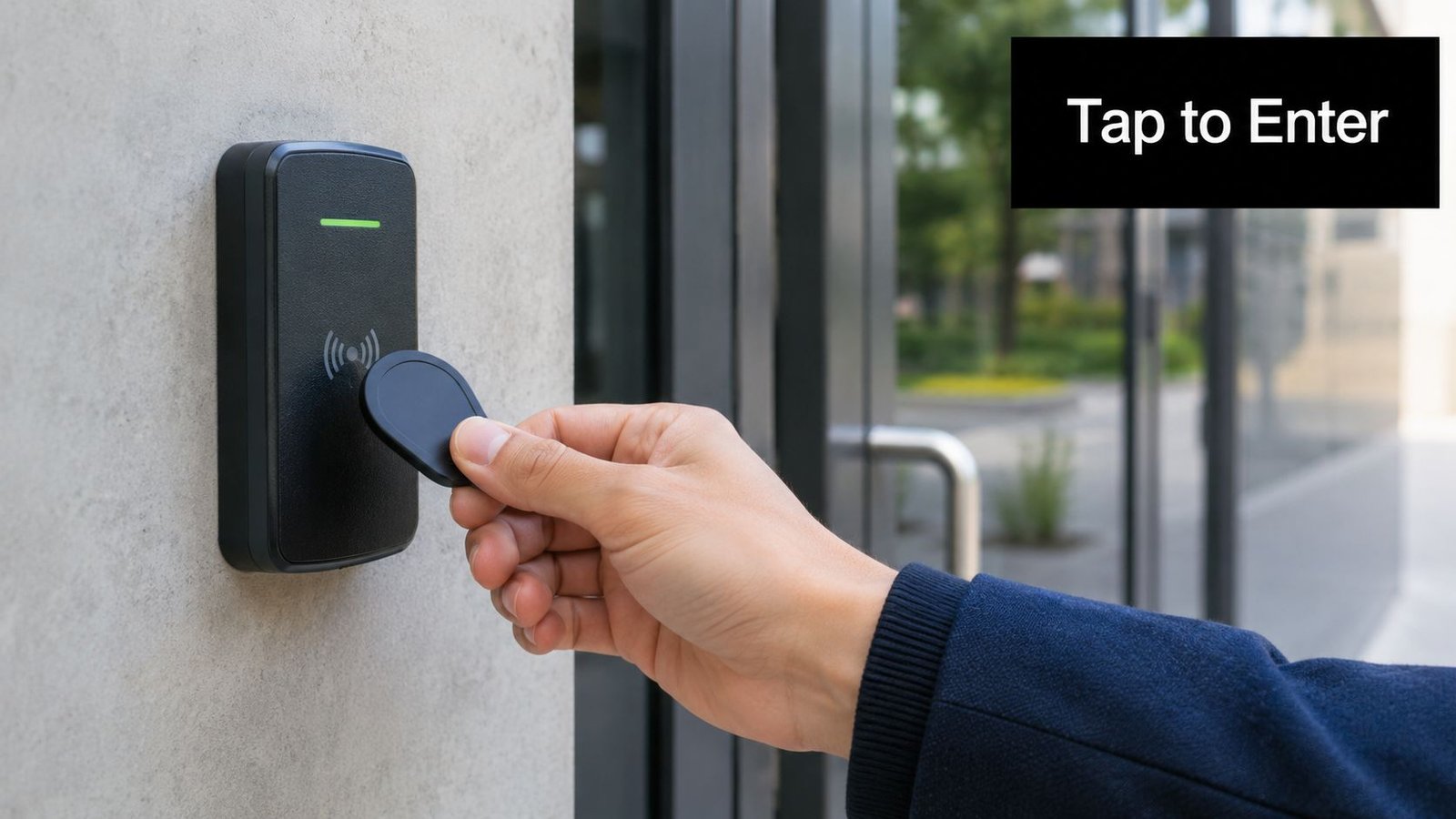
Cards and fobs remain the familiar commercial choice. A user presents an RFID credential to a reader, and the controller checks whether that credential is authorised for that door, zone and time. This approach works particularly well where a business has many users, several doors and regular staff changes.
An office in Cardiff might use cards for the entrance and individual floors. A Newport warehouse could assign different permissions to goods-in, dispatch and administration. A multi-tenant business park across South Wales can issue credentials to each occupier without changing the physical lock whenever a tenant changes. Paxton systems are a common example of the type of platform used for shift-based access in commercial and manufacturing environments.
The commercial strengths
Cards and fobs are easy to issue, replace and deactivate. They also give administrators a clearer audit trail than a shared PIN, provided each credential belongs to one named user. The UK market still has a strong installed base for this method. Cards represented 45.70% of market share in 2025, while mobile credentials and cloud access control were forecast to grow faster through the forecast period (UK access control market analysis). That doesn't make cards outdated. It shows why buyers should plan a sensible migration path rather than discard a familiar system for the newest credential type.
Choose the credential technology carefully. Higher-security areas may combine a card with a PIN, while standard staff doors may use card-only access. Keep a central register showing who holds each card or fob, when it was issued and when it expires. Visual colour coding can help reception and security staff distinguish user groups, but colour must not replace electronic permissions.
A professional installer should check reader placement, door hardware, request-to-exit devices, fire alarm interfaces and CCTV coverage. The best card installation isn't just a reader fixed beside a door. It's a controlled process for issuing, reviewing and withdrawing credentials throughout the building's life.
3. Biometric Access Control Systems
Biometric systems verify a user through a physical characteristic, such as a fingerprint, facial feature, iris or hand pattern. They're attractive where the operator needs stronger confidence that the authorised person is the person at the door, rather than someone carrying a card or knowing a PIN.
A pharmaceutical laboratory in South Wales, a Bristol data centre or a restricted research facility may use biometrics for controlled areas. A large manufacturing site may also want individual accountability around sensitive production zones. The system can record successful and failed attempts, which helps investigators understand whether an event involved an enrolled user, a rejected attempt or a system fault.
Security must be balanced with privacy
Biometrics aren't automatically the right choice. They involve personal data considerations that a card or PIN may avoid, so the organisation needs a clear purpose, appropriate access controls, limited retention and a documented assessment before deployment. The UK's National Protective Security Authority lists a dedicated biometric authentication standard for Automatic Access Control Systems, version 3.0 dated October 2023, alongside separate standards for tokens, keypads and readers (UK access control standards background). That separation reinforces the need to evaluate the reader type and its operating requirements rather than selecting “biometric” as a complete security strategy.
Choose equipment with encrypted template handling, liveness detection and a dependable fallback. A hybrid arrangement can use a biometric reader with a card alternative for authorised users when a finger is injured, a face is obscured or the device cannot verify someone. Outdoor readers need suitable environmental protection, and the installer should consider lighting, temperature, gloves, dust and cleaning routines.
For a focused look at one biometric method, see facial recognition access control. Staff also need clear training. People should know how enrolment works, who can access records, what happens when verification fails and how emergency entry is authorised.
A biometric reader can improve accountability, but poor governance can turn a technically impressive installation into a privacy and operational problem.
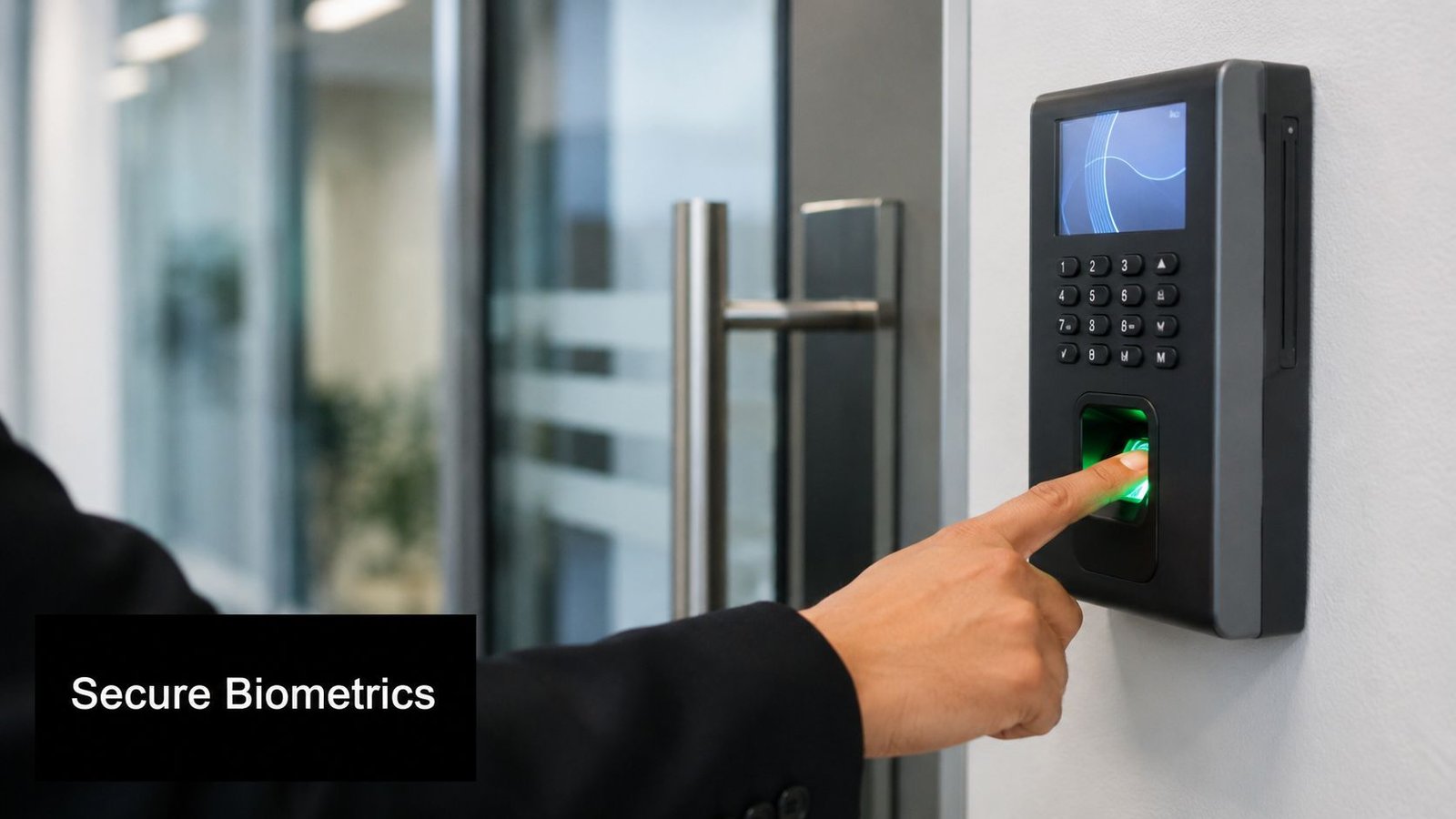
Biometric readers can be useful where identity assurance matters, but they still need a fallback route and a documented operating policy.
4. Mobile and Smartphone Access Control
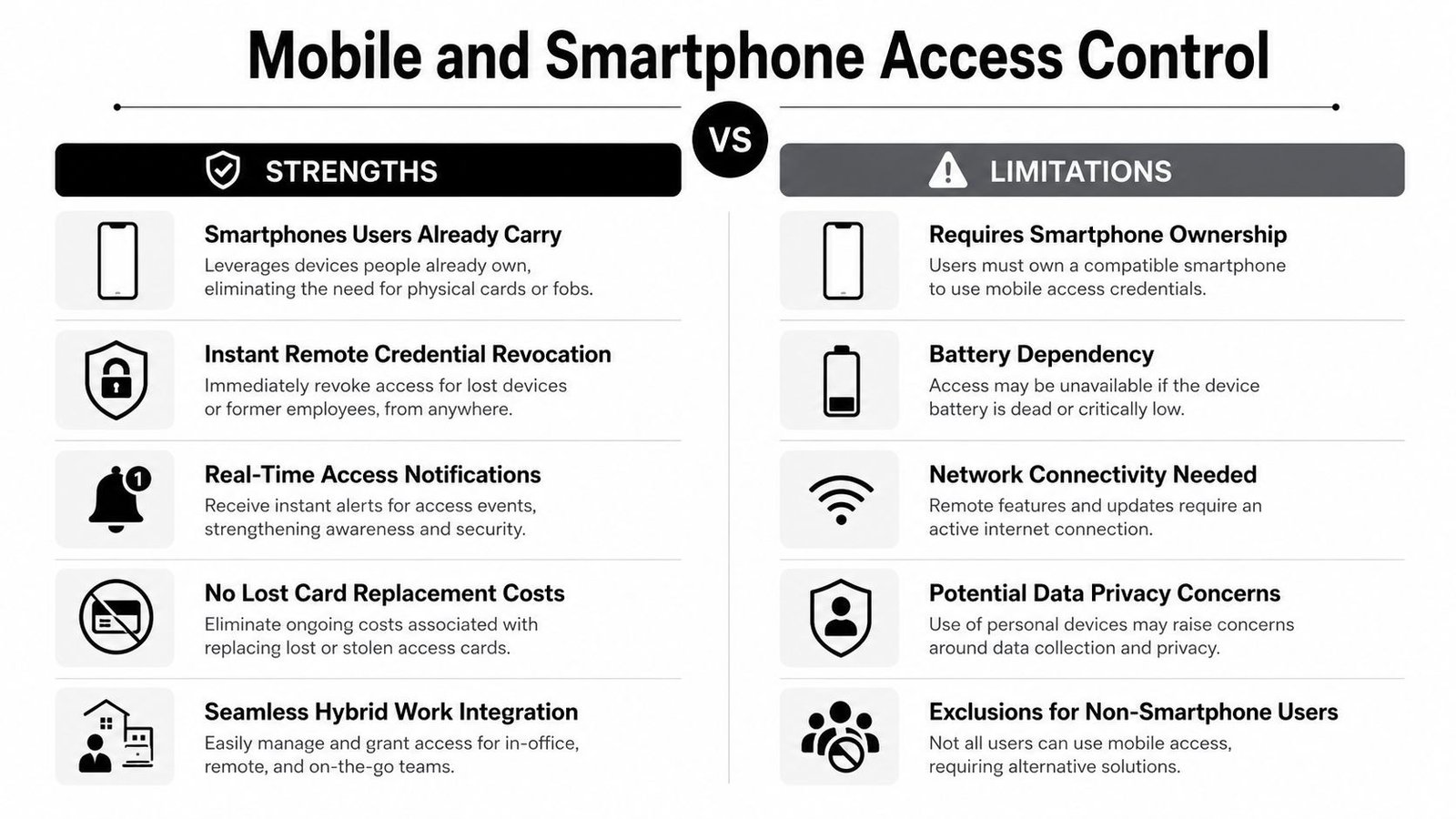
Mobile access turns a smartphone into a digital credential through technologies such as Bluetooth or NFC. It removes the need to distribute a separate card and can make temporary or remote access easier for property managers.
A Cardiff office using hot-desking may issue credentials to staff based on their working arrangements. A South Wales landlord could send a time-limited invitation to a contractor, while a hospitality venue might provide guest access without handing over a physical fob. A Bristol technology company may also prefer mobile credentials because employees already carry managed phones.
The operational benefit is flexibility. Administrators can provision, suspend or expire credentials without meeting the user at the door. That matters for multi-site organisations and buildings with changing occupancy. It also supports clearer approval workflows, provided the business decides who can authorise a credential and how identity is checked before issuing it.
Convenience has dependencies
A phone can be lost, replaced, uncharged or unavailable because of a damaged screen. Bluetooth permissions, operating system updates, app settings and mobile device management can all affect the experience. A fully mobile installation without a fallback may leave a legitimate user stranded at the entrance.
Use mobile access as part of a hybrid design where continuity matters. Keep physical cards or another approved method for selected users, sensitive doors and recovery situations. Set credential expiry dates, require re-provisioning where appropriate and test the system across the phone platforms your users carry. Don't assume that a feature that works for an administrator's handset will behave identically on every device.
Remote provisioning also needs governance. A property manager should retain a record of who requested access, who approved it, which doors were included and when the credential expires. CCTV can help verify that the person using the phone matches the approved identity, particularly at staff-only or after-hours entrances.
The right question isn't whether phones are more modern than cards. It's whether your users can reliably carry and operate them, and whether your site has a practical recovery method when they can't.
5. Multi-Factor Authentication Access Control
Multi-factor access control requires two or more independent checks, such as a card and PIN, a biometric characteristic and card, or a PIN and RFID credential. It's most useful when the consequence of unauthorised entry justifies additional friction.
A bank may protect a restricted office with card plus PIN. A data centre in Bristol could require a card and biometric verification for a server room, while a Newport warehouse might apply stronger authentication to high-value goods zones than to general staff areas. A government office or pharmaceutical site can use the same principle to separate ordinary circulation from sensitive rooms.
Apply the extra step selectively
MFA at every door can frustrate staff, slow deliveries and create queues. It also increases the number of failure points. A more practical design applies the requirement according to the risk of the zone. Main entrances may use cards, restricted offices may require card plus PIN, and a critical room may add biometric verification with an approved fallback.
The system should record which factors were presented and whether each attempt succeeded or failed. That record is more useful than a simple “door opened” event because it helps administrators investigate unusual activity and confirm that the configured policy is being enforced.
Train staff before the system goes live. Users need clear instructions at each reader, especially where they must present a card within a particular period before entering a PIN. Managers also need an emergency procedure for failed credentials, forgotten PINs and temporary access during an incident.
A stronger authentication method won't compensate for weak user provisioning. Review who has access, why they need it and how quickly the organisation can remove it.
For a retail head office, MFA may be sensible around cash controls, sensitive records or alarm panels. For a small shop's staff entrance, it may be unnecessary if a named card system, good door hardware, CCTV and disciplined administration address the actual risk. MFA is a design decision, not a badge of sophistication.
6. Cloud-Based and Remote Access Control Management
Cloud-based access control changes the management architecture rather than the credential itself. The doors may still use cards, fobs, PINs, phones or biometrics, but administrators manage users, schedules and logs through a remote platform.
That model suits a retailer with sites across South Wales and Bristol, a property manager overseeing several buildings, or a logistics business operating multiple warehouses. A central administrator can add a new employee, remove a departed contractor and review activity without travelling to every location. Multi-tenant buildings can also benefit when each tenant needs controlled administration over its own users and doors.
Check the service behind the software
Cloud access is only as dependable as its connectivity, platform security and support arrangement. Ask where data is stored, how administrators authenticate, how access logs are retained and what happens if the internet connection fails. The local door controller should have an appropriate offline operating mode, so an outage doesn't automatically turn a functioning building into a locked or uncontrolled site.
Subscription costs also need attention. A system can appear affordable at installation but become more expensive as sites, users, doors or reporting functions are added. Request an itemised explanation of licences, connectivity, support, firmware updates and integration charges before committing.
Protect the management account with MFA and limit administrator permissions. Not every receptionist needs the ability to change every door. Separate daily user administration from higher-risk configuration, and review dormant accounts regularly.
Cloud storage can be valuable when it's designed properly. Wisenet's information on cloud CCTV storage is relevant to the wider question of how remote security platforms handle recordings and administration, although access events and video should still be governed as distinct data sets.
A cloud platform is particularly useful for distributed operations, but it doesn't remove the need for local resilience, secure door controllers, tested integrations and a support plan.
7. Time and Attendance Integration Access Control
In a warehouse or manufacturing plant, the access reader can serve two operational purposes. It can decide whether a person may enter and record the event used to understand attendance. This avoids forcing staff to carry one credential for the door and another for a separate clocking system.
A Newport logistics facility might use card or fob events to support shift administration. A South Wales manufacturer may need to understand who is present in a production area, while a retail chain can compare access records with scheduled work and investigate exceptions. Offices with flexible working arrangements can also use entry events as one part of attendance reporting, but the organisation must define what those records do and don't prove.
Separate security events from payroll assumptions
A door event confirms that a credential was used at a reader. It doesn't always prove that the named employee worked continuously, remained on site or performed a particular task. Tailgating, shared credentials and doors held open can all create misleading records. CCTV, supervisory checks and clear procedures may be needed when attendance accuracy matters.
Biometric verification can reduce credential sharing in restricted areas, but it adds privacy and administration responsibilities. The employer should explain the purpose of the integration, control who can view attendance data and retain only what the business needs. Flexible workers, contractors, remote staff, shift swaps and authorised absences require exception rules rather than automatic rejection.
Useful integrations can send alerts for late arrival, early departure or unapproved overtime. Payroll connections may reduce manual entry, but they should be tested against the organisation's working-time policies before anyone relies on the output.
Operational safeguard: Treat access logs as security records first and attendance inputs second. Agree the rules before connecting the system to payroll.
The installer should map readers to the correct zones, confirm time synchronisation, protect the management account and document who can amend schedules. A tidy technical integration won't fix unclear employment policies, so facilities, HR and security teams need a shared operating procedure.
8. Visitor Management and Temporary Access Systems
Visitor systems address a different problem from permanent staff access. They create temporary, limited credentials for guests, contractors, suppliers and other people who need entry without receiving unrestricted building permissions.
An office in Cardiff might pre-register a client and issue a badge at reception. A Bristol warehouse may give a supplier access only to goods-in, while a multi-tenant building can notify the relevant host before a visitor enters. Contractors working across a manufacturing site need more than a sign-in sheet if some rooms contain machinery, confidential material or controlled stock.
Make temporary access expire automatically
The central control is expiry. A visitor badge or QR-based credential should stop working when the approved visit ends, rather than relying on reception staff to remember to recover or deactivate it. Limit access to the necessary zones, record the host, capture the arrival and departure events, and notify the host when the visitor checks in.
Reception staff need a process for exceptions. A contractor may arrive early, a delivery may need a different entrance, or a host may be unavailable. The system should make those decisions visible rather than encouraging staff to issue a generic code that works everywhere.
For contractors, visitor management should sit alongside site controls such as identity checks, insurance verification, qualifications and induction requirements. The access platform can't establish competence by itself. It can, however, prevent a credential being issued until the relevant approval has been recorded.
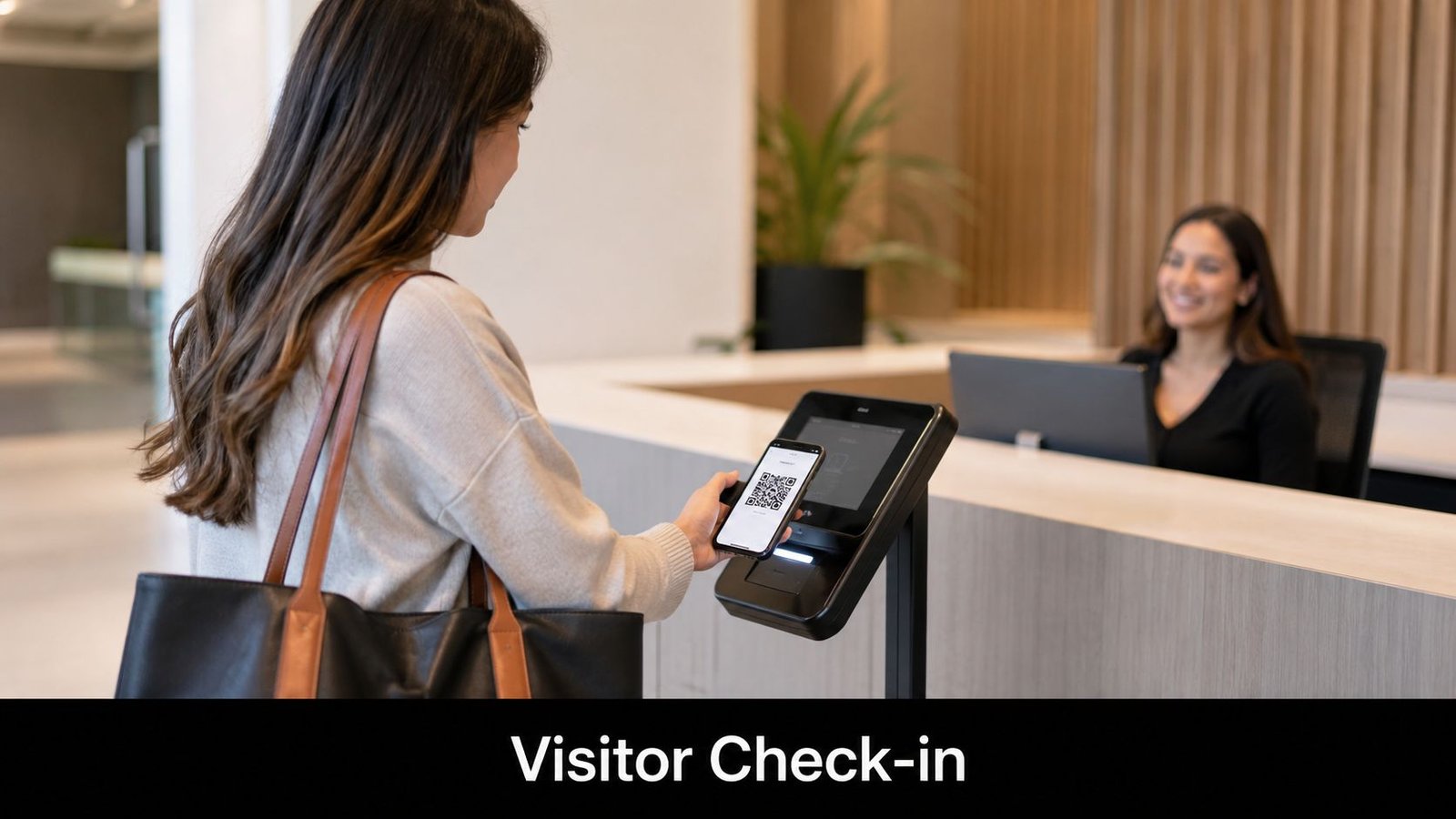
Visitor logs also support emergency response. During an evacuation, the responsible person needs a reliable view of visitors and contractors who may still be inside. Include the process in drills, train reception and review logs for unusual patterns, such as repeated visits outside normal operating arrangements.
For a landlord, this approach is safer than leaving keys with contractors. For a small office, a simpler sign-in process may be enough if access is limited and staff escort visitors. The system should match the site's footfall and risk, not create administration for its own sake.
9. Emergency Override and Failsafe Access Control
A secure door must also behave correctly during an emergency. Failsafe and emergency override arrangements define how authorised people enter, how occupants evacuate and how the system responds to power loss, fire alarms, communications failure or urgent intervention.
An office in South Wales may need fire-activated release on escape routes. A Bristol retailer may require battery-backed operation for controlled doors, while a warehouse needs clear evacuation routes and a rapid method for authorised responders to gain access. Data centres and healthcare facilities have more complex continuity requirements because some doors protect critical areas while others must release for life safety.
Design the emergency behaviour before choosing hardware
The installer should document which doors release, which remain secure, how the fire alarm interfaces with the access controller and how the system reports the event. A mechanical override key can provide a valuable fallback, but it must be stored securely and remain available to the people who may need it. Emergency codes should be tightly controlled and every use reviewed.
Power resilience is also a design question. A UPS can support selected equipment, but it doesn't automatically make every door safe or operational. The system needs suitable batteries, correctly rated locks, monitored power supplies and a tested sequence for normal and emergency conditions. Wisenet's explanation of uninterruptible power supplies provides useful context for assessing backup power as part of a wider security design.
Test emergency release and override functions regularly, record the results and train staff on what they should do when an alarm activates. Emergency access events should be logged and reviewed promptly. Clear signage can prevent confusion, especially where doors release automatically but other doors remain controlled.
Fire-door coordination matters too. Access control hardware must not compromise the door's intended life-safety function, and the wider installation should be discussed with suitably competent fire and security professionals. The practical principles around fire-door installation and access routes are relevant when access readers, closers, panic hardware and alarm interfaces meet at the same opening.
9-Point Access Control Systems Comparison
| System | Implementation complexity | Resource requirements | Expected outcomes | Ideal use cases | Key advantages |
|---|---|---|---|---|---|
| Keypad Access Control Systems | Low, simple wiring and programming | Low, keypad units, basic controller, minimal training | Basic controlled entry, simple audit logs | Small businesses, residential properties, single/multiple door sites | Most cost-effective, easy code changes, no cards/fobs |
| Proximity Card and Fob Access Control | Low–Medium, install readers and credential management | Low–Medium, readers, cards/fobs, database and inventory management | Fast, hands-free access with scalable user management | Offices, retail, multi-tenant buildings, high-traffic areas | Convenient, durable credentials, easy revocation |
| Biometric Access Control Systems | Medium–High, enrollment, template management, environmental tuning | High, biometric readers, secure storage, enrollment resources | High individual accountability, strong audit trail, reduced credential sharing | Data centres, banks, regulated industries, high-security sites | Non-transferable identity verification, strong compliance value |
| Mobile and Smartphone Access Control | Medium, BLE/NFC integration, app provisioning and testing | Medium, compatible readers, mobile app platform, MDM optional | Convenient user experience, remote provisioning/revocation, real-time alerts | Tech-forward offices, property managers, hospitality, hybrid workplaces | No physical credentials, instant revocation, improved user convenience |
| Multi-Factor Authentication (MFA) Access Control | High, integrate multiple factors and policy rules | High, combined hardware/software, admin overhead, user training | Very strong security posture and compliance readiness | Banks, government, data centres, high-risk facilities | Prevents access if one factor compromised, reduces insider risk |
| Cloud-Based and Remote Access Control Management | Medium, networked configuration and cloud integration | Medium, internet connectivity, subscription costs, API integrations | Centralized, scalable management with real-time visibility | Multi-site businesses, franchises, remote-first organisations | Remote administration, automatic backups, easy scaling |
| Time and Attendance Integrated Access Control | Medium, integrate access readers with payroll/T&A systems | Medium, T&A software, readers, HR/payroll integrations | Accurate attendance data, payroll automation, shift compliance | Warehouses, manufacturing, retail with hourly staff | Eliminates manual timekeeping, improves labour cost visibility |
| Visitor Management and Temporary Access Systems | Medium, kiosks/workflows and pre-registration setup | Medium, kiosks/QR printers, temporary badges, software and training | Controlled visitor flows, time-limited credentials, evacuation lists | Corporate offices, multi-tenant buildings, regulated sites | Time-limited access, visitor audit trails, streamlined check-in |
| Emergency Override and Failsafe Access Control | Medium–High, integrate with fire alarms, UPS, mechanical overrides | Medium, UPS/batteries, alarm integration, testing and procedures | Safe evacuation, auditable emergency access, regulatory compliance | All commercial buildings, high-occupancy and critical infrastructure | Ensures life-safety egress, auditable overrides, compliance with fire codes |
Turn the Shortlist Into an Installer Brief
Choosing among access control system types is only the first decision. The installer still needs to design the complete arrangement around the door, perimeter, users, communications and emergency response. A keypad may be ideal for a home gate or small storage area, but it can become difficult to govern when many people share one code. Cards and fobs remain a strong commercial fit where staff need familiar, replaceable credentials and administrators need straightforward revocation.
Biometrics and MFA suit higher-accountability zones, but they add enrolment, privacy, fallback and user-training requirements. Mobile credentials and cloud management help organisations that need remote provisioning, temporary access or multi-site oversight, provided the design includes offline operation and secure administration. Time and attendance integration supports warehouses, manufacturing and shift-led retail operations, while visitor systems are better for contractors, guests and temporary permissions. Failsafe design is essential wherever fire, evacuation, power loss or emergency intervention affects the way doors must operate.
The UK market is moving towards broader deployment rather than one universal technology. One forecast places UK access control revenue at USD 853.1 million in 2025 and USD 1,232.1 million by 2030, with a projected 7.6% CAGR (UK access control revenue projection). Wireless adoption is also becoming more relevant for retrofit work. Survey data reports that 37% of organisations already use some wireless technology in physical access control, and fully wireless deployments increased from 6% to 8% in the latest survey cycle (UK wireless access control adoption). For an older building, wireless locks may reduce disruption, but the installer still needs to assess battery management, radio performance, door condition and emergency release.
Include the following information in your installer brief:
- Doors and zones: List every entrance, gate, turnstile, staff area, stockroom, plant room, office and restricted zone.
- User groups: Separate residents, employees, managers, contractors, visitors, cleaners, delivery drivers and emergency responders.
- Schedules: Define normal hours, out-of-hours access, temporary permissions, holidays and automatic expiry rules.
- Existing systems: Identify CCTV, alarms, fire alarms, gates, intercoms, door entry, building management and payroll integrations.
- Failure behaviour: Ask what happens during power loss, network failure, controller failure, lost credentials and a fire alarm.
- Data governance: Confirm the lawful purpose, administrator permissions, retention, deletion, access reviews and responsibilities for personal data. ICO guidance emphasises least-privilege access, formal provisioning, regular review and control of authentication information in its access control guidance.
- Ownership costs: Request separate figures for hardware, cabling, configuration, licences, training, maintenance, batteries and future additions.
- Site conditions: Check door construction, power availability, network routes, lighting, weather exposure, accessibility and safe user positioning.
Wired versus wireless, standalone versus integrated, and readers versus gates or intercoms shouldn't be treated as isolated choices. A landlord may need an intercom at the vehicle gate, a card reader at the shared entrance and temporary mobile credentials for contractors. A warehouse may need vehicle control, staff time records, CCTV verification and emergency release working together. A local installer should survey those relationships before specifying equipment.
Wisenet Security Ltd designs, installs and maintains access control and related systems for homes, businesses, warehouses, multi-tenant properties and car parks across South Wales and the South West. A site survey with Wisenet can turn your door list, user groups and integration requirements into an itemised proposal with a defined maintenance plan.
Wisenet Security Ltd can design, install and maintain keypad, card, fob, biometric, mobile and integrated access control systems alongside CCTV, alarms, intercoms, fire alarms and gate automation. Visit Wisenet Security Ltd to arrange a consultation for your property in South Wales or the South West.