Intercom System for Business: A South Wales & SW Guide 2026
If you're running a business in Cardiff, Bristol, Newport or Swansea, there's a fair chance your front door is doing too much work. Deliveries arrive when reception is busy. Staff prop doors open because access is awkward. Contractors turn up early. Tenants in shared buildings ring the wrong office. Then someone asks a simple question: do we need a proper intercom system for business, or just a better lock on the door?
In practice, the right answer is rarely just the lock. A business intercom sits at the point where security, convenience and daily operations meet. When it's chosen well, staff stop improvising access decisions. Visitors know where to go. Deliveries don't get missed. Managers can see, speak and release doors without leaving what they're doing. When it's chosen badly, it becomes one more thing people work around.
For businesses in South Wales and the South West, the decision also goes beyond features. Compliance matters. Integration matters. The installer matters just as much as the handset on the wall.
Table of Contents
- Choosing Your Intercom System Type
- Essential Features for Modern Businesses
- Integrating Intercoms for Total Security and Compliance
- Intercoms in Action Across South Wales and the South West
- Budgeting for Your Business Intercom System
- Finding Your Local Partner and Planning Your Installation
Choosing Your Intercom System Type
What an intercom actually does
An intercom system for business primarily does three jobs. It lets someone at an entrance request access, it lets your team verify who they are, and it lets an authorised person release a door or gate. Everything else is built on top of that.
The easiest way to understand the main system types is to compare them to different kinds of calls. Audio-only is like a landline call. Video intercom is like a video call. IP or VoIP intercom is like a call over your computer network. GSM or wireless intercom is like calling a mobile.
Each type solves a different operational problem. That's why businesses get into trouble when they buy on feature lists alone instead of matching the technology to the site.
Business Intercom System Comparison
| System Type | Best For | Pros | Cons | Typical Use Case |
|---|---|---|---|---|
| Audio-only | Low-risk internal or simple entry points | Straightforward, familiar, less to manage | No visual verification, weaker for deliveries and unknown callers | Small office with known visitors |
| Video | Front doors, receptions, staff entrances | Lets staff see who they're admitting, better for after-hours access | Needs good camera positioning and lighting to work well | Retail unit, office entrance, shared lobby |
| IP / VoIP | Growing businesses, multi-door sites, networked premises | Scalable, integrates well with access control and CCTV, remote management | Depends on solid network design and correct setup | Multi-tenant office, school, warehouse office |
| GSM / Wireless | Gates, remote entrances, sites where cabling is awkward | Flexible, useful where running cable is difficult | Can be limited by mobile signal or network reliability | Yard gate, remote compound entrance |
One market signal is worth paying attention to. The wireless intercom systems segment in the global video intercom market is projected to grow at a 19.2% CAGR, while wired systems still dominate at USD 17.9 billion in 2025 because of reliability, according to this market overview of wireless and wired intercom trends. That lines up with what installers see on the ground. Businesses want flexibility, but they still don't want dropped calls at the gate.
Practical rule: If the entrance is mission-critical, reliability comes first. Convenience matters, but a door or gate that won't answer calls consistently becomes a security weakness within days.
If you're already comparing your communications setup more broadly, it's also useful to compare business phone systems. The same principle applies. The right answer depends on how calls are handled day to day, not on which option has the longest spec sheet.
How to narrow the choice quickly
For a single retail door, a decent video intercom is usually the sensible baseline. It gives staff visual confirmation and avoids admitting people on voice alone. For a larger office with several entry points, an IP system usually makes more sense because you can manage users, call routing and permissions centrally.
For gates, compounds and outbuildings, GSM can work well when cabling is difficult, but only if the signal is dependable. A weak mobile connection will frustrate your team fast. In those cases, a properly planned IP link is often the cleaner answer.
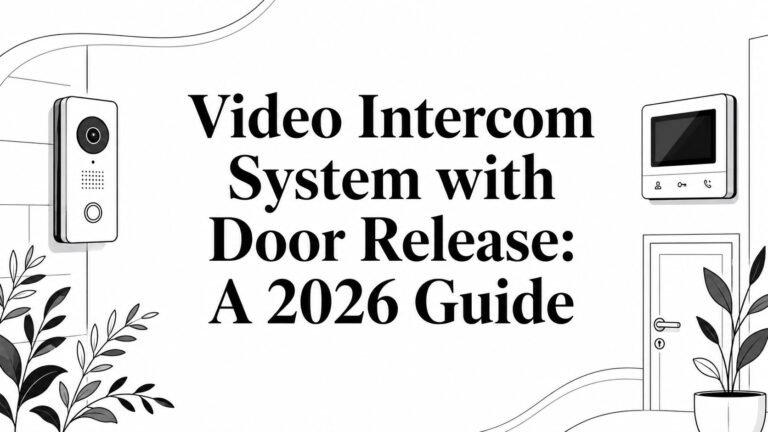
If you're weighing options for a front entrance or shared building door, this overview of video intercom systems for commercial entry points is useful as a starting point because it focuses on practical deployment rather than gadget features.
Essential Features for Modern Businesses
Features that solve real operational problems
A modern intercom earns its place when it removes friction from the working day. That means fewer missed callers, faster entry decisions and a clear record of what happened at the door.
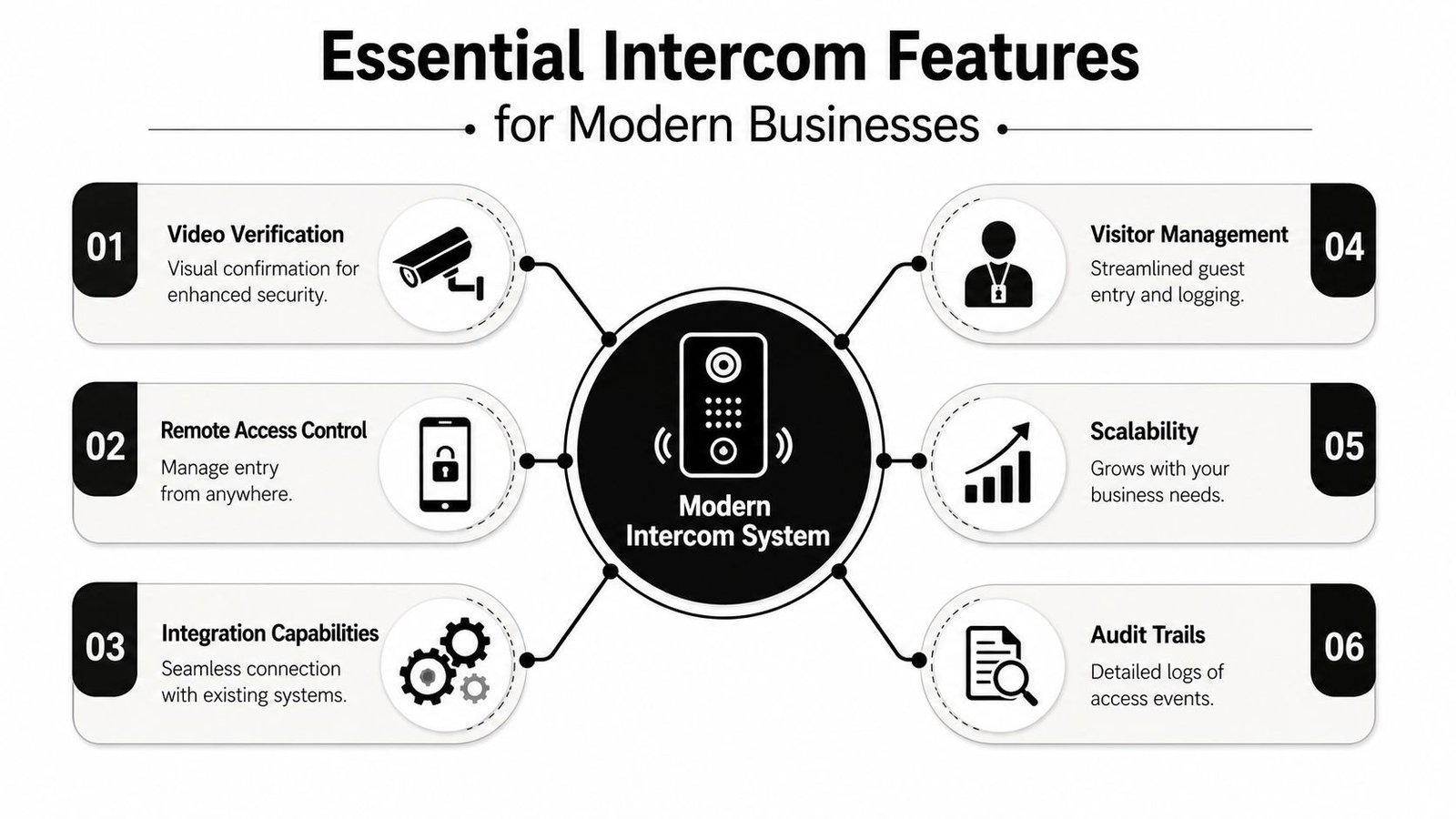
For most commercial sites, the useful features aren't exotic. They're the ones staff use every day.
- Video verification: Staff can see whether it's a customer, courier, contractor or someone who shouldn't be there.
- Remote access control: Someone can answer and release a door without being tied to reception.
- Integration capability: The intercom should work with locks, access control, gates and CCTV, not sit on its own.
- Visitor management support: Shared buildings and busier sites need cleaner handling of guests and deliveries.
- Scalability: You don't want to replace the whole system when you add a second entrance.
- Audit trails: When there's a complaint or incident, you need to know who called and who opened the door.
What should be on your must-have list
Clear video is no longer optional for many business entrances. Modern IP-based systems support 24/7 video transmission, HD 1080p resolution and night vision, and many run on PoE, which can reduce cabling complexity and lower installation costs by up to 30% compared with traditional hard-wired analogue systems, based on FERMAX UK intercom system specifications. PoE also makes fault-finding and future changes easier because power and data are handled over the same network cable.
Two-way audio matters just as much as the camera. If visitors can't hear clearly, staff start making rushed decisions. On noisier sites such as workshops, schools or roadside premises, microphone and speaker performance can matter more than the touchscreen.
A mobile app can be useful, but only if it fits how your team works. If one manager ends up answering every intercom call on their phone, you've just moved the problem instead of fixing it. Good systems let calls ring multiple users or route by time of day.
Good intercom design doesn't ask staff to change their habits too much. It supports the way the site already works, then removes the weak points.
Cloud logging can also help, especially where multiple people handle access. But check where logs and recordings are stored, who can see them, and how long they're retained. If you're updating the rest of your entry hardware at the same time, this guide to modern digital locks gives useful context on how locking hardware choices affect day-to-day use.
A practical checklist for proposals is simple:
- Can staff see clearly at night and in bad weather?
- Can calls be answered by more than one person?
- Does it release the correct door or gate without delay?
- Will it integrate with your current locks or access system?
- Can you add another entrance later without starting again?
If a quote can't answer those points plainly, keep looking.
Integrating Intercoms for Total Security and Compliance
Why standalone systems usually disappoint
A standalone intercom can speak to a visitor and open a door. That's useful, but limited. Most businesses need more than that. They need the intercom to become part of a joined-up access strategy.
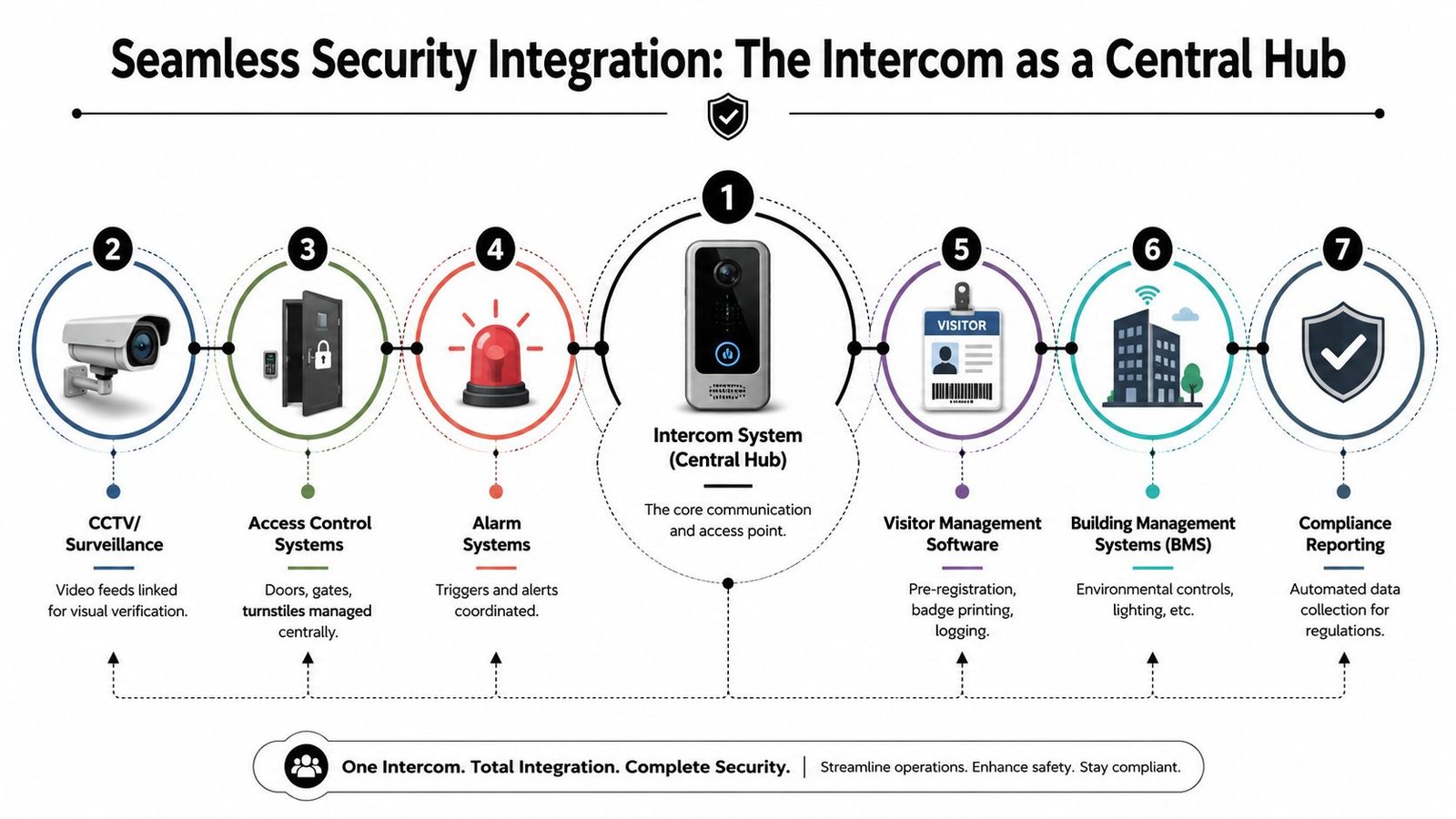
The better approach is to treat the intercom as the front-end of a wider system. A visitor presses the call button. The user answering can see linked camera views, speak to the caller, release the correct entrance, and leave a record behind. Staff with fobs, cards or mobile credentials bypass the intercom altogether when appropriate. Gates, pedestrian doors and internal secure zones all follow the same logic.
That kind of setup is especially useful on mixed-use premises. A Bristol office with a shared reception and rear delivery entrance doesn't want two unrelated systems. A Newport warehouse doesn't want a gate intercom that can't talk to the access control on the staff door. A Cardiff apartment block with managed access doesn't want one platform for residents and another for contractors.
For businesses reviewing wider system design, it's worth looking at integrated security systems for commercial sites because the intercom usually performs best when it's planned alongside CCTV, access control and gate automation.
UK compliance issues that get missed
Many otherwise decent projects go wrong because the hardware works, but the compliance side is weak.
A UK Government report stated that 68% of SMEs in Wales experienced access breaches from poorly integrated entry systems, while only 22% had intercoms compliant with Access Control Standard BS EN 50131. The same source also cites an ICO study saying 54% of UK businesses using cloud intercoms were unaware their data was hosted outside the UK, creating GDPR risk. Those figures are discussed in this article covering business intercom compliance concerns.
Compliance point: If an intercom stores visitor images, call logs or access events in the cloud, you need to know where that data lives and who controls it.
BS EN 50131 is often associated with intruder systems, but for businesses, the issue is broader. Your entry system needs to fit your overall access control and security design. On multi-tenant buildings and industrial sites, poor integration creates gaps. One system grants entry, another logs nothing, and a third has no relationship to either. That's how people slip through side doors, tailgating becomes normal, and incidents become hard to investigate.
GDPR concerns are equally practical. If your intercom app stores call records, snapshots or video clips off-site, ask direct questions. Is data hosted in the UK? If not, what safeguards are in place? Who is the controller? Who can export footage? If the installer can't answer confidently, that should stop the purchase.
Here is a short video that helps visualise how integrated entry and access workflows can work on site:
What good integration looks like on site
On a properly designed system, staff badges or mobile credentials handle routine access. The intercom handles exceptions. CCTV adds visual context. Gate automation responds to authorised release commands. Alarm inputs can trigger lockdown behaviour or different door states. Visitor logs become searchable instead of living in someone's memory.
One practical example is a site with a delivery gate and a main office entrance. The gate intercom should let staff verify the driver, view the approach camera, trigger the gate, and still keep the pedestrian route controlled separately. Another is a multi-tenant office where each tenant only receives calls intended for them, but the building manager still retains control over shared entrances and event logs.
That's the difference between buying a device and building a system.
Intercoms in Action Across South Wales and the South West
Four local scenarios that show the difference
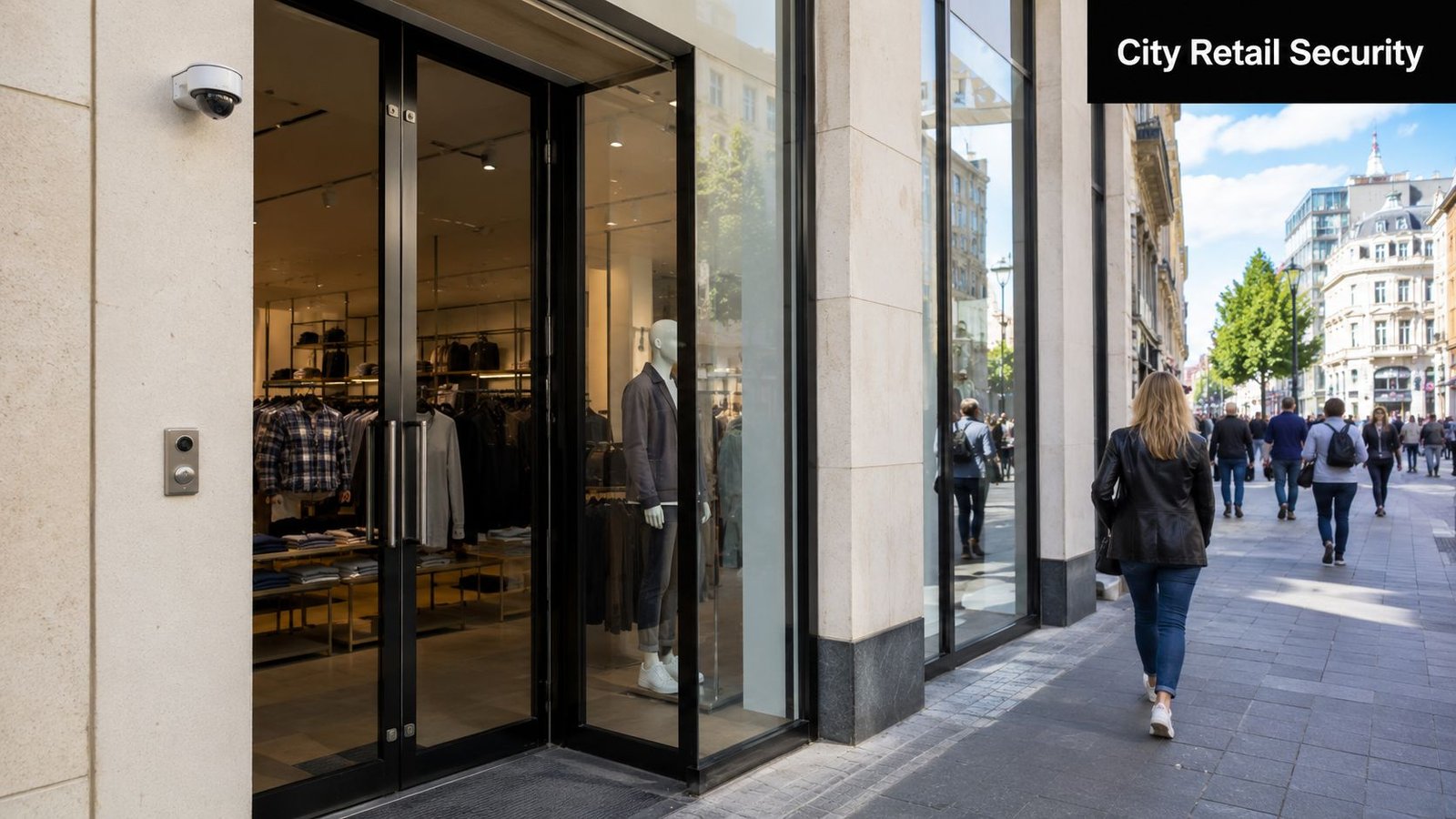
A Cardiff city centre retailer usually doesn't need a complex platform. The pain point is deliveries arriving outside the busiest staffed window, plus occasional staff access before opening. In that setup, a compact video intercom tied to the staff door and linked to a mobile app is often enough. The camera needs to handle changing light at the shopfront, and the call routing needs to reach more than one person.
A Bristol multi-tenant office building is different. There, the problem isn't only security. It's organisation. Visitors need to find the correct company quickly, tenants need separate permissions, and the building manager needs oversight without manually handling every arrival. That's where an IP-based intercom with directory management and strong integration becomes the sensible choice.
In shared buildings, the wrong system creates confusion faster than it creates security. If visitors can't reach the right tenant cleanly, staff start bypassing the process.
A Newport warehouse or logistics yard often needs a tougher answer. Gloves, engine noise, weather exposure and vehicle traffic all change what "easy to use" means. The right intercom here is usually less about polished screens and more about volume, durability, large call points and dependable gate triggering. If lorry access is regular, the process has to be simple enough to work under pressure.
A Swansea block of flats managed by an agent has another set of needs. Property managers may need to grant temporary access for viewings, maintenance teams or emergency contractors without physically attending site. In that environment, remote management matters. So do user permissions. The system needs to distinguish between resident access, contractor access and one-off admissions without turning every request into a manual workaround.
These scenarios all use an intercom system for business or managed property, but they don't use it the same way. That's why a good survey matters. The question isn't "Which intercom is best?" It's "What does your front entrance need to do every day, and what goes wrong at the moment?"
Budgeting for Your Business Intercom System
What you're actually paying for
Most business owners start with the handset or entrance panel and ask what it costs. That's understandable, but it's only part of the picture. The real budget sits across three areas: hardware, installation, and ongoing support or software.
Hardware includes the door station, internal monitors if needed, power supplies, door release equipment, readers, brackets and protective housings. Installation includes cabling, network setup, programming, door or gate connection, testing and user handover. Ongoing costs may include cloud services, remote management platforms, maintenance visits and replacement of worn components over time.
The important point is this. A cheap panel on the wall doesn't stay cheap if the wiring is poor, the audio is unusable, or the door release is unreliable. Businesses don't remember what they paid for the intercom. They remember whether staff trust it.
The wider market points in the same direction. The global IP intercom market was valued at USD 3.07 billion in 2024 and is projected to surpass USD 7.01 billion by 2034, growing at a CAGR of 8.62%, according to Zion Market Research's IP intercom market report. Businesses are investing because networked access systems solve more than one problem at once.
Why the cheapest quote often costs more later
The least expensive quote often leaves out the awkward parts. It may assume existing cabling is reusable when it isn't. It may exclude integration with current access control. It may provide basic commissioning but no real user training. It may also ignore compliance checks around cloud storage and permissions.
A sound quote should spell out:
- What hardware is included: Entrance panels, readers, locks, releases, monitors, network components.
- What labour covers: Cabling, mounting, programming, testing, handover.
- What integration is planned: CCTV links, access credentials, gate motors, fire release interfaces where relevant.
- What ongoing items apply: Software subscriptions, support response, preventative maintenance.
- What assumptions have been made: Existing power, working network, suitable door hardware, mobile coverage if relevant.
If two quotes look miles apart, ask each installer what they've excluded. That's usually where the difference is hiding.
For a simple single-door site, the budget structure is naturally smaller and more straightforward. For a multi-entrance office, industrial premises or managed building, the spend rises because programming, permissions and integration take time. That's not wasted money. It's the part that makes the system work properly after the installers leave.
Finding Your Local Partner and Planning Your Installation
Questions worth asking before you sign anything
The installer you choose shapes the result as much as the equipment. Two companies can fit similar hardware and leave you with completely different outcomes.
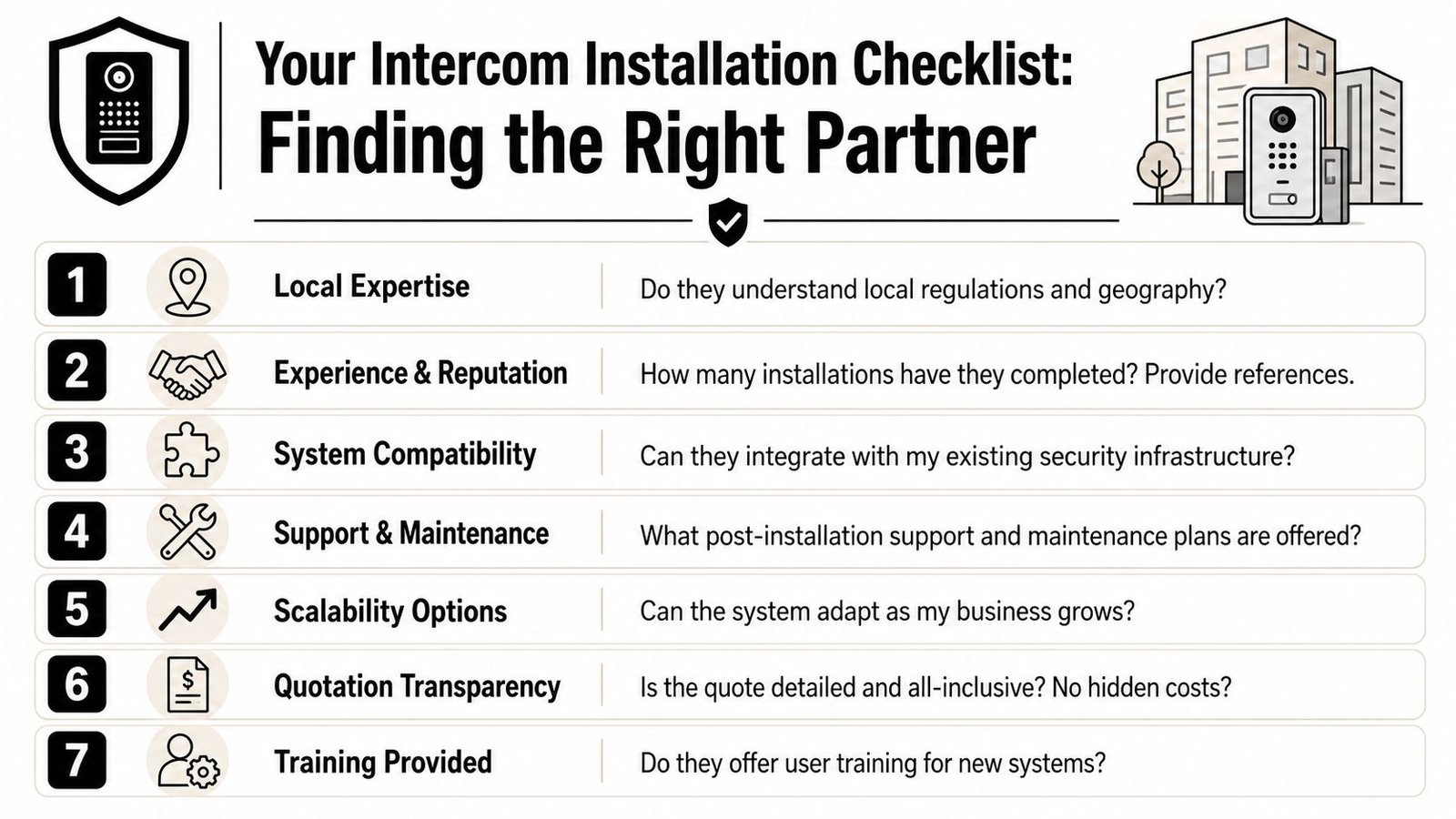
Ask direct questions. A good installer won't dodge them.
- Local experience: Have they worked on shops, offices, warehouses or managed properties like yours in South Wales or the South West?
- Engineer vetting: Are the engineers DBS-checked, insured, and trained on the systems they're installing?
- Compliance understanding: Can they explain BS EN 50131 relevance, data handling, and access permissions in plain English?
- Integration capability: Can they connect the intercom with your locks, CCTV, gates or existing credentials?
- Support after handover: What happens when a user changes, a tenant moves out, or a relay fails on a Friday afternoon?
- Quotation clarity: Is the proposal specific, or full of vague allowances and assumptions?
- Training: Will managers and staff be shown how to use the system properly, not just handed a manual?
One area that's often overlooked is infrastructure. On larger or more modern sites, structured cabling quality can make or break IP intercom performance. If you're dealing with a broader network refresh, guides to fiber-optic deployment services can be useful background for understanding how physical connectivity choices affect reliability.
Why local installation support matters
A local installer understands more than travel time. They understand building stock, signal issues, weather exposure, shared-access arrangements and the practical differences between a city centre retail door and a rural gated site. That local context affects where cameras are positioned, how calls are routed, what vandal protection is sensible, and how quickly faults can be resolved.
This is also where accountability shows. If your installer is nearby, aftercare tends to be more grounded in reality. Changes to user permissions, tenant directories or gate timings can be sorted properly instead of sitting in a remote support queue.
For businesses looking at cards, fobs, readers and managed entry together with intercoms, these access control installers for commercial properties offer a useful reference point because the entry system nearly always performs better when it's planned as one joined-up access solution.
Wisenet Security Ltd works across South Wales and the South West on CCTV, intruder alarms, access control, fire systems, intercoms and gate automation, with DBS-checked engineers, SafeContractor accreditation and more than 20 years of experience in the region. For a business owner, that matters less as a badge and more because it means the same team can survey the site, understand how the building is used, and design an intercom that fits the rest of the security setup instead of fighting it.
The right intercom system for business should feel straightforward once it's in place. Staff should know who they're speaking to, how to let them in, and what happens next. If that isn't clear before installation, it usually won't be clear after.
If you're reviewing entry security for a shop, office, warehouse, managed building or gated site, Wisenet Security Ltd can help you assess what fits your premises, your compliance needs and the way your team works. A no-obligation consultation is the sensible next step if you want clear advice before committing to equipment or installation.