Call Nurse System Guide for UK Care Settings
A call nurse system is only as good as the moment someone needs it. In UK care settings, that moment can be the difference between a quick assist and a preventable fall, because one UK hospital case study source reports 2.7% of inpatients fall, which equates to about 247,000 inpatient falls each year in England alone. That same source estimates the annual NHS cost of treating falls at £630 million, with around 100,000 patients injured, about 2,000 hip fractures, 600 other fractures, and 130 deaths each year, which is why the system has to be treated as a safety layer, not just a button on the wall. Ascom's Harrogate case study also tied smart nurse call deployment to a 12.2% response-time improvement and up to a 41% reduction in patients falling, which is a strong reminder that response quality matters as much as response speed.
A well-specified call nurse system lets a patient or resident summon help, routes that call to the right staff member, and creates a record of what happened. In practice, that means call points at the bedside or bathroom, corridor indicators, staff devices, and a central controller working together, so the alarm doesn't just sound, it reaches someone who can act. That distinction matters in wards and care homes where staff are stretched, rooms are mixed-risk, and the wrong kind of alert can waste minutes.
Practical rule: if a call system doesn't make the next response obvious, it hasn't solved the real problem.
Table of Contents
- Why a Call Nurse System Is a Patient Safety Tool
- Types of Nurse Call Systems Explained
- Key Features to Specify in Your System
- Integrating Nurse Call with CCTV and Access Control
- Staff Adoption and Training Challenges
- Questions to Ask Before Choosing an Installer
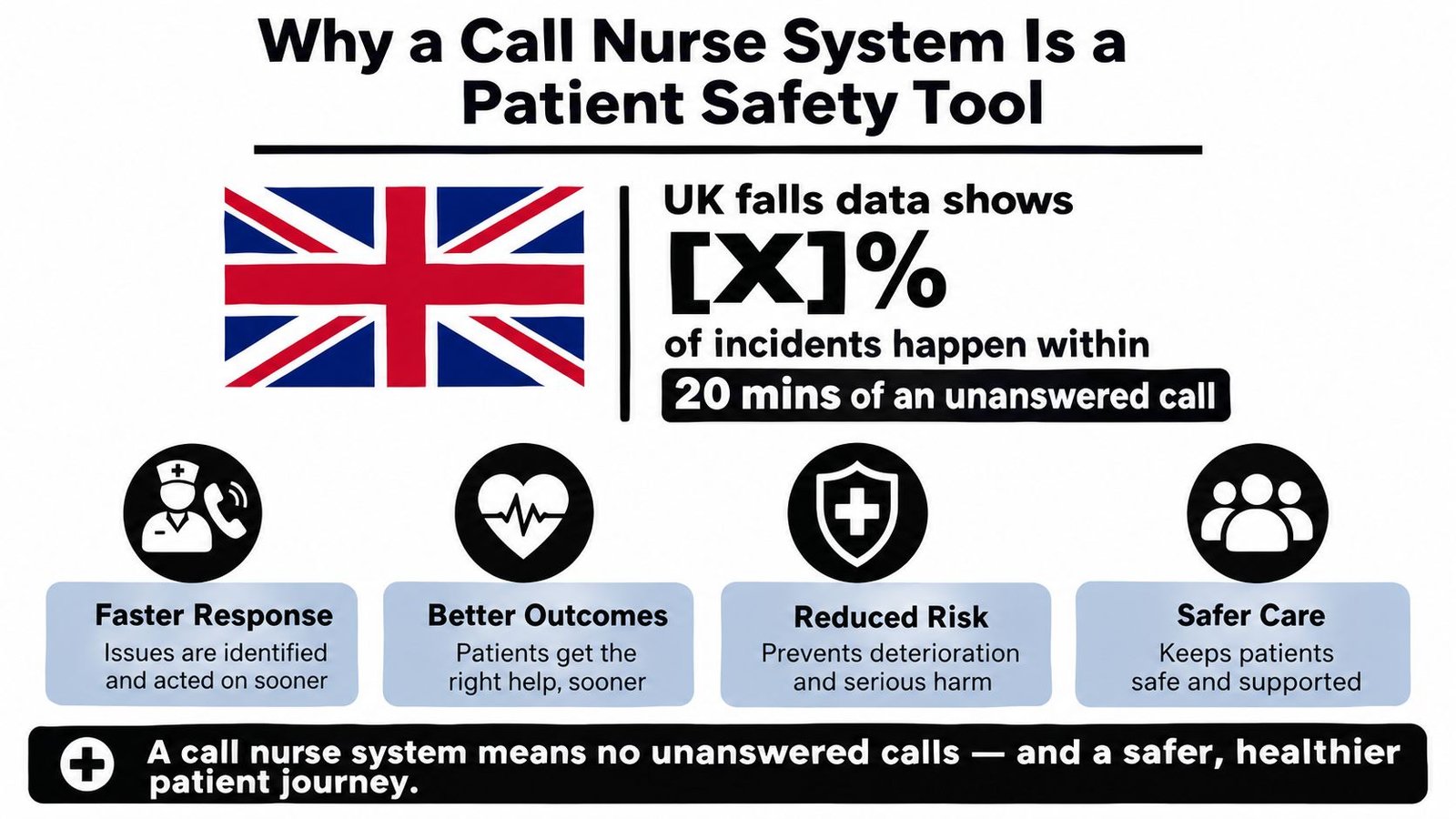
Why a Call Nurse System Is a Patient Safety Tool
A call nurse system earns its place when staff time is tight and the building is busy. The problem is not only that someone needs attention, it is that the right person has to know quickly, and the call has to stay visible until it is handled. That is why response speed and call routing sit at the centre of the safety case.
In the Harrogate ward trial, a smart nurse call deployment was associated with a 12.2% response-time improvement, about 22 seconds, and up to a 41% reduction in patients falling in that setting, according to the UK case study source already noted above. Those figures do not mean every site will copy the same result, but they do show why the call path matters on the ward floor. Ascom's Harrogate case study
What the system does
At its simplest, the patient or resident presses a call point. The system then announces that call through corridor lights, nurse stations, pagers, handsets, or a mobile workflow, depending on how it is designed. Good systems also keep a log of the call, which helps managers see whether the response was prompt and whether there are recurring blind spots in a wing, a bay, or a particular shift pattern.
That log matters because it changes the conversation after handover. Instead of relying on memory, supervisors can look at event records and see where calls were delayed or missed. In a busy care home, that traceability is often what separates a minor process issue from a hidden risk.
What buyers often miss
A call nurse system is not just about summoning help, it is about whether the alarm is heard, understood, and actioned in the acoustic conditions of the building. A corridor indicator that is too subtle, or a call tone that gets lost in background noise, can defeat the purpose even when the front-end devices look modern. That is why the system should be judged as part of the whole care workflow, not as a standalone gadget.
Historical evidence supports that broader view. A classic PubMed-indexed study found that letting unit secretaries receive and screen patient calls reduced avoidable nurse interruptions, saved nursing time, and helped some nurses prepare to meet patient needs before entering the room. It also identified limits such as poor sound quality and the inability to prioritise or confirm calls, which still reads like a useful warning for today's buyers. PubMed study on nurse call workflow and interruptions
A system also has to fit the realities of handover, agency staff, and mixed familiarity on shift. If the alert path is unclear, or if staff do not trust the priority levels, the equipment becomes background noise after the install team has left. In care homes and wards alike, the safety gain comes from clear escalation, visible accountability, and a response path that staff can follow without stopping to interpret it.
Types of Nurse Call Systems Explained
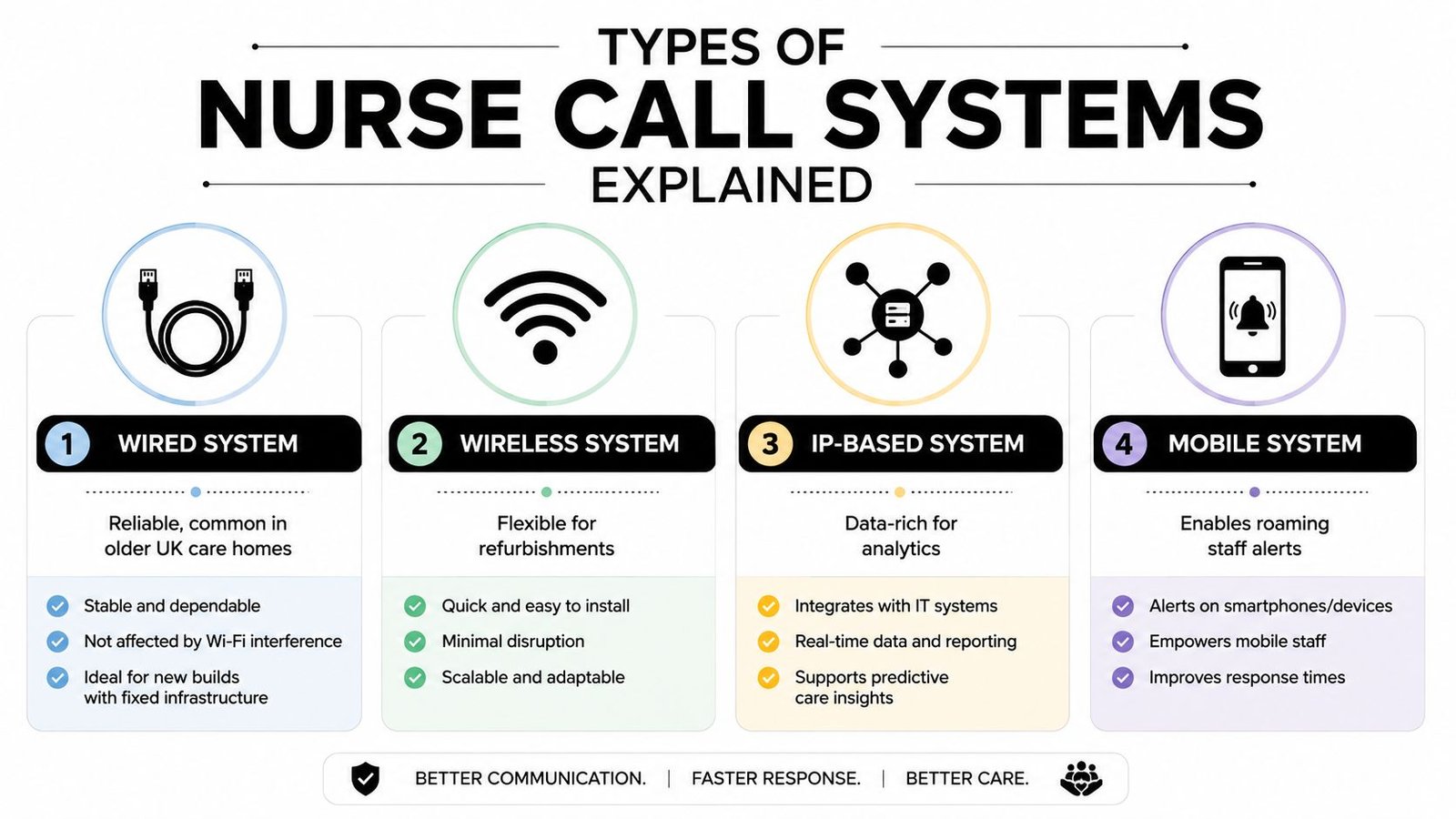
The right architecture depends on the building, the workflow, and how much disruption the site can tolerate during installation. I've seen buyers focus on features first and system type second, then run into problems when the cabling route is awkward, the Wi-Fi is patchy, or the staff need alerts to follow them rather than stay tied to a desk. The technology choice has to match the building, not the brochure.
Wired systems
Wired systems suit sites where you can plan the route properly, especially in new builds or major refurbishments. They're usually the easiest to understand from a maintenance point of view because the physical path from button to controller is fixed, which helps when you want a stable, predictable installation. The downside is obvious to anyone who's opened up an older care home, chasing cable through finished fabric can turn a straightforward upgrade into a messy one.
Wireless systems
Wireless systems are a practical fit for retrofits, temporary expansions, and older premises where opening walls would cause too much disruption. They're flexible, and that flexibility matters when rooms need to stay live during works. The trade-off is that wireless design has to be disciplined, because staff won't forgive dropouts, false confidence, or a system that's harder to support than the old one it replaced.
IP-based systems
IP-based systems use the site network as part of the communication path, which makes them attractive where buyers want richer event handling and a cleaner route to integration. They're strongest when the organisation already has decent network discipline and wants data to flow to the right places without building another isolated island of kit. They can be a poor choice if the network is poorly maintained or if no one has taken ownership of the support model.
Mobile systems
Mobile systems push alerts to staff devices, which is useful where teams move constantly and can't stay pinned to one nurse station. They fit care environments that already work through mobile handsets, pagers, or assigned phones, because the alert can travel with the caregiver. The catch is simple, if the staff device isn't charged, carried, or configured correctly, the alert still hasn't reached anyone.
A good installer won't oversell one architecture as the answer to everything. In practice, the best choice is the one that matches the building, the shift pattern, and the level of IT involvement the client can realistically support.
Here's a useful starting point for buyers comparing system styles, and the operational angle of warden call system options for care sites is often the same one that matters in nurse call discussions too, reliability first, then usability, then maintenance.
Key Features to Specify in Your System
A lot of tenders read as if every feature matters equally. They don't. A call nurse system should be specified around the functions that change response quality, reduce confusion, and keep working when the building is noisy, busy, or under stress. If a feature doesn't help staff make better decisions at the point of need, it's probably not worth paying extra for.
Two-way voice and call routing
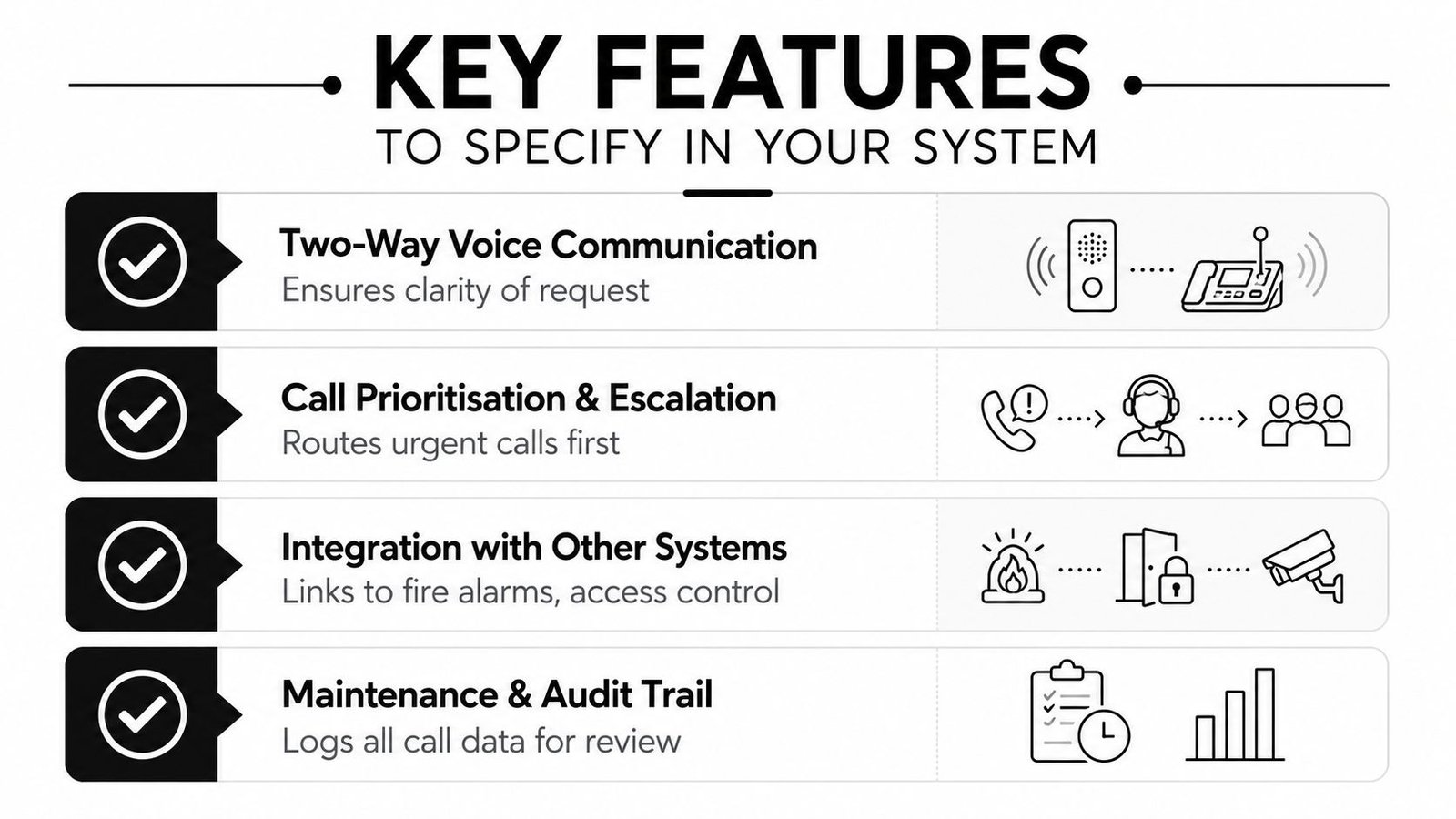
Two-way voice communication is useful where staff need to clarify whether someone needs urgent assistance, reassurance, or a routine visit. That kind of interaction cuts down on guesswork, especially in larger wards or homes where a flat “call received” doesn't tell the full story. I've seen it help most when a room can be assessed before someone has physically crossed the corridor.
Prioritisation and escalation
Call prioritisation is there for one reason, to stop a routine request from drowning out a genuine emergency. If the system can't distinguish between levels of urgency, staff end up treating every signal the same way, and that's where response quality starts to flatten out. Escalation paths should also be clear, because unanswered calls need to move to the next person or team without delay.
Audible and visual annunciation
UK installations need audible and visual annunciation that's rapidly distinguishable from the ambient noise of the ward or care home. Guidance around EN 50134-1 alarm principles and BS 8300 accessibility expectations means the system can't rely on a weak tone or a tiny light that's easy to miss. For installations benchmarked against UL 1069-style performance, an audible output target of 90 dB ± 3 dB over 300 to 3000 Hz is a useful technical reference point, but UK projects still need to verify the final scheme against the relevant British or European standards and local policy. UK compliance guidance for nurse call systems
Power resilience and fault reporting
Battery-backed power is essential for life-safety resilience, because a call system that dies during a power issue isn't a safety system anymore. Supervised fault reporting matters just as much, since the control panel should tell staff when a device or circuit has gone off-line instead of leaving them to discover it during an incident. In practice, that's how latent faults get caught before they become missed calls.
For buyers who also want care-process thinking around software and workflow, the care software advice from Pauline Vuyelwa Muswere-Enagbonma is a useful companion read because it frames the broader operational side of digitised care rather than just the hardware.
A feature is only worth specifying if your staff can use it under pressure, on a late shift, with the ward already half full.
Integrating Nurse Call with CCTV and Access Control
Standalone systems are harder to run well than joined-up ones. In care buildings, nurse call rarely lives alone, it sits beside CCTV, access control, intruder alarms, fire detection, and sometimes door release or gate automation. The installer's job is to make those systems cooperate without creating a tangle that only makes sense on commissioning day.
A practical example helps. A staff member gets a call from a side room, the nurse station sees the alert, the relevant camera view pops up, and access control grants entry to the specific door if rapid entry is needed. That gives the responder context before they reach the room, which is especially useful in larger homes, assisted living blocks, and mixed-use premises where you don't want every event handled like a blind rush down the corridor.
The integration point has to be thought through from the start, not patched in later. CCTV needs the right trigger mapping, access control needs clear rules about who can open what and when, and the call platform needs to sit cleanly within that event chain. If those decisions are left until after handover, staff end up with a system that technically works but operationally feels clumsy.
There's also the fire side of the equation. During evacuation, life-safety logic has to take priority over convenience, so the integrated design should allow emergency behaviour to override non-emergency routines. That doesn't mean everything is locked down by one controller, it means each system knows when it should defer to the others. Buyers should ask how the installer handles those priority rules, because they affect both safety and confidence on the floor.
The network and cabling standards matter too. A multi-system installation needs enough structure that call events, video, and door actions don't compete badly for attention or reliability. That's why integrated work is usually best handled by a single designer who understands the whole environment, rather than by separate contractors each protecting their own box of kit.
For a closer look at this joined-up approach, the integrated security solutions overview is a useful reference point for how CCTV and access control fit into wider site protection planning. The same principle applies in care, the system should support the response, not slow it down.
Staff Adoption and Training Challenges
The hardest part of a call nurse system isn't always the wiring or the configuration. It's getting staff to trust it, use it properly, and keep using it when shifts are busy and the team is stretched. Research found that 37% of nursing staff reported barriers including lack of prior knowledge and difficulty learning the wireless nurse call system, which is a reminder that adoption needs to be planned, not assumed. Wireless nurse call adoption research
That figure matters because it explains a pattern many installers see after handover. A system can look fine on commissioning day and still underperform if the handover was too shallow, the staff weren't involved early enough, or the workflow doesn't match how the team works. New kit doesn't automatically replace old habits.
What good onboarding looks like
Training has to fit the rota. A single classroom session won't cover a mixed team of day staff, night staff, agency workers, and managers who only touch the system occasionally. Short, practical walkthroughs work better when they're done in the actual environment, because staff learn faster when they can see the call point, the corridor indicator, and the device they'll be carrying.
Frontline involvement also reduces resistance. If the people who answer calls every day have a say in how alerts are routed and what the screens or pagers show, they're more likely to treat the system as part of the workflow rather than an extra admin burden. That's particularly important in high-turnover settings where the team keeps changing and informal knowledge disappears fast.
What causes headaches later
Practical rule: if training stops at handover, support problems show up later as “system faults” when they're really user confidence problems.
A common headache is hidden complexity. The installer may know which button does what, but if the staff can't remember that mapping under pressure, the design has failed at the usability level. Another issue is inconsistency, especially when agency staff or new starters arrive and the site relies on verbal instruction instead of a short documented routine.
Ongoing support matters because the care environment changes. Rooms get repurposed, staffing patterns shift, and escalation rules need occasional adjustment. The system should be easy to update without forcing the site into a long outage or a ticket queue that nobody wants to join.
Questions to Ask Before Choosing an Installer
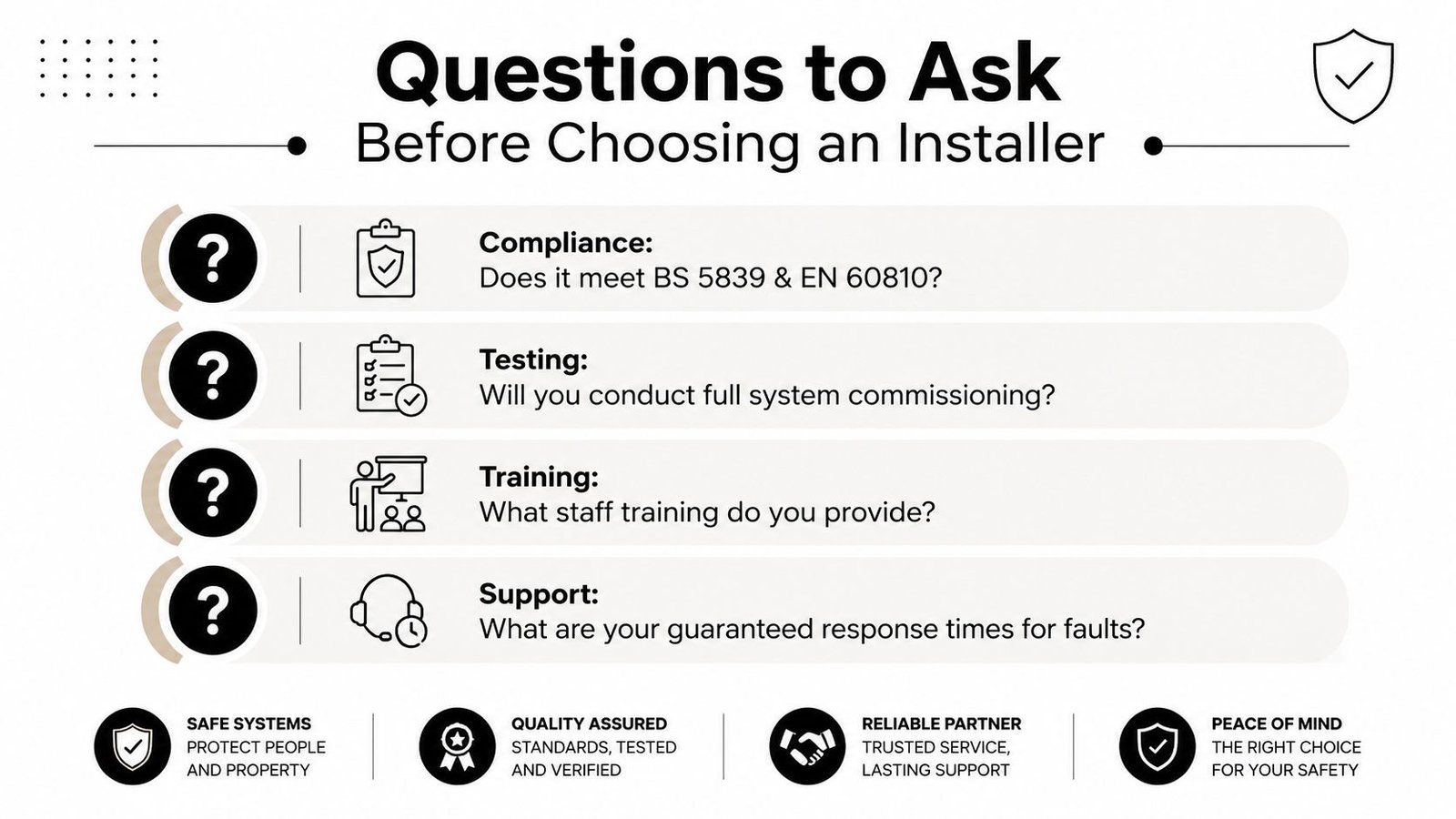
A good quote should tell you more than the price. It should tell you how the installer thinks about compliance, commissioning, staff training, and long-term support, because those are the things that decide whether the system remains dependable after the handover team has gone home. The best installers answer those questions before you ask twice.
Compliance and commissioning
Ask whether the system will be specified and installed in line with the relevant British and European standards for the site, and how the installer handles commissioning records. If the answer is vague, that's a warning sign. You want a supplier who can explain the alarm principles, the accessibility considerations, and the fault monitoring approach in plain English, not hide behind product brochures.
Training and support
Ask what staff training is included, who delivers it, and how it's adapted for shift patterns. Then ask what happens after go-live, because the first few weeks are where real-world problems surface. A serious installer should be able to explain fault reporting, maintenance cover, and how quickly you can expect a response when something stops behaving properly.
Local presence and accountability
Local support matters in South Wales and the South West because urgent faults don't improve with distance. Buyers should ask whether engineers are DBS-checked, whether the company carries the right insurance, and whether it has a genuine regional footprint rather than a call centre pretending to be local. That's especially important for care sites that can't afford long downtime on life-safety systems.
A useful final filter is how the installer talks about upgrades and legacy workflows. If they treat the existing alarm, CCTV, or access control setup like an obstacle, you may be buying a future headache. If they can explain how the new system will coexist with what's already there, they're thinking like an operator, not just a seller.
For buyers comparing serious providers, the SSAIB approved companies page is a sensible starting point for checking the kind of standards and accountability you should expect from a competent installer.
If you need a call nurse system designed for real-world care constraints, Wisenet Security Ltd can help with consultation, installation, and ongoing maintenance across South Wales and the South West. Visit Wisenet Security Ltd to discuss a system that fits your building, your staff, and the way your site runs.