
Best Video Door Entry System: UK Buyer’s Guide 2026
The Office for National Statistics recorded approximately 342,000 domestic burglary incidents in England and Wales in the year ending September 2025. That volume is why a best video door entry system shortlist should be judged on privacy, audio control and evidence, not on the megapixels printed on the box. A wide lens that films the pavement often creates more trouble than it prevents.
Table of Contents
- Which Video Door Entry System Fits Your Property
- Wired, IP and Wireless Systems Compared
- Video Quality and Night Identification That Holds Up
- Audio, Privacy Controls and Recording Rules
- Smartphone Access, Credentials and Multi-Tenant Control
- How to Test Evidence Readiness and Maintain the System
- Installation Routes and Cost Drivers
- Confirm the Specification Before You Buy
Which Video Door Entry System Fits Your Property
The Office for National Statistics crime bulletin reported approximately 342,000 domestic burglary incidents in England and Wales for the year ending September 2025, a 20% reduction from approximately 426,000 the year before. What remains is nearly 938 domestic burglary incidents a day. The same release recorded a 16% fall in vehicle-related theft, to approximately 617,000 incidents, so driveways, garages, communal doors and car parks sit in the same risk picture as the front door. Those national figures are context, not a forecast for a street in Cardiff, Newport or Bristol. Layout, lighting and who occupies the building still decide the design.
Quick-pick system family by property type
| Property type | Recommended system family | Why it fits | Main constraint |
|---|---|---|---|
| Detached home with private drive | Wi-Fi or hybrid wireless with app | Quick fit with no new cable to the front door | Wi-Fi or radio reach to the door must be tested |
| Terraced home on a pavement | Wired IP or 2-wire video with adjustable zones | Tight, controllable field of view protects the public pavement | Mounting position limits, and privacy masking is essential |
| Flat or shared entrance | IP system with per-resident credentials and event logs | Multiple users and separate permissions | Common-area rules and managing agent consent |
| Small office or retail back door | IP over PoE with access control integration | Staff permissions, audit logs and separated audio | Needs a cable route and a managed network switch |
| Warehouse or logistics entrance | IP over PoE with gate and alarm integration | Robust for heavy use, night operation and evidence export | Enclosure rating and backup power |
| Car park or gated site | IP over PoE with infrared and wider coverage | Covers both pedestrian and vehicle-height entry | Coverage planning and lighting levels |
Three factors drive every row.
- Who uses the door: one household can live with a shared app. A block, shop or warehouse needs credentials you can remove when someone leaves.
- What the lens can see: a private drive tolerates a wider approach view. A pavement, a neighbour's path or a communal landing does not.
- Whether cable can reach the door: if a network connection can't get there without heavy building work, wireless is the honest choice, but only after a signal test at the mounting point.
Treat the table as a starting point. A dark porch, shift working or a shared path can overturn a neat match. The rest of this guide is how you test those factors on the actual site before you buy.
Wired, IP and Wireless Systems Compared
Four families cover almost every UK entrance. They differ in cable, power and what happens when the broadband drops, not in how glossy the app looks.
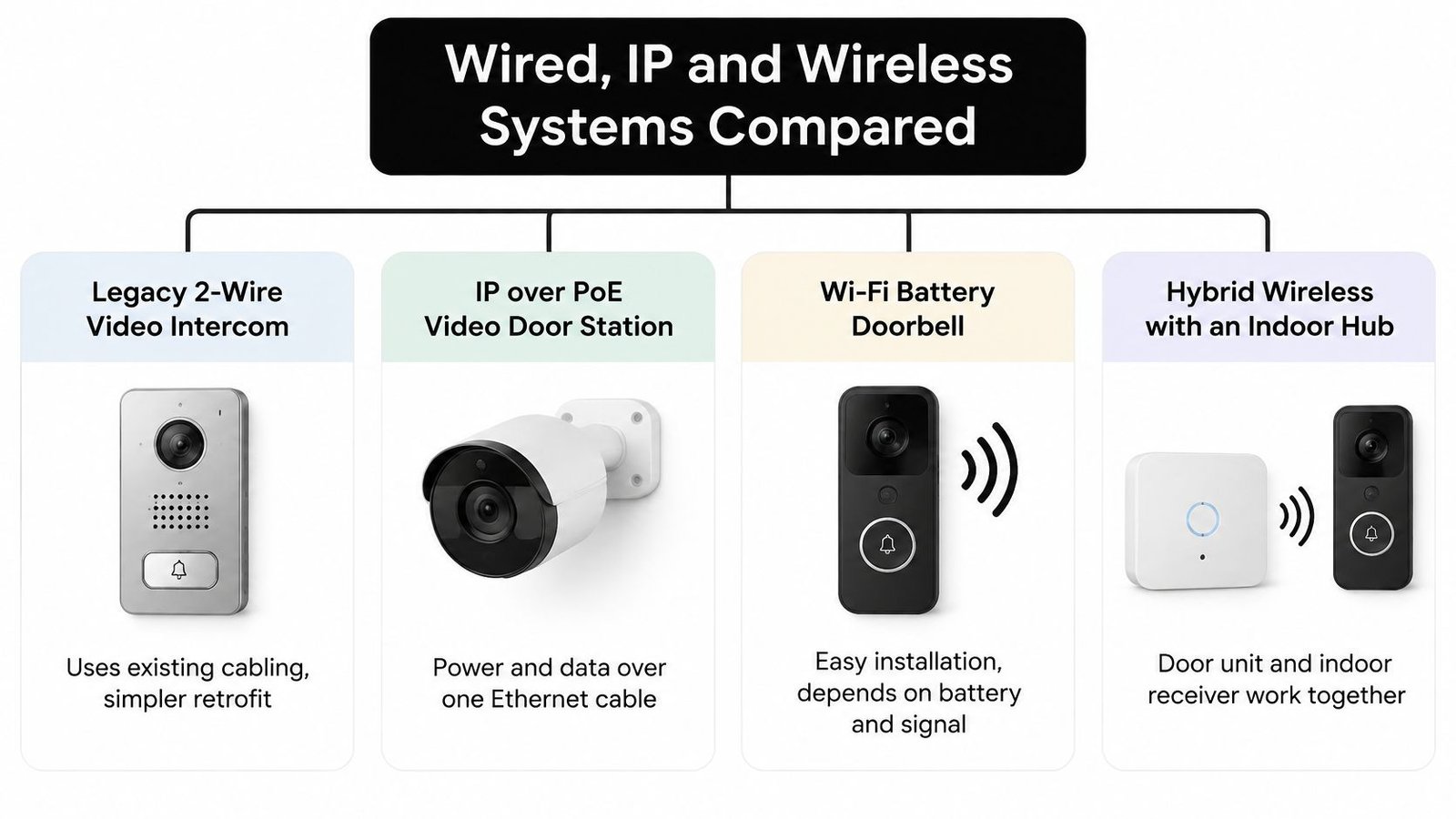
System families compared on wiring, power and remote access
| System family | Wiring | Power | Remote access | Strongest use | Main limit |
|---|---|---|---|---|---|
| Legacy 2-wire video intercom | Two-wire bus from door to indoor unit | Supplied over the bus | Usually via an add-on gateway, or none | Retrofit in existing multi-unit blocks | Limited feature set and resolution; confirm the model specification |
| IP over PoE video door station | One Ethernet cable (Cat5e or Cat6) | Power over Ethernet | Cloud or on-premise app | New builds, commercial sites and CCTV integration | Needs cable routing and a network switch |
| Wi-Fi battery doorbell | None beyond optional mains | Rechargeable battery | App over home Wi-Fi | Quick self-fit where Wi-Fi reaches the door | Charging routine and Wi-Fi drop-outs |
| Hybrid wireless with indoor hub | Wireless link from door unit to indoor hub | Battery on the door unit, mains on the hub | Hub connected to broadband | Homes where cabling is impractical | Radio range and dependence on the hub |
Cable and power
A standard Ethernet run is limited to 100 metres. Past that you need a switch, fibre, or a different route. Power over Ethernet is the practical win on commercial doors: one cable feeds the station and carries video, so you aren't hunting for a fused spur on a wet gate post. A 2-wire bus is the retrofit path when an old audio intercom already runs to the flats. You keep the route and accept a smaller feature set. Read the model sheet before you assume the old cable will carry a modern station.
Wireless avoids that labour. It also fails in predictable ways. Brick and dense block eat radio range, so a hub in a rear cupboard often can't see a front door. Battery life tracks how often the bell is pressed and how long people talk. A busy shop door will want charging far sooner than a quiet house. Live viewing still needs broadband. If the router reboots, the phone app goes quiet even when the indoor chime still rings.
The decision that actually matters
Wired and IP over PoE generally hold up better for local recording and for several users with separate rights. That is the fit for offices, warehouses and managed blocks. Wireless is faster, and it is the right call for rented homes and listed buildings where drilling is restricted, provided the signal is real.
Practical rule: route cable if you can do it in a sensible labour window. If you can't, stand at the door with the handset or hub and confirm the link before you mount anything.
Video Quality and Night Identification That Holds Up
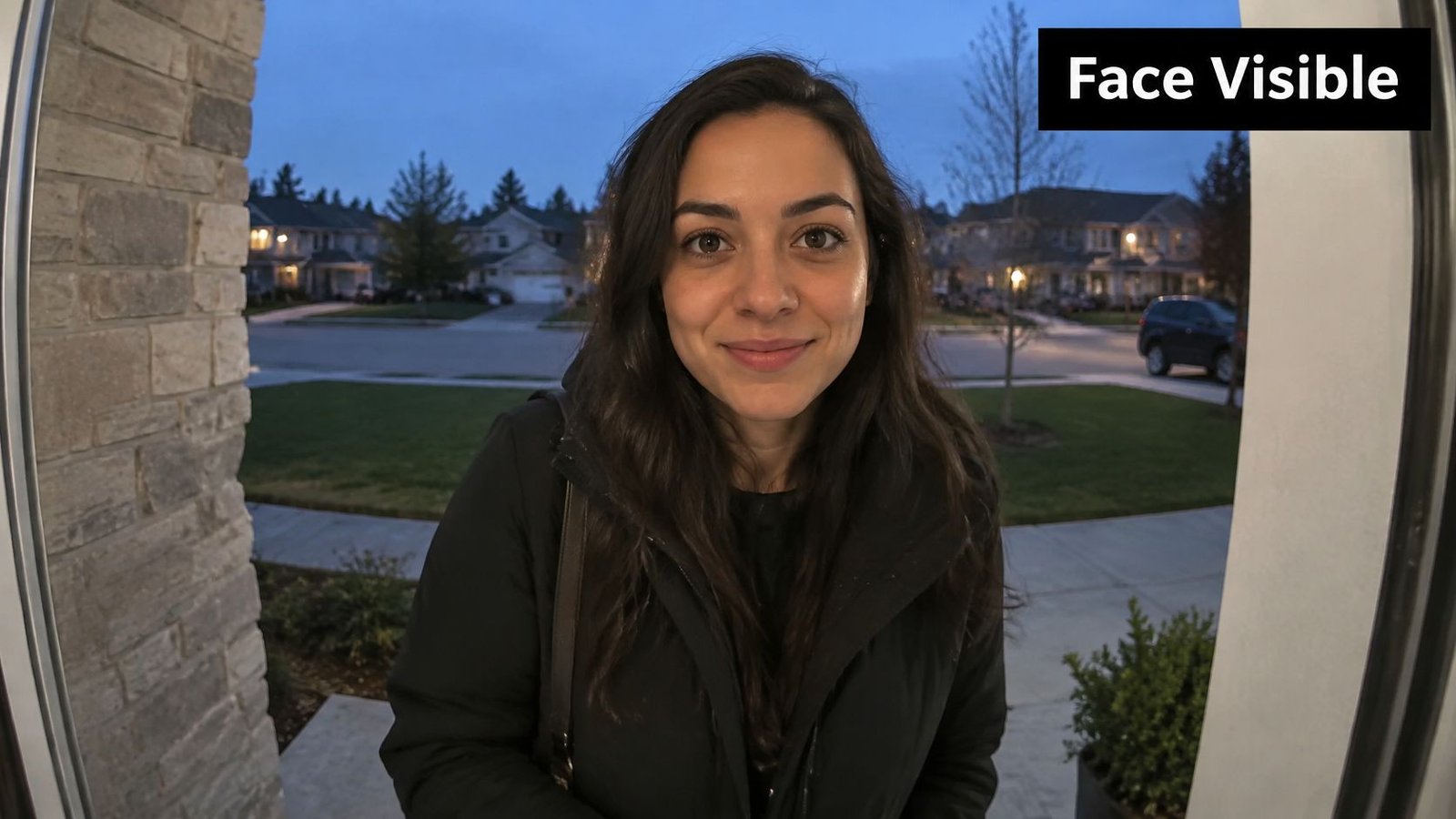
A face you can recognise at the doorway beats a sharp picture of a hat brim. Advertised resolution doesn't fix a lens that is too wide, a camera mounted too high, or a porch that blows out in sunlight.
Home Office figures make the point without promising that a camera will solve a case. For the year ending March 2025, the crime outcomes release shows a residential burglary charge rate of 4.7%, compared with 4.3% the year before. Within that, home burglary was 5.5% and burglary of an unconnected building was 2.1%. The same figures show 73.1% of residential burglary offences closed because no suspect had been identified. A doorbell that only flags motion doesn't close that gap. Usable identification might.
Lens, height and light
Very wide lenses take in more of the path and squash the edges, so the person at the bell becomes a small shape. A narrower field gives a larger, clearer face and less of the street. I would rather miss the far pavement than lose the face.
Many installers mount the station at roughly 1.4 to 1.6 metres. Higher than that and you film the crown of the head. A steep downward angle throws shadow under brows, hoods and caps, which is exactly where identification lives. Wide dynamic range matters on south-facing doors: bright sky and a dark recess in the same frame. Infrared night mode is useful only if its range covers the depth of the doorway, not a marketing distance measured in an empty car park. Colour night vision can help when there is some ambient light. In a true black porch, infrared monochrome is often clearer than a noisy colour image.
Before you buy, ask for a sample night clip recorded at a door like yours. A face should still be recognisable at about two to three metres, under lighting that matches your porch, not a showroom.
This short walk-through shows how face size changes with lens and mounting height, which is the check to repeat on site.
Audio, Privacy Controls and Recording Rules
The common assumption is that more coverage is safer. For a terraced house, a flat and any door on a public pavement, the opposite is usually true. The Information Commissioner's Office video surveillance guidance treats smart doorbells as video surveillance when they capture identifiable visitors, and the camera should not record neighbouring entrances or private land by accident. Adjustable activity zones, privacy masks, event-triggered recording, encrypted account access, firmware updates and a retention period you can set matter more than resolution. A 2K or 4K image that permanently films a wide public area creates a heavier compliance and storage burden than a tighter, lower-resolution view of the doorway.
Domestic use has a boundary. Images and voices are personal information once the camera takes in neighbours, communal areas, roads or pavements. Terraces, flats, shared drives and doors hard against a footpath carry the highest exposure. A detached frontage that sees only your own path is a different specification from a pavement-facing entrance, a communal block or a business reception.
Controls worth specifying
Privacy and recording controls to specify
| Control | What it does | Why it matters | Default to look for |
|---|---|---|---|
| Activity zones | Limits motion and recording to the doorway | Stops capture of pavements and neighbouring entrances | Adjustable zones that can be drawn precisely |
| Privacy masks | Permanently blacks out selected areas | Protects neighbours' windows and private land | Masks that cannot be bypassed by the user |
| Audio control | Separates visitor speech, door release and recording | Audio is more intrusive than video | Audio off by default |
| Recording mode | Event-triggered or continuous | Reduces unnecessary capture and storage | Event-triggered with a pre-event buffer |
| Retention | Sets how many days footage is kept and deletes it | Limits personal data held | A configurable retention period |
| Access and export | Exports clips by time window | Supports lawful handling of requests | An export tool that writes time-stamped files |
Audio is the higher-risk feature. Continuous sound is generally more intrusive than pictures, and recording conversations between members of the public is hard to justify. Look for separate switches for visitor speech, the door-release tone and event recording, and leave audio off by default unless you have a written reason to turn it on.
For a shop, warehouse or block, you also need a lawful basis, signage, collection limited to the doorway, secured access to clips, and a way to answer subject-access requests. The same duties sit alongside wider CCTV and UK GDPR duties for businesses. If the view is already too wide, shrink the zone, add masks and switch audio off. Don't buy a longer detection range to compensate.
The widest detection range is often the wrong system. Extra coverage is how neighbour disputes and unnecessary personal data start.
Smartphone Access, Credentials and Multi-Tenant Control
A phone release is convenient for one household. It becomes a management problem the moment several people share an entrance and someone moves out. The question isn't whether two-way talk is advertised. It's whether each person has a right you can see, limit and remove.
The ICO's additional considerations for surveillance technologies set a practical benchmark for a warehouse door, retail back door, apartment block or office reception. The system should separate tenant or staff permissions, keep reliable access logs, and export the relevant incident without exposing unrelated residents or customers. Video and audio should stay on the doorway you need.
Access methods compared on audit trail and revocation
| Access method | How it works | Individual audit trail | Removing access | Best for |
|---|---|---|---|---|
| App or video call unlock | Owner unlocks from a phone | Per-event log in the app | Instant from the admin app | Single household or small office |
| PIN keypad | Shared or individual code | Limited unless codes are individual | Change or delete the code | Low-turnover premises with few users |
| Proximity card or fob | Individual token read at the door | Per-user log | Disable the token | Flats, offices and staff entry |
| Biometric reader | Fingerprint or face template | Per-user log | Remove the template | High-security staff areas with controlled enrolment |
What shared buildings actually need
A shared code looks simple until it is written on a parcel note. Individual PINs are better, but only if someone changes them when a tenant leaves. Cards and fobs give a per-user log and a clean disable. Biometrics suit a staff door where enrolment is controlled, not a public lobby where visitors queue.
Specify time-limited codes, separate tenant and staff roles, and an administrator login for the landlord or managing agent. Write down who removes a credential on the day someone leaves. Offices and warehouses often tie the same door station to access control and time-and-attendance, so the arrival record and the video clip share a clock. Car parks and gated sites tie it to the gate controller instead. In flats, keep the door-entry network apart from resident broadband. Tenant WiFi isolation with Purple Access is a useful reference when resident internet and building systems would otherwise share one path.
Wisenet Security Ltd designs integrated keypad, card, fob and biometric systems with remote management and user logs, so these elements can be specified together on one site. For blocks, the layout choices are set out in more detail in this guide to door entry systems for apartments. Match the credential to staff turnover and to the audit the premises needs. A quiet owner-occupied house doesn't need biometrics. A warehouse with agency staff does need a token you can kill the same day.
How to Test Evidence Readiness and Maintain the System
A doorbell can be excellent at pinging your phone and still be useless after a break-in. The clip is gone, the clock is wrong, or only one person knows the password, and that person is on leave. The Police Foundation reports that nearly one-third of UK adults now have a smart doorbell, and that police handling of citizen-generated digital evidence remains fragmented. Volume is rising. A clean export is what you can control.
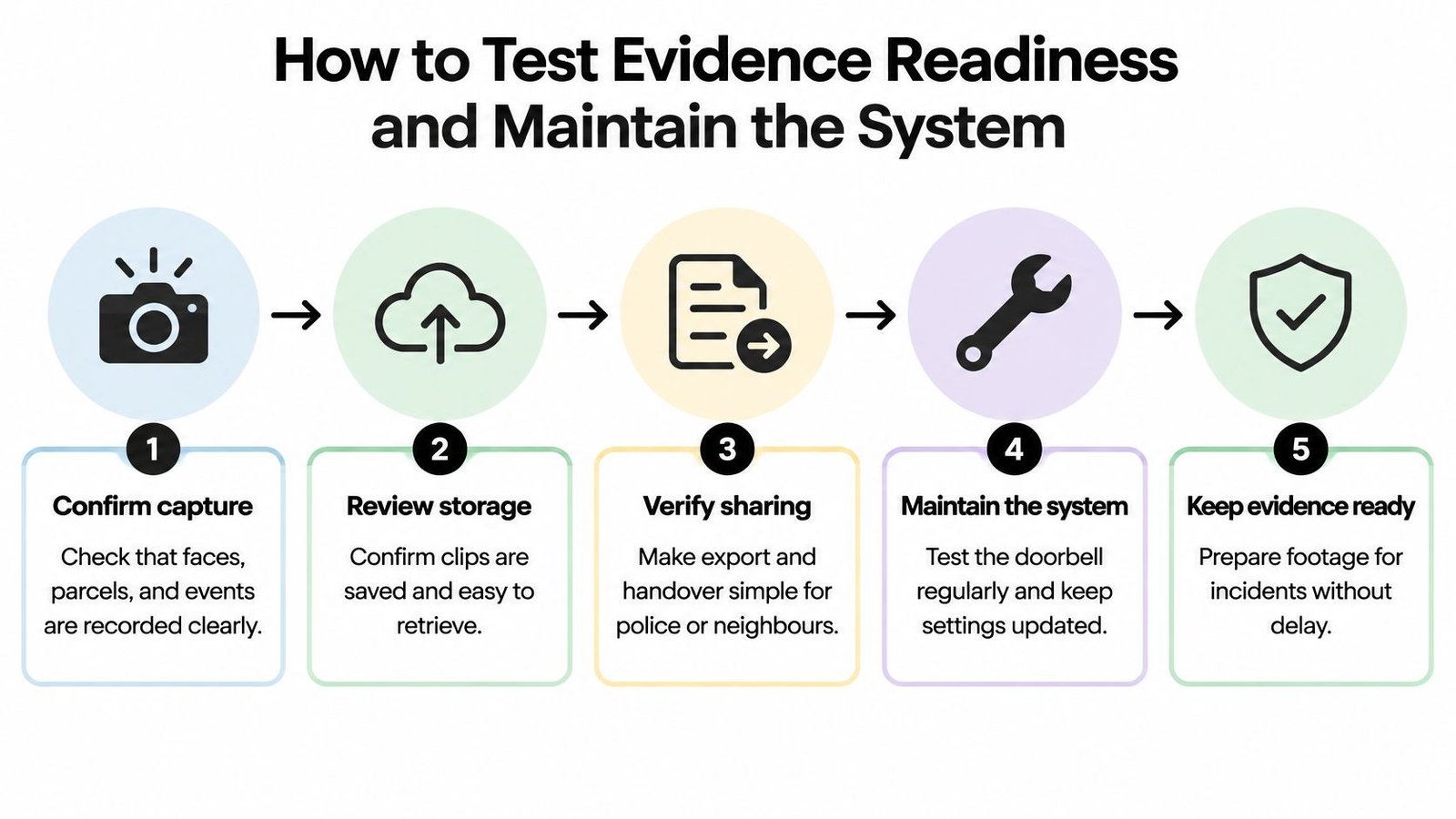
Run this before you accept the install, not after an incident.
- Pull a pre-event clip. Export footage that starts about 30 minutes before a test event. If the file begins at the bell press, you have no approach.
- Time the export. Save a clip to a USB drive or a secure link and note how long it takes. Confirm the file opens in ordinary playback software, not only inside the vendor app.
- Check the clock. Compare the burned-in time with a phone clock. A clip that is minutes out is awkward to place against other evidence.
- Lapse the subscription on a test account, or read the retention terms in writing. Confirm clips remain if cloud payment stops.
- Drop broadband for about 10 minutes. Local recording and on-site alerts should continue. If everything dies with the router, you don't have an evidence system.
- Write down the rights. List who holds owner, administrator and tenant access, and who can download footage. One shared login is not an audit trail.
Keeping it working
Update firmware when the manufacturer releases it, and don't leave a door station on a forgotten network. Test notifications once a month, including a night alert. Each quarter, clean the lens and check seals, glands and the mounting screws, especially on gates that vibrate. Book a professional check once a year where several entrances, gates or shared routes are covered together. A warehouse and a block of flats fail differently from a single house, and a yearly visit is where zone drift and dead tokens show up.
A product that only sends live alerts is a notifier. Evidence readiness is export, clock, local fallback and a named person who can hand the file over.
Installation Routes and Cost Drivers
There are two honest routes. Fit a wireless doorbell yourself where Wi-Fi is already strong at the door. Use a professional install for wired, 2-wire and IP systems, and for any shared or commercial entrance.
- Survey the door, the lighting and every neighbouring window or path in view.
- Route the cable and test the run. If it won't stay within a single Ethernet segment, plan a switch or another route before you decorate.
- Mount at the height and angle that passed the night face test, not at the most convenient screw holes.
- Set activity zones, privacy masks, audio off, and retention before the first resident uses the app.
- Test a night clip, a broadband outage and an export, then record administrator rights in writing.
Compare quotes on the same lines, or the cheap price isn't cheap.
- Cable routing labour, including making good.
- Network switch and PoE, which battery doorbell quotes omit.
- Indoor hub or app gateway on a 2-wire retrofit.
- Battery charging, if nobody has agreed who does it.
- Cloud subscription, because it sets how long clips survive.
- Professional checks, and how often they are included.
Ask which of those lines are in the price. The lowest quote often leaves out the switch, the export path or the masking. A worked example of what moves video intercom installation cost is more useful than a generic band. Price follows the site, so confirm it by survey.
Confirm the Specification Before You Buy
Pick by the entrance you have, not by a resolution league table.
A single door with proven Wi-Fi points to a wireless system with tight privacy zones. A terraced or pavement-facing door points to a wired system, a narrow view and audio left off. A flat, office or other multi-tenant building points to an IP system with individual credentials and logs. A warehouse, car park or gated site points to an integrated system with evidence export and backup power.
Three items still need to go on paper, because none of the checks above replace a drawing.
- A site plan marking every entrance, gate and side door, not only the one in the brochure photo.
- The lighting at each door after dark, including lights that switch off on a timer.
- Neighbouring windows, paths and private land inside the proposed view, so masks are drawn before equipment is ordered.
Count the entrances, note who needs access and at what hours, and mark that plan. Then book a site survey so the zones, masks, audio settings and export process are checked against the actual masonry, not a floor plan. Wisenet Security Ltd offers those surveys and ongoing maintenance across South Wales and the South West, which is the point at which a specification either holds or gets rewritten.
If you want the entrance specified around privacy zones, separate credentials and a clip you can hand over, Wisenet Security Ltd surveys, installs and maintains video door entry with CCTV, alarms and gate control for homes and commercial sites. Talk through your doors, users and lighting with the team, then visit Wisenet Security Ltd to arrange a site survey in South Wales or the South West.