CCTV Installation Home: A Practical UK Guide
In 2024, 18% of UK adults said they had installed CCTV cameras at home during the previous year because of concerns about crime, according to Savanta polling commissioned by the Liberal Democrats. That's a lot of cameras going up quickly, and speed is where most domestic systems go wrong. A camera screwed high on a wall can show you a figure crossing the drive and still be useless the morning after a break-in.
Good CCTV installation at home isn't about covering every square metre. It's about deciding, for each zone, what the recorded clip must prove and where the view must stop. Get those two decisions right on paper first, and the choice of cable, lens and recorder gets much easier.
Table of Contents
- Where Home Cameras Earn Their Keep
- Privacy Rules Beyond Your Boundary
- Wired Wireless and Night Performance
- How to Fit Each Camera
- Remote Viewing Evidence and Faults
- Choose DIY or Book an Installer
Where Home Cameras Earn Their Keep
Start with a rough sketch of the house and garden. Mark the front door, driveway, side gate, rear door and any flat roof or hidden window a person could reach without passing the front. For a typical three-bed semi, that sketch usually points to three or four cameras. A detached house with a rear lane might justify five, but only if each one has a distinct job.
The drivers are well established. In a 2019 poll of 2,209 British adults who owned or rented their homes, 91% said deterrence of would-be burglars was a reason for installation and 89% wanted recordings that could serve as evidence after a crime, according to figures summarised in the UK Government guidance on domestic CCTV. Those two aims, deter and record something usable, should shape every position you mark.
Rank each view before you buy anything. Some cameras must identify a face, some only need to show a person and a vehicle approaching, and some exist to record a hidden route along a boundary. If a proposed camera doesn't have one clear job, cross it off.
The Zones That Usually Matter
A front door camera should capture a caller standing on your path, not the whole street. A driveway camera proves approach and direction of travel. A side return camera covers the route burglars prefer because neighbours rarely see it.
| Zone | Aim | Keep out of frame |
|---|---|---|
| Front door and path | Identify a caller at 2-4 m | Neighbour path and extra pavement |
| Driveway | Person and vehicle approaching | Headlights straight into the lens |
| Side return or gate | Hidden access along the boundary | Next-door windows and garden |
| Rear door | Second-entry identification if concealed | Shared alley beyond a privacy mask |
| Indoor hall or stairs | Last line if someone is inside | Bedrooms, bathrooms and family rooms |
Mount identification cameras about 2.2 to 2.5 metres high with a slight downward tilt. That's low enough to see under a hood or cap brim and high enough that a person can't slap the lens aside. Put a camera on the eaves and you'll record the top of heads very clearly, which helps nobody.
Mount for the face, not for the widest possible view. A narrow frame that identifies one person beats a panorama that identifies nobody.
Indoor cameras need restraint. A hall or stair camera can show someone moving inside after entry, but cameras in bedrooms, bathrooms or rooms where the family relaxes create a privacy problem inside your own home and rarely add evidential value.
Use matters too. In 2024, 15% of UK consumers reported using security cameras while away from home for an extended period, according to Aviva's Censuswide survey of 2,004 UK consumers. If that's your plan, the sketch should favour reliable recording at entry points over casual live viewing of the garden.
Finish the sketch by ringing every view that crosses your boundary. Those circled zones drive the legal decisions, the privacy masks and often the camera choice itself.
Privacy Rules Beyond Your Boundary
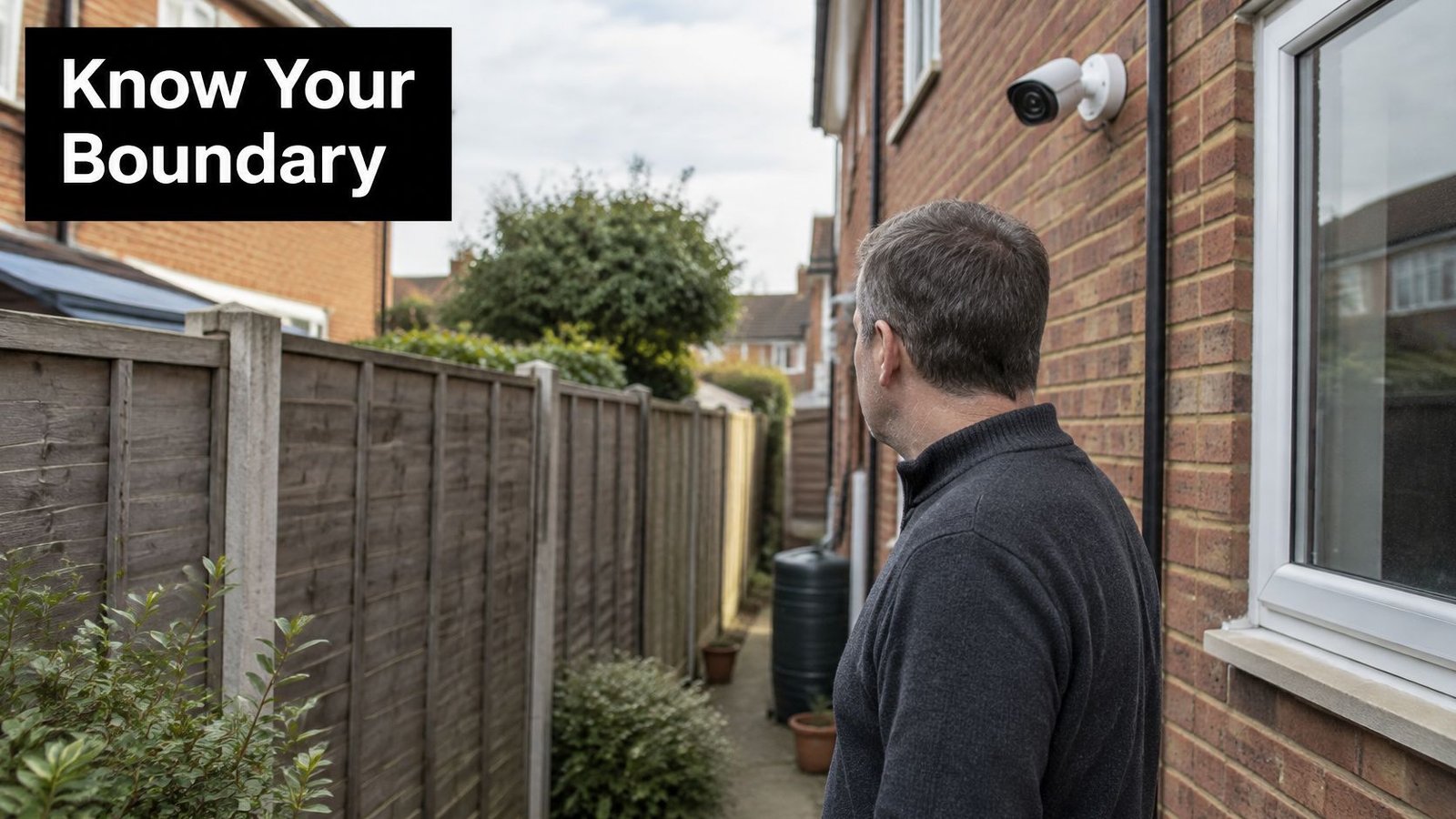
The boundary test is simple. A system that records only inside your private home or your own garden can stay within the personal household exemption. Point a camera at a neighbour's garden, a shared path, a communal area or the street and the picture changes.
The UK Information Commissioner's Office guidance states that recording those areas can bring the system under the UK GDPR and Data Protection Act 2018. You're then responsible for limiting coverage to what's necessary, displaying signage, storing footage securely and restricting access to people who need it. A video doorbell gets no special pass just because it's convenient.
What Changes Once You Look Outwards
You need a real security purpose you can state in one sentence, such as recording access to your side gate after attempted entry. You also need a routine for deleting footage you no longer need, and a way to respond if someone asks for images of themselves. Our own position is clear on the fitting standard, since every CCTV installation complies with GDPR and the Data Protection Act, but that doesn't transfer your responsibility for how you later use or share clips.
- Signage: Put a short sign where visitors would reasonably see it before being recorded. Our guide to CCTV signage requirements in the UK covers what it should say.
- Audio: Switch it off unless you have a strong reason to keep it. Microphones capture conversations from gardens and pavements you never intended to record.
- Privacy masks: Black out a neighbour's window or a strip of pavement you can't aim away from, then check the mask on the recorded image.
- Sharing: Don't post clips of neighbours or passers-by on social media. If a clip shows a crime, give it to the police.
- Access: Limit app logins to named household members and remove anyone who moves out.
If a camera must see a public cut-through to cover your gate, say so in your plan and treat that camera as regulated from day one. Pretending it's purely domestic because it's screwed to your wall is the commonest legal mistake homeowners make.
Landlords need extra care. Tell tenants what's recorded, keep cameras off private rooms, and don't use a communal-area camera to monitor daily life. Review the whole system at least once a year, check angles haven't drifted, and delete what you don't need.
Cameras also have a physical limit. CCTV is a deterrent and can help police, but it doesn't replace locks, lighting and controlled access. A well-lit side gate with a proper lock does work a camera can't.
Wired Wireless and Night Performance
Don't shop for cameras before you've decided how each one gets power. The power method decides whether you're drilling into a loft, hunting for a socket or climbing a ladder every few months to swap a battery. Match the method to the zone, not the other way round.
The comparison below sets the three main routes side by side.
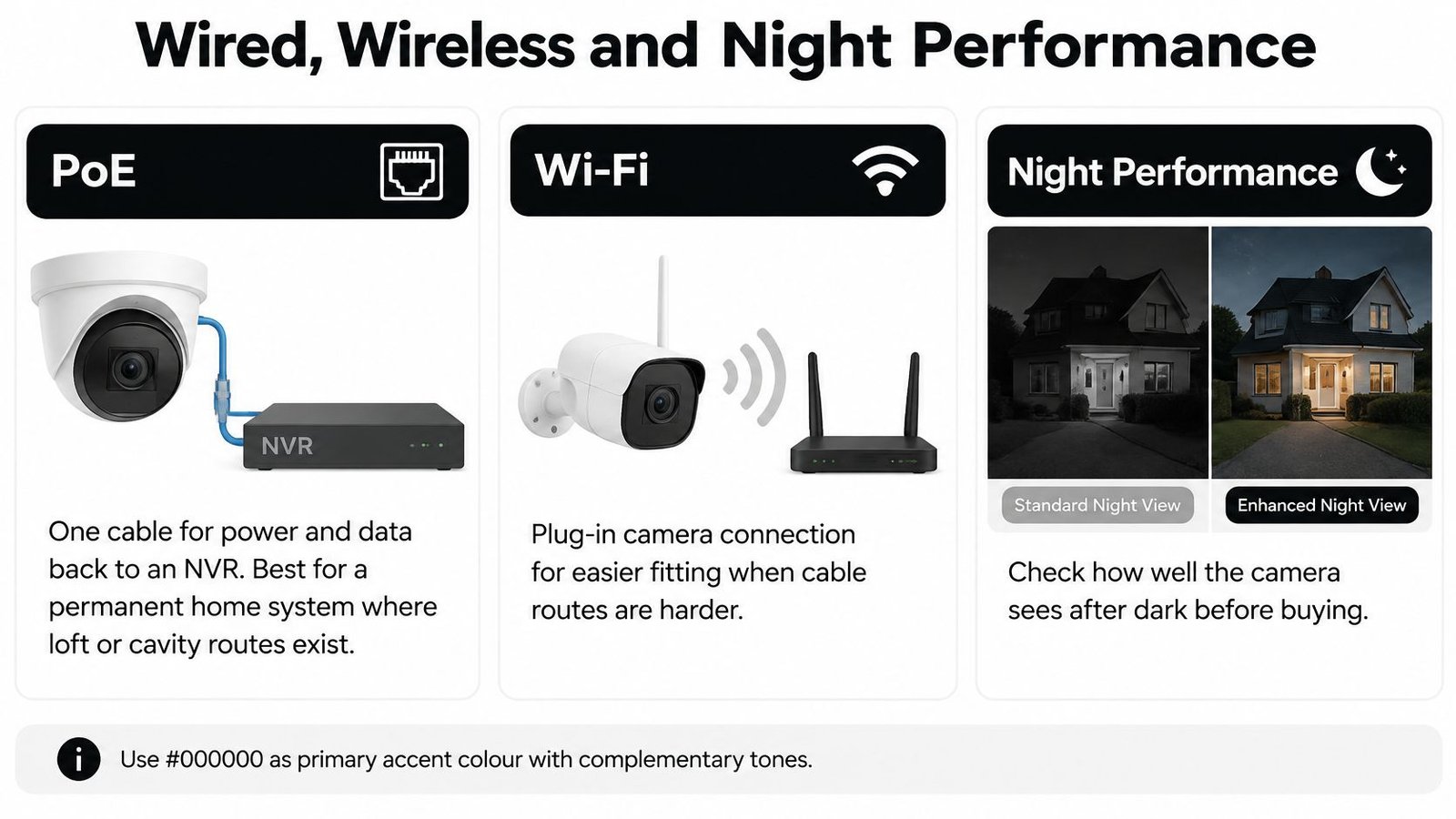
| Type | Power and link | Best spot | Main limit |
|---|---|---|---|
| PoE wired to an NVR | One cable for power and video | Permanent door, drive and side cameras | Drilling, loft routes and safe ladder work |
| Plug-in Wi-Fi | Mains socket plus home Wi-Fi | One or two cameras on an easy wall | Dropouts and a cable that is still visible |
| Battery or solar | Battery with optional solar top-up | Shed, gate or wall with no cable | Charge life, false alerts, less continuous record |
PoE, power over Ethernet, runs one cable for power and data back to an NVR recorder. If you've got loft or cavity routes, it's the dependable option for a permanent system because there's no battery to die and no Wi-Fi signal to fade through brick. The cost is the fitting work itself.
Plug-in Wi-Fi cameras still need a mains socket near the bracket, which surprises people who bought them expecting no wires at all. They're reasonable for one or two cameras on a reachable wall with strong signal at the mounting point. Test the signal where the camera will sit, not beside the router.
Battery and solar kits suit a shed, gate or outbuilding with no cable route. They're weaker for continuous recording because the camera sleeps to save charge and wakes on motion, so the first second of an approach can be missed. You also need a charge plan for dark winter weeks when a small panel earns very little.
The trade-offs are set out in more detail in our comparison of wireless CCTV versus wired CCTV. Whichever route you pick, decide it per camera, since a mixed system is often the sensible answer.
Resolution and Lenses in Plain Terms
For identification at the door, 4K helps if the lens isn't too wide. On a short path, 1080p or 2K HD is enough if the face fills the frame. A 2.8 mm lens sees a wide porch but shrinks faces at distance, while a 4 mm lens reaches further down a drive and keeps features larger. I'd take a narrower 2K view that identifies a caller over a wide 4K view that doesn't.
Ask for person detection or a motion zone you can draw, on-board storage as a fallback, and a recorder that can keep roughly two to four weeks of footage. Those features matter more day to day than a headline resolution figure.
Night Performance Decides More Than You Think
Colour night vision needs some ambient light, from a porch light or street lighting, to produce colour. Without it, the camera falls back to infrared. Infrared fails through glass because the LEDs reflect straight back, and it flares on wet paint, white render and a lamp close to the lens. Outdoor cameras belong outside the glass, aimed so their own light isn't bouncing off the wall beside them.
This short video shows how connection type and night behaviour look in practice before you commit to a kit.
Use one rule to close the decision. If the mount has no safe cable route and no socket, choose solar or battery. If the view must work every night in rain, choose PoE.
How to Fit Each Camera
Take a worked example, a two-storey semi with a front door under a small porch, a drive on the left and a side gate leading to the back garden. Three cameras cover it, a door camera for identification, a drive camera for approach and a side camera for the hidden route. The sequence below fits each one the same way.
The UK Government guidance on domestic CCTV frames the starting point well, since installation should begin with a purpose-and-coverage survey covering entrances, driveways, vulnerable side access, lighting and neighbouring boundaries, and homeowners are responsible for recorded information once a view goes beyond the boundary. That survey is your sketch from the planning stage, now turned into fitting instructions.
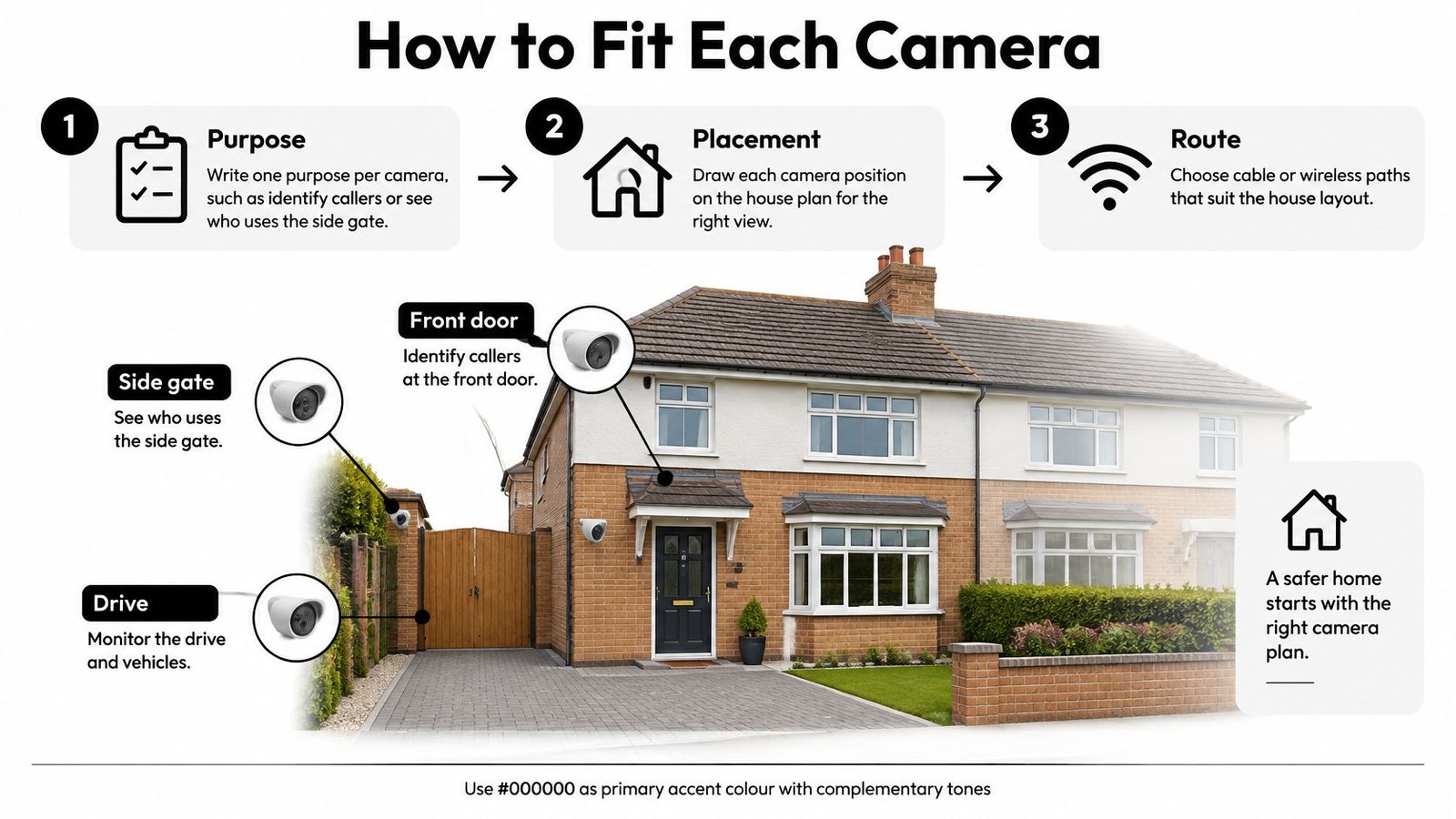
The Numbered Fitting Sequence
- Write one purpose per camera, such as identify callers at the door or see who uses the side gate, because a camera with three jobs usually does none of them well.
- Draw each field of view and stop it at the boundary, using a privacy mask for any sliver of pavement or next-door garden you can't aim away from.
- Check the route before drilling, whether that's PoE from a loft NVR, a socket for plug-in Wi-Fi or a sun path for solar, and test Wi-Fi strength at the bracket rather than indoors.
- Isolate power, fix the bracket on a sound surface, leave a drip loop so rain runs off the cable instead of into the wall, and seal the cable entry with exterior sealant.
- Aim at body and face height, not at the sky or a street lamp, keeping the lens out of easy reach and the bracket screws into brick or a joist rather than render alone.
- Set motion zones off trees, roads and neighbouring gardens, then lower sensitivity step by step until a walking person triggers it and moving foliage doesn't.
- Replace default passwords, limit app users to named people and turn on accurate time synchronisation so the clock corrects itself.
- Walk the path in daylight and after dark and review the recording, not only the live view, because compression and night lighting change what you really keep.
- Note retention, who may export and how footage is deleted, and keep that note with the recorder rather than in someone's memory.
Acceptance test: If the recorded night clip from step 8 doesn't show a recognisable face at the distance you care about, the camera isn't fitted yet, whatever the live view looked like.
Step 8 on our semi means walking from the pavement to the door at dusk, standing where a caller stands, then doing it again in full dark with the porch light on and off. Check the drive camera with headlights pointing towards it, because that's the shot that whites out. Check the side gate walking away from the camera, since identification there may rest on build, clothing and the moment they turn at the gate.
Where DIY Should Stop
Working above ground floor from a ladder, drilling near hidden cables and running PoE through a loft full of insulation are where many home jobs should stop. Check for cables and pipes with a detector before you drill, and never drill through a lintel. If the only route involves standing on a roof or working beside the consumer unit, that's not a weekend task.
Time sync in step 7 and retention in step 9 aren't admin for its own sake. They decide whether a clip can be matched to an incident time and whether it still exists when you come to look for it.
Remote Viewing Evidence and Faults
Start from the clip you need the morning after a break-in. You want a recognisable person, the correct time and date, and a file you can hand over without a password argument. Everything in the setup either makes that clip exist or prevents it.
Set up phone viewing properly the first time. Create a named user for each household member, turn on two-factor sign-in where the brand offers it and never share the admin password in a group chat. Test live viewing on mobile data with home Wi-Fi switched off, because that's how you'll use it from work or on holiday. Our overview of CCTV remote viewing explains the connection options behind that test.
Keep continuous recording on the door and drive, with motion clips acting as alerts rather than your only copy. Motion-only recording saves space but can start late or miss a slow approach entirely. Most domestic CCTV systems typically store 14 to 30 days of footage, which sounds generous until you return from a fortnight away and need day three.
A local recorder or a camera memory card is your backup. Cloud-only kits fail when broadband drops, a subscription lapses or an account login is lost, without warning. Local storage keeps recording through an internet outage and gives you a copy that doesn't depend on a provider's server.
Test the Evidence Workflow Monthly
Once a month, export a one-minute clip to a computer and play it there. Confirm the time and date are right, the night image is usable and the file opens without special software you no longer have. That two-minute test finds dead logins, full disks and drifted clocks while they're still cheap problems.
According to Metropolitan Police forensic evidence guidance, CCTV and doorbell footage can be valuable evidence, and after an incident owners should avoid switching off devices or changing settings, preserve the original footage and download material covering five minutes before and after the event where possible. Follow that guidance, don't factory-reset anything, keep a second copy and leave the device copy in place until police no longer need it.
Testing should judge identification, not resolution on a spec sheet. UK police CCTV advice describes CCTV as a deterrent and potentially valuable evidence, and reliable commissioning means checking a person approaching in daylight, dusk, darkness, rain and head-on lighting, then reviewing recorded video after compression. A face that's clear on the live view can smear on playback if the bitrate is set too low.
Faults Owners Actually Meet
| Symptom | Likely cause | Fix |
|---|---|---|
| Black or flared night picture | Infrared through glass or a lamp in frame | Mount outside the glass and shield the light |
| White doorway or drive | Backlight or oncoming headlights | Narrow the view and light from the camera side |
| Alerts all day | Zone covers trees, pets or the road | Shrink the zone and lower sensitivity |
| No clip after a break-in | Overwrite, dead cloud or lost login | Keep local storage and test an export monthly |
| Clip time does not match | Clock drift after a power cut | Resync time and recheck after outages |
Work through the table with your walk-test results rather than guessing. A white doorway usually means the camera is exposing for a dark porch against bright daylight behind the visitor, so narrowing the view or adding light on the camera side fixes it. Alerts all day means the zone is drawn over things that move legitimately, and no sensitivity setting will rescue a zone that includes the road.
Higher resolution doesn't fix a dead login, a full disk or a clock that's drifted by an hour. The workflow around the camera is what turns footage into evidence.
Run the export test before you travel and leave the house empty. A fault found on your return has already cost you the footage you needed. For vacant properties and rentals, that check is the difference between a system that records and a system that merely looks fitted.
Choose DIY or Book an Installer
Make this decision after the sketch and power choice, not before. DIY fits one or two plug-in or battery cameras on a ground-floor wall you can reach from a stable platform, where the view stays inside your own garden. You also need to be comfortable setting passwords, drawing motion zones and running an export test without being prompted.
Book a professional when the job needs PoE cable through a loft, work above ground floor, several outdoor cameras, a recorder hidden in a cupboard, privacy masks on a public path or a link to an alarm. Those are the jobs where a neat cable route and a proper commissioning check matter more than saving the fitting fee.
Whoever fits it, ask for four things before work starts.
- Zone sketch: Camera aims and cable runs marked on your plan.
- Storage answer: How many days are stored, and where.
- Access list: Who has app access and who holds the admin login.
- Recorded playback: A day and night clip reviewed with you before the installer leaves.
Compare quotes on those items rather than camera resolution alone. A quote with no commissioning check is a quote for hardware. As a concrete reference point, our wireless CCTV kit deals start from £199.99 and are fitted and secured by our engineers, while a recent domestic job saw us install a 4-camera Hikvision system to protect a family home and provide driveway surveillance in Whitchurch, Cardiff. Our certified, DBS-checked engineers install the system neatly and then train the customer on every feature, which is the part that makes the monthly export test a habit rather than a mystery.
Prices vary by kit and installer, so check current quotes against your zone list before deciding. If you're continuing alone, order for the zones you marked, fit the front door camera first, and don't add another until its recorded night clip shows a face you could recognise.
If you'd rather have the sketch, cable routes, privacy masks and night playback test handled in one visit, we design and fit home CCTV across South Wales and the South West with remote phone viewing set up and explained before we leave. Book a free consultation through Wisenet Security Ltd and bring your zone sketch, and we'll turn it into a fitted system that produces a usable clip when you need one.