Home Security Cameras Installation: A Practical UK Guide
You've bought a camera, opened the app and discovered that the front door looks fine, but the side passage disappears into darkness. Then you find the Wi-Fi signal drops whenever the back door closes, the night image reflects off a white wall, and the lens points straight into your neighbour's garden. That's a common result when home security cameras installation starts with a product box instead of the property.
A reliable system begins with a survey. The building, entry routes, wall construction, power supply, broadband connection and neighbouring sightlines all affect the right design. A South Wales stone terrace may need a completely different approach from a modern detached house, even when both owners want the same front-door coverage.
Table of Contents
- Planning Your Install With a Property Survey
- Camera Placement and Coverage Priorities
- Cabling and Power Options for UK Homes
- Network Configuration and Smartphone Viewing
- UK Compliance and Privacy You Cannot Skip
- Testing Maintenance and Troubleshooting
- When to Hire a Professional Installer
Planning Your Install With a Property Survey
Treat the first visit as a property survey, not a shopping exercise. Walk the full boundary and identify how people, parcels and vehicles approach the house. Start with the front door, then check the driveway, side gate, garage, ground-floor windows hidden by planting and any rear access from an alley or shared path.
Mark the router, electrical sockets, loft access, likely cable routes and suitable mounting surfaces. Take photographs of each elevation and note the distance from the proposed camera to the activity it needs to capture. A camera aimed at a gate may show movement clearly but fail to produce useful facial detail if it's mounted too far away or pointed across a wide angle.
Test the building before choosing the camera
Use a phone to test the wireless signal at every proposed Wi-Fi camera position, ideally on the network band the camera will use. A signal that appears acceptable beside the router may be unreliable through thick stone walls, solid floors or insulated extensions. Test with doors closed and from the actual mounting position, not from the nearest room.
A useful wireless network site survey guide explains why a quick signal check is different from a proper survey. The same principle applies here. A camera needs a dependable connection during rain, darkness and busy evening broadband use, not merely enough signal to complete initial setup.
For most typical UK semis and detached houses, Power over Ethernet, or PoE, is the sensible default for new work. One Cat6 cable carries data and power, gives a stable connection and avoids asking a camera to push video through several dense walls. Wired coaxial systems still have a place where an older property already has suitable cable runs, while Wi-Fi is useful for a shed, garage or rented home where permanent cabling isn't practical.
| Factor | Wired, coax or HDCVI | PoE, Cat6 | Wi-Fi |
|---|---|---|---|
| Best use | Reusing existing CCTV or aerial-style cable routes | New domestic installations needing reliable coverage | Garages, sheds, rentals and low-disruption projects |
| Main strength | Can make use of established cabling | Stable data and power over one cable | Fast placement with limited drilling |
| Main weakness | Less flexible for new networked systems | Needs cable routes and a network recorder or PoE switch | Depends on signal, power and app service |
| Power arrangement | Usually separate power near the camera or recorder | Supplied through the network cable | Mains adaptor or batteries are still required |
| South Wales suitability | Practical where cable already exists | Usually strongest through stone-built homes | Can struggle across thick walls and outbuildings |
Battery cameras also need an honest maintenance plan. The homeowner must be willing to recharge or replace batteries, and cold weather, frequent motion and poor signal can increase demand. A cheap wireless install doesn't remain convenient if the camera repeatedly goes offline or misses the event it was installed to record.
Privacy belongs on the survey sheet from the start. Record which neighbours, shared paths and public areas are visible from each elevation. The CCTV installation guidance is a useful reference for the wider installation process, but the final design still needs to reflect the specific property rather than a standard kit layout.
Practical rule: If you can't explain why each camera is covering a particular approach, door or boundary section, you probably haven't surveyed the property properly.
Camera Placement and Coverage Priorities
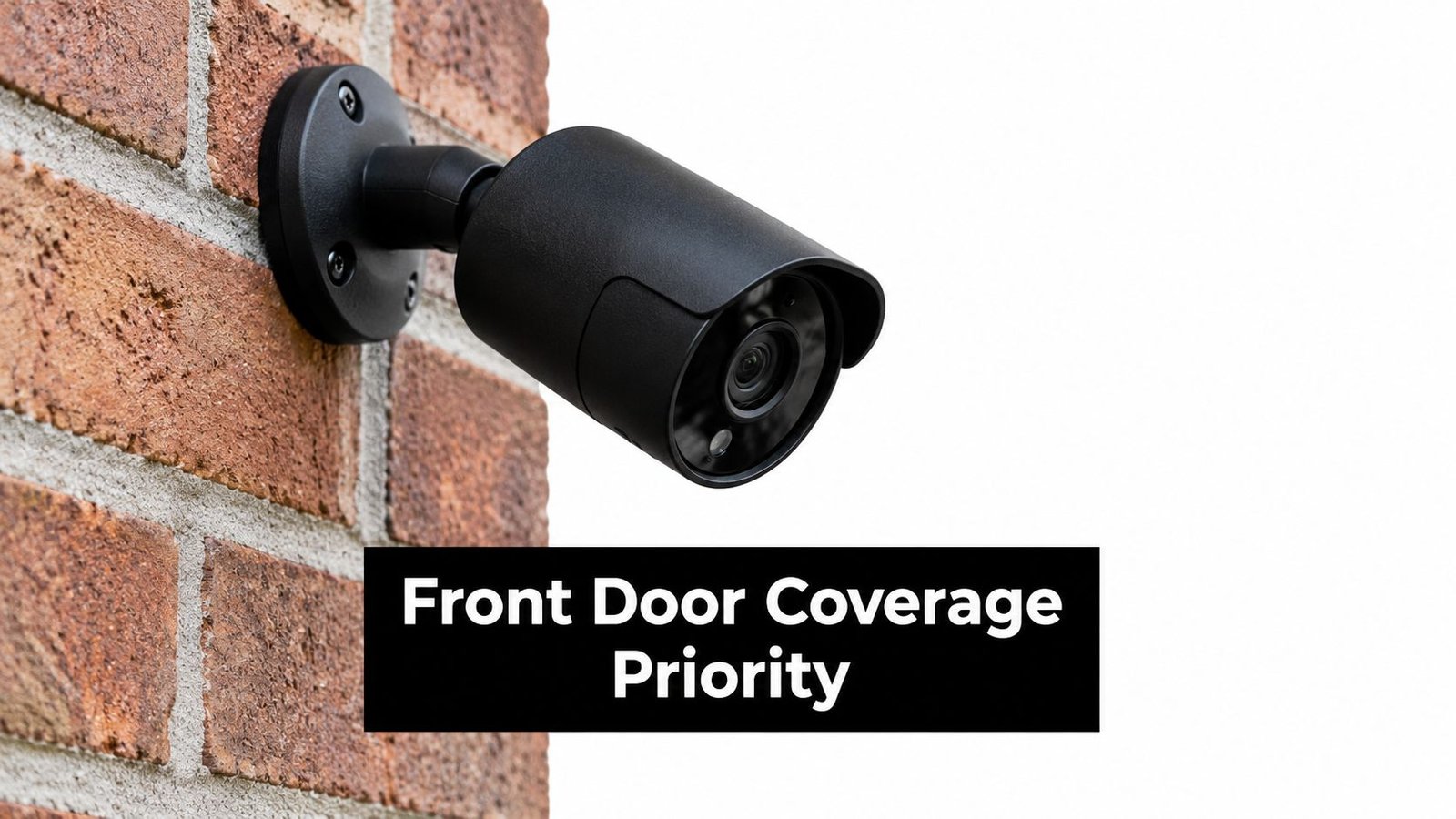
Start with the routes that matter most, then deal with secondary views. The front door normally deserves the clearest image because it's where residents meet visitors and receive deliveries. After that, assess the driveway or parked vehicle area, the side gate leading towards the rear garden, and any patio or rear door hidden from the street.
Mount outdoor cameras high enough to discourage easy interference, but not so high that faces become steep, indistinct shapes. On many homes, brickwork or a soffit provides a suitable position. Angle a bullet camera down rather than straight across the garden, and check the image at night before finalising the bracket.
Design for identification, not just activity
A wide view can tell you that someone entered the garden. It may not tell you who they are. Put the camera where a person naturally passes through a manageable field of view, such as a gate, doorstep or narrow side passage. Avoid aiming directly towards headlights, reflective doors or bright security lighting, because the camera can expose the background while losing the subject.
A turret camera often works well at a rear patio door because the lens can be adjusted without presenting the same obvious direction as some bullet housings. A doorbell camera can cover the threshold and parcel area, but it shouldn't be expected to replace a camera watching a long driveway or side return.
For a fuller placement checklist, see this guide to where to place CCTV cameras. Before drilling, stand in the proposed position and walk the route yourself. Check whether a hedge, parked van, gatepost or seasonal planting creates a blind spot.
Cabling and Power Options for UK Homes
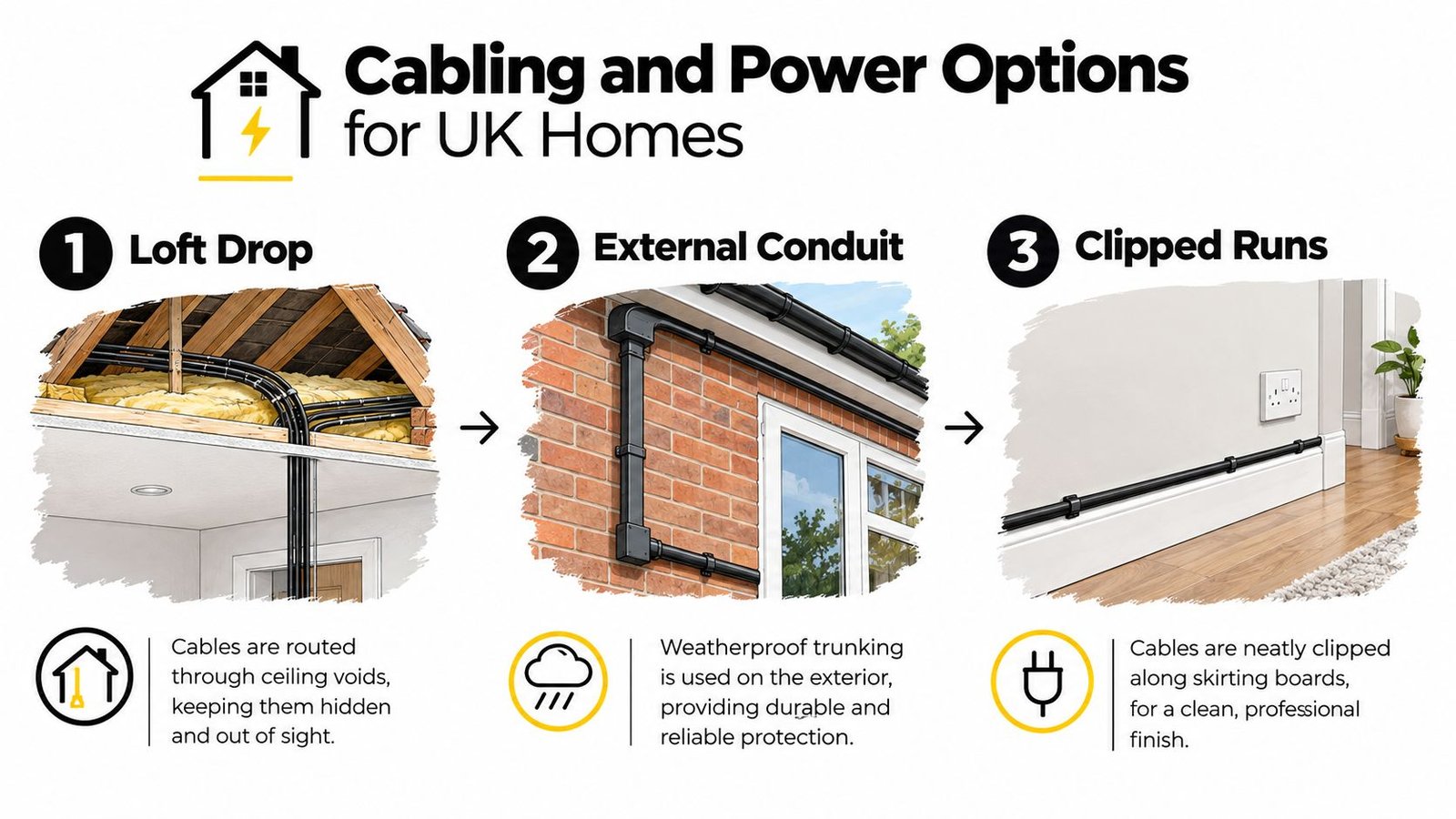
The neatest route is usually the one planned before the walls are opened. In a semi-detached house, cables may drop from the loft, pass through a cupboard or follow an external wall in weatherproof conduit. A solid-floor extension often leaves surface trunking as the most practical option, particularly when chasing the wall would create unnecessary damage.
A competent DIYer can often route low-voltage Cat6, terminate it carefully and test it with a suitable cable tester. The work still needs patience. Label both ends, avoid crushing the cable, keep data cable away from sources of electrical interference where possible, and leave a service loop behind each camera so a future replacement doesn't require a new run.
Match the power method to the outbuilding
PoE uses an injector or PoE switch near the recorder or router. It keeps the camera-side installation simple and makes fault finding easier because the network and power path share one cable. A dedicated low-voltage transformer can work for systems designed around separate DC feeds, but the transformer and cable route need protection from moisture and accidental damage.
For an outbuilding without a convenient mains supply, solar and battery may be appropriate, provided the camera's power demand and winter conditions have been assessed. It isn't a substitute for a dependable wired connection when the building is separated from the house by thick walls or a long garden. Wireless backhaul and battery life need testing together.
Use IP-rated junction boxes and glands outside. Seal the wall entry, protect exposed cable from abrasion and leave a drip loop where appropriate. Surge protection at the router or recorder end is a sensible precaution, particularly where external equipment and long cable routes are involved.
New mains sockets, fused spurs and external mains work aren't the same as routing a low-voltage network cable. Get a suitably qualified electrician involved for electrical alterations, and check the requirements that apply in your part of the UK before work begins. The Home Office domestic CCTV guidance also makes clear that correct installation matters, especially where recording extends beyond the home boundary.
This short video illustrates the practical cable-routing choices that often arise in domestic work.
Network Configuration and Smartphone Viewing
A camera system isn't finished when every device appears in the app. The recorder, router and phone need a secure arrangement that remains usable when you're away from home.
For a straightforward installation, allow the router to assign addresses and create DHCP reservations for the recorder and cameras where the equipment supports them. That keeps devices predictable without manually entering settings on every camera. Remote access may use a manufacturer's cloud relay, a VPN or direct inbound access. Cloud relay is generally easier for homeowners, while a VPN gives greater control. Direct port forwarding needs careful security management and isn't the first choice for a casual self-install.
CGNAT on some broadband services can prevent direct inbound connections, and a second router behind an ISP modem can create double-NAT problems. If remote viewing works at home but fails on mobile data, test the connection away from the house before assuming the camera is faulty.
| Method | Ease of setup | Works with CGNAT | Ongoing cost |
|---|---|---|---|
| Cloud P2P relay | Usually simplest | Often does | May include a subscription for storage or extra features |
| VPN | More technical | Depends on the chosen arrangement | May avoid storage fees but needs management |
| Port forwarding | Least forgiving | Usually not without additional service | Can avoid a camera subscription but increases security responsibility |
Set up the iOS or Android app with a unique password and two-factor authentication. Change default credentials before sharing access, and create a separate user for a partner rather than handing over the master account. Check whether the recorder supports individual permissions and remove access when household circumstances change.
Configure motion zones around paths, doors and vehicles instead of allowing every moving branch to trigger an alert. Use notification schedules so the phone remains useful rather than buzzing throughout the night. For broader router hygiene, this guide on how to secure your home Wi-Fi offers practical advice that supports a camera network as well as ordinary household devices.
The guide to viewing CCTV on a phone is also useful when checking app access, playback and remote notifications during handover.
UK Compliance and Privacy You Cannot Skip
A camera pointed beyond your own boundary can create responsibilities that many homeowners discover only after a neighbour complains. The ICO and GOV.UK explain that UK GDPR and the Data Protection Act 2018 can apply when domestic CCTV captures a neighbour's home, shared space or public area. The issue isn't whether the camera is mounted on your own wall. It's what the lens records.
The sensible response is to reduce the capture before installation. Angle the camera towards your own entrance, use privacy masking where the system provides it, stop the view at the fence line and avoid recording a neighbour's front door or garden. If shared or public areas remain in frame, explain the reason, consider signage and be ready to respond to reasonable questions from affected people.
Treat audio as a separate decision
Audio can capture conversations outside the area you intended to monitor, so it deserves particular caution. Disable it unless there's a clear, defensible reason to use it, and check the manufacturer's settings rather than assuming video-only recording is enabled.
Keep footage only for as long as you need it for the stated purpose. Review retention settings on the recorder or cloud account, restrict who can view clips and protect exported footage when it is shared with police, insurers or another person.
The ICO guidance on domestic CCTV should be checked for the current position. Scottish domestic rules and local property requirements may need separate checks. Tenancy agreements, leasehold rules and listed-building controls can also affect external fixings, cable routes and visible equipment.
Testing Maintenance and Troubleshooting
The first-night test often exposes faults that daylight commissioning misses. Walk around the property after dark while another person watches the live view. Check for infrared glare from white walls, bright reflections from number plates, shadows beside gates and areas where a person disappears before the next camera picks them up.
Don't rely on the installer's phone alone. Open live view from the homeowner's phone, test playback, trigger motion from several directions and confirm that notifications arrive when the phone is on mobile data. Check that the recorded time is correct, particularly after the clocks change.
A simple maintenance routine
- Clean the lens: Use a microfibre cloth and inspect for cobwebs, water spots and pollen.
- Review firmware: Apply updates through the recorder or app after checking that the system has a recovery plan.
- Check storage: Confirm that the recorder or memory card is still recording and that older clips overwrite as intended.
- Inspect brackets and seals: Look for movement, corrosion, cracked glands or moisture around exterior junctions.
- Test access: Review user accounts, two-factor authentication and emergency contact arrangements.
| Fault | Likely cause | First check |
|---|---|---|
| Wi-Fi camera goes offline overnight | Weak signal, interference or power saving | Check the signal at the camera and inspect its power source |
| PoE camera drops out | Switch port, connector or termination fault | Swap the port and test the cable path |
| Night vision fails after rain | Moisture inside the housing or junction | Inspect seals, glands and the camera body |
| Motion clips don't trigger | Poor zone settings, sensitivity or obstruction | Walk through the zone and check for spiders or foliage |
A camera that fails intermittently can look like a Wi-Fi problem when the actual fault is a power supply, recorder or damaged termination. Keep a simple log with the date, camera name, symptom, weather, action taken and result. If one PoE camera fails while the others remain stable, test the port and cable before replacing the camera. If several channels fail together, stop changing settings and investigate the NVR, switch or power supply.
When to Hire a Professional Installer
DIY suits a simple, accessible property with a strong network and no complicated electrical or privacy issues. It becomes the wrong call when the house is listed, the walls are solid stone, the garage sits beyond reliable Wi-Fi range, the building has several floors without useful loft access or the design requires new mains work.
A professional installation should begin with a written survey that justifies each camera position. You should receive a clear schematic or equipment schedule, not a collection of unexplained boxes. Exterior cable entries need proper weather protection, the recorder should have sensible power protection, and the engineer should test the system in daylight and darkness.
What the handover should include
Expect the engineer to:
- Configure remote viewing: Install the app on the homeowner's phone and demonstrate live view, playback, alerts and user sharing.
- Remove default access: Change default passwords and explain how to manage individual accounts.
- Test the evidence path: Show how to find, export and protect a relevant recording.
- Explain privacy controls: Demonstrate masking, motion zones, audio settings and any signage requirement.
- Document maintenance: State what needs cleaning, updating and checking, and explain the available aftercare.
The price of a domestic system varies with the number of cameras, cable difficulty, recorder capacity, access equipment, network work and whether electrical alterations are needed. Be wary of comparing a one-day subcontractor's headline figure with an established local firm's complete design, commissioning, warranty and support package. Ask whether the quote includes the survey, configuration, training, privacy advice and future fault response.
UK guidance points installers towards BS EN 62676-4 for selection, planning, installation, commissioning, maintenance and testing. It also identifies BS 8418 for detector-activated remotely monitored CCTV. These standards don't remove the need for property-specific judgement, but they provide a useful basis for asking how the system will be designed and tested. The College of Policing evidence is also more cautious than many sales pitches. Residential CCTV is associated with about a 12% reduction in crime overall, but only 5 of 16 residential studies reviewed found statistically significant reductions, with stronger results where cameras target specific vulnerabilities and are maintained properly. The updated systematic review supports a targeted design rather than indiscriminate coverage.
The wider UK market is already mainstream. Nearly 40% of British homeowners have some form of security camera, and among camera-owning homeowners, 44% report an outdoor camera while 31% report a smart doorbell, according to UK home security camera research. That makes careful installation more important, not less. More households are relying on outdoor views, app access and remote alerts, so weak mounting, unreliable Wi-Fi or poor privacy controls can affect a system people depend on every day.
For South Wales and the South West, a domestic-focused local specialist can combine a site survey, CCTV design, smartphone setup, compliance guidance and ongoing maintenance. Ask for plain-English advice on neighbour overlooking, GDPR signage and the difference between a convenient wireless camera and a resilient wired system. A proper handover should leave you able to use the system confidently, not just prove that the cameras were powered on.
Wisenet Security Ltd provides domestic CCTV surveys, professional installation, smartphone configuration, compliance guidance and ongoing maintenance across South Wales and the South West. If your property has stone walls, awkward cable routes, outbuildings or privacy concerns, visit Wisenet Security Ltd to arrange a practical consultation.