Security Camera Monitoring Explained for UK Homes
At 2am in Cardiff, a phone alert can feel like protection. You wake to a movement notification, open the app and see a dark driveway, but you still have to decide whether the movement is a fox, a neighbour, or someone testing the side gate. By the time you've found your glasses and called somebody, the useful moment may already have passed.
That's the difference between owning cameras and having security camera monitoring. A camera can record an event for later review. Monitoring adds a person, a process and an escalation route. Done properly, it produces a verified alarm, a defined response and footage that can support a police investigation or insurance claim. It doesn't guarantee that crime will stop, and a visible camera alone isn't a complete security plan.
Table of Contents
- What Security Camera Monitoring Really Means
- Self-Monitoring Against Professional 24/7 Monitoring
- The Technical Features That Actually Matter
- What Monitored CCTV Achieves in Practice
- UK Legal and Privacy Rules You Must Follow
- Costs, SLAs, and What Is Actually Included
- Integrating Cameras With Alarms and Access Control
- Choosing the Right System in South Wales and the South West
What Security Camera Monitoring Really Means
At 2am, a monitored camera should do more than produce a notification. It should send an event for assessment, apply the agreed response procedure and preserve footage that can support a police investigation or insurance claim. That process may be handled by you through an app or by an operator at a remote Alarm Receiving Centre.
A phone alert only confirms that software detected movement. It does not establish who caused it, whether the person remains on site or what action is appropriate. If you are asleep, driving, abroad or carrying a phone on silent, the alert may arrive without creating any response at all.
Professional monitoring sends an alarm event and associated video to trained operators. They assess the scene, use audio where appropriate, follow the agreed escalation procedure and contact a keyholder or emergency service through the available route. Their actions should be logged, giving you an incident history rather than an isolated clip in an app.
Three outcomes worth paying for
A monitored installation should deliver three practical results:
- Verified alarm information: The operator can distinguish a person entering a protected area from routine movement, subject to the system design and verification method.
- A rapid escalation path: The event reaches people who are available when you are not, with contact details and instructions agreed before installation.
- Usable evidence: Cameras need suitable scene coverage, image quality, accurate time settings and reliable export handling. A visible camera may help with how camera monitoring deters threats, but deterrence alone does not verify an incident or create a response.
A camera that records an unrecognisable silhouette has completed its technical task, but not yours.
Monitoring therefore earns its cost through verified response, evidential footage and lawful, purposeful coverage. The system should be designed around the property, the likely incident and the time required for a keyholder or emergency service to respond. Regional response conditions matter too. A remote site or empty premises may need a different escalation plan from an occupied home close to a keyholder.
24/7 security monitoring can suit an empty property, valuable stock or difficult response conditions, but only if the provider explains what operators can verify, which events trigger contact and what happens when nobody answers. Check the monitoring arrangement, escalation instructions and recording controls before paying for the service.
Self-Monitoring Against Professional 24/7 Monitoring
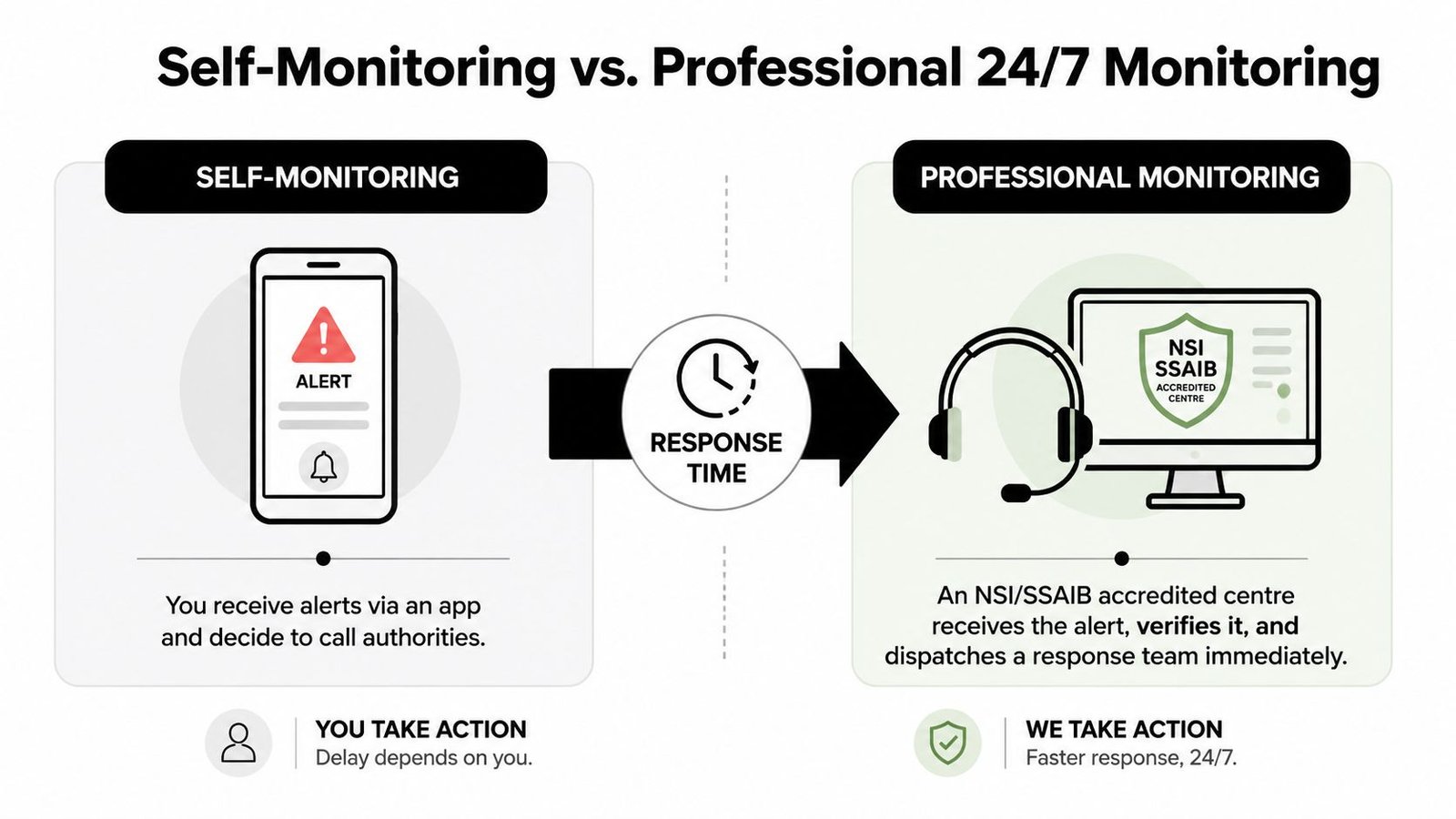
Self-monitoring is simple. Cameras detect movement, an app sends a notification and you decide what happens. It suits people who can respond immediately, understand the site and accept that the system depends on their availability.
Professional monitoring moves that responsibility to an Alarm Receiving Centre, normally operated under an NSI or SSAIB-accredited arrangement where the provider's scope and certification should be checked. When an event arrives, an operator follows a procedure rather than hoping the property owner notices a push notification.
What changes at three in the morning
| Question | Self-monitoring | Professional monitoring |
|---|---|---|
| Who receives the event? | You, through an app or alert service | An ARC operator following a written procedure |
| Who verifies it? | You, if you open the notification | The operator, using the available video and alarm information |
| What happens if you don't answer? | Usually nothing beyond the alert | The centre follows keyholder and escalation instructions |
| What evidence is created? | Clips and app history, depending on the platform | Event records, operator actions and exported footage, subject to the provider |
| Best fit | Smaller, occupied properties and owners who are available | Empty properties, stock-led businesses and sites needing an organised response |
The verification advantage is practical. Operators can filter routine activity, use two-way audio to challenge an intruder where the design supports it, and contact nominated keyholders. Police response arrangements depend on the system, provider and applicable policy. A Unique Reference Number, or URN, can support a Level 1 police response arrangement when the required conditions are met. It isn't a promise of immediate attendance in every circumstance.
Self-monitoring also creates alert fatigue. Repeated notifications from cats, weather, headlights or delivery drivers train people to swipe alerts away. That pattern is common enough to treat as a design failure, not a user failure. Better camera positioning, activity zones, analytics and sensible event rules reduce noise, but no app can make you available during sleep or a flight.
Where the extra service makes sense
A flat with a clear entrance and an owner who works nearby may not need an ARC. A second home, rural outbuilding, retail unit, workshop or warehouse faces a different problem. Nobody is present to interpret the event, secure the building or coordinate the next action.
Professional monitoring costs more than a camera subscription, and it should. You're paying for staffed response, procedures, communications and service management, not just storage. The sensible test is whether a missed event would cost more than the monitoring arrangement, including disruption, stock loss, insurance complications and the time needed to review footage yourself.
The Technical Features That Actually Matter
Start with the scene, not the catalogue. A camera needs to show the right area from a useful angle, with enough light and detail for the decision you expect an operator or investigator to make.
Resolution is about identification, not impressive screenshots. A general overview camera can show movement and direction. Identification of a face or number plate demands tighter framing, better optics, sensible mounting height and suitable light. A high-resolution camera aimed at a wide driveway may still produce weak evidence if the subject occupies only a small part of the image.
Build the picture in the right order
Night performance deserves equal attention. Infrared produces black-and-white images in darkness and works well for movement across a driveway or boundary. Colour night vision can preserve more visual detail, but it needs ambient or built-in lighting. A dark Welsh valley and a busy Bristol street have different light levels, background clutter and glare problems, so the same specification won't perform identically in both.
Remote access is the app layer, not the security strategy. Change default passwords, use unique credentials, restrict user permissions and keep camera, recorder and router firmware maintained. A camera exposed through a poorly secured account can create a privacy problem as well as a security gap.
Storage normally falls into three choices:
- Local storage: An SD card or network video recorder keeps footage on site. It gives direct control, but theft, damage or power loss can affect availability.
- Cloud storage: A provider manages storage and remote access. It can simplify viewing across sites, but it creates subscription, connectivity and provider-dependency considerations.
- Hybrid storage: Local recording supports continuity while selected events or backups move to the cloud. It often provides a practical balance for businesses and larger homes.
Audio is different from video. A microphone can capture private conversations beyond the necessary security purpose, so it shouldn't be enabled casually. The ICO's domestic CCTV guidance is the right starting point before recording sound or shared areas.
For broader technical context, the difference between IP cameras and HD analogue CCTV helps explain how cabling, recording and network design affect an installation.
Spend on optics, lighting, positioning and reliable connectivity first. Add analytics and smart features only after the basic image is good enough to support a decision.
What Monitored CCTV Achieves in Practice
At 2 a.m., a phone alert tells you that something may be happening. Professional monitoring can assess the event, confirm whether a person is present, and follow an agreed response process. That difference is the practical value of monitored CCTV.
Its second job is producing footage that someone can use. Coverage, image quality and evidential handling determine whether a recording helps investigate an incident. A timestamped export, clear views of approach and exit routes, and a record of how footage was preserved are more useful than hours of poorly framed video.
Monitoring does not guarantee an arrest. It gives the people investigating an incident better information and a defined route for action. The service is only as effective as its camera placement, lighting, communications link, operator procedures and local response arrangements.
Deterrence has limits
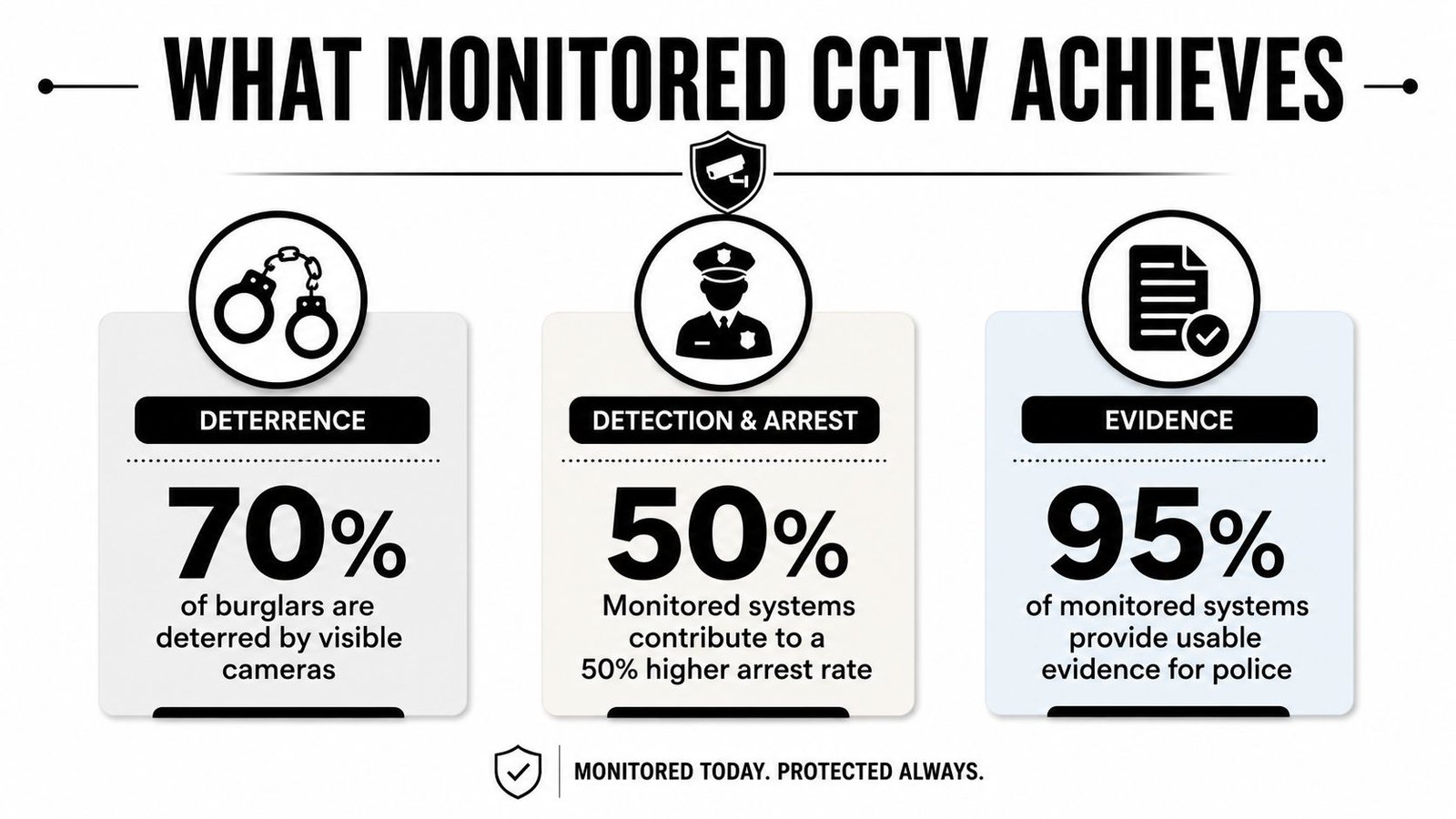
Visible cameras can influence behaviour, but they do not secure a gate, challenge a trespasser or recover stolen property. UK evidence also indicates that offending may move to nearby areas rather than disappear. The parliamentary research paper supports a practical conclusion: placement, coverage and response matter more than camera count alone.
CCTV therefore works best as one layer of protection. Locks, lighting, access control, staff procedures and a response plan still have defined jobs. A camera cannot compensate for an unsecured door or a monitoring service that cannot reach the site promptly.
Use the following infographic as a visual summary, but treat its figures as marketing-style claims rather than verified data for this article.
For a practical discussion of service design in the capital, this London CCTV monitoring guide provides useful background when comparing remote monitoring with passive recording. Check what the operator verifies, which actions are included, and how regional response times affect the result.
Professional monitoring cannot replace a guard on a vacant site, guarantee recovery of goods or guarantee police attendance under every policy condition. Its strongest contribution is verified information, recorded action and a clearer route to the people who need to respond.
UK Legal and Privacy Rules You Must Follow
The easiest way to create a CCTV problem is to point cameras wherever they produce the widest view. The lawful approach is narrower. Define the legitimate security purpose, capture only what you need and check whether the camera sees beyond your boundary.
The ICO says that domestic data protection law can apply when a home camera captures areas outside the property boundary. That includes pavements, shared drives and communal spaces. Its practical recommendations include repositioning the camera, using privacy blockers and limiting capture to what's necessary. Read the ICO guidance for home CCTV systems before installation, not after a neighbour complains.
Apply the rules at the camera
- Purpose: Write down what each camera protects, such as a front door, gate or loading area.
- Coverage: Mask windows, neighbouring gardens and public space where they aren't necessary to the stated purpose.
- Signage: Tell people that CCTV operates and identify the responsible organisation or person where the system is not purely domestic.
- Access: Restrict viewing and exports to people who need them. Protect accounts, recorders and cloud dashboards.
- Retention: Set a period based on the purpose and review it. Don't keep footage indefinitely because storage is available.
- Audio: Disable microphones unless there's a specific, justified need and the privacy impact has been addressed.
Commercial and landlord systems can create wider data protection responsibilities because they may monitor tenants, staff, visitors or members of the public. You may need clear notices, documented processing decisions, controlled access and a process for handling subject access requests. A facilities manager should know who can export footage, who approves disclosure and how an incident is logged.
Design and certification still matter
BS EN standards and recognised installer processes help with system quality, but they don't make unlawful coverage lawful. Ask the installer to document camera views, recording settings, user permissions, maintenance responsibilities and the cause-and-effect sequence for alarms.
The UK guidance on CCTV and GDPR for businesses provides a useful operational reference. Also check the government's recommended standards for the surveillance camera industry, which emphasise legitimate purpose, necessary retention, protected access, secure storage and regular system review.
Before commissioning, confirm:
- Each camera has a documented purpose.
- Privacy masking has been applied where needed.
- Signage is visible and accurate.
- Retention and deletion settings are written down.
- User access and export permissions are controlled.
- The system will be reviewed at least annually, as the guidance recommends.
Costs, SLAs, and What Is Actually Included
A cheap camera package and a professional monitoring contract solve different problems. The first gives you equipment and alerts. The second adds an operating service, escalation rules and ongoing accountability.
The indicative figures below are the ranges specified for typical South Wales and South West projects. Treat them as budgeting bands, not quotations. Building construction, cable routes, lighting, camera positions and existing infrastructure can change the final price.
| Package Type | Indicative Monthly Fee | Police Response Level | Typical SLA / Response Target | Common Exclusions |
|---|---|---|---|---|
| Bell-only alarm | No monitoring fee or low service charge | None | Local alarm activation only | Keyholder attendance, police response, video verification |
| Self-monitored smart cameras | Around £12 | Normally none | App notification, owner decides action | Staffed verification, keyholder liaison, engineer attendance |
| ARC monitoring, keyholder route | Around £15 to £45 depending on service | Level 3 keyholder-only arrangement | Operator verification and agreed keyholder escalation | Extra signalling, site works, some callouts |
| ARC monitoring with police arrangement | Around £15 to £45 depending on service | Level 1 URN arrangement where requirements are met | Operator verification and escalation under provider procedure | Registration conditions, false-alarm issues, site-specific works |
Hardware budgeting may include £150 to £400 per dome or bullet, domestic four-camera installations from £800 to £1,800 installed, and commercial eight-camera sites from £2,500 to £6,000. These figures should be confirmed against the actual survey and specification rather than copied into a procurement brief without inspection.
Read the small print
A monthly monitoring fee may cover line rental, video verification, keyholder liaison, engineer support arrangements and URN administration, depending on the contract. It may not cover trenching, mast work, additional signage, difficult cable routes, replacement storage, dual-path signalling or out-of-hours remedial visits.
Ask for the SLA in writing. Look for the provider's event-handling target, false-alarm process, maintenance frequency, engineer callout terms, system availability commitments and evidence-export procedure. “24/7 monitoring” describes staffing hours, not necessarily the time it takes to resolve every event.
The right comparison is total risk, not monthly price. A self-monitored subscription may be perfectly adequate for an occupied flat. A business with stock, staff or an empty building should calculate the cost of an ignored alert, a failed recorder or an unavailable keyholder before rejecting ARC monitoring as an unnecessary extra.
Integrating Cameras With Alarms and Access Control
Cameras work best as part of a cause-and-effect plan. A door contact can identify the point of entry, the camera can show the person, access control can identify the credential used and the ARC can handle the event through one procedure.
Consider a small Bristol office after closing. A forced-door signal reaches the alarm panel. The monitoring platform presents the associated camera view to the operator, who checks the entrance, uses two-way audio if appropriate and follows the agreed escalation route. The event retains related timestamps and footage for export, rather than leaving staff to match a notification with a separate recording later.
The alternative is familiar. One app handles cameras, another handles the alarm, the access-control software sits on an office computer and the fire panel calls a different number. At three in the morning, nobody has a complete picture. The components may all work individually, but the building's response is fragmented.
Integration choices that affect reliability
For new builds, hardwired BUS or RS-485 connections can provide a controlled route between compatible equipment. Retrofitted premises may use encrypted radio devices where new cabling would cause disruption. IP integration through ONVIF or manufacturer APIs can connect cameras with wider platforms, but compatibility must be tested rather than assumed from a logo on a brochure.
A gate intercom can provide two-way communication before access is granted. ANPR can support vehicle events in a car park where lawful purpose, signage and retention have been addressed. Fire-panel signals should also be visible to the monitoring station where the service includes them. A fire alarm that reports only to an intruder panel leaves the operator without the context needed for a proper response.
| System | Trigger Into CCTV | Outcome At The ARC |
|---|---|---|
| Intruder alarm | Door, window or detector activation | Relevant camera opens for verification and escalation |
| Access control | Invalid credential, forced door or held-open event | Operator reviews the entrance and access history |
| Video intercom | Call, gate movement or failed entry | Operator supports identification or agreed access procedure |
| ANPR | Vehicle enters a defined area or matches a configured rule | Operator or site team reviews the event within its lawful purpose |
| Fire alarm | Panel signal from a protected zone | Operator receives location and follows the fire response procedure |
Good integration has four visible characteristics:
- One operator view: The centre can see the related systems without switching between disconnected tools.
- Shared timestamps: Alarm, access and video clocks agree.
- One cause-and-effect matrix: Everyone knows what each event triggers.
- One evidence export: The incident can be supplied with relevant video and event history together.
Don't approve integration from a demonstration alone. Ask the installer to test a real event, including communications failure, power recovery, user permissions and the exact report you'll receive afterwards.
Choosing the Right System in South Wales and the South West
A system suitable for a Cardiff terrace may be wrong for a rural property in Powys. Distance, access, lighting, internet reliability, neighbouring properties and the availability of a keyholder all affect the design.
Start with these questions:
- Do you need police-linked response or keyholder attendance? A URN-level arrangement has conditions. Confirm them with the provider.
- What response is realistic at your postcode? Ask for the service assumptions, not a vague promise about speed.
- Does the coverage meet your privacy duties? Shared drives, pavements, communal entrances and staff areas need documented consideration.
- Who services the system? Check whether the installer is NSI or SSAIB accredited where that certification is required for your chosen arrangement.
- What does the SLA say? Read engineer availability, fault response, maintenance visits and escalation hours.
- How will evidence leave the system? Confirm export format, timestamps, permissions and the process for police or insurer requests.
Regional conditions change the recommendation
Rural parts of Powys, Monmouthshire and Devon can face longer blue-light travel than dense urban locations. That makes passive bell-only protection a poor fit for some isolated homes, outbuildings and commercial sites. Audio-verified professional monitoring may provide a more useful escalation route, although it still depends on the agreed service, verification rules and emergency-service policy.
Urban sites have different problems. Cardiff, Newport, Swansea, Bristol and Bath may have tighter sightlines, shared access routes, street-facing cameras and more competing movement. The installer should prioritise privacy masking, accurate analytics and a clear view of the specific approach route rather than just adding wider lenses.
Ask every installer:
- Who designs the coverage?
- Who configures the alarm and camera rules?
- Who maintains the equipment and firmware?
- Who receives the event overnight?
- What exactly happens after a verified alarm?
- Can you see a sample incident report and evidence export?
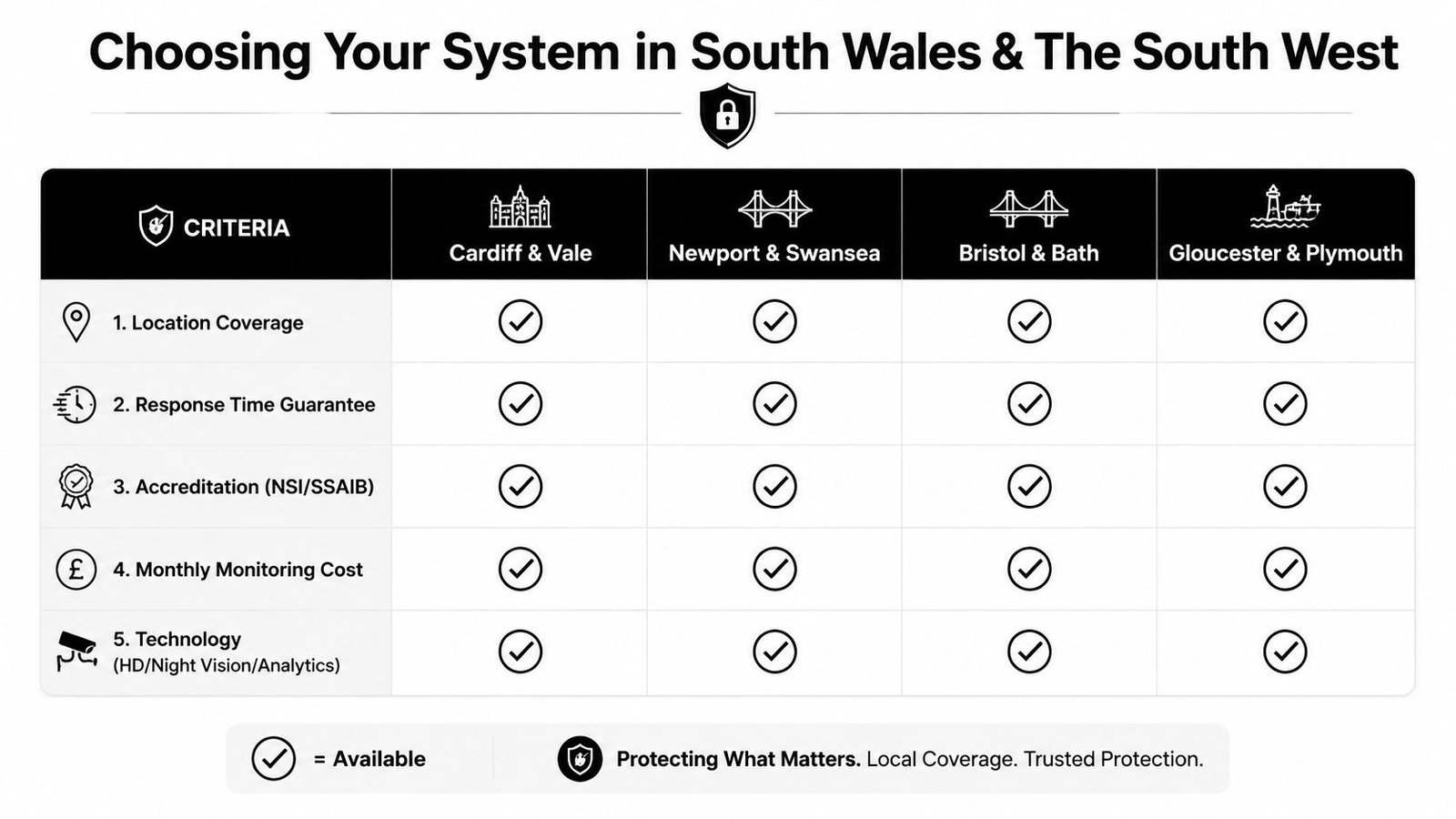
Book an NSI-accredited site survey and request a written cause-and-effect matrix before signing. Wisenet Security Ltd designs, installs and maintains CCTV, intruder alarms, access control, fire systems, intercoms and gate automation across South Wales and the South West, with options for remote viewing and professional monitoring. Visit Wisenet Security Ltd to arrange a site assessment that connects camera coverage, lawful monitoring and the response you need.