Video Intercom Installation in the UK: A Practical Guide
You've probably reached the point where the existing doorbell or audio handset no longer gives you enough control. A delivery arrives after dark, a visitor presses the wrong flat, or someone asks whether the intercom can release the gate from a phone. The equipment looks simple on a product page, but the installation isn't just a matter of fixing a camera beside the door.
A reliable video intercom installation has to connect the visitor, camera, speaker, handset or app, power supply, network, and lock release into one dependable chain. In South Wales and the South West, that chain may run through a Victorian terrace, a new-build apartment block, a warehouse gate, or an office entrance. Each property changes the survey, cabling, permissions, and maintenance requirements.
Table of Contents
- Why a Video Intercom Installation Deserves a Proper Plan
- Choosing the Right Hardware for Your Property
- Wiring, Mounting, and On-Site Installation Day
- Connecting Intercoms to CCTV, Phones, and Smartphones
- Commissioning and Testing the Full Call Chain
- Compliance, Permissions, and Multi-Occupancy Governance
- Maintenance, Service Options, and Common Issues
Why a Video Intercom Installation Deserves a Proper Plan
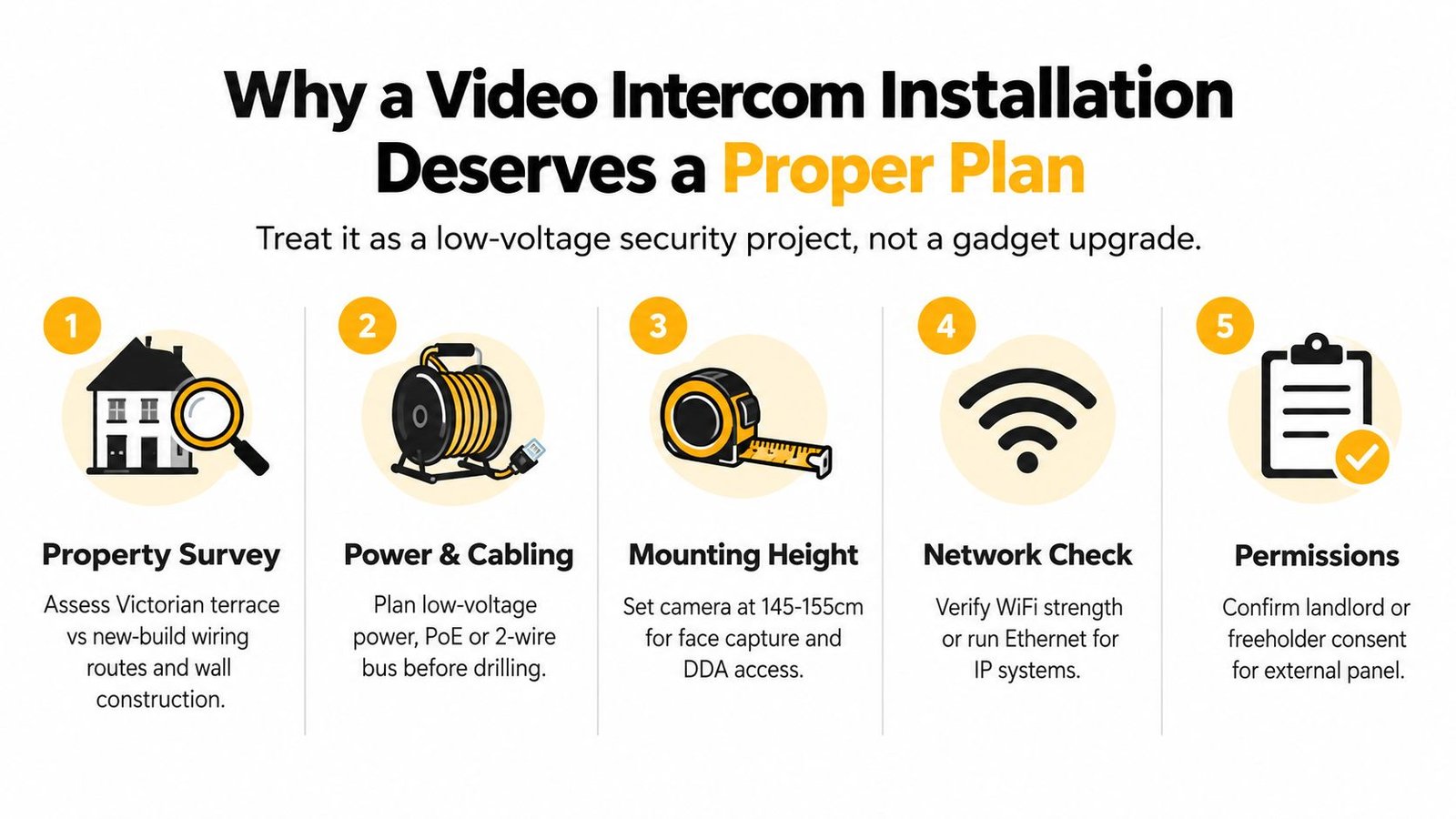
A video intercom should be treated as a planned low-voltage security installation built around the principles of BS EN 62676-4. That means deciding how the entrance will be viewed, called, released, powered, tested, and maintained before equipment is ordered. The standard covers selection, planning, installation, commissioning, maintenance, and testing, as reflected in the UK government's recommended surveillance standards.
The property sets the practical limits. A Victorian terrace may have old bell wire disappearing behind lath-and-plaster walls, with no straightforward route to the front entrance. A new-build flat may provide conduit but require a landlord or freeholder to approve a building-grade panel. A warehouse can involve a remote vehicle gate, long cable runs, several call points, and an electric or magnetic lock near a fire route. Each arrangement changes the power, cabling, access-control, and maintenance decisions.
What the survey needs to establish
The survey should record the door and frame construction, panel position, power source, network location, and every practical cable route. Metal gates, rendered walls, timber doors, fire doors, and communal aluminium entrances all affect mounting methods and the lock interface.
Visitor flow matters too. A camera positioned for a pedestrian may be unsuitable for a driver at a vehicle gate. Night lighting, rain exposure, delivery access, accessibility, and the number of residents or staff influence the panel, camera, reader, and call-routing specification.
Network resilience deserves equal attention. IP equipment depends on suitable network cabling and a reliable path to the entrance. Existing cabling may be reusable, but only after its condition and limitations are checked. App-based equipment also depends on the customer's router, Wi-Fi, smartphone, mobile service, and the manufacturer's cloud platform. A stronger handset cannot correct a weak connection at the door.
Practical rule: Specify the lock, cable route, power supply, and user workflow before choosing the handset or app.
The customer should receive a written installation scope covering the hardware, cable type and route, power arrangements, lock interface, network or cloud dependencies, testing, making-good responsibilities, and handover documents. IT Cloud Global's installation guide offers useful background on structured security installation work, while an intercom project still needs its own door-release and call-chain specification.
Choosing the Right Hardware for Your Property
The right system depends less on the camera specification than on how the entrance is used. A quiet house with one front door can work well with a compact video station and indoor monitor. A block of flats needs a directory, controlled user assignment, clear fault ownership, and a lock release that continues to behave correctly when residents change.
Audio-only handsets still make sense for low-traffic entrances where visual confirmation adds little value. Video becomes more useful when callers arrive after dark, deliveries need checking, or staff must verify a person before releasing a warehouse or office door. The extra camera also introduces privacy, lighting, storage, and maintenance considerations.
Wired, IP, and app-first systems
Traditional multi-core or Cat5-based video systems remain practical for many UK retrofits because they can use dedicated cabling and avoid dependence on a remote cloud service. IP systems suit new-builds and commercial sites with structured cabling, PoE switching, VLAN planning, and a comms cabinet that can be maintained properly.
Wireless and app-first kits can reduce installation disruption, particularly where running cable would involve substantial redecoration. They also transfer more responsibility to the customer's Wi-Fi, smartphone, router, mobile service, and the manufacturer's cloud platform. That may be acceptable for a house, but it creates more failure points for a landlord or multi-tenant building.
| System Type | Best Suited To | Cabling | Power | Resilience | Typical Cost per Station |
|---|---|---|---|---|---|
| Audio handset | Simple, low-traffic entrances | Dedicated low-voltage pair or existing compatible wiring | Local low-voltage supply | Strong local operation | Depends on specification |
| Wired video kit | Retrofit houses and smaller flats | Multi-core, Cat5, or manufacturer-specific cable | Dedicated low-voltage supply | Good local fallback | Depends on handset and panel count |
| IP video system | New-builds, offices, warehouses, and managed sites | Ethernet, often with PoE | PoE or local supply | Strong when networked correctly | Depends on network and integration |
| Wireless or app-first unit | Light retrofit work and single dwellings | Minimal data cabling | Mains adaptor or battery, depending on model | Dependent on Wi-Fi, phone, and cloud service | Depends on subscription and hardware |
Panel and handset counts must match occupancy. A single monitor doesn't solve a four-flat directory problem, and adding extra users to an app doesn't automatically provide an audit trail or reliable access ownership. The lock and power supply also need matching. A narrow timber door, a heavy commercial door, and a vehicle gate each need different release hardware and mechanical adjustment.
For a homeowner comparing household options, this overview of a video intercom system for home can help frame the choice. For a landlord, the more important question is whether the system works locally when internet or mobile service fails, and whether users can be removed cleanly when they leave.
Wiring, Mounting, and On-Site Installation Day
The installation day should begin with a verification survey, not drilling. The engineer confirms the agreed cable route, checks the drilling positions against the wall and frame, identifies the power supply location, and isolates any existing doorbell transformer or redundant circuit safely before work starts.
The external panel then gets mounted to suit the entrance rather than fitting wherever the old bell happened to be. The camera lens is commonly positioned around 1.5 metres from the finished floor, subject to the site, the camera field of view, visitor height, accessibility requirements, and manufacturer instructions. Surface mounting generally suits render or an existing finished wall, while flush mounting gives a cleaner result in suitable brickwork. Gates and exposed commercial entrances may need a more sturdy, vandal-resistant enclosure or a pedestal arrangement.
The cable route determines the result
For a centralised system, cables are normally drawn back to one controlled location, such as a boiler cupboard, riser, or communications cabinet. That makes the power supply, network switch, controller, and service connections accessible instead of scattering them behind individual handsets.
Cables should be supported, protected from sharp edges, labelled at both ends, and left with a service loop. Existing wiring can be reused only after its conductors, condition, route, and compatibility have been checked. Bell wire that looks intact at the handset may be unsuitable for an IP link or a lock-release circuit.
The internal monitors are fixed securely, with metal back-boxes bonded where the installation requires it. Door-release wiring follows the actual lock arrangement. Fail-secure and fail-safe behaviour must be agreed against the door function and fire strategy, rather than selected casually from a menu. Magnetic locks need suitable suppression and correct relay handling, while electric strikes depend on alignment, latch pressure, and the door closer working together.
A tidy cabinet isn't cosmetic. Labels and service loops reduce diagnostic time when a resident reports that the call works but the release doesn't.
Before leaving, the installer should make good the penetrations, remove debris, label equipment, and record the panel, monitor, power supply, lock, and network connections. A pile of unlabelled tie-wraps usually signals that the system hasn't been prepared for its first fault.
Connecting Intercoms to CCTV, Phones, and Smartphones
Integration is where many installations become unreliable. A door station may show a clear picture on its own screen but still fail to create a useful CCTV event, reach the correct phone, or open the right door through an access-control panel.
CCTV integration commonly uses ONVIF Profile S or RTSP, depending on the equipment, to pull the door station into an NVR or VMS. An input-output module or dry contact can create a bookmark when someone presses the call button. That makes the relevant entrance footage easier to search than leaving the event buried among continuous recordings.
A fixed phone connection may use an analogue gateway or SIP endpoint. Smartphone forwarding may rely on the manufacturer's relay service or an on-premises SIP server. Those choices affect latency, privacy responsibilities, user administration, and behaviour during an internet outage.
The network needs a design, not just a socket
IP intercoms consume network capacity and PoE power. The switch must have enough PoE budget for the connected equipment, while VLAN segmentation can limit unnecessary access between security devices and ordinary office or residential networks. Firewall rules, SIP registration, DNS resolution, and outbound cloud access can all affect the result without any fault in the door station itself.
Access-control integration needs a defined interface. A relay output may trigger a lock controller directly, while Wiegand or OSDP may carry reader data into a separate access-control panel. The installer should document which device makes the access decision, which device drives the lock, and which system records the event.
| Integration target | Cabling / interface | Network / server requirement | Common failure mode |
|---|---|---|---|
| CCTV recorder or VMS | ONVIF, RTSP, or input-output contact | Recorder access and compatible configuration | Video appears, but call events don't create searchable bookmarks |
| Fixed telephone | Analogue gateway or SIP endpoint | SIP service or local telephony platform | Registration drops or calls route to the wrong handset |
| Smartphone app | Manufacturer relay service or SIP platform | Internet connection, app account, and push service | Notification arrives late or fails when broadband is unavailable |
| Access-control panel | Relay, Wiegand, OSDP, or vendor interface | Controller configuration and permission database | Door releases, but the access event is not recorded correctly |
| Network infrastructure | Ethernet and PoE | Suitable switch, addressing, segmentation, and firewall rules | Door station powers up but cannot communicate reliably |
Those planning to view related CCTV events remotely can use this guide on how to view CCTV on a phone. The same principle applies here: remote convenience is only useful when the local door function, permissions, and fallback behaviour remain clear.
Commissioning and Testing the Full Call Chain
Commissioning turns a connected system into a security installation that can be checked, handed over, and supported. A single successful chime proves very little. Test each stage against a known failure mode, then record the result.
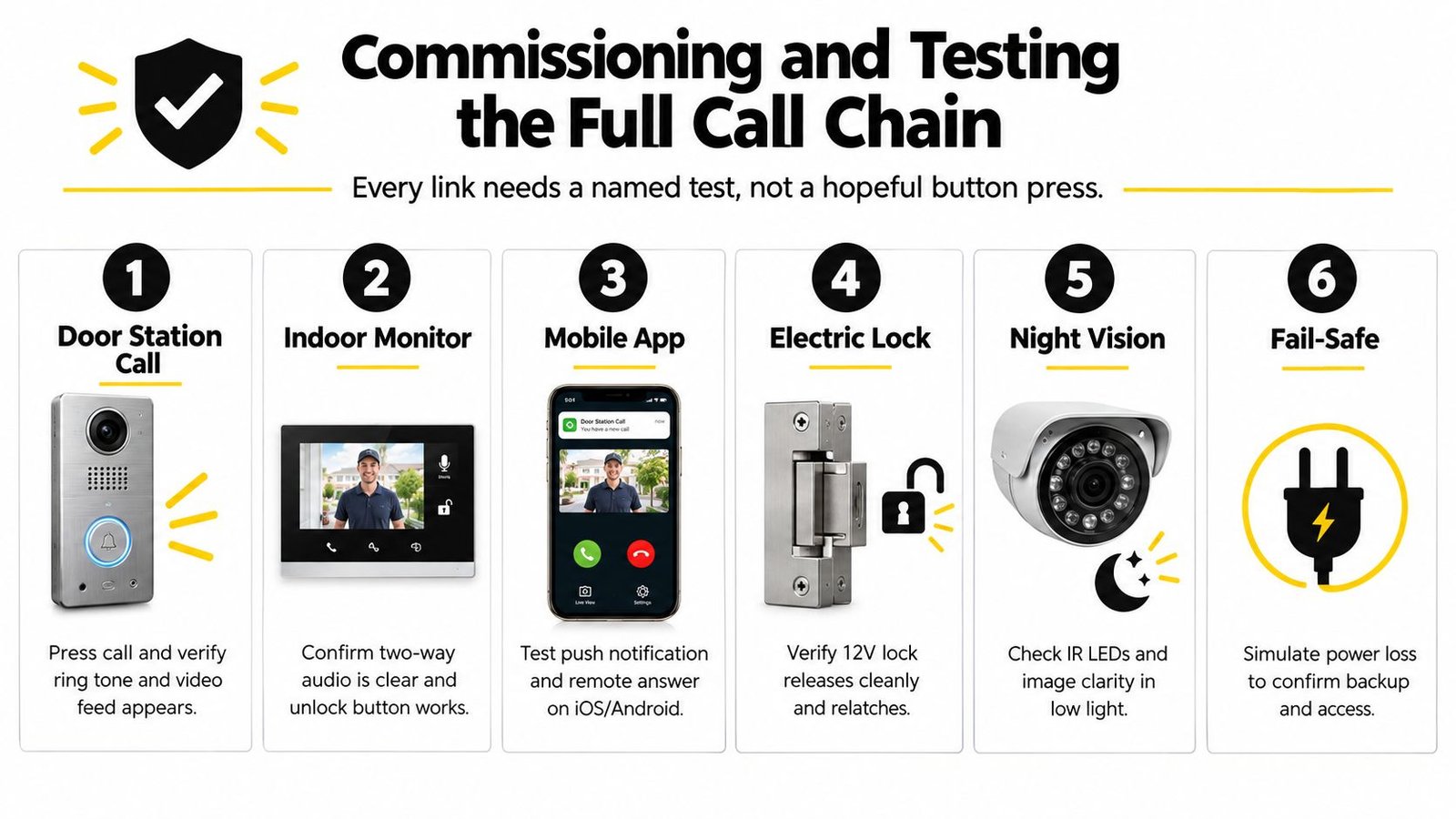
Begin at the door station. Confirm that the intended handset, monitor, desk phone, or app receives the call. Check full-duplex audio for clipping, echo, and one-way speech. Test video in daylight and after dark, including infrared operation. A clear daytime image does not confirm that a visitor's face remains usable at night.
Link each test to a failure
Press the release button and confirm that it operates the correct lock for the configured duration. The door or gate must relatch properly afterwards. Test the mechanical arrangement as well as the relay. A misaligned strike, weak power supply, or latch held under pressure can make an electrically sound system appear defective.
For remote forwarding, test every intended user and, where applicable, a mobile connection as well as the customer's normal network. Confirm that each user can answer, speak, see the visitor, and release the door without an unexpected delay. If CCTV bookmarks form part of the specification, place a call and verify that the event is attached to the correct camera.
Test fallback under controlled conditions. Disconnect the internet or SIP service and record which functions remain available locally. Check power-loss behaviour and any fitted backup arrangement. Confirm that authorised users can still gain access without depending on an app.
The handover record should show what was tested, what passed, what depends on the customer's network, and what happens during an outage.
The BS EN 62676-4 commissioning guidance cited earlier supports validating the complete chain, including call establishment, video clarity, release timing, lock engagement, and smartphone or remote-forwarding functions. Apply that discipline to the actual property, because a consumer app may fail differently from a building-grade system.
Compliance, Permissions, and Multi-Occupancy Governance
A consumer smart doorbell isn't automatically a building-grade door-entry system. In a house, the owner may control the account, the footage, and the users. In a block of flats, HMO, managed estate, or mixed-use building, residents, landlords, contractors, visitors, and managing agents may all interact with the entrance.
A door camera can create data-protection responsibilities when it records beyond a strictly private boundary. The responsible party needs to decide what the camera captures, who can view recordings, how long footage is retained, how visitors are informed, and how access is removed when a tenant or staff member leaves. Signage, privacy information, secure accounts, and documented permissions should form part of the design rather than an afterthought.
Shared entrances need accountable ownership
Landlord, freeholder, managing-agent, and resident permissions may all be relevant before an external panel, lock, or camera is installed. Leasehold alterations can also require the appropriate consultation process. Fire-door operation, escape routes, accessibility, and the position of the panel need review alongside the security objective.
Multi-occupancy systems should have a directory map and a clear user register. Depending on the equipment, that may include per-flat credentials, PINs, fobs, app invitations, audit logs, and a documented process for tenant changes. The access-control model should identify who can add users, who can see event records, and who receives fault notifications.
App-only kits often struggle here because the account may belong to one resident, the subscription may be tied to a personal email address, and the building may have no clean way to transfer ownership. They can still suit a single dwelling, but a landlord should compare convenience with local fallback, account governance, subscription dependence, and serviceability.
For a broader explanation of how access permissions fit into security architecture, GoSafe's dark web access control guide offers useful background on controlling and reviewing access. A building-grade intercom should then apply that thinking to its own resident, visitor, and contractor workflow. The door-entry systems for apartments reference point is also relevant when comparing directory operation and shared access requirements.
A defensible compliance pack should contain the site survey, equipment schedule, cable and lock details, camera position, privacy information, permissions, user-management procedure, test results, maintenance responsibilities, and handover contacts. That documentation protects the building manager as much as it helps the next engineer.
Maintenance, Service Options, and Common Issues
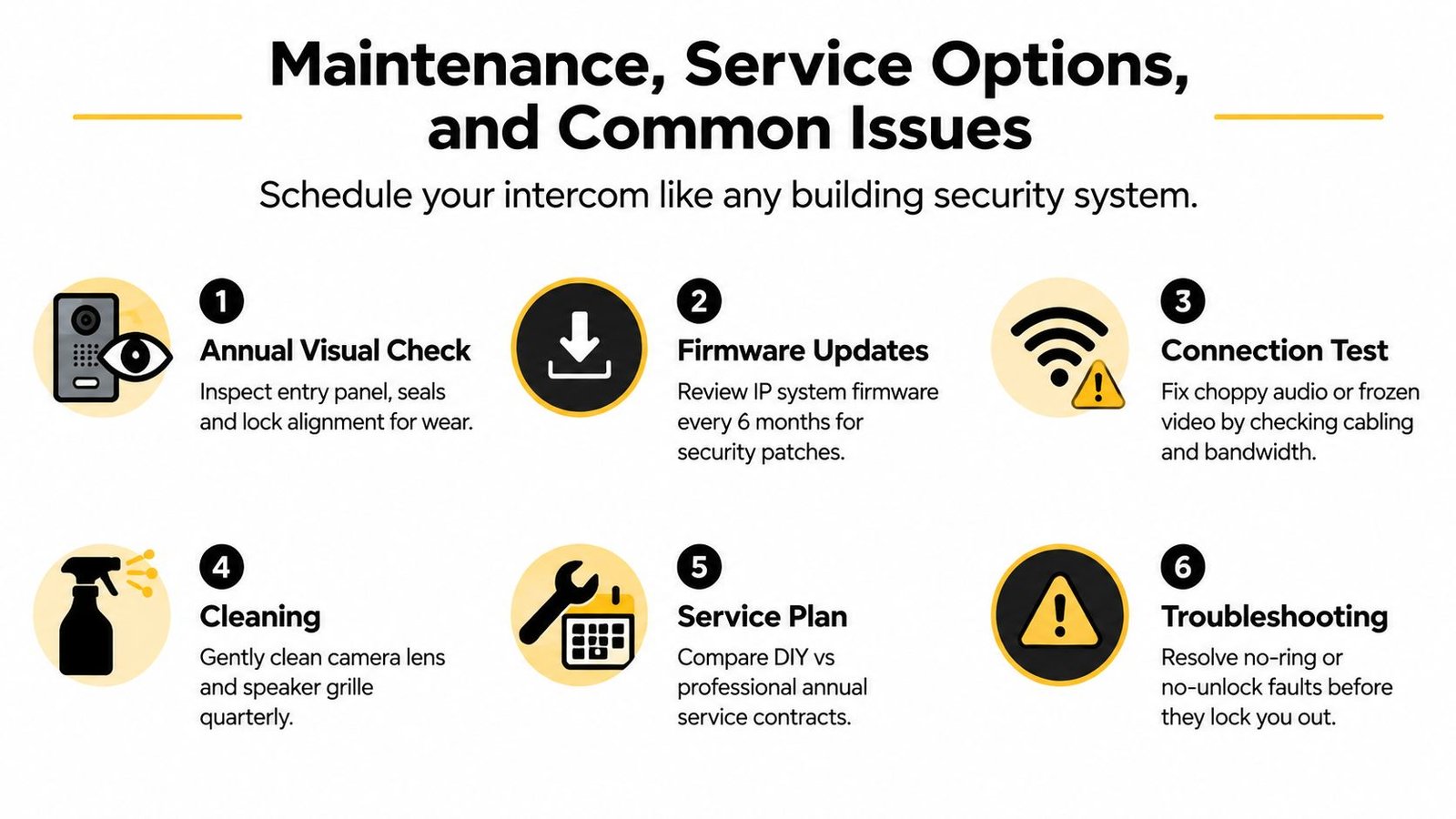
An intercom is part of the building's security equipment, so it needs a service routine. Inspect the entrance panel and lock alignment annually, review IP-system firmware at sensible intervals, record user changes, and clean the camera lens and speaker grille after weather exposure or building work. UK installation guidance also stresses maintenance and testing as part of the wider surveillance framework.
The service route should match the consequence of failure. A homeowner may prefer an installer call-out when a fault appears. A landlord or block manager may choose an annual contract covering planned visits, documentation, and agreed parts and labour. An IP system may also support remote diagnostics or monitoring, but that introduces its own network and account-management requirements.
Faults that keep returning
Service visits often reveal simple infrastructure problems rather than failed cameras. A weakening low-voltage power supply can cause intermittent restarts. Oxidised copper pairs can create noisy audio or a blank monitor. A misaligned strike plate can make the release appear dead when the lock is under mechanical pressure.
SIP registration may drop on consumer broadband, particularly after router changes or provider updates. Smartphone tokens can expire after a network replacement, leaving the app installed but unable to receive calls. These faults need a recorded diagnosis, not repeated reboots.
Use this practical escalation checklist:
- No call or ring: Check the door-station button, handset address, bus wiring, and power output.
- Poor audio: Check polarity, damaged pairs, microphone obstruction, and network latency where applicable.
- Frozen video: Check Ethernet links, PoE delivery, Wi-Fi coverage, and camera configuration.
- No release: Test relay output, lock voltage, strike alignment, access permissions, and the release timer.
- App failure: Confirm account ownership, push permissions, internet access, and the manufacturer's service dependency.
- Repeated faults: Stop changing settings at random and request a documented specialist diagnosis.
The UK market guidance for installation pricing places a straightforward single-dwelling supply-and-fit replacement at roughly £550 to £900, while block and commercial IP systems move into multi-thousand-pound budgets as labour, lock hardware, entry-panel choice, user count, and integration expand. The same guidance describes a typical half-day labour window for a straightforward replacement, with longer visits commonly linked to non-standard wiring, weak network coverage, incompatible lock hardware, or added access-control and fire-interface work. See the UK door-entry installation pricing guide for that scope-based context.
Wisenet Security Ltd provides consultation and site survey, system design, professional video intercom installation, integration, and user training across South Wales and the South West. If you need a system that accounts for the lock, network, residents, testing, and future maintenance, visit Wisenet Security Ltd to discuss your property and request a practical assessment.