
Intruder Alarm Keypad: A Complete Guide for South Wales
An intruder alarm keypad is the primary control interface used to arm, disarm and manage a security system, and correct operation is the single most important factor in preventing expensive false alarms and maintaining police response eligibility. A four-digit code offers 10,000 theoretical combinations, while a six-digit code offers one million, but neither is secure if users share it, write it down or enter it where others can watch.
You're halfway through the front door in Cardiff, a shopping bag in one hand and the alarm entry tone already counting down. Someone changed the code last month, nobody told the new keyholder, and the system is seconds away from sending an avoidable activation to the monitoring centre. The keypad gets blamed when the failure is usually a mixture of poor training, weak access control and an interface that doesn't give the user enough useful feedback.
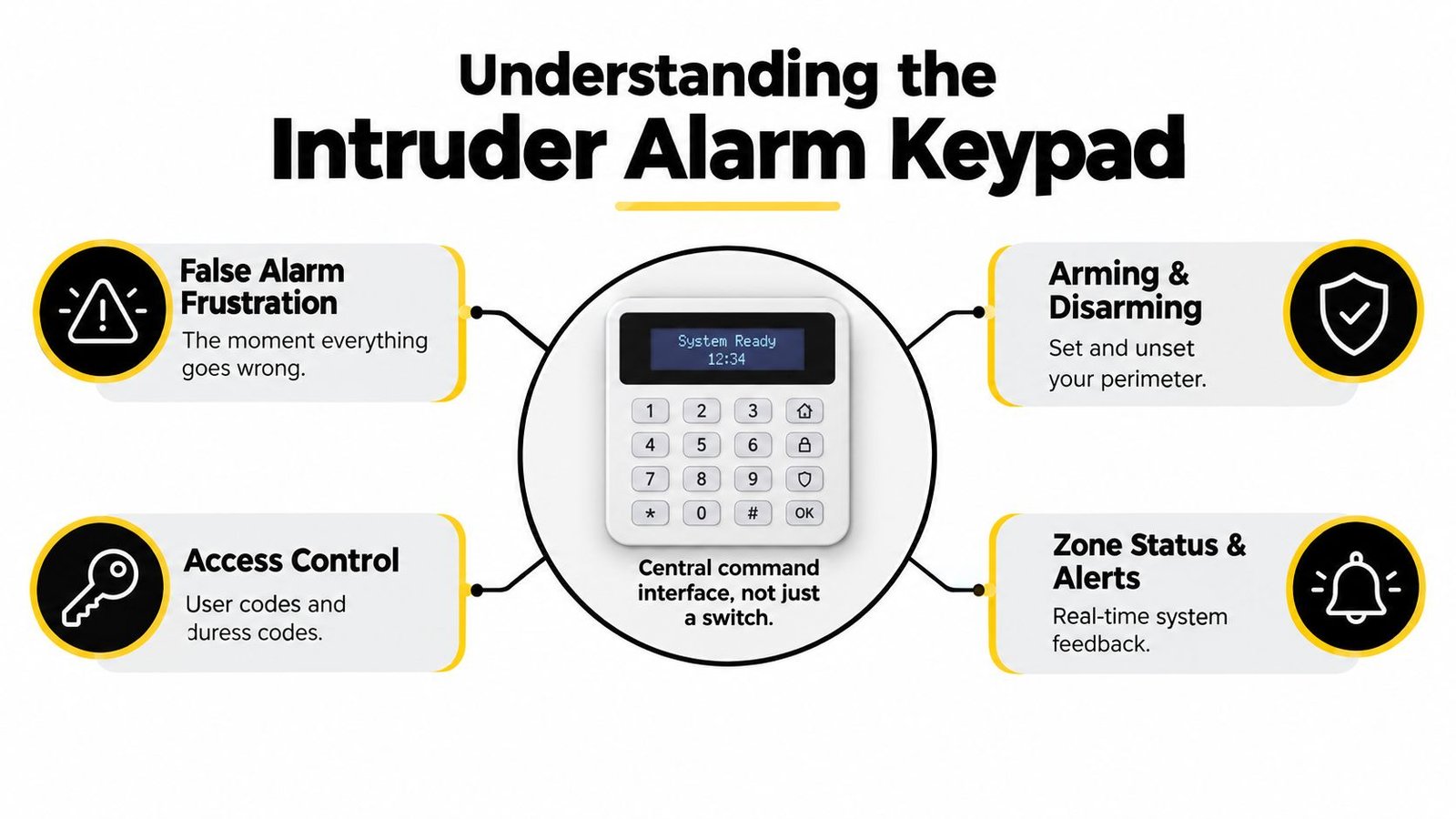
That is why an intruder alarm keypad isn't merely a switch on the wall. It controls arming and disarming, identifies users, displays affected zones and records actions that can help an installer or monitoring centre understand what happened. In a home, shop, warehouse or multi-tenant building, the keypad is the point where system design meets human behaviour.
Table of Contents
- Understanding the Intruder Alarm Keypad
- Types of Keypads for Homes and Businesses
- Essential Features to Evaluate Before Buying
- Installation, Programming, and Compatibility
- The Hidden Cost of False Alarms and Code Management
- Troubleshooting and Maintenance Tips
- Professional Installation in South Wales and the South West
Understanding the Intruder Alarm Keypad
A keypad is the alarm system's command interface. The user enters a personal code, presents a proximity tag or follows the displayed prompts to set, unset or reset the system. Depending on the installation, the same interface may allow authorised people to review zone conditions, omit a zone, acknowledge an event or perform limited administrative tasks.
UK user guidance commonly specifies four- or six-digit personal codes, so the panel can distinguish between users and control access to protected areas. A four-digit code has 10,000 theoretical combinations, from 0000 through 9999, while a six-digit code has one million theoretical combinations. Those figures describe the size of the number space, not the practical strength of a credential. A predictable number, shared PIN or code observed over someone's shoulder remains a practical weakness.
The human bridge between panel and premises
The alarm panel can process detectors and communications, but it can't teach a new tenant the entry procedure or tell a tired shop assistant which zone caused the activation. The keypad gives that information to the person standing at the entrance. A clear display, sensible tones and an obvious entry delay can prevent a rushed mistake from becoming a monitored event.
In practice, the user experience matters most at awkward moments:
- Early morning arrivals: A user may be distracted, carrying equipment or entering in poor light.
- Temporary access: A contractor or cleaner may know the premises but not the correct sequence.
- Zone alerts: A door, window or detector may still be active, preventing the system from setting.
- Accidental activation: The correct code and prompt response can cancel an event before escalation.
Practical rule: Choose an interface that an authorised person can operate correctly when they're tired, hurried or unfamiliar with the building.
Some systems also work with proximity tags. That can reduce keying errors, but it doesn't remove the need for disciplined credential management. A lost tag must be removed from the system, and users still need to understand what the keypad is telling them.
What the keypad tells you
A useful keypad indicates whether the system is set, unset or reporting a fault. It may identify an activated zone and preserve an event history, giving the user more than a vague alarm sound. This feedback helps people find the cause of an activation instead of repeatedly entering codes or switching equipment off without understanding the problem.
For a broader comparison of how alarm systems support different premises, the guide to Australian business security alarms is useful background, although South Wales installations must still be assessed against UK standards, response arrangements and site risks.
Treating the keypad as a control point changes how you specify it. You start asking whether every authorised user can operate it, whether access can be withdrawn promptly and whether the system provides enough information to prevent a repeat activation.
Types of Keypads for Homes and Businesses
Keypad choice starts with the building and the people using it, not with the most fashionable screen. A small home with one entrance has different requirements from a warehouse with several access points, changing occupancy and a monitoring contract. The right comparison is therefore practical: how the keypad communicates with the system, how users authenticate and how much information they need at the door.
Wired versus wireless
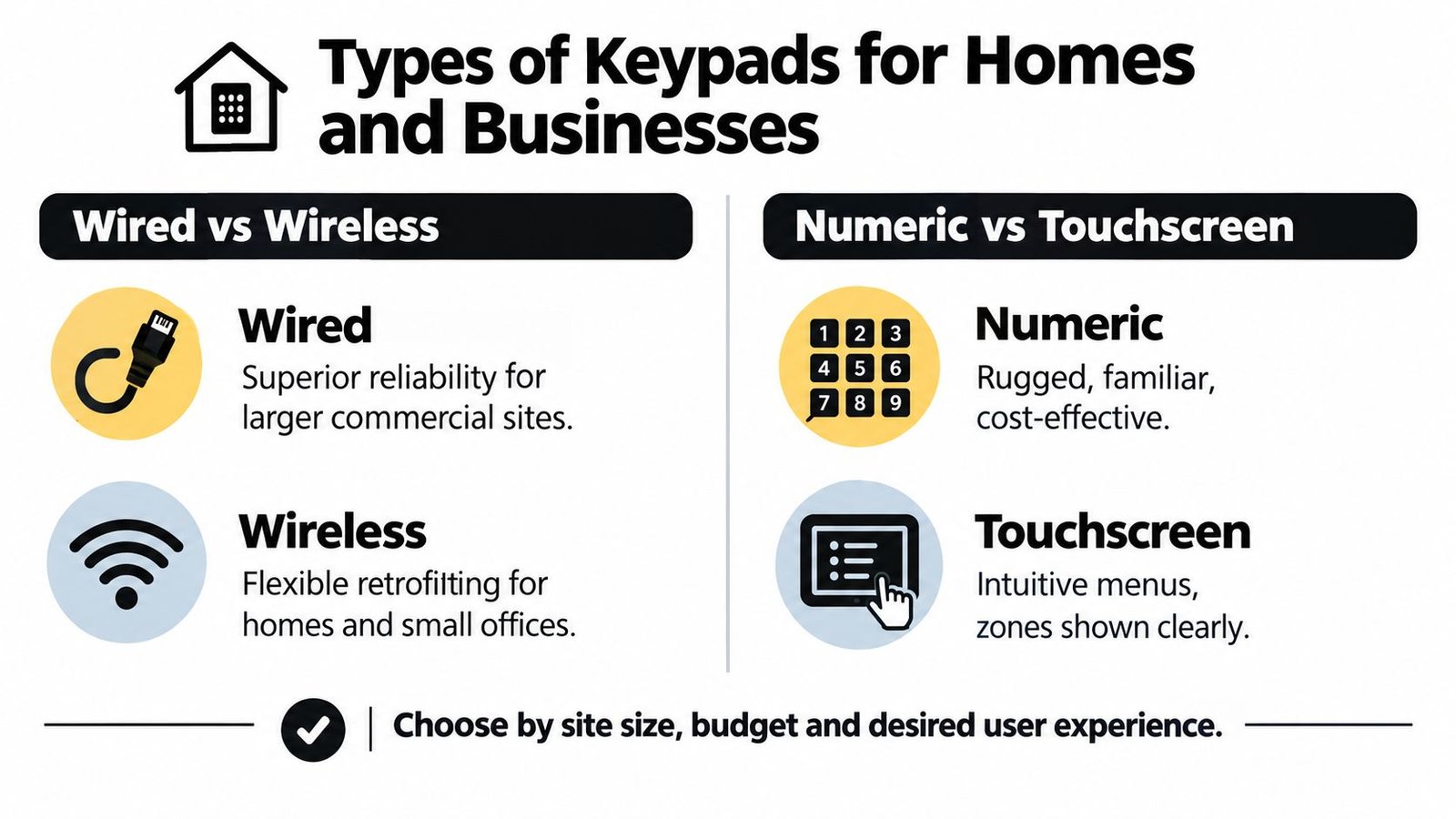
A wired keypad connects to the control panel through dedicated cabling. It generally suits new installations, larger premises and sites where the cable route can be planned properly. The installer can position multiple wired keypads at important entry points, subject to the panel's design, and include them within a supervised system architecture.
Wired equipment isn't automatically immune to faults. Poor cable routing, loose terminations, water ingress or an unsuitable power arrangement can still cause trouble. The advantage is predictable communication when the installation has been designed and tested correctly.
Wireless keypads are often attractive for occupied homes, listed buildings and retrofit projects where chasing walls would be disruptive. They can reduce installation work and provide flexible positioning, but the installer must assess signal quality, battery condition, interference and the consequences of communication loss. A wireless keypad that works reliably in the hallway may not perform the same way through dense walls or around industrial equipment.
| Choice | Practical advantage | Question to ask |
|---|---|---|
| Wired | Stable planned connection for demanding sites | Has the cable route and power supply been properly supervised? |
| Wireless | Flexible placement during a retrofit | What happens if the battery or wireless link fails? |
| Numeric | Familiar buttons and straightforward operation | Can users read and operate it in poor light? |
| Touchscreen | Guided menus and clearer zone information | Will the screen remain intuitive for every authorised user? |
Numeric versus touchscreen
Numeric keypads remain effective because users understand buttons immediately. A rugged, backlit layout can be easier to use with gloves, in low light or during a rushed arrival. For a shop or warehouse, that familiarity may be more valuable than an elaborate interface.
Touchscreens can display menus, zone names and event information more clearly. They may also provide a smoother experience for users who need guided prompts rather than a sequence of tones and icons. The trade-off is that a screen introduces another component that must be kept visible, responsive and appropriately protected from damage.
Proximity readers add another option. A tag can authenticate an authorised user without manual PIN entry, which may help residents, staff or carers who struggle with remembering codes. It also creates a management task: tags need ownership records, and lost or unreturned credentials must be disabled.
When you're comparing a keypad access control system, don't judge the alarm keypad separately from the access-control arrangement. A system that looks polished but gives administrators poor control over users, zones and event history can create more operational work than a simpler numeric model.
Essential Features to Evaluate Before Buying
The cheapest keypad can appear adequate during a demonstration because demonstrations happen in clean, controlled conditions. Real premises introduce wet hands, poor lighting, rushed staff, lost credentials, tampering attempts and users who weren't present when the installer explained the system. Evaluate the keypad as part of the complete alarm installation, not as an isolated piece of plastic or glass.
Physical protection and visibility
Tamper protection should report an attempt to remove or open the keypad. If someone can pull the device from the wall without the alarm recognising it, the interface becomes a weak point in the security chain. The exact tamper arrangement depends on the equipment and installation, so ask the installer how the keypad's cover and mounting point are monitored.
Backlighting is a small feature with a large operational effect. Users should be able to identify the buttons without shining a phone torch at the keypad or entering guesses. The display should also make the system state obvious. Ambiguous indicators encourage users to leave a system unset or repeat an action they believe failed.
Consider the physical setting as well. A keypad positioned directly in view of a public walkway makes PIN observation easier, while one hidden behind a door may be awkward during the entry delay. Good positioning balances convenience, privacy, lighting and the route users take.
Authentication and communications
Proximity tags can make routine operation quicker, but they shouldn't become unmanaged master keys. Ask whether each tag or code can be assigned to an individual and whether the system records use. Separate credentials make investigations and leaver management more precise than one PIN shared by an entire household or staff team.
Connected systems require a clear separation between local control and remote services. A broadband outage may affect app access or remote alerts without necessarily preventing local keypad operation, but that behaviour varies by system and communications design. Confirm whether the installation has battery-backed power, a separate communications path and a defined response when connectivity is lost.
Government guidance explains that internet-connected devices can allow unauthorised access to devices or accounts if they aren't secured, and that UK consumer protections for smart devices took effect on 29 April 2024. The UK guidance on using smart devices safely also supports basic controls such as changing default passwords and installing software and app updates.
The features that don't compensate for bad operation
Encryption, secure pairing and sensible account protection matter, especially where a keypad communicates wirelessly or connects to an app. They don't prevent a user from disclosing a PIN, leaving a tag in an unlocked vehicle or failing to remove a former employee's account.
A basic keypad with clear prompts, suitable entry delays and individual permissions can outperform a complex touchscreen that nobody understands. Select the interface that reduces mistakes on your site, then make sure the panel, communications and credentials are engineered to the same standard.
Installation, Programming, and Compatibility
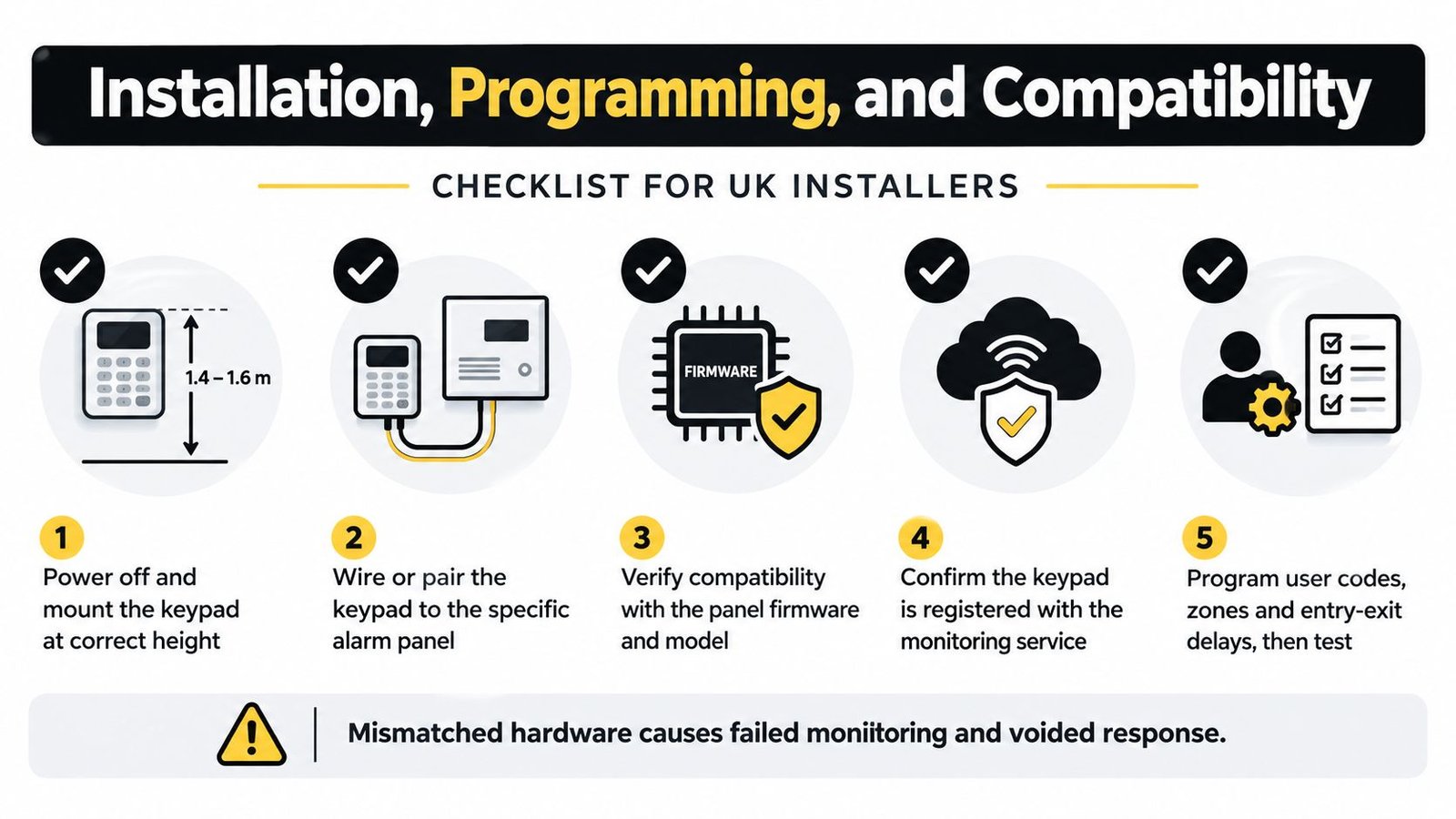
An alarm keypad can't be treated like a universal replacement part. It must communicate with the exact control panel, use the correct wiring or wireless protocol and work within the system's firmware and monitoring configuration. Installing a visually compatible keypad without checking those dependencies can leave users unable to set the system or create faults that only appear during an alarm.
Start with the panel and risk assessment
For UK commercial premises, specification should follow a documented risk assessment. The framework uses BS EN 50131 and PD 6662, with Grade 2 generally addressing low-to-medium risk and Grade 3 medium-to-high risk environments. An independent UK security-risk guide states that many commercial premises should use Grade 3 equipment, so the keypad and control panel need to support the declared grade rather than being selected on appearance alone.
The installation should account for:
- Site layout: Identify every normal entry route and decide where users need control.
- System grade: Confirm that the keypad, panel and associated equipment are suitable for the target grade.
- Communications: Establish how signals reach the monitoring service and what happens if a path fails.
- User roles: Separate everyday operation from programming, zone omission and administrative functions.
- Monitoring arrangement: Check that the installed configuration matches the service and response process.
A keypad can be neatly mounted and still be wrong for the job if the control panel cannot supervise it correctly or the system's declared grade doesn't cover the equipment.
Programming users and zones
Programming should begin with named users, not a single default PIN. Give each resident, employee or contractor an appropriate credential, restrict programming access to authorised administrators and remove leavers immediately. If the system supports event logs, retain them in line with the organisation's security and privacy procedures.
Zones also need meaningful descriptions. “Front door” tells a user far more than “Zone 1”, especially when a monitored activation occurs outside office hours. Configure entry and exit delays around the natural movement of people through the building, then test those timings with the people who will normally use the premises.
The installer must check compatibility with the panel model, firmware and monitoring service. The keypad may power up while still failing to transmit the information the receiving centre expects. A useful explanation of what BS EN 50131 means can help property owners understand why compliance concerns the system design rather than a label on one component.
Test the complete operating sequence
Testing shouldn't stop when the keypad accepts a code. The engineer should verify setting, unsetting, alarm cancellation, zone indications, tamper reporting, communications and the handover process. Users should practise the normal entry route and the response to an accidental activation.
For commercial sites, obtain documentation showing the equipment specification, programming arrangements, monitoring details and maintenance responsibilities. That record helps future engineers diagnose faults and gives managers a reliable reference when staff or tenants change.
The Hidden Cost of False Alarms and Code Management
Many people assume that any working PIN is good enough. It isn't. In South Wales, an incorrect code entered during the entry delay can become more than an irritating noise if the user doesn't know how to cancel the activation and contact the relevant keyholder or monitoring centre.
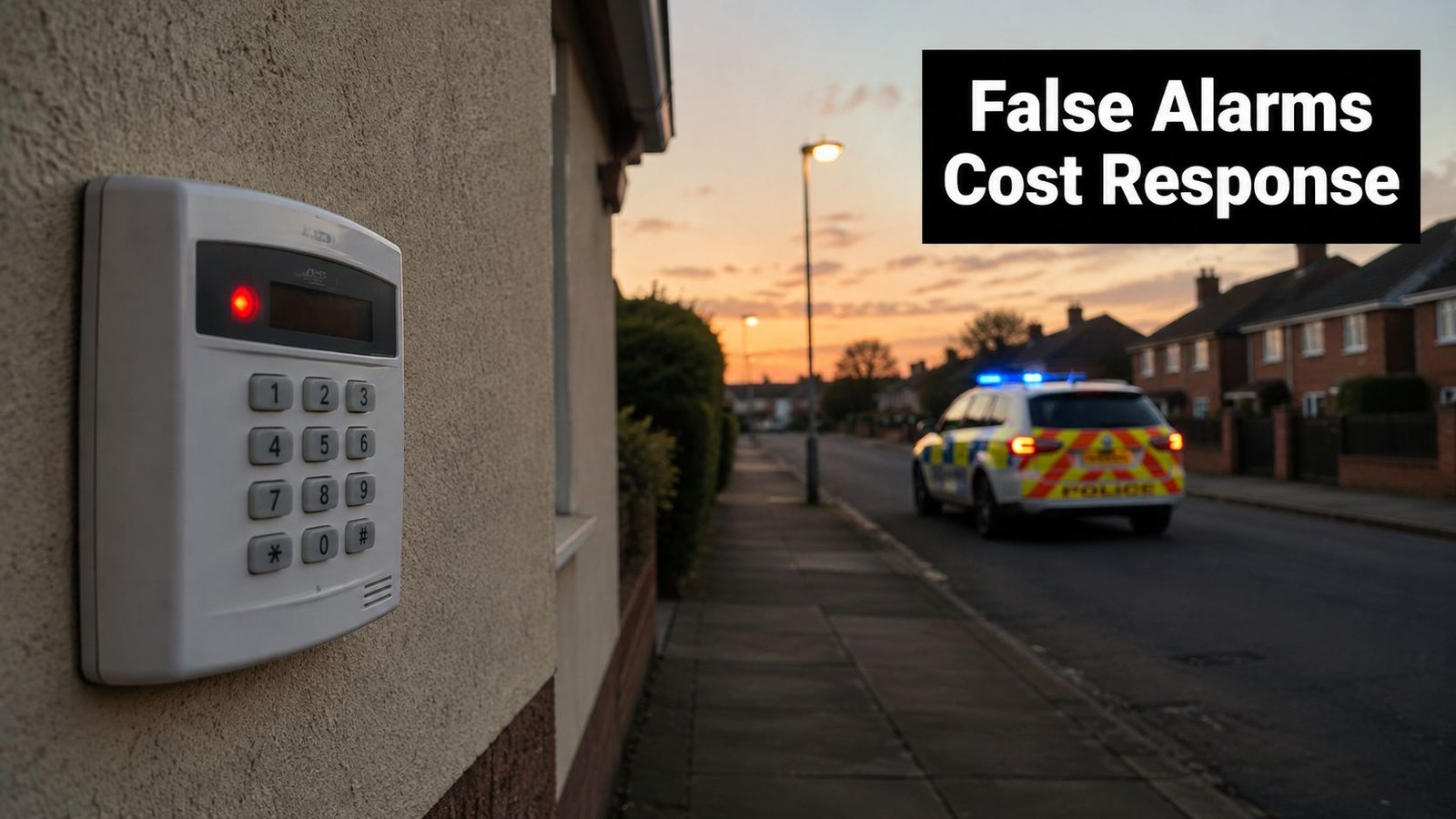
UK police response to monitored intruder alarms is closely linked to false-alarm control. Guidance used in England, Wales and Northern Ireland states that systems may require two alarm signals within a 30- to 60-minute period before a central station requests police attendance, under the principle of confirmed activation. The same guidance describes a typical threshold of three false calls in a rolling 12-month period, after which police attendance may be withdrawn or reduced to keyholder response. In some circumstances, two false calls can trigger a downgrade, while a non-genuine panic or hold-up activation may receive stricter treatment. These thresholds are set out in UK alarm management guidance.
Why users create the problem
False activations often begin with ordinary events:
- A forgotten code: A new resident or worker enters several guesses instead of contacting the keyholder.
- A rushed arrival: Someone opens a protected door before locating the keypad.
- A shared PIN: Nobody knows who entered the code or who should be removed when circumstances change.
- A temporary user: A contractor receives more access than necessary and isn't briefed on the exit sequence.
- Poor visibility: A user can't read the display, misses the warning tone or doesn't know which zone is active.
UK alarm manuals commonly provide an entry-delay period, often around two minutes, during which a valid code can cancel an accidental activation before escalation to an alarm receiving centre or police process. That time only helps if users know where the keypad is, remember their credential and understand what the tones and messages mean.
The Menvier user guide warns users not to write codes down on the premises, disclose them to temporary workers or enter them where unauthorised people can observe. It also describes keypad actions and zone information that help users and installers identify the cause of an alarm.
A useful code policy is simple:
- Issue one credential per person. Use an individual code or tag for each resident, employee and contractor.
- Limit permissions. Keep programming and zone-omit functions with authorised administrators.
- Record ownership securely. Maintain a controlled register without displaying the actual PIN beside the keypad.
- Remove leavers promptly. Disable former tenants, employees and contractors when their access ends.
- Train every keyholder. Practise entry, exit, accidental activation and emergency contact procedures.
The most advanced interface won't fix a shared credential. A clear, well-positioned keypad with disciplined user administration is often the more dependable choice.
A police-supported response depends on managed signalling and competent keyholders, not on owning an expensive screen.
For a practical visual explanation of alarm operation and response principles, use the following video as supplementary viewing, then confirm the exact procedure with your installer and monitoring centre.
Troubleshooting and Maintenance Tips
Start with the safest question: is the keypad reporting a user error, a power problem, a communication fault or a genuine alarm condition? Don't repeatedly enter codes or remove covers while the system is active. Note the exact display message, indicator pattern and time of the fault, then contact the keyholder or installer if the cause isn't clear.
A sensible first response
For an unresponsive keypad, check whether other keypads or system indicators still operate, and confirm that the premises has power. Don't disconnect the panel or replace a battery unless the system documentation and your installer allow that procedure. A failed keypad may reflect a wider power, bus or panel fault rather than a damaged button.
If a user can't unset the system, use the agreed entry procedure and contact the monitoring centre or keyholder before the delay expires. Don't guess repeatedly. If the problem follows a recently changed code, ask the administrator to confirm the credential rather than creating another shared PIN.
Connectivity faults need a similar approach. Check the displayed fault, confirm whether local operation remains available and establish whether remote alerts are affected. Never assume that an app showing a connection problem means the physical alarm has stopped working, or that a locally responsive keypad means monitoring is fully restored.
Preventive checks
Keep a written record of the following:
- User access: Remove people who no longer need entry and confirm that temporary credentials have an end point.
- Keypad condition: Check the mount, buttons, display, backlight and signs of tampering.
- System response: Test normal setting and unsetting through the agreed maintenance process.
- Communications: Confirm that the monitoring arrangement reports faults and alarm signals correctly.
- User knowledge: Rebrief anyone who has joined the household, business or tenancy.
A detailed intruder alarm maintenance checklist can help property managers organise these checks without relying on memory.
Call a certified engineer for repeated false activations, unexplained tamper warnings, failed communications, damaged equipment or any change to protected zones. DIY resets may silence a symptom while leaving the underlying fault, and unauthorised changes can affect documentation, insurance conditions or the system's declared grade.
Professional Installation in South Wales and the South West
An intruder alarm keypad only performs as well as the panel, wiring, communications path and user management behind it. In Cardiff, Bristol, Newport and Swansea, site conditions vary from compact terraces and retail units to warehouses and multi-tenant properties, so the installer needs to design the whole operating process rather than just mount a keypad by the door.
Wisenet Security Ltd provides intruder alarm installation and maintenance, with DBS-checked engineers working across South Wales and the South West. Its installations can include keypad operation, individual credentials, mobile alerts and bell-only or monitored arrangements, designed around the property and the applicable BS EN 50131 requirements.
The practical recommendation is to arrange a site assessment before choosing the hardware. Ask the installer to demonstrate the entry delay, explain false-alarm cancellation, document user permissions and confirm what happens during power or communications failure. Those details protect police response eligibility more effectively than a feature list alone.
Wisenet Security Ltd designs, installs and maintains code-managed intruder alarm systems for homes, shops, warehouses, landlords and multi-tenant properties across South Wales and the South West. Visit Wisenet Security Ltd to arrange a free consultation and make sure your keypad, monitoring arrangement and user procedures work together.