Door Entry Systems for Business: A Complete UK Guide
You've probably dealt with the familiar sequence: an employee leaves with a set of keys, a fob goes missing, a contractor needs temporary access, or someone arrives after hours and nobody knows who approved entry. The lock still works, but the business has no reliable answer to a basic question: who can enter, which doors can they open, and when?
Modern door entry systems for business solve that operational problem as much as they solve a security problem. They can replace shared keys with named credentials, record activity, support visitor verification and connect entry points with wider security systems. The UK market for business door entry systems was valued at USD 524.6 million in 2024 and is forecast to reach USD 830.7 million by 2030, signalling that access control has become a major commercial infrastructure category rather than a niche add-on (Grand View Research UK access control market outlook).
Table of Contents
- Moving Beyond Bunches of Keys
- Decoding Your Options From Intercoms to Integrated Access Control
- Essential Features to Compare in 2026
- Beyond the Box Installation and Wiring Considerations
- Compliance Maintenance and Long-Term Value
- Choosing Your Local Installer in South Wales and the South West
Moving Beyond Bunches of Keys
A small office in Cardiff might have a front-door key, a rear-door key, an alarm key and a cabinet full of spare copies. A warehouse near Bristol may have separate keys for the staff entrance, loading area, office corridor and plant room. Each new starter needs access, each departure creates a security decision, and every lost key creates uncertainty about who might still be able to use it.
That uncertainty is the weakness of a traditional lock-and-key arrangement. You can issue a replacement key, but you can't remotely cancel the old one. You can keep a paper register, but it won't tell you whether somebody entered at 07:15 or whether a contractor used access outside the agreed hours. Shared PINs create a similar problem because the code often spreads beyond the people who originally received it.
Electronic door entry changes the control model. A card, fob, mobile credential or personal PIN can be assigned to an individual, limited to specific doors and scheduled for permitted times. If someone leaves, an administrator can revoke that credential without changing every lock in the building. An intercom can add a human approval step, allowing reception or a manager to verify a visitor before releasing the door.
The right choice still depends on the premises. A single office with predictable working hours may only need a keypad or card reader. A multi-tenant building may need separate user groups, visitor handling and auditable records. A logistics site could require different permissions for drivers, warehouse staff, office employees and maintenance contractors.
Practical rule: Choose the level of control your daily operations need, not the longest feature list a supplier can demonstrate.
The market's scale reflects that wider role. Hardware remained the largest revenue-generating segment in 2024, while services were identified as the fastest-growing segment through the forecast period, showing that commissioning, maintenance, integration and ongoing administration matter alongside the reader and lock (Grand View Research UK access control market outlook). This guide focuses on the complete buying decision, from system type and wiring to maintenance and selecting an installer in South Wales or the South West.
Decoding Your Options From Intercoms to Integrated Access Control
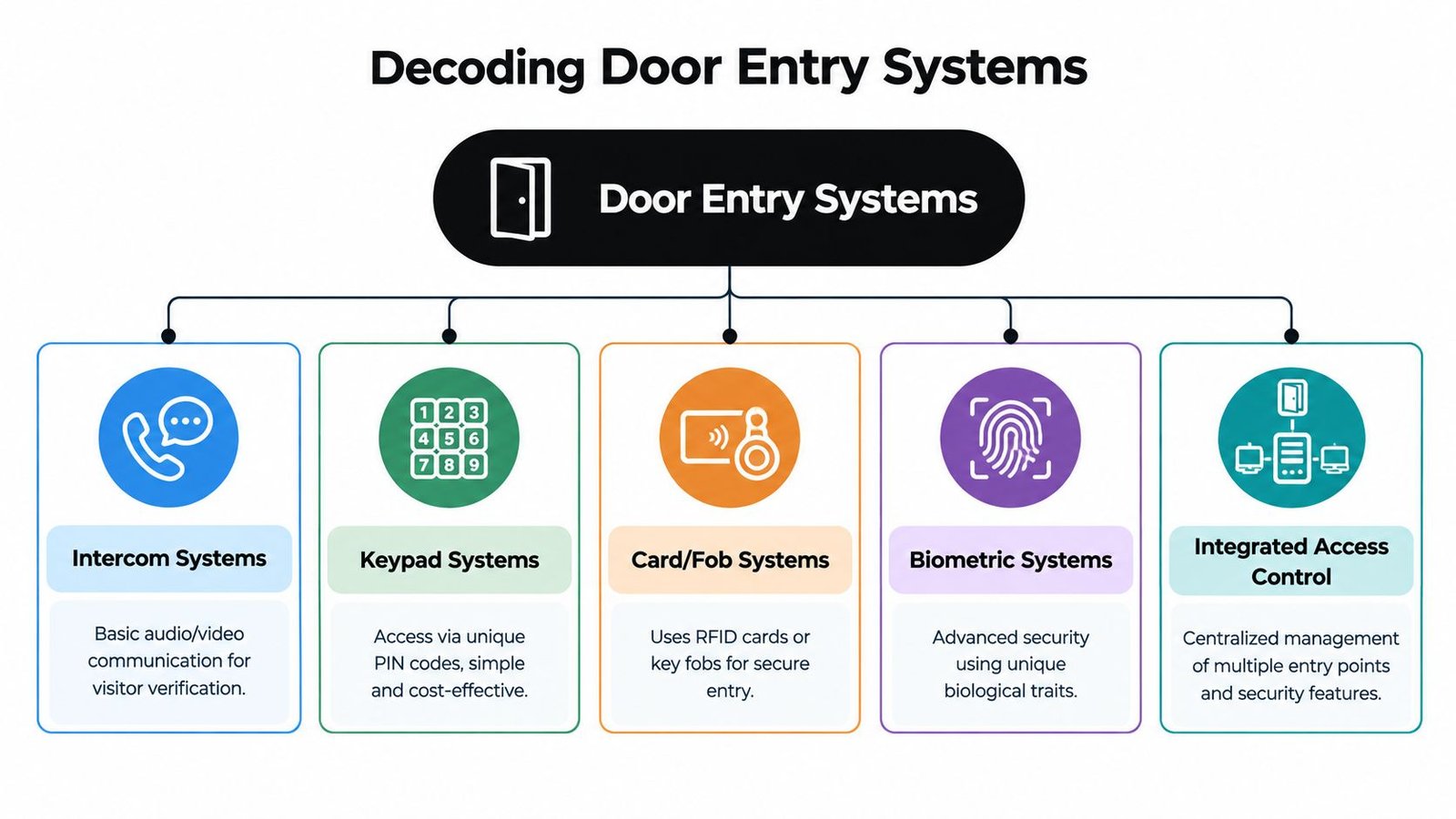
Start with the question the system must answer. Is the priority speaking to visitors, controlling staff access, managing several sites, or creating evidence after an incident? The categories below overlap, but each has a different operational purpose.
Intercoms for visitor decisions
An audio intercom works like a dedicated phone call to the entrance. A visitor presses a button, a member of staff answers and the door is released if the visitor is expected. It suits offices, clinics, apartment blocks and small commercial premises where staff need to identify people before allowing entry.
A video intercom adds visual verification. The internal station, desktop application or mobile device can display the visitor, helping staff distinguish a delivery driver from an unknown caller. It doesn't replace sensible procedures, but it gives the person authorising entry more information.
Businesses comparing visitor-focused options can review this intercom system for business guide, particularly where a single entrance needs to connect with reception or remote staff.
Keypads for simple controlled access
A keypad replaces a metal key with a PIN. It's straightforward and cost-effective for staff entrances, gates, storage rooms or small teams. Administrators can change the code when necessary, and some systems support individual PINs rather than one shared number.
The weakness is credential sharing. A common PIN doesn't identify the person using it, so it offers less accountability than a named card, fob or mobile credential. A keypad also needs careful placement and maintenance because visible wear can reveal frequently used buttons.
Cards and fobs for named credentials
Card and fob systems act like digital keys. A reader checks the credential, then the controller decides whether that person has permission for that door at that time. Lost cards can be cancelled, and access groups can distinguish, for example, office staff from warehouse personnel.
This approach is familiar to users and works well where employees need reliable daily access without carrying a phone. It also creates a practical upgrade path, since many platforms can support additional credential types later. Businesses with retail environments may also find it useful to consider access control alongside broader retail security systems, rather than treating the entrance as an isolated device.
Biometrics where identity assurance matters
Biometric readers use a physical characteristic, such as a fingerprint or facial feature, to verify identity. They can reduce the risk of borrowed cards, but they require more careful consideration of privacy, enrolment, environmental conditions and user acceptance. They're not automatically the right answer for every workplace.
Integrated platforms for multiple doors and sites
An integrated access control platform is the building's central command centre. It may manage readers, locks, intercoms, alarms, cameras, visitor permissions and reporting from one administration environment. Paxton is one example of a recognised commercial platform, while other manufacturers offer different combinations of on-premise and cloud management.
The technology has moved a long way from local devices. Industry history describes simple, non-networked systems in the mid-1990s, while UK suppliers trace the sector's development back through earlier door-entry products, including Bell System's establishment in 1971 and its first door-entry telephone model in 1979 (British Security Industry Association history of connected access control). The practical result is a choice between a basic entrance product and a platform designed for structured administration.
| System type | Best for | Typical cost | Key benefit |
|---|---|---|---|
| Audio intercom | Small offices and controlled visitor entrances | Depends on doors, hardware and installation scope | Two-way visitor communication |
| Video intercom | Offices, clinics and multi-tenant buildings | Depends on camera, screens, network and lock requirements | Visual visitor verification |
| Keypad | Small teams, gates and low-complexity areas | Depends on keypad, controller and lock type | Simple PIN-based access |
| Card or fob | Staff entrances and managed departments | Depends on readers, credentials and software | Named, revocable credentials |
| Biometric reader | Higher-assurance areas | Depends on reader, enrolment and privacy requirements | Identity-based verification |
| Integrated access control | Multi-door or multi-site businesses | Depends heavily on scale and integrations | Centralised management and reporting |
The shift towards mobile credentials is also significant. Fully mobile credential environments were projected to rise from 5% of respondents in 2023 to 17% in 2025, according to UK-oriented market coverage (Keyprint access control trends). That doesn't make cards and fobs obsolete, but it does make credential flexibility an important part of future-proofing.
Essential Features to Compare in 2026
A product demonstration can make almost any reader look impressive. The more useful test is to examine what happens on a difficult Tuesday: a new employee starts, a card is lost, a manager works remotely, the internet connection fails, or an incident requires a clear entry record.
Administration should match your working pattern
Cloud-managed systems allow authorised administrators to manage users and permissions without being physically present at a specific building computer. That can help a landlord, facilities manager or multi-site operator revoke access quickly and make changes across locations. The trade-off is dependence on account security, connectivity and the supplier's service arrangements.
On-premise systems can provide local control and may suit organisations with strict internal IT policies or limited reliance on external services. They still need secure administration, backups, updates and a clear plan for remote support. Ask the installer who owns the data, where logs are stored and what happens if the management service is unavailable.
Permissions and audit trails are not optional extras
The UK government's user access policy sets out a least-privilege approach, meaning access should be based on business need and the minimum permissions required for a role (UK government user access control policy). A suitable system should let you create groups such as reception, warehouse, cleaning, management and contractors, then assign doors and schedules to those groups.
Detailed logs support accountability. They can help establish whether a credential was used, identify unusual activity and provide a record during an internal review. Logs only help if the business reviews them, protects them from unauthorised alteration and knows how long it should retain them.
For a closer look at the hardware side, this card reader access control resource covers the practical role of readers in a managed entry arrangement.
Integration reduces separate decisions
A door event becomes more useful when other systems can respond to it. For example, a valid credential could trigger a camera bookmark, while an unauthorised attempt could appear alongside CCTV footage in an incident review. An intercom may also connect to a reception handset or mobile application, reducing the need for a permanent desk station.
Check compatibility before you buy. Ask whether the access platform supports the CCTV recorder, intruder alarm, time and attendance software or building management tools already in use. “Integration ready” isn't enough. The supplier should explain what information passes between systems and what remains separate.
Test the operational details
Use these questions during demonstrations:
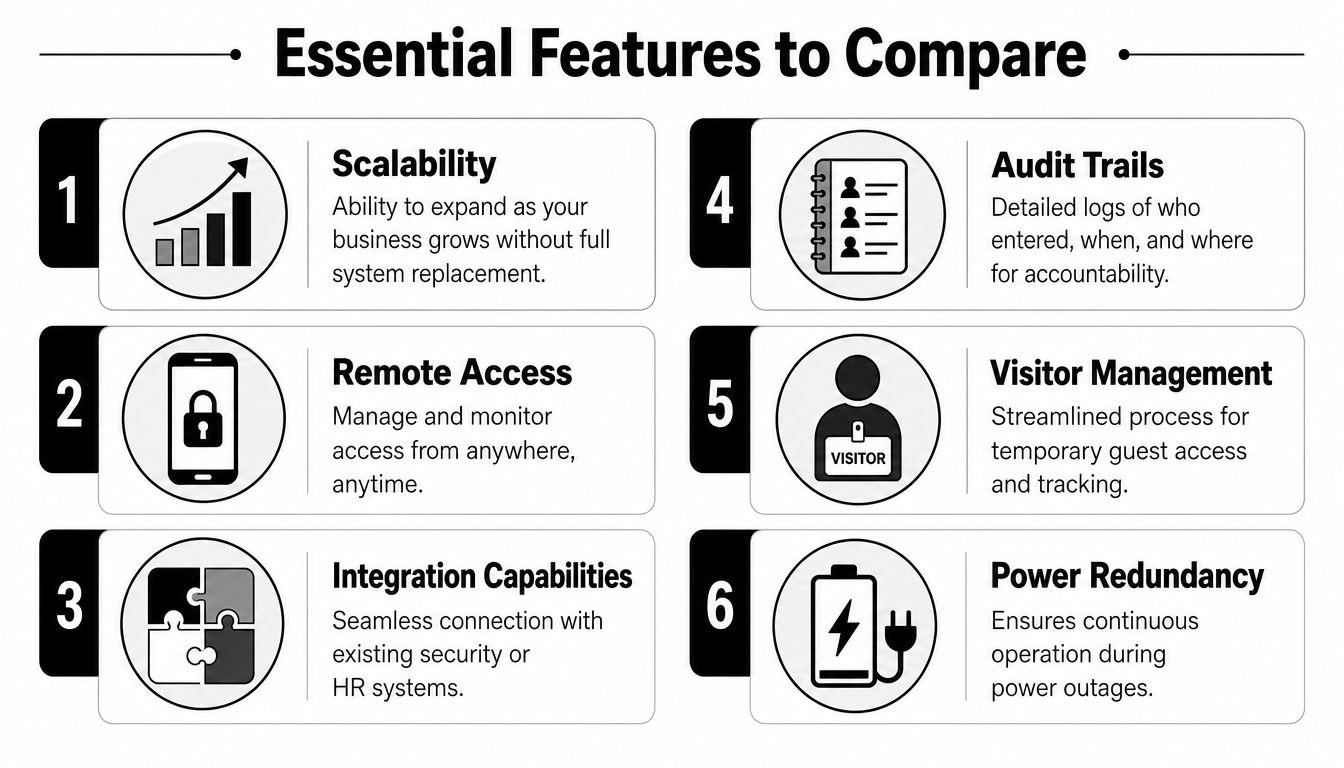
- Credential choice: Can the system use cards, fobs, PINs and mobile credentials, or does it lock you into one method?
- Growth path: Can you add doors, users and locations without replacing the controller or management software?
- Visitor process: Can reception issue temporary access, record visitor details and cancel permissions at the end of a visit?
- Reporting: Can you filter logs by person, door, date and event type, then export information when required?
- Resilience: What continues to work during a power cut, network outage or cloud service interruption?
- Support: Who updates the software, replaces failed hardware and helps recover administrator access?
The most suitable system isn't necessarily the most advanced one. It's the one that staff can administer correctly, that produces useful records and that remains workable when the business changes.
Beyond the Box Installation and Wiring Considerations
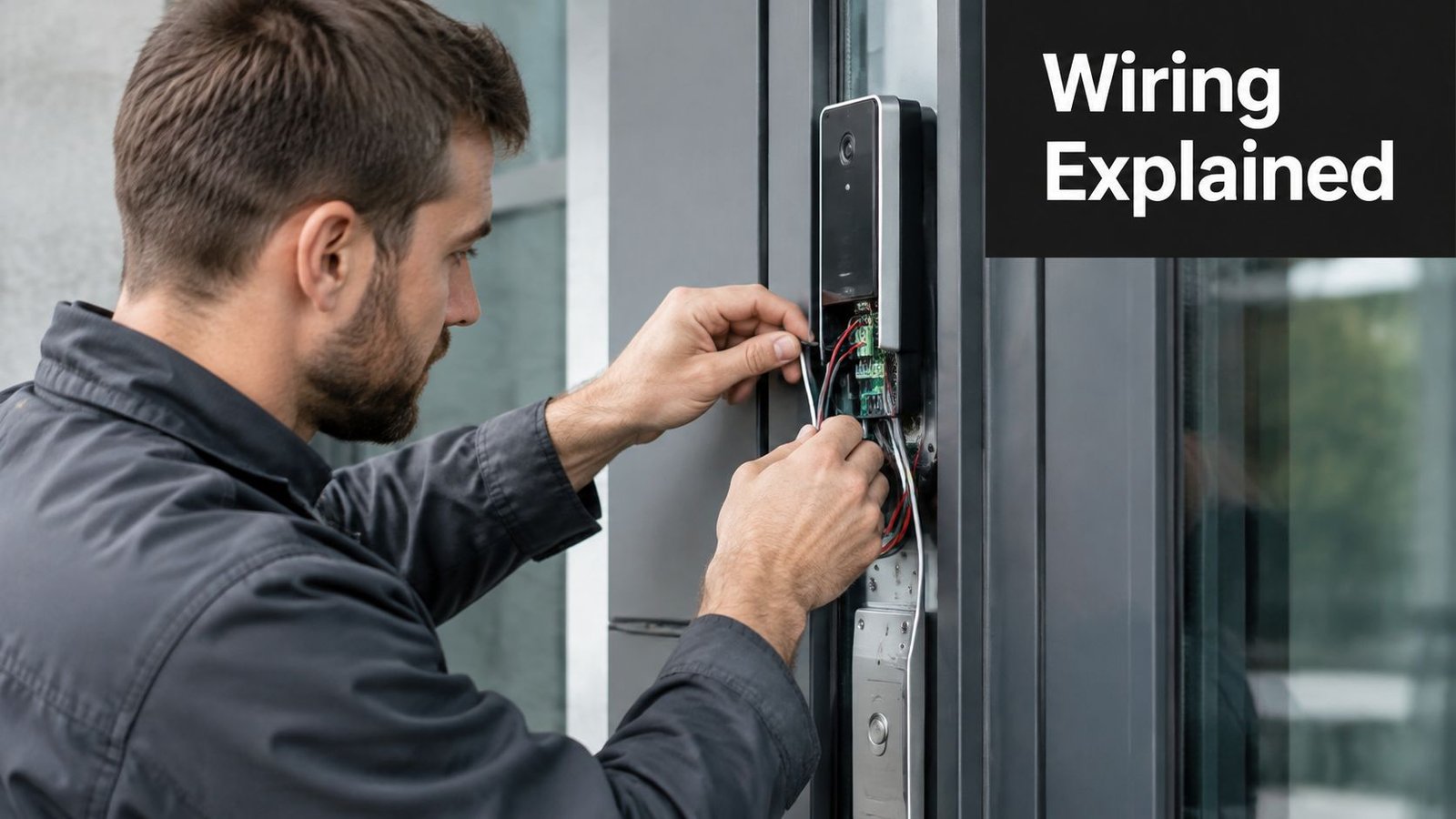
The reader and software are visible, but the installation determines whether the system behaves reliably. A professional survey should assess door construction, frame condition, escape routes, network availability, power distribution, reception sightlines and the way people move through the premises.
Wired versus wireless
Wired readers and controllers generally offer predictable communication and stable power. They're usually the sensible choice for permanent commercial entrances, especially where doors are busy or security records matter. Installation may require surface containment, ceiling access or new cable routes, so the survey should address appearance and disruption before work begins.
Wireless locks and readers can reduce cabling in suitable buildings, but they introduce battery management and radio-dependence. A wireless option isn't automatically easier. The installer still needs to assess signal quality, battery replacement procedures and what happens when a battery runs low.
Modern platforms rely on structured cabling and network infrastructure, unlike the simple two-wire arrangements associated with early intercoms. That evolution makes cable routes, network configuration and equipment locations part of the security design, not an afterthought (British Security Industry Association history of connected access control).
The lock must suit the door
A magnetic lock, or maglock, holds a door closed using an electromagnetic force. An electric strike releases the latch while allowing the door's mechanical hardware to remain in place. The correct choice depends on the door, traffic level, access direction and required release behaviour.
Fire safety is critical. Doors on escape routes must release in the appropriate circumstances, and the access system must not obstruct evacuation. The installer should explain the fail-safe or fail-secure arrangement, emergency release controls, fire alarm interface and how the system behaves during power loss. Never accept a lock recommendation based only on price or appearance.
Power over Ethernet can simplify some networked installations by carrying power and data through a suitable network cable. It still requires correct network equipment, cable routes and power planning. A backup supply may be appropriate where an outage would create unacceptable disruption.
Installation test: Ask the installer to demonstrate normal entry, denied entry, emergency release, fire alarm release, power loss and network failure before signing off the project.
The access control installation process should finish with user training, documented settings, labelled equipment, commissioning records and a clear handover. If nobody knows how to add a user or respond to a fault, the system isn't finished.
Compliance Maintenance and Long-Term Value
A door entry system creates records about people. Cards, fobs, mobile credentials, visitor details, video images and entry logs can all form part of the organisation's information environment. The business should decide what it collects, why it needs it, who can access it and how long it should retain it. The ICO's guidance also stresses appropriate access rights and secure authentication for staff handling personal information, so the access platform itself needs controlled administration.
Compliance isn't achieved by buying a product with an audit-log icon. Managers need a process for reviewing permissions, removing leavers, checking temporary accounts and investigating unusual events. A scheduled access recertification exercise is more useful than a large static list that nobody owns.
Resilience belongs in the specification
UK market commentary connects access control demand with regulatory compliance and operational resilience, including the need for entry logs, remote administration and fail-safe design during audits and incident response (Research and Markets UK access controller market report). Those requirements vary by environment.
A multi-tenant building needs dependable tenant administration and a controlled visitor process. A warehouse may prioritise segregation between office, loading and storage areas. A regulated organisation may need stronger reporting, documented permission reviews and continuity arrangements. Each should define the evidence it might need after an incident before selecting the reporting system.
Maintenance protects the investment
Readers get dirty, door closers drift, batteries run down, network equipment changes and firmware becomes outdated. A door can remain physically locked while the wider system fails to record events or release correctly. Routine maintenance identifies those problems before a real emergency exposes them.
A sensible maintenance arrangement should define:
- Inspection scope: Readers, locks, exit devices, power supplies, batteries, controllers, network links and software should all be included where relevant.
- Testing routine: Engineers should test ordinary credentials, denied access, emergency release and any linked alarm or CCTV actions.
- Permission checks: The business should review active users and groups rather than allowing old accounts to accumulate.
- Response process: Fault reporting should state who to contact, what remote support covers and how urgent failures are escalated.
- Documentation: Keep current drawings, device locations, administrator details, test results and configuration records.
Maintenance is therefore a reliability control, not merely an optional service contract. It also gives the business a regular opportunity to confirm that the system still matches its workforce, tenancy arrangements and security policy.
Choosing Your Local Installer in South Wales and the South West
The installer affects more than the quality of the first installation. They influence the design, door hardware, network requirements, commissioning, user training and the speed of fault resolution. A low initial quote can become poor value if it omits cable routes, emergency release hardware, software configuration or ongoing support.
Use a site-survey checklist before comparing proposals:
- Ask about relevant premises. An installer experienced with a small office may not understand warehouse traffic, multi-tenant permissions or external gates. Request examples of comparable work without accepting unsupported performance claims.
- Verify competence and insurance. Check qualifications, public liability cover, DBS-checked engineers where appropriate and health and safety accreditation such as SafeContractor.
- Confirm manufacturer experience. If you're considering Paxton, Hikvision or another platform, ask whether the proposed engineers install, configure and maintain that equipment regularly.
- Demand a written design. It should identify doors, readers, locks, exit controls, power supplies, network requirements, integrations and the treatment of fire escape routes.
- Clarify support. Find out how permissions are changed, how lost credentials are cancelled and who responds if a door or controller fails.
- Check reputation carefully. A useful guide to reputation for contractors can help you assess how a provider presents evidence of customer service, reviews and professional conduct.
A local company serving Cardiff, Newport, Swansea, Bristol and surrounding areas may be able to provide more practical continuity than a remote supplier, particularly when the system needs a physical repair. Wisenet Security Ltd provides design, installation and maintenance for access control and video or audio intercom systems across South Wales and the South West, with options including keypad, card, fob and biometric access, remote management and user logs. Look for a free, no-obligation consultation and a survey that explains the proposed solution in plain language.

For a practical assessment of door entry systems for business, contact Wisenet Security Ltd for a free consultation covering access requirements, door hardware, integrations and ongoing maintenance. Visit Wisenet Security Ltd to discuss a system for your premises in South Wales or the South West.