What Is Uninterruptible Power Supply? a UK Security Guide
You don't notice a UPS until the night it matters. The CCTV recorder is humming, the access control panel is online, the router is linked to cloud alerts, then a brief flicker knocks everything quiet. The lights come back, but the camera feed doesn't, the door system is no longer talking to the network, and that gap is exactly when a site becomes vulnerable.
This explains what is uninterruptible power supply in a security setting. It's not just a battery box under a desk, it's the part of the system that keeps your cameras, recorders, alarms, and access control alive long enough to bridge a mains failure or shut down cleanly. For homeowners and businesses in South Wales and the South West, that difference matters every time a breaker trips, a brownout hits, or local power wobbles during a storm.
Table of Contents
- The Unseen Risk to Your Security System
- How an Uninterruptible Power Supply Works
- Choosing the Right UPS Type for Your Needs
- Why Your Security System Is Vulnerable Without a UPS
- How to Size a UPS for Your Security Gear
- Installation and FAQs for South Wales Customers
The Unseen Risk to Your Security System
At 2 AM, a short power flicker can do more damage than a full blackout if your security equipment has no backup. The cameras stop recording, the recorder reboots, the app goes quiet, and whoever is watching your property is suddenly working blind. That's not a theoretical issue, it's a common failure mode in any system that depends on stable mains power.
A UPS, uninterruptible power supply, sits between the wall socket and your security kit, and it keeps the system alive when the supply dips or drops out. The idea isn't new. The modern UPS traces back to a 1934 patent by John J. Hanley for an “Apparatus for Maintaining an Unfailing and Uninterrupted Supply of Electrical Energy,” originally aimed at protecting electric rail passenger systems from unsafe loss of power, with early flywheel-based systems only able to provide backup for about 20 to 90 seconds (Facility Gateway history of the UPS).
For a homeowner in Cardiff, a retailer in Bristol, or a warehouse operator in Swansea, that short bridge time can be enough to keep the cameras rolling and the alarms communicating. It can also be enough for a generator to start, if one's part of the site design. Without that bridge, the gap is immediate.
A security system doesn't have to fail for long to become useless.
That's why a UPS isn't an optional extra for modern internet-connected security. It's the buffer between a nuisance outage and a genuine loss of visibility. If you want a practical example of how backup support is discussed in the broader energy resilience world, Connect VPP's blackout protection overview is a useful starting point, even though the security use case has its own requirements.
How an Uninterruptible Power Supply Works
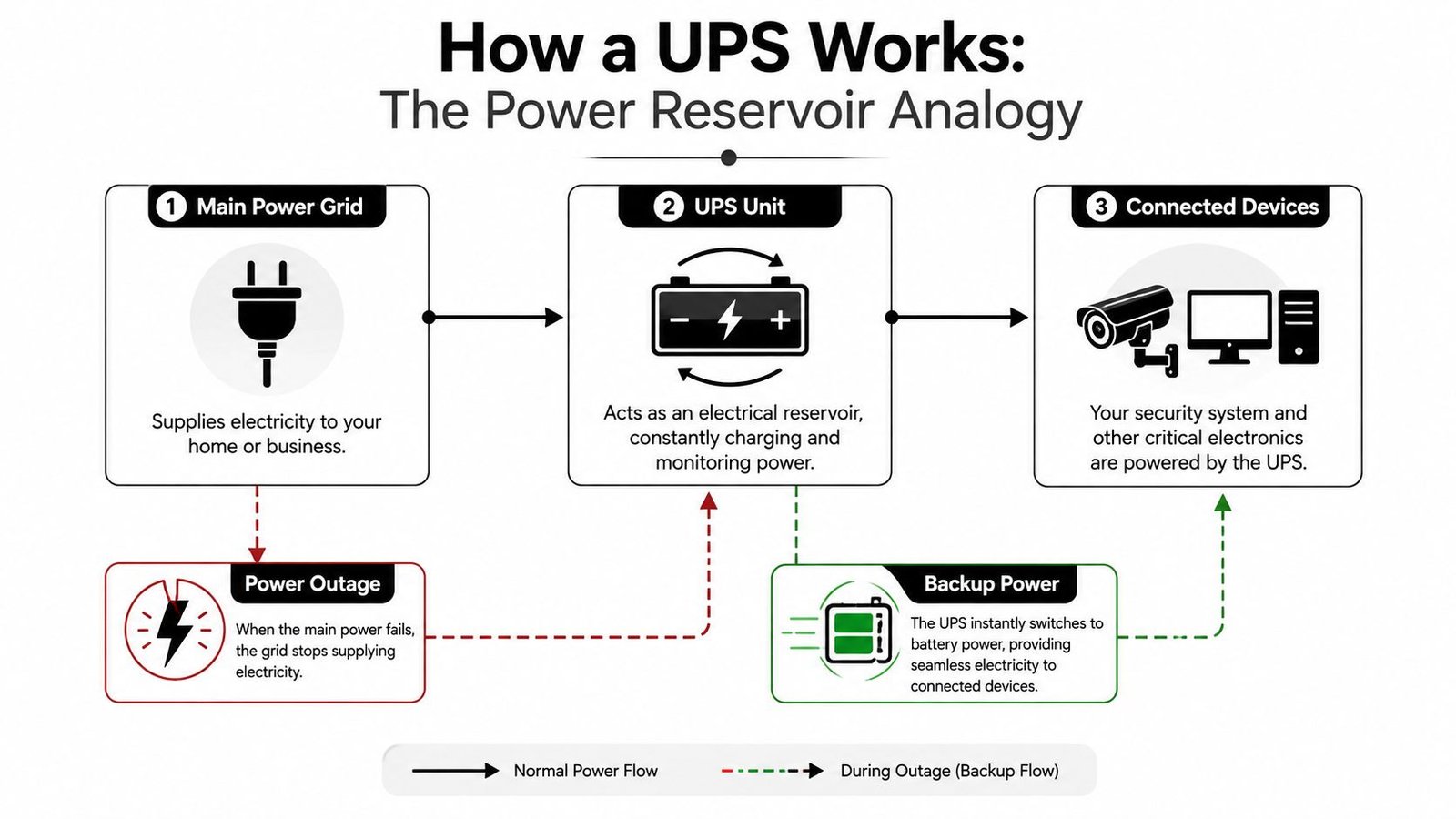
A UPS sits between your mains supply and the equipment you cannot afford to lose. In a security system, that usually means the recorder, network switch, access control panel, or monitoring station that has to stay alive when the power flickers or disappears. It does not create power out of nowhere. It stores energy, then hands it over fast enough that your cameras, alarms, and door controls keep running through the gap.
The main parts inside
A UPS usually has three core pieces. The charger or rectifier takes incoming AC power and uses it to charge the battery. The battery stores the energy. The inverter turns that stored DC power back into AC so the security equipment keeps running.
That internal loop is what makes a UPS more than a simple battery backup. In a modern online, double-conversion UPS, the unit keeps output voltage tightly regulated at about ±1% to ±1.5% and output frequency around 50 Hz, because it continuously converts AC to DC and back again (WSD technical specification). For sensitive CCTV and access-control loads, that matters because brownouts, frequency drift, and brief interruptions do not just look like minor dips, they can interrupt recording, confuse networked gear, or trigger faults in the control path.
Why the history still matters
UPS technology grew up around sensitive machinery, not convenience sockets. Fuji Electric completed a UPS prototype in 1954, reported successful development of three UPS types by 1955, and later developed a 200 kVA CVCF power supply for computer use by 1969. Industry history also notes that with the spread of IGBTs in the 1990s, large-capacity UPS efficiency improved from around 80% to over 90% (Fuji Electric UPS history). That development matters because today's units are built to keep sensitive loads stable without turning every outage into a system failure.
A practical rule follows from that. The steadier the power path, the lower the risk of camera dropouts, NVR glitches, or access-control faults. In South Wales and the South West, where a brief supply issue can still knock out visibility at a shop, office, or home, that difference is easy to understand once you have had to explain why the footage stopped exactly when it was needed.
Choosing the Right UPS Type for Your Needs
A UPS is only useful if it matches the job in front of it. A home router or a desktop PC can usually cope with basic backup. A CCTV recorder, access control server, or monitoring workstation needs steadier power, because those systems are judged on whether they keep recording, keep authenticating, and keep reporting when the mains behaves badly.
Side by side comparison
| Feature | Standby UPS | Line-Interactive UPS | Online UPS |
|---|---|---|---|
| Normal operation | Passes mains power through directly | Corrects minor fluctuations without always switching to battery | Continuously regenerates power through AC to DC and back to AC |
| Protection level | Basic | Better for fluctuating supply | Highest for sensitive equipment |
| Best fit | Simple home electronics | Small business IT and mixed loads | CCTV recorders, access control, and critical security systems |
| Power quality | Limited conditioning | Good conditioning for common disturbances | Tight voltage and frequency regulation |
| Trade-off | Lower cost, lower resilience | Balanced protection and cost | More protection, usually more complex |
A standby UPS is the simplest option. It sits by and only takes over when the mains fails. That is fine for low-risk kit, but security hardware is different. If a recorder reboots at the wrong time, or a networked camera drops off the switch, the gap matters more than the outage itself.
A line-interactive UPS gives a better balance for many smaller sites. It can correct minor swings in supply without moving onto battery every time the voltage dips, so it avoids needless battery wear while still smoothing out common problems. For a small office, a shop, or a home system with a few cameras, that usually makes more practical sense than the cheapest option.
An online UPS is the stronger choice for security loads because it keeps conditioning the output all the time, not only during a cut. As mentioned earlier, the double-conversion process in an online UPS is what gives that higher level of protection, because it keeps the output stable while isolating sensitive kit from mains disturbances. For networked cameras, NVR storage, and access control equipment that has to stay online in Cardiff, Bristol, or anywhere else across the South West, that difference is the gap between usable footage and a blind spot. If you want the security system itself to stay dependable, not just the lights on the box, this is the type to look at first. For a wider maintenance view, see this guide to CCTV system maintenance.
Why Your Security System Is Vulnerable Without a UPS
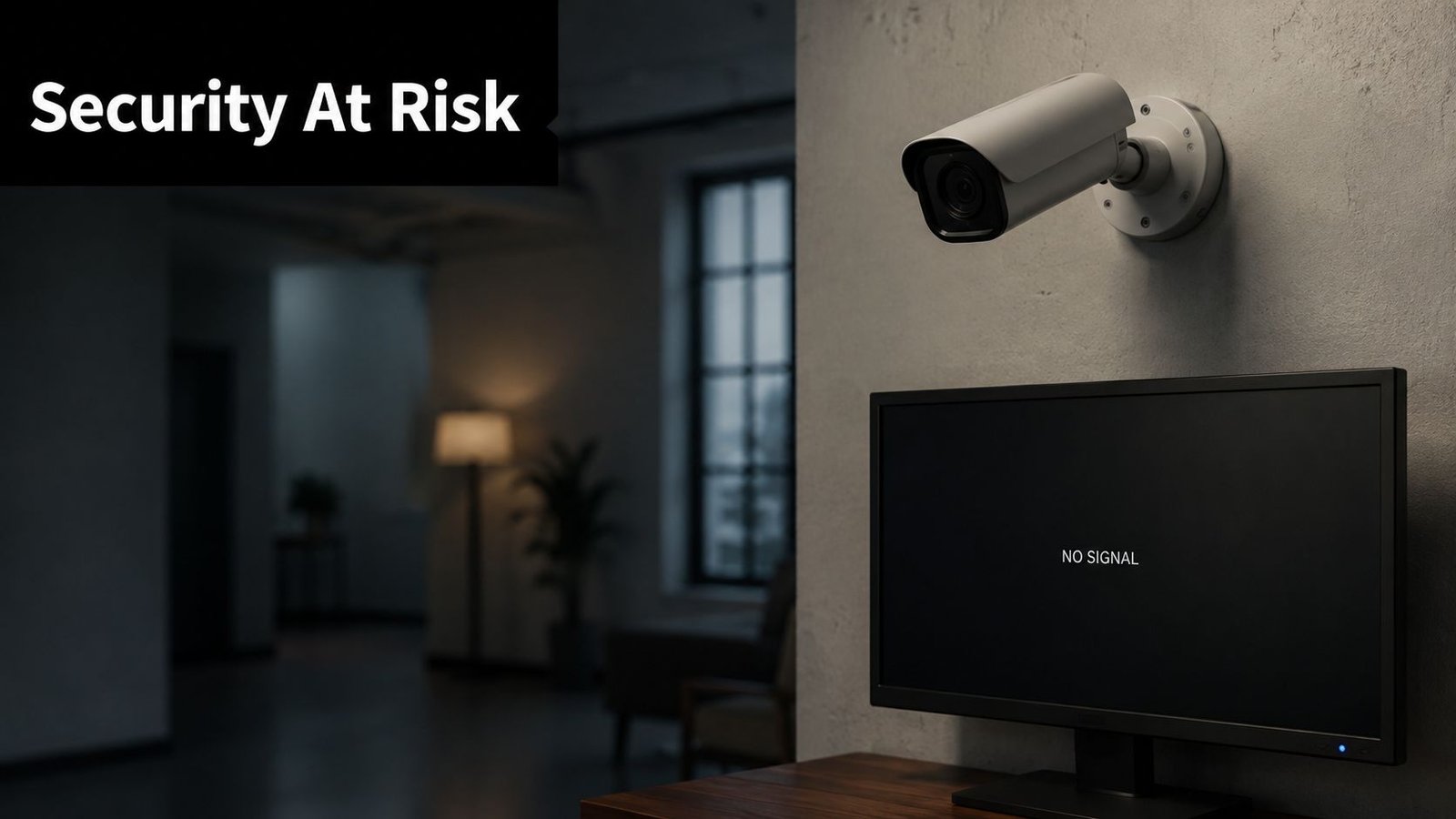
A security system can look healthy and still fail at the exact wrong moment. The camera LEDs stay lit, but if the recorder reboots or the network path drops, the incident is missed anyway. A UPS protects against voltage drops, surges, and frequency variation, not only complete blackouts, which is why it matters for TechTarget UPS definition modern CCTV and access control.
The failure points that matter most
CCTV systems usually show the problem first. If the recorder loses power, the footage gap starts right away, and you may only discover it after an incident has already happened. If the network switch or router drops, remote viewing disappears too, so the system is still mounted on the wall but blind in practice.
Access control has its own weak points. A door controller that loses power can behave unpredictably, which creates confusion when people are coming and going under pressure. Alarm panels can also lose their communication link to monitoring stations, so the site may still have an alarm box, but no reliable reporting path when it matters.
For internet-connected security, the weak link is often the network rather than the camera itself. A single power dip can take out the recorder, the PoE switch, or the router, and once that happens, the whole chain stops talking to you. For homeowners and businesses in the South Wales and South West area, that means a brief supply problem can become a real security gap.
Why this affects South West sites so much
Outages are common enough that planning for them is part of basic security design. A Wikipedia summary of the survey reports that a UK-government-backed survey found 66% of businesses experienced at least one power disruption in the prior 12 months, and the most common disruption lasted between 1 and 4 hours. That is the practical point. Most sites do not need endless backup, they need enough power to keep cameras, recording, and access control alive through the kind of interruption that occurs.
A UPS also fits into the wider maintenance picture. Stable power helps equipment behave properly and reduces stress on the system, which is why it belongs alongside routine checks covered in this CCTV maintenance guidance.
If the router dies, the cameras are still installed, but the system can't tell you what's happening.
How to Size a UPS for Your Security Gear
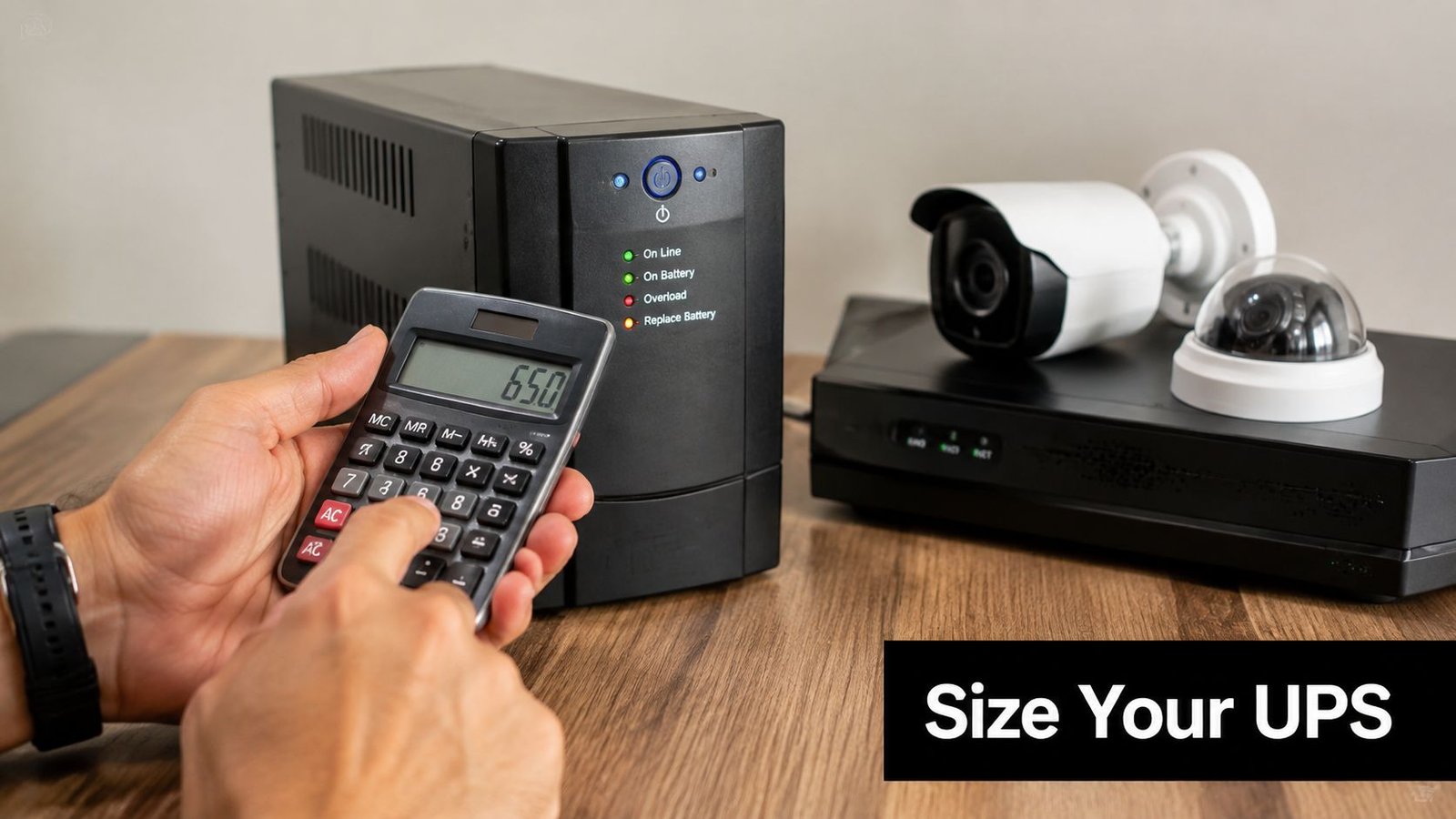
A UPS should be sized from the load first, not from the badge on the front of the unit. Count the recorder, cameras, PoE switch, router, and any control panel that must stay online, then make sure the battery backup can carry those devices for the time required. The mistake I see most often is buying on vague “good enough” language rather than the precise device draw.
Start with the load you can't lose
List every device that must keep working. Add the power requirement for the NVR, PoE switch, router, and any alarm or access-control panel that shares the same supply, then separate the equipment that needs battery backup from anything that only needs surge protection.
Watts tell you how much real power the gear uses. VA is the apparent power rating the UPS can support. Both matter because the unit can only support the load it was built for, and a security system that is sized too tightly will fail at the first proper interruption.
In South Wales and the South West, that difference matters because many outages are not dramatic. They are the kind that leave the cameras running for a while, then take out the recorder or router and break the reporting path. As noted earlier, typical disruptions can last long enough to force a decision between riding through the cut and shutting down cleanly. For homeowners and businesses, that is the difference between a short lapse and a blind spot.
Don't ignore charger and input tolerance
Sizing is not only about the battery. UPS specifications often require the charger to tolerate input mains variation of ±10% voltage and ±5% frequency (UPS specification example). That tolerance tells you whether the unit can keep charging properly while the supply is unstable, which matters on sites where the power wobbles before it fails.
Battery condition is part of the same decision. A UPS can look fine and still be weak when the outage hits, so alarm system battery replacement guidance is worth following as part of normal maintenance. The unit only protects you properly when the battery, charger, and load are matched to the job.
Installation and FAQs for South Wales Customers
A UPS only earns its keep when it is installed as part of the security system, not left on a spare socket and hoped for the best. On a real site, that means the recorder, cameras, comms gear, and control equipment are placed on the correct protected circuits, with the load distributed sensibly and the shutdown sequence understood before the mains fails.
Battery checks matter just as much. A UPS can look healthy on the outside and still be weak when the outage arrives. I would treat it the same way I treat other continuity equipment, test it, confirm the alarm paths, and replace tired batteries before they turn into a failure.
For resilience planning, the charger and input tolerance still need attention. A unit that can handle unstable mains without dropping the load gives the security system a better chance of staying online long enough for a controlled shutdown or generator takeover. That kind of maintenance discipline is similar to the regular checks used for life-safety equipment, including emergency lighting testing, because both systems are expected to work when the power supply is under stress.
A few questions come up again and again.
How long do UPS batteries last? Battery life depends on use, temperature, and how often the unit is called on. The battery is the part that does the actual work during an outage, so regular testing matters more than assuming it will be fine.
Can I plug anything into it? No. Put only the equipment that needs backup on the battery side. Printers, heaters, and other heavy or non-critical loads can cut runtime fast.
Is a UPS worth it for a small home system? If your router, CCTV recorder, or access control gear needs to stay alive during a cut, yes. A short gap in security often costs more than the backup power does.
A UPS is only doing its job when you forget it's there.
If your property in South Wales or the South West depends on cameras, alarms, or access control that cannot go dark, speak to Wisenet Security Ltd about a properly sized backup power setup. Their team can help tie the UPS into your wider security system so it protects the gear that keeps your site covered.