Intruder Alarm Control Panel: A Complete 2026 Guide
The usual advice about buying an intruder alarm starts in the wrong place: count the sensors, compare the sirens, then choose the smartest-looking app. Start with what happens after a detector activates. If nobody can verify the alert, reach the property or arrange an appropriate response, another sensor won't solve the underlying issue.
Table of Contents
- Why the Control Panel Matters More Than the Sensors
- What an Intruder Alarm Control Panel Actually Does
- Wired, Wireless and Hybrid Panel Architectures
- Understanding BS EN 50131 Grades and UK Compliance
- Key Features That Change Real-World Outcomes
- Installation, Placement and Commissioning Best Practice
- Matching the Right Panel to Your Property Type
Why the Control Panel Matters More Than the Sensors
A detector identifies a condition. The intruder alarm control panel determines what the system does with it. That makes panel selection a decision about risk, responsibility and response, not a comparison of product specifications.
An impressive device list can distract you from awkward questions. Who receives an activation while you're asleep? Who takes over when your nominated contact is unavailable? What information will they have before deciding whether to attend?
Historical evidence shows why those questions matter. A UK study of intruder-alarm effectiveness reported false-alarm rates above 90%, although that historical figure mustn't be presented as a current national estimate. My conclusion is straightforward: notification without useful interpretation isn't enough.
Specify the outcome before the equipment
Ask your installer to describe the intended response in plain English before recommending a panel. The answer should identify:
- The recipient: Who receives an unconfirmed activation, a confirmed alarm and a system fault.
- The decision: What information helps that person distinguish an intrusion from an operating mistake.
- The action: Who contacts a keyholder, attends safely or requests an eligible police response.
- The fallback: What happens when the normal contact or communication route is unavailable.
Practical rule: Don't approve a quotation until you can explain who does what after an alarm.
It's reasonable to compare security gadgets for homes through Godukkan when exploring available equipment. Treat that as product discovery, not proof that a particular combination satisfies UK grading, insurance or response requirements.
There's also a limit to what any alarm can achieve. Government figures show that 73.1% of residential burglary offences in the year ending March 2025 were closed because no suspect was identified, according to the England and Wales crime-outcomes release. That doesn't measure alarm performance, but it reinforces why detection shouldn't be confused with identification or investigation.
Choose the panel around the response you need. Then specify the detectors that support it.
What an Intruder Alarm Control Panel Actually Does
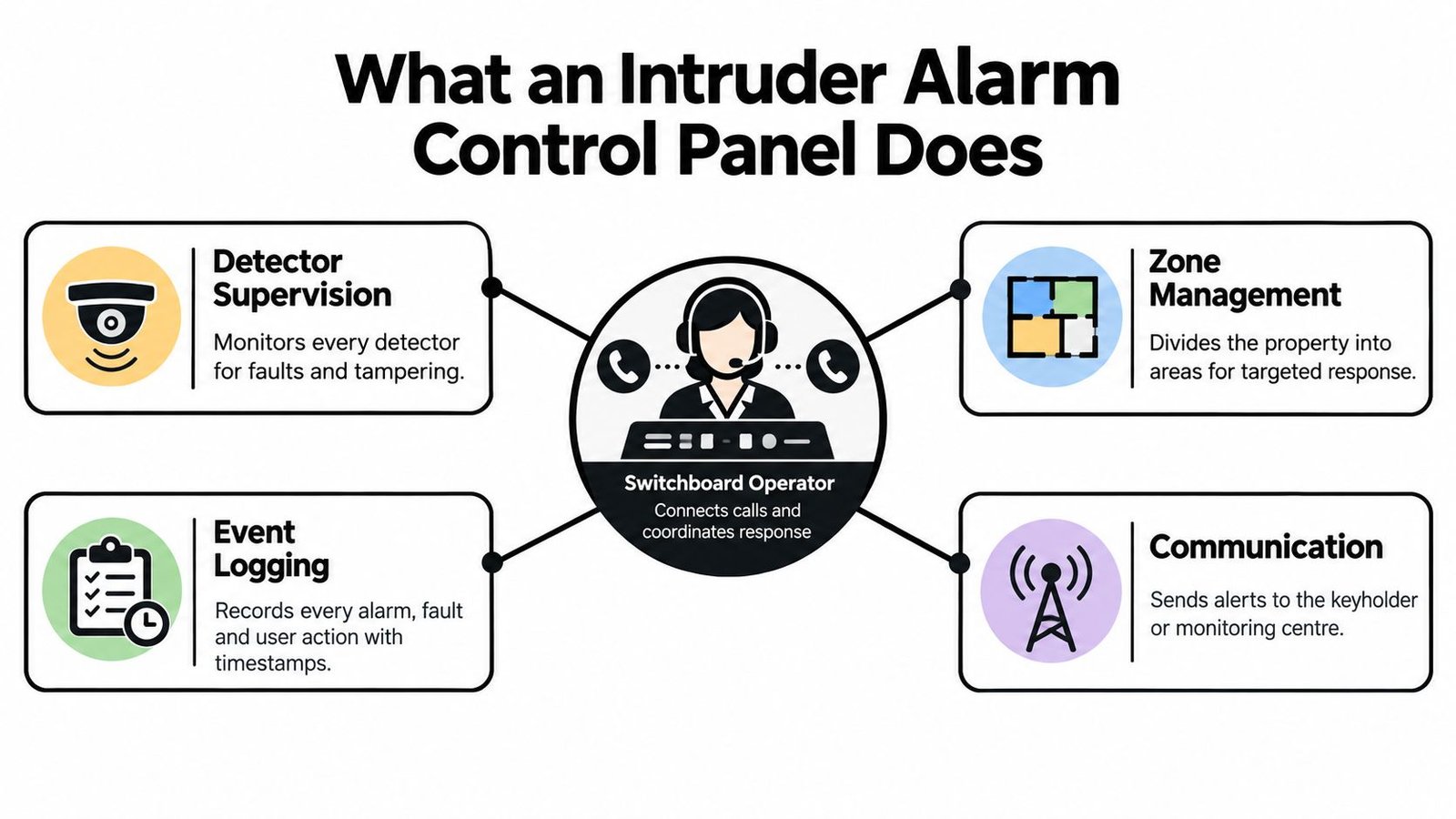
Think of the panel as a switchboard operator following an agreed set of instructions. It receives information, identifies where it came from, checks the system's operating state and routes the appropriate message.
That analogy is useful because it separates the control panel from the keypad and app. Don't assume that the screen you touch contains the equipment making every decision, or that an app feature describes the underlying alarm-transmission arrangement.
This diagram separates the principal functions you should discuss with an installer.
Follow a signal through the system
Start with detector supervision. Ask how the proposed equipment distinguishes an activation from a fault or tamper condition, and what the panel does with each. A quotation that lists motion detectors hasn't answered that question.
Next comes zone management. Request recognisable descriptions such as stockroom door or rear office, rather than unexplained labels. Discuss which areas need protection when the whole property is empty and which must remain protected while people occupy another part.
Then examine setting and unsetting. Have the installer demonstrate normal entry, an unsuccessful setting attempt and an authorised user correcting a mistake. You should understand the procedure without depending on installer-only knowledge.
Finally, ask to see the event history. Specify the alarm, fault and user-action records you need, how you'll retrieve them and who can interpret them.
Distinguish the notification arrangements
These are different operating choices, not merely different apps:
- Bell-only: Specify the local warning arrangement and decide who, realistically, will notice and act.
- App notification: Confirm which events reach the phone and what happens when the recipient misses them.
- Self-monitoring: Put responsibility for checking and escalating notifications on named people, rather than leaving it implicit.
- Professional monitoring: Agree what the alarm receiving centre, or ARC, receives and what its operators are contracted to do.
An app notification can support self-monitoring, but installing an app doesn't establish a response procedure.
Your quotation should therefore identify inputs, decisions and outputs: detector connections, zone descriptions, tamper and power supervision, operating permissions, event records, local warnings and the transmission route. Ask the installer to mark which functions belong to the panel, a separate communicator or an external service.
That distinction makes later troubleshooting much less ambiguous.
Wired, Wireless and Hybrid Panel Architectures
Choose the architecture around the building, not around a preference for cables or radio. My default recommendation is to consider wired equipment when access makes cabling straightforward, wireless where disruption would be disproportionate, and hybrid where there's a sound reason to retain both.
These are design recommendations, not guarantees of suitability. Ask the installer to validate the proposed equipment against the required grade, the actual layout and the manufacturer's compatibility information.
Wired vs Wireless vs Hybrid Panels at a Glance
| Criterion | Wired | Wireless | Hybrid |
|---|---|---|---|
| Cabling impact | Plan routes to connected devices | Assess reduced detector-cabling requirements | Cable accessible areas and assess radio elsewhere |
| Detector compatibility | Verify circuit and device requirements | Verify supported radio devices | Verify both supported connection types |
| Signal resilience | Specify cable supervision and protection | Require an on-site radio assessment | Assess each connection method separately |
| Typical upgrade friction | Check existing cable condition and topology | Check supported device families and ongoing availability | Check compatibility across retained and new equipment |
| Property-first starting point | New-build or accessible commercial fit-out | Occupied retrofit or sensitive interiors | Extensions, phased refurbishment or mixed existing equipment |
For a new home or shop refurbishment, I'd ask for a wired design before finishes close off convenient routes. Don't reject cabling because a wireless package looks easier to buy.
For an occupied home, the balance may favour wireless. Require a survey at the intended detector positions, including outbuildings and awkward corners, rather than accepting an assessment made beside the panel.
Retain equipment selectively
A hybrid proposal deserves attention when an extension needs new detection but existing wired coverage may remain usable. The important word is usable: ask the installer to assess retained cables and detectors rather than treating their presence as evidence of condition.
For warehouses, request a design based on the completed storage arrangement. Don't approve detector locations solely from an empty-building walkthrough.
Retain equipment because it passes assessment, not because replacing it would make the quotation look less attractive.
Be careful with addressable terminology too. Ask the supplier to explain how individual devices are identified, supervised and reported on the proposed system; don't accept the word as a separate promise of better protection.
Whichever architecture you choose, get compatibility and replacement expectations in writing. A flexible-looking panel is only useful if the installer can support the equipment you'll connect.
Understanding BS EN 50131 Grades and UK Compliance
A graded panel does not, by itself, create a graded installation. This is the distinction to challenge whenever a quotation presents a badge beside a product name but says little about the complete design.
The UK transition to the harmonised framework began for new installations on 1 October 2005, supported by PD 6662, the UK application document. Protector's intruder-alarm guidance explains the standards framework and identifies BS EN 50131-1:2006+A3:2020 for system requirements. The practical point is that the framework addresses the system, including functions, components, power and reliability, rather than treating the panel as an isolated purchase.
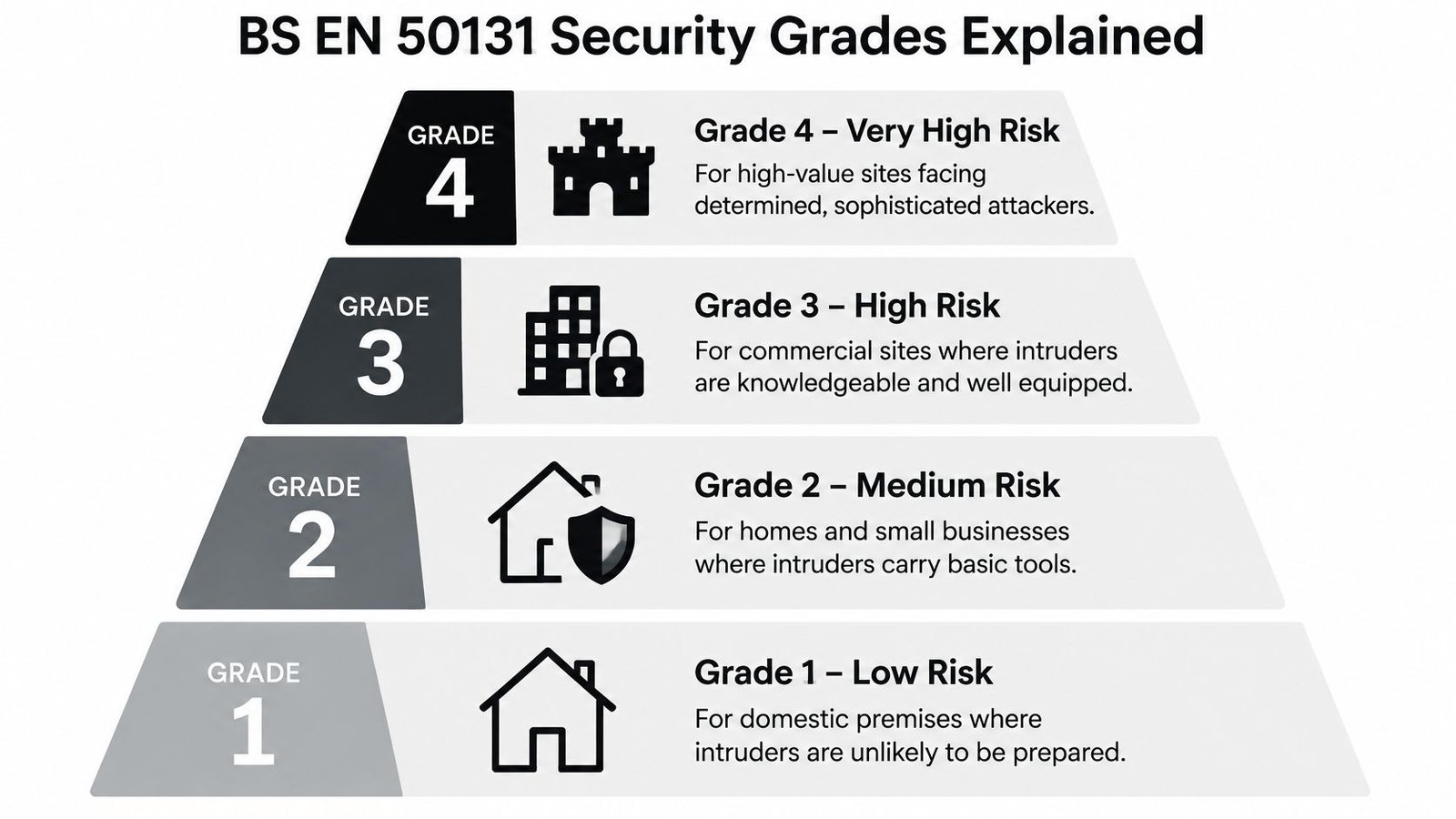
Use the grade hierarchy as a starting point for discussing risk, not as a shopping filter.
Translate the grade into a design decision
The framework runs from low to very high risk, with distinctions based on the anticipated intruder's knowledge, equipment, preparation and determination. Don't assign a grade solely because a building is called a house, shop or warehouse.
For commercial premises, RSA's security risk-control guidance recommends Grade 3, unless a documented risk assessment justifies another grade, and describes confirmation under BS 8243. Its higher-risk profile anticipates knowledgeable intruders with portable electronic equipment.
That means the installer must consider compatible detectors, power arrangements, tamper protection, transmission equipment and installation design. Selecting a higher-grade panel while leaving unsuitable peripherals in place doesn't establish the claimed system grade.
For an accessible explanation of the terminology, consult this guide to EN 50131. Then ask for the assessment behind your own specification.
Separate compliance from police eligibility
System grading, alarm confirmation and police response are different questions. Require separate answers rather than accepting a blanket claim that the system is compliant.
Confirmation concerns how the system establishes that an initial activation warrants escalation, such as through an appropriately configured subsequent detection or CCTV event. Police eligibility also involves administrative and operational arrangements, including the relevant reference and attendance conditions.
Ask the installer to explain how these requirements fit together before approving the design. The accompanying video offers another way to approach the terminology.
Your final specification should name the agreed grade, the assessment supporting it, the confirmation method and the intended response arrangement. Don't substitute a product brochure for that document.
Key Features That Change Real-World Outcomes
Pay for features that help someone make a better decision during an activation. I'd prioritise meaningful event information and dependable communication ahead of cosmetic interfaces or integrations nobody has asked for.
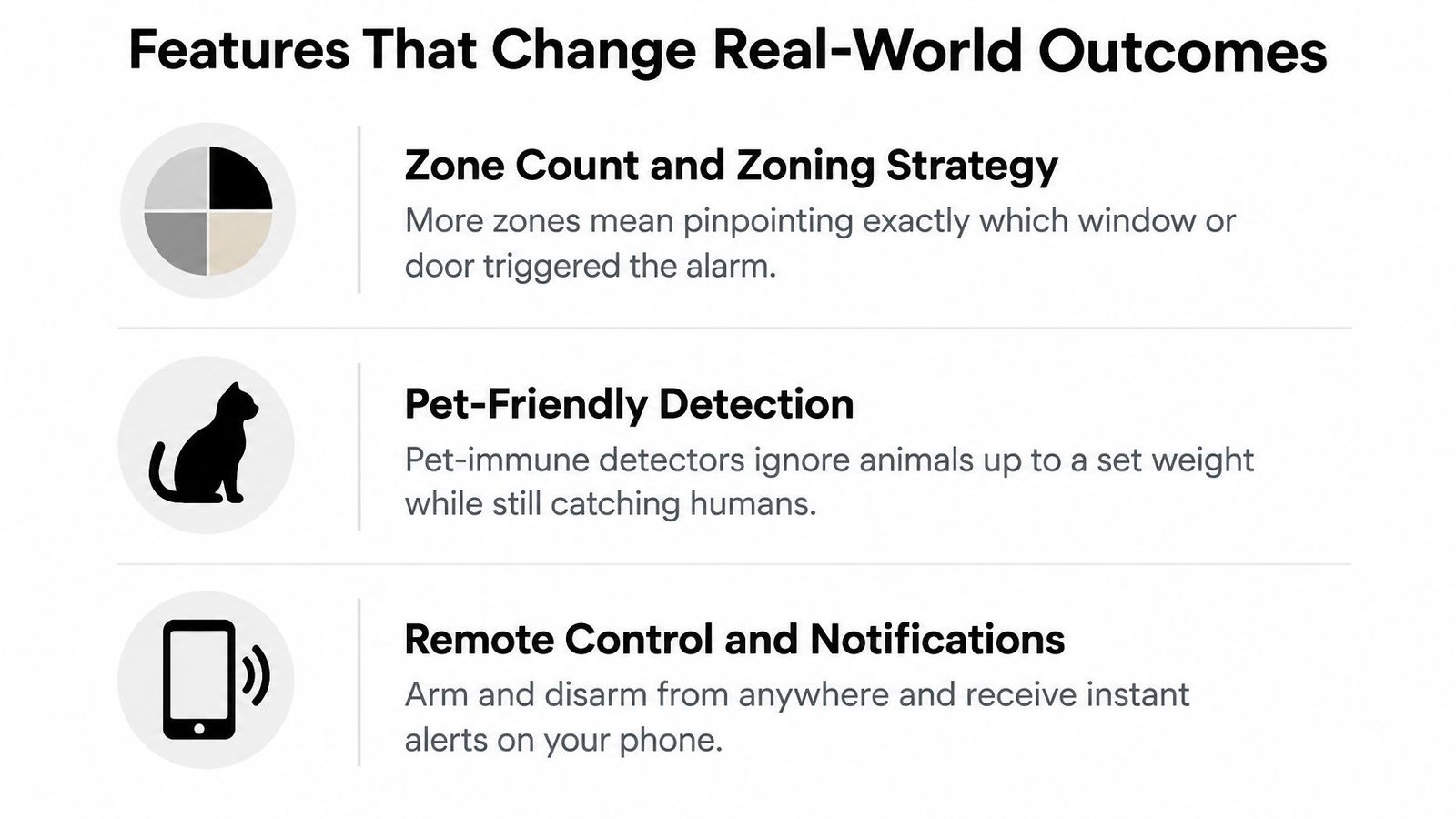
Begin with the everyday functions illustrated below, then insist on a demonstration using your intended operating procedure.
Buy useful information rather than headline capacity
Zone capacity deserves attention when it supports a sensible zoning strategy. Ask the designer to show how an alert identifies a useful location and how the proposed layout supports investigation or confirmation. Spare capacity is worth considering for planned alterations, not as an impressive number without a purpose.
Pet-friendly detection needs a site-specific conversation. Ask the installer to assess the animals, room arrangement, accessible furniture and manufacturer's positioning instructions. Don't treat the label as permission to ignore detector placement.
User management and event retention should match how you operate. Specify individual permissions, an account-removal procedure and sufficient accessible history to investigate incidents. For a shop with changing staff, I'd prioritise accountable access over decorative touchscreen features.
Specify resilient transmission precisely
For remotely monitored premises, Collections Trust's technical guidance specifies independent dual communication paths, certification to BS EN 50136 or PD 6669, and DP3 or DP4 arrangements with simultaneous-path-failure reporting in approximately four or three minutes, respectively. The same guidance explains that qualifying police response normally requires confirmed-alarm functionality and a police Unique Reference Number, or URN, subject to relevant force conditions.
Ask for the required signalling category in the quotation. A vague promise of mobile connectivity doesn't answer that requirement.
Use this explanation of a monitored intruder alarm system to frame questions about the service as well as the hardware.
- CCTV integration: Pay for it when operators or keyholders will use relevant images to assess events.
- Access-control integration: Specify the authorised actions and records you need before connecting systems.
- Smart-home integration: Keep convenience functions subordinate to the agreed security procedure.
More integration isn't automatically better. Require a clear purpose, a named user and a tested failure response for every connection.
Installation, Placement and Commissioning Best Practice
Reject an installation that ends with an app demonstration and a departing engineer. Commissioning should establish that the complete arrangement behaves as agreed, including when something goes wrong.
Specify a concealed, tamper-protected panel location consistent with the protection principle in the technical guidance above: an intruder shouldn't be able to reach control and signalling equipment without causing a full alarm activation. Don't confuse a convenient keypad position with a suitable panel position.
This installation image illustrates the physical work, but placement and testing deserve equal attention.
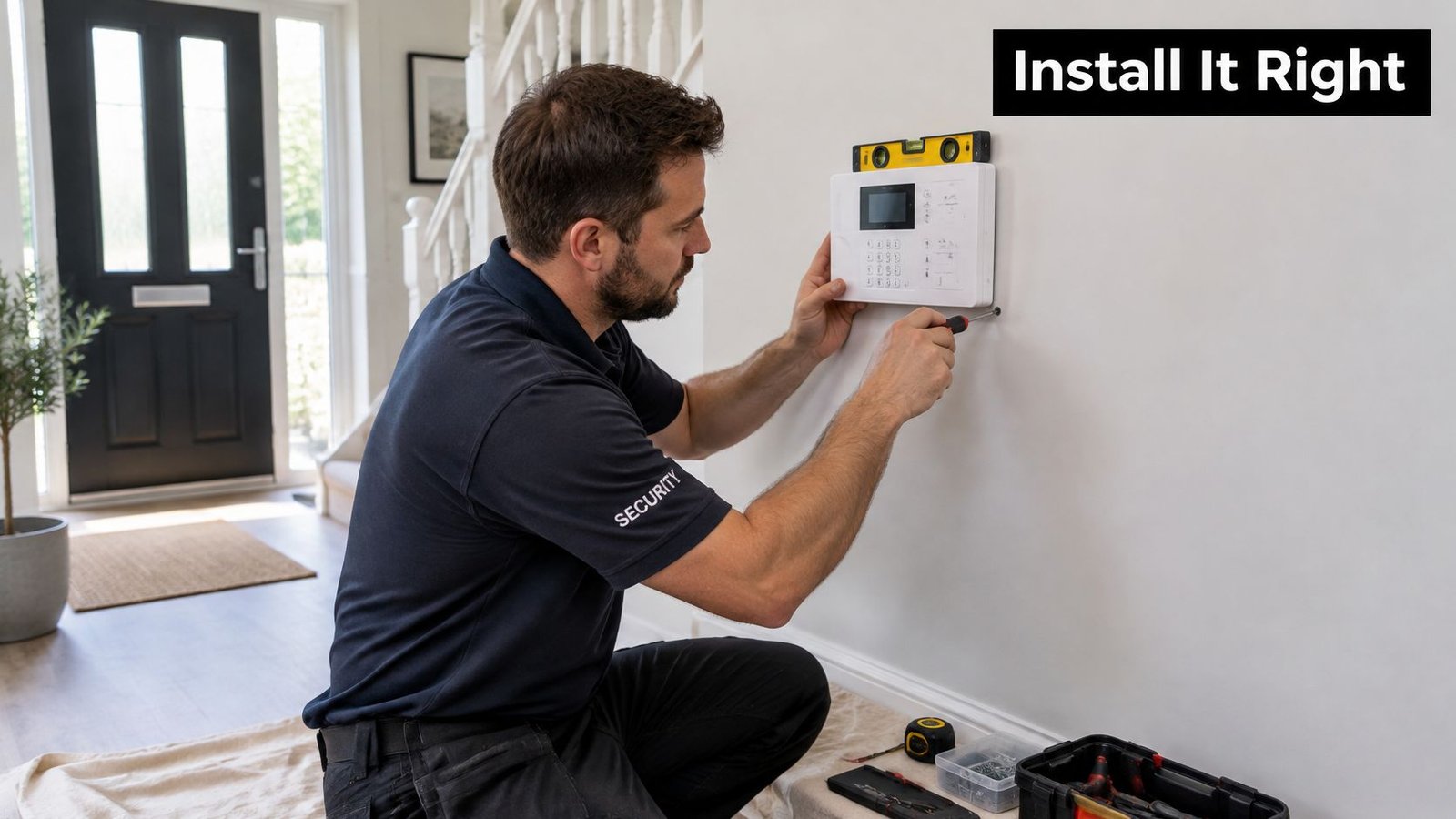
Demand a witnessed commissioning process
Use this intruder alarm installation guide when preparing questions for the survey. Ask the engineer to justify detector locations against the manufacturer's instructions, specifically checking sunlight, heating or ventilation airflow, and areas accessible to pets.
For wireless devices, request recorded checks at their final positions. A successful temporary setup isn't the same as a commissioned installation.
Your acceptance checks should include:
- Detection and operation: Walk-test every zone and demonstrate the agreed setting and unsetting procedures.
- Fault and tamper handling: Verify the expected indications without leaving protective functions disabled.
- Power and communications: Arrange controlled mains-failure and network-loss tests, including confirmation that required messages reach their destination.
- Handover records: Obtain the zone schedule, configuration summary, test results, operating instructions and maintenance responsibilities.
Coordinate monitoring tests with the responsible service provider. Don't improvise disruptive tests that could trigger an unnecessary response.
Plan for ownership and support
Connected equipment also needs a lifecycle plan. Neighbourhood Watch's smart-security guidance advises choosing reputable products and checking manufacturer support periods. Ask who owns the app account, who controls installer access and how you recover access after a lost phone or change of property manager.
Make an annual control-panel review part of your maintenance plan. Review users and keyholders, inspect event history, check battery condition and age, confirm communications behaviour, and reassess zones after building alterations.
Handover test: You should be able to operate the system, recognise a fault and contact the responsible maintainer without guessing.
Before a sale or tenancy change, agree how credentials, permissions and maintenance records will transfer. Physical possession of the building isn't an adequate account-transfer procedure.
Matching the Right Panel to Your Property Type
The right recommendation starts with occupancy, assets and responsibility. Use the profiles below to prepare a survey, not to assign yourself a grade without assessment.
Homes and residential properties
For an occupied home, I'd compare a surveyed wireless proposal with a wired or hybrid alternative where cable routes are practical. Ask the designer to justify the grade against your exposure and any insurer requirements, rather than assuming every home needs the same specification.
Choose self-monitoring only if named people can realistically manage it. Consider professional monitoring when that responsibility would otherwise be uncertain, not merely because a package presents it as an upgrade.
Prioritise straightforward operation and permissions that fit the household. Discuss CCTV or intercom integration only where it helps residents assess visitors or investigate an activation.
Shops and smaller businesses
For retail and SME premises, use the commercial grading recommendation above as the starting point for the risk discussion. Separate customer-facing areas, offices and stock storage according to how staff use them.
I'd favour a design that makes opening, closing and staff changes easy to administer. Ask who removes departed employees, who reviews unexplained events and who answers when the business is closed.
Architecture should follow the fit-out. An accessible refurbishment deserves a wired assessment; a completed shop may justify a less disruptive alternative.
Warehouses and industrial premises
Specify against the working building, including storage layouts, goods entrances and separately occupied areas. Ask the installer to explain detector coverage and communications choices against that environment.
Don't buy integration by category alone. Define whether CCTV should help assess an alarm, whether access-control records should support investigation, and which person uses that information.
For these premises, I'd put particular scrutiny on maintenance access, responsibility during shutdowns and changes to racking or internal partitions.
Managed and multi-tenant buildings
Start by agreeing who controls shared areas and who controls tenant spaces. Require a permissions schedule that reflects those boundaries, including contractors and managing agents.
Intercoms, gates and access control may belong in the wider design, but each needs an explicit operating purpose. Avoid giving somebody alarm-setting authority merely because they need access through a shared entrance.
The sensible default is a documented design, not a universal panel model. Choose the architecture that suits the building, the grade supported by assessment, and the response arrangement that named people can sustain.
Wisenet Security Ltd designs, installs and maintains intruder alarms alongside CCTV, access control, intercoms and gate automation across South Wales and the South West. Visit Wisenet Security Ltd to request a free consultation, and ask for a panel specification that documents your property's risk, system grade, signalling and response arrangements.