CCTV Installation UK
You're standing in the kitchen, looking at the front door on your phone, and wondering whether a CCTV system will help or just give you another app to ignore. Maybe it's a porch piracy worry, a shopfront that's been hit after hours, or a back gate that's too easy to access. The difference between a decent install and a bad one isn't the badge on the box. It's whether the system can see the right thing, keep the right footage, and stay on the right side of UK rules.
Table of Contents
- Why More UK Homes and Businesses Are Fitting CCTV Right Now
- How a Modern CCTV System Actually Fits Together
- What CCTV Installation Really Costs in the UK
- What Happens on Installation Day
- UK Legal and Data-Protection Rules You Cannot Ignore
- Designing for Evidence Quality, Not Just Coverage
- How to Choose a Certified CCTV Installer You Can Trust
- Monitoring, Maintenance, and Getting Years of Use From Your System
Why More UK Homes and Businesses Are Fitting CCTV Right Now
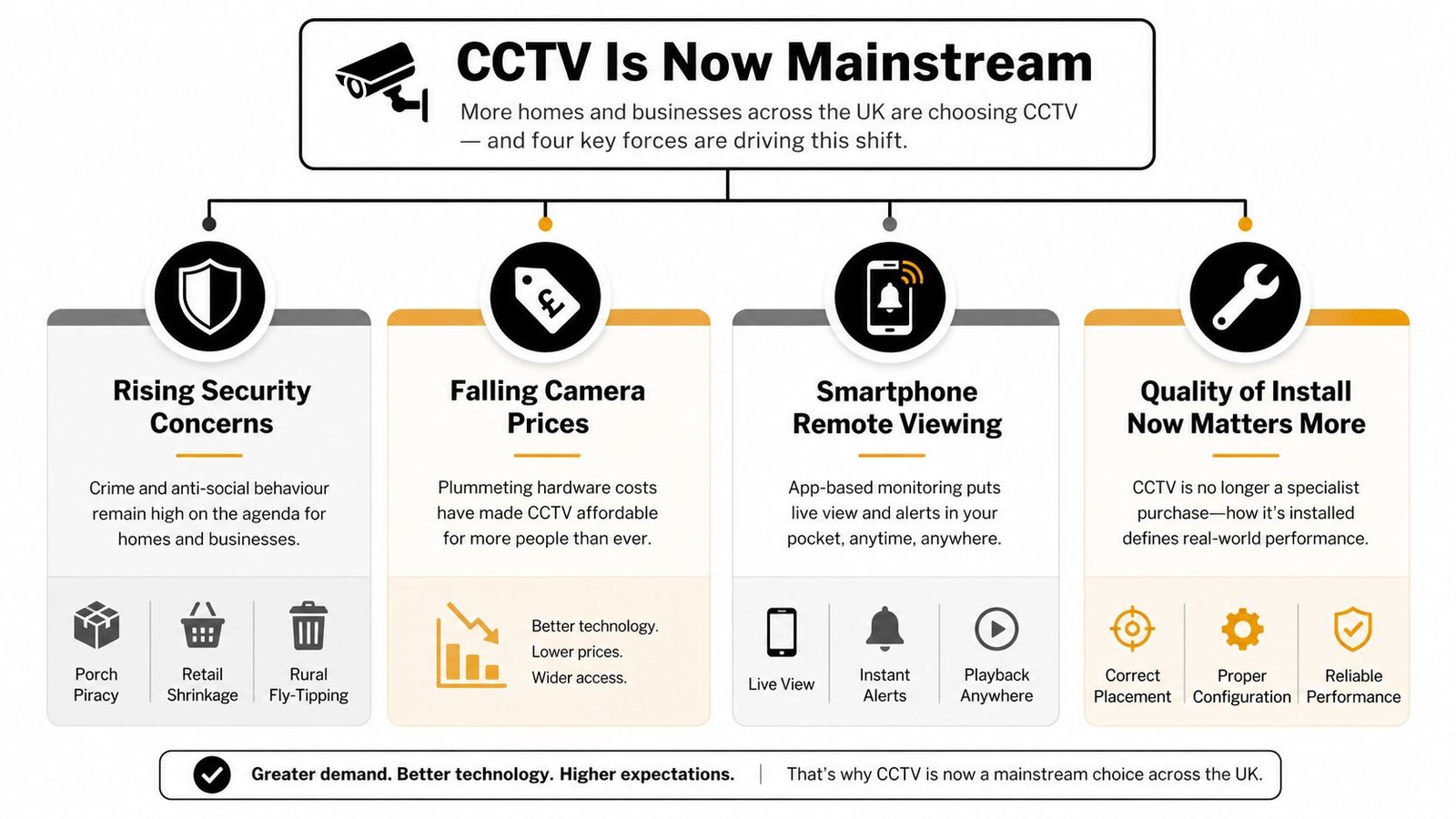
A homeowner gets a call after a parcel van leaves the road and someone else walks off with the box. A shop owner rings after a run of small losses that never seem serious enough to prove, but always seem serious enough to hurt. In rural areas, it's fly-tipping and isolated outbuildings. In towns and cities, it's front doors, loading bays, car parks, and shared access routes.
CCTV has moved from specialist kit to ordinary security infrastructure. UK guidance now treats domestic CCTV as something common enough to need clear advice on privacy, transparency, and neighbour impact, which tells you how mainstream it has become (Scottish Government CCTV summary). If you want the practical side of the decision, the CCTV benefits guide covers the main reasons people fit cameras in the first place. That shift matters because the central question is no longer whether you should have cameras at all. It's whether the system is designed properly for your property and your risks.
Practical rule: if you're only comparing camera brands, you're shopping in the wrong aisle. The install decides whether the footage is usable.
Many people searching for CCTV solutions focus on camera brands. That misses the point. The system has to fit the building, the lighting, the angles, the storage setup, and the reason you want it in the first place.
That's why the typical buyer now includes homeowners, landlords, small retailers, offices, workshops, and light industrial sites. The old “security specialist only” mindset does not fit the market anymore. You'll also see more contract opportunities and tendered work in the sector, which is why resources such as CCTV contract alerts from Bidwell matter if you're keeping an eye on the commercial side of CCTV rather than just buying one system.
This guide is for anyone who wants a straight answer before calling three installers and getting three very different quotes. You'll know what the system consists of, what a fair install should cost, what the engineer should do on site, and which legal and design issues separate a competent job from a bodge.
How a Modern CCTV System Actually Fits Together
Think of a CCTV system as eyes, hard drive, screen. The cameras are the eyes. The recorder or storage device is the hard drive. Your phone, monitor, or PC is the screen. If any one of those is badly chosen, the whole setup disappoints.
Cameras, recording, and viewing
The camera side is where people get distracted by marketing. Domes, bullets, turrets, and PTZs all do different jobs. A dome is common where you want a neater look and some protection against tampering. A bullet is obvious and often used where visible deterrence matters. A turret is popular for homes and SMEs because it handles awkward lighting well. PTZs are more specialised and make sense when you need controlled movement over a wider area.
Recording usually happens in one of three ways, NVR, DVR, or cloud and hybrid setups. In simple terms, an NVR suits IP cameras, which send digital video over the network. A DVR is for analogue systems. Cloud and hybrid systems split recording between local hardware and remote access, which can be useful, but you need to know what happens if the internet drops. Don't assume a cloud label means better security. It often just means different storage.
The viewing layer is where users interact with the system. That might be a monitor in reception, an app on a phone, or a browser on a laptop. If the installer doesn't walk you through all three, they haven't finished the job properly.
IP, analogue, and the audio question
IP systems give you more flexibility, cleaner scaling, and better integration with smartphones and networks. Analogue still has a place on some sites, especially where existing cabling is already in good condition and the job doesn't need advanced features. For a small home, 4K sounds impressive but isn't automatically the smart choice. For a larger site, or somewhere with longer viewing distances, it can be worth discussing properly.
Audio is where people get sloppy. If someone suggests audio recording as a throw-in feature, make them explain exactly why it's needed. In many UK installs, it creates more legal and privacy complexity than benefit. If you don't need it, leave it out.
For technical planning, the useful mindset is not “What camera should I buy?” but “How does footage get from the lens to usable evidence?” That's the conversation a proper installer should be able to explain without drifting into jargon.
What CCTV Installation Really Costs in the UK
Quotes vary because the job is not just hardware. It's cable routes, access, building fabric, lift equipment, weatherproofing, integration, and time on site. A neat two-camera domestic job on a modern property is a different exercise from a retail system in a listed building with awkward routing and existing alarms.
Typical UK CCTV Installation Cost Ranges
| Install Type | Typical Camera Count | Indicative UK Price Range | Main Cost Drivers |
|---|---|---|---|
| Domestic home | 2 to 4 cameras | Varies by specification and property layout | Cable runs, wall construction, outdoor rating, app setup |
| Small retail or office | 4 to 8 cameras | Varies by specification and integration needs | Coverage of entrances, back-of-house, recording capacity, alarm links |
| Multi-site commercial or warehouse | 8+ cameras | Varies widely by site complexity | Network design, storage, monitoring, access control, commissioning time |
If you want a more detailed pricing breakdown for domestic and SME work, the CCTV installation costs guide is worth reading before you sign anything.
Where the quote usually moves
One installer may include tidy cable containment, remote app setup, and proper handover. Another may just hang boxes and leave. The difference is rarely “better gear”. It's usually labour and attention.
Watch for these upsells and padding tactics:
- Cloud subscriptions: useful in some systems, but not automatically necessary.
- Over-specified cameras: a flat or small porch doesn't always need the fanciest spec.
- Gold-plated warranties: ask what's covered in parts and labour, and for how long.
- Monitoring add-ons: fine if you want them, unnecessary if you only need recording and alerts.
If you're funding the system over time rather than paying outright, it can help to compare security system leasing options before you accept the first finance offer attached to a quote. The point isn't that leasing is always right. The point is that the payment structure should match the business use, not the salesman's preference.
One honest installer will tell you where the spend goes. A poor one hides behind “industry standard” phrases and hopes you won't ask about cable routes or storage.
What Happens on Installation Day
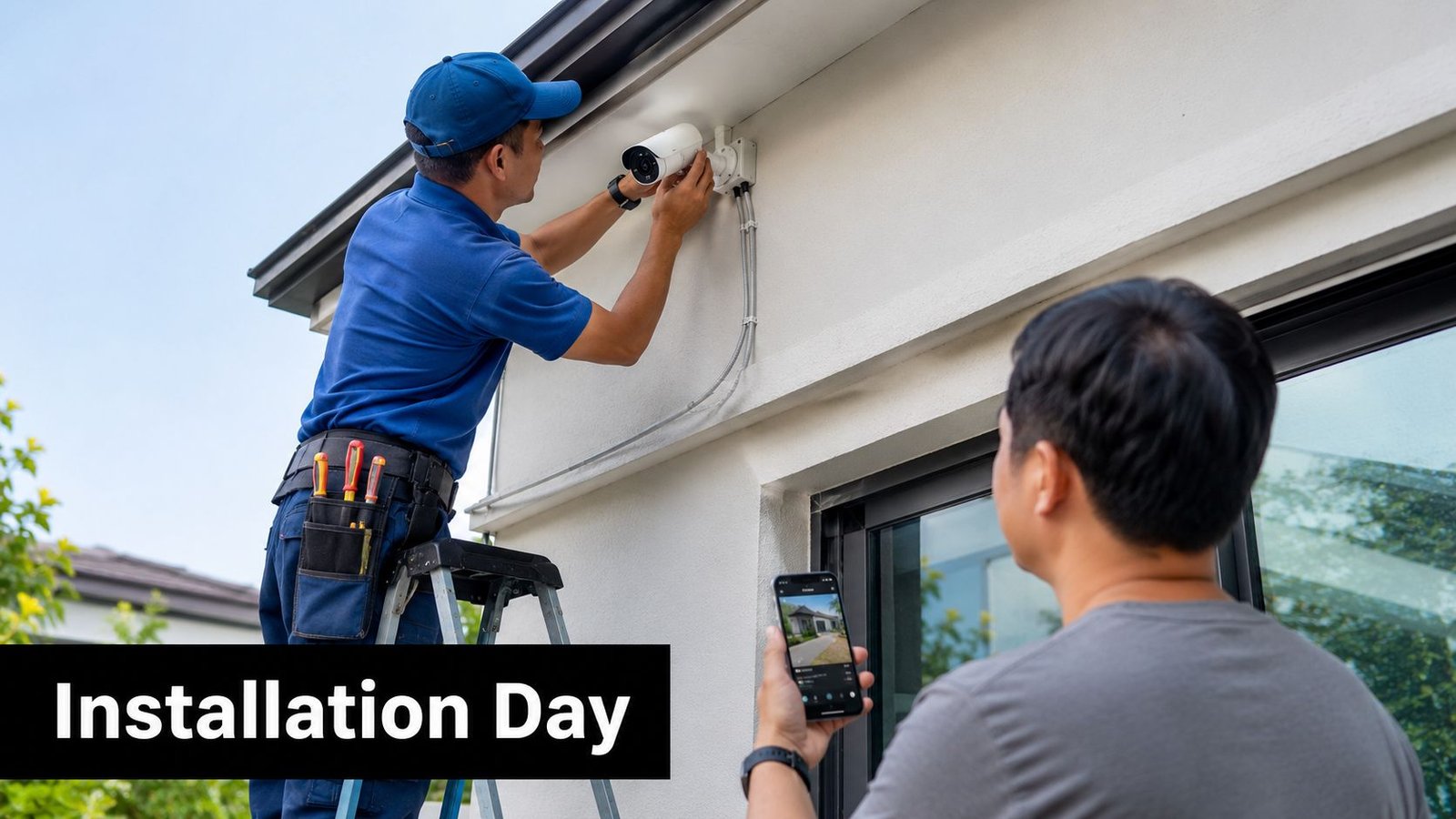
A proper CCTV job starts before a drill touches the wall. The engineer should walk the property, check mounting points, assess cable paths, and spot anything that will block the view, reduce night quality, or create a privacy issue. If the first time they mention a problem is while they're already drilling, that's not planning.
From survey to handover
The survey should end in a clear design choice. Which entrances need identification, which areas only need overview coverage, and where recording equipment will sit. Then comes cabling, mounting, terminations, recorder setup, and testing.
Practical rule: if an installer can't explain why each camera is where it is, they haven't designed the system, they've just installed boxes.
Once the cameras are up, a good engineer commissions the system properly. That means focus checks, exposure checks, app pairing, time and date settings, and recording confirmation. The true test is playback, not live view. Anyone can make a picture look acceptable on a phone. Fewer people can show you usable recorded footage after dark.
What a decent handover includes
A tidy handover should include:
- Live and recorded views: every camera checked in both modes.
- Night test clips: not just daytime screenshots.
- App setup: with the owner or manager watching it happen.
- Retention settings: explained clearly, not left as a mystery.
- Written settings record: so you know what was installed and how it was configured.
No test footage shown, sloppy cabling, or a vanished installer after drilling are all bad signs. So is a handover that ends with “You'll be fine”. Fine is not a commissioning standard.
UK Legal and Data-Protection Rules You Cannot Ignore
A lot of bad advice boils down to one line, “It's on my property, so I can point it wherever I like.” That is not how CCTV works in the UK. The ICO says CCTV should capture only what is necessary, people should be informed with signs, and if footage includes public or shared areas the use must be justified and proportionate. It also says cameras should not be directed at neighbouring properties or private spaces without consent, as set out in the ICO CCTV guidance. If you run a business, read the GDPR and CCTV guide for UK businesses and line your setup up with it before you start drilling.
What actually trips people up
Dense UK housing creates awkward situations. A semi-detached house, a terrace, a shared driveway, or a communal entrance can all force a compromise between coverage and privacy. The instinct to “cover everything” often creates the problem. Better to aim carefully, then document why each view is needed.
Retention matters too. Government guidance says storage should be long enough to keep good-quality images for as long as justified by the site's needs and data-processing requirements, rather than being treated as a fixed number (UK CCTV guidance). That means you should not accept a recorder set to keep footage longer just because it can.
For business sites, a Data Protection Impact Assessment is often sensible where staff, visitors, or public areas are covered. Domestic systems are lighter-touch, but they are not exempt from common sense or privacy obligations. If your camera points across a public footpath, over a neighbour's fence, or into a shared access area, treat it as a real compliance issue, not a footnote.
The clearest commercial operators also align CCTV with incident handling. If you want a broader operational view of that mindset, the guide for UK businesses is useful because it frames surveillance as part of a wider response process, not a standalone gadget.
The simple rule to follow
If a camera sees beyond your boundary, assume you need to justify it. If a sign would make a normal person more comfortable and better informed, fit the sign. If a retention setting is longer than the purpose needs, shorten it.
If your installer shrugs at privacy and says “everyone does it”, walk away.
Designing for Evidence Quality, Not Just Coverage
Camera count is a lazy measure of security. Two well-placed cameras can be more useful than six badly aimed ones. The essential question is whether the footage will identify a face, capture movement clearly, and survive the conditions at the moment something happens.
Wide view and identification view
A sensible design often uses overlap. One camera gives the broad picture, the other gives the detail. The first tells you what happened and from where. The second gives you the face, the number plate, or the interaction itself. That pairing matters more than filling every wall with lenses.
Avoid glare, shiny surfaces, and reflections. Glass doors, polished cars, and certain porch layouts can ruin an otherwise expensive system. Night is where poor design gets exposed fastest. A camera with a better specification can still produce weak footage if it's pointed through a car window, across a bright lamp, or into a dark corner with no usable light.
The point is simple. A well-placed 1080p camera under a porch light can beat a poorly positioned 4K camera in the dark. That's not anti-technology. It's just how optics and lighting work.
What a good installer should test
The installer should check day and night playback, not just live picture quality. They should also confirm that the lens choice matches the distance to the subject and that the angle doesn't leave faces too small to use. That's the part many box-shifters skip because the installation looks “done” once the app connects.
Practical rule: if the footage won't help a police officer, insurer, or manager identify what happened, the camera is decorative.
A competent survey should include real-site testing after the cameras are mounted. If the view looks right only on a sunny afternoon and collapses at night, the design is wrong. That is not a software issue. It's a layout issue.
How to Choose a Certified CCTV Installer You Can Trust
Start with paperwork, then look at the person. A proper installer should be able to explain the design, not just sell hardware. They should also be insured, willing to survey the site properly, and able to show that they work to recognised standards.
What to look for
Accreditations matter because they show someone has been assessed, not just self-declared competent. In practice, that means checking for bodies such as NSI Gold, SSAIB, or SafeContractor where relevant to the job. For domestic and tenant sites, DBS-checked engineers are a sensible expectation. If a company works with named manufacturers such as Hikvision, Paxton, or Pyronix, that usually suggests real product training rather than generic trade work.
Wisenet Security Ltd is one option in this space. It designs, installs, and maintains CCTV alongside intruder alarms, access control, fire alarms, intercoms, and gate automation, with DBS-checked engineers and SafeContractor accreditation.
Ask these questions before you agree:
- Will you survey the site in writing? A verbal quote is too easy to wriggle out of.
- Will you show night test footage? If not, the system isn't properly commissioned.
- How are retention and access settings recorded? You need a record, not a memory.
- Can the system integrate with existing alarms or access control? If yes, how?
- What's covered on parts and labour warranty? Don't let vague wording hide exclusions.
Red flags you should not ignore
Cold calls, doorstep quotes, and “from £X” pricing without a proper survey usually mean trouble later. So does a contractor who can't tell you who will be on site, or who waves away questions about cabling and access.
A good installer reduces your decisions. A bad one creates them after the invoice is paid.
Monitoring, Maintenance, and Getting Years of Use From Your System
Once the handover's done, the system only stays useful if someone looks after it. Most owners don't need constant interaction, but they do need a routine. If the recorder dies, the passwords are shared around, or the time is wrong, the whole setup becomes mere decoration.
Self-monitoring or professional monitoring
Smartphone monitoring is fine for many homes and small firms. It gives you alerts, live checks, and the ability to review events quickly. Professional monitoring through an Alarm Receiving Centre makes more sense when you want a third party watching for escalation, especially on sites with higher consequences if something happens. Pick the model that matches the site, not the sales script.
Connected systems also need basic cyber hygiene. Use unique passwords, keep firmware updated, and avoid putting cameras on the same network as everything else if you can segment them. Those are not fancy steps. They're the difference between a sensible system and an exposed one.
Keep the maintenance routine boring
A simple annual check is usually enough for many sites:
- Clean the lenses: dirt, insects, and water spots ruin image quality.
- Check focus and framing: cameras drift and get nudged.
- Inspect storage health: failed recording is the most common quiet failure.
- Confirm time-sync: wrong time stamps waste evidence.
- Apply firmware updates: only after checking compatibility and backup settings.
The easiest way to lose a CCTV system is not a broken camera. It's neglecting the recorder and assuming “it's still on the app” means everything is fine.
Before you take any quote, ask yourself three things. Will this system show me useful footage at night? Will it stay legal if it sees beyond my boundary? Will the installer leave me with proper settings, access, and support? If the answer to any of those is vague, push back hard.
If you want a CCTV setup that's designed properly instead of just fitted quickly, Wisenet Security Ltd can help with survey, installation, and ongoing maintenance for homes, landlords, and businesses. Visit Wisenet Security Ltd to talk through your site, your risks, and the kind of system that will hold up when you need the footage.