Smart Home Security Systems for South Wales Homes
You've locked up your Cardiff terrace for the night when your phone flags movement outside. The picture shows someone near the gate, but can you tell whether they've entered the garden, whether the alarm is set, and whether anything has been recorded? That's the difference between owning a connected camera and having a security system designed around your property.
Table of Contents
- Why Connected Protection Feels Different Now
- How the Main Parts Work Together
- Benefits and Limits Worth Weighing First
- Bell-Only, Monitored, Local and Cloud Options
- Choosing a System for Homes and Small Sites
- Installation, Privacy and Keeping It Safe
- Book a Local Survey Before You Buy
Why Connected Protection Feels Different Now
The useful part of a late-night alert isn't the notification itself. It's being able to decide what to do without guessing. A homeowner in Newport might need to distinguish a delivery from someone trying a side door, while a Bristol shopkeeper wants to check the premises after locking up, without driving back.
Smart home security systems bring cameras, alarms, door entry and phone access into a planned setup. Rather than relying only on a noise outside the building, the owner can receive information about what has happened and check the relevant view. That's useful only if the equipment, connection and response arrangements support the same job.
Connected security is no longer unusual
UK ownership of smart security devices rose from 19% of adults in 2020 to 29% in 2022, while wider connected-home ownership increased from 67% before the pandemic to 77% in 2022, according to the Connected Home 2022 report. Those historical figures show why app-based protection now feels like an ordinary household purchase rather than specialist technology.
The wider familiarity with connected devices also changes expectations. People want security controls to be as accessible as their other household apps, but an easy interface doesn't remove the need to plan detection, recording and response.
Practical rule: Start with the incident you need to detect and the action someone should take, not the device you'd like to buy.
The building comes before the brand
On a Cardiff terrace, the important question might be how to cover a rear approach without recording the neighbour's garden. At a small shop, it could be who receives an activation when the owner is unavailable. A landlord needs a different conversation again, because shared entrances involve both access rights and personal data.
The useful decisions are straightforward:
- Protection needs: Identify what requires detection, visual checking or controlled entry.
- Response arrangements: Decide whether you can reliably handle alerts yourself.
- Continuity: Establish what must remain operational when an essential service fails.
For homes, shops, landlords and small sites across South Wales and the South West, good design means matching those decisions to the premises. Buying everything from the same catalogue isn't a substitute for doing that work.
How the Main Parts Work Together
On a Cardiff terrace, a camera covering the side entrance, a contact on the back door and a working recorder may matter more than a high-resolution camera facing the street. Each part has a distinct job: CCTV shows and records activity, the alarm detects events, and access control manages entry. Connect them so an event is easier to check and respond to, rather than creating unrelated alerts.
Give each part a clear job
Start by specifying the scene the camera needs to capture, such as someone approaching a side entrance. Resolution and night vision can help, but results also depend on the viewing angle, lighting and recording setup. Check that the chosen view covers the intended area without unnecessarily capturing neighbouring property.
A recorder or hub stores footage and organises the camera system. Ask the installer to show how to find and export an event, not only how to view a live feed on a phone. The diagram shows how detection, cameras and recording can work together.
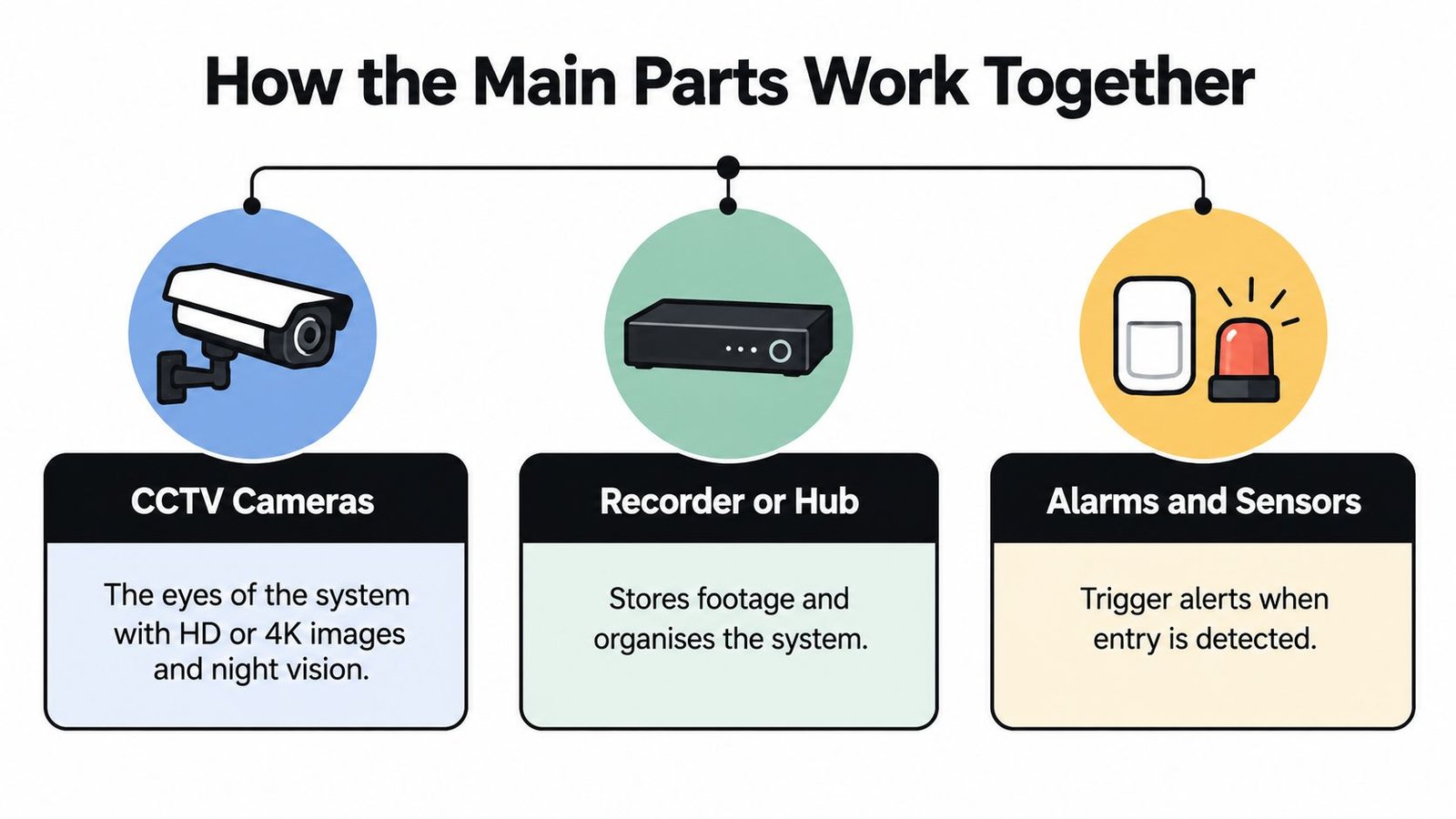
Intruder alarms use door contacts and movement sensors to detect entry or activity. A control panel determines what happens when the system is armed, while a sounder and signalling arrangements communicate an activation. Before deciding where detectors belong, review this guide to how alarm systems work.
Access control determines who can open a door and when. An intercom or video door entry system serves another purpose: it lets someone assess a visitor before granting access. Keep those functions distinct when planning a front door or shared entrance.
Changing users make permissions more important than shared codes. For a comparison beyond the home, see secure gym entry with automated access, which illustrates how access can be organised for different users.
Make the connections deliberate
The Connected Home 2023 report found that 72% of smart-security-device owners connected their devices to their home network in 2023, compared with 52% in 2020. A network connection alone does not guarantee that devices communicate reliably. Check the signal where the cameras, recorder and hub will sit, rather than relying on a test beside the router.
- Check compatibility: Confirm which events and controls work together.
- Test the location: Assess network coverage at each device.
- Keep automation purposeful: Use lighting, gate operation or app arming to solve a specific problem.
A smart bulb can support a lighting routine, but it cannot detect an entry or record an event on its own. Tie each connected feature to a defined job, and check what still works if the home network goes down.
Benefits and Limits Worth Weighing First
A camera notification can save an unnecessary journey and help you judge whether something needs attention. It can also interrupt your evening with an event that doesn't matter. Useful awareness depends on relevant alerts, not on receiving more of them.
A household should be able to understand an alert without navigating a confusing collection of apps.
Match every benefit to its limitation
Visible security equipment can form part of a deterrent strategy, but a camera doesn't physically stop an intruder. Recorded footage may help establish what happened, but only if the relevant scene was captured and the recording remains available. Easier access management is valuable too, provided someone takes responsibility for removing obsolete permissions.
Pet-friendly detection needs similar care. Tell the installer how animals use the rooms, including furniture they climb onto, rather than assuming a detector's label guarantees suitable performance everywhere.
| Potential benefit | Question to ask before buying |
|---|---|
| Checking the property remotely | What prevents viewing when power or connectivity fails? |
| Reviewing an incident | Can I retrieve and export the relevant recording? |
| Receiving prompt alerts | Who acts if I'm asleep, driving or unavailable? |
| Managing entry | Who maintains the user permissions? |
Calculate ownership, not just purchase
Aviva reported that 29% of UK residents had installed smart doorbells or home-security cameras in May 2025, demonstrating the category's reach, but ownership alone doesn't establish suitability or value (Aviva's UK household technology research).
Use a written cost worksheet:
- Initial work: Equipment, installation, cabling and network preparation.
- Ongoing commitments: Monitoring, cloud storage, batteries, servicing and connectivity.
- Eventual replacement: Unsupported devices, failed storage and changes to the premises.
DIY can be a sensible choice for a straightforward requirement. It becomes less attractive if nobody has accounted for recurring fees, awkward maintenance or responsibility when something stops working.
For stock overflow or business storage, you can also compare UK storage security features through Orange Box Self Storage, then ask how off-site arrangements fit your wider protection plan.
Use the video alongside a practical check of the functions you need.
Don't assume a purchase will reduce your insurance premium. Ask your insurer to confirm its requirements in writing, including any grading, maintenance or evidence conditions, before committing.
Bell-Only, Monitored, Local and Cloud Options
A Cardiff terrace may need a clear warning outside, while a shop may need someone to assess an alarm after closing. The choice is not just about equipment: decide who responds to an alert and where recordings are kept. Those are separate decisions, and combining them in one package can conceal trade-offs.
Choose who handles an activation
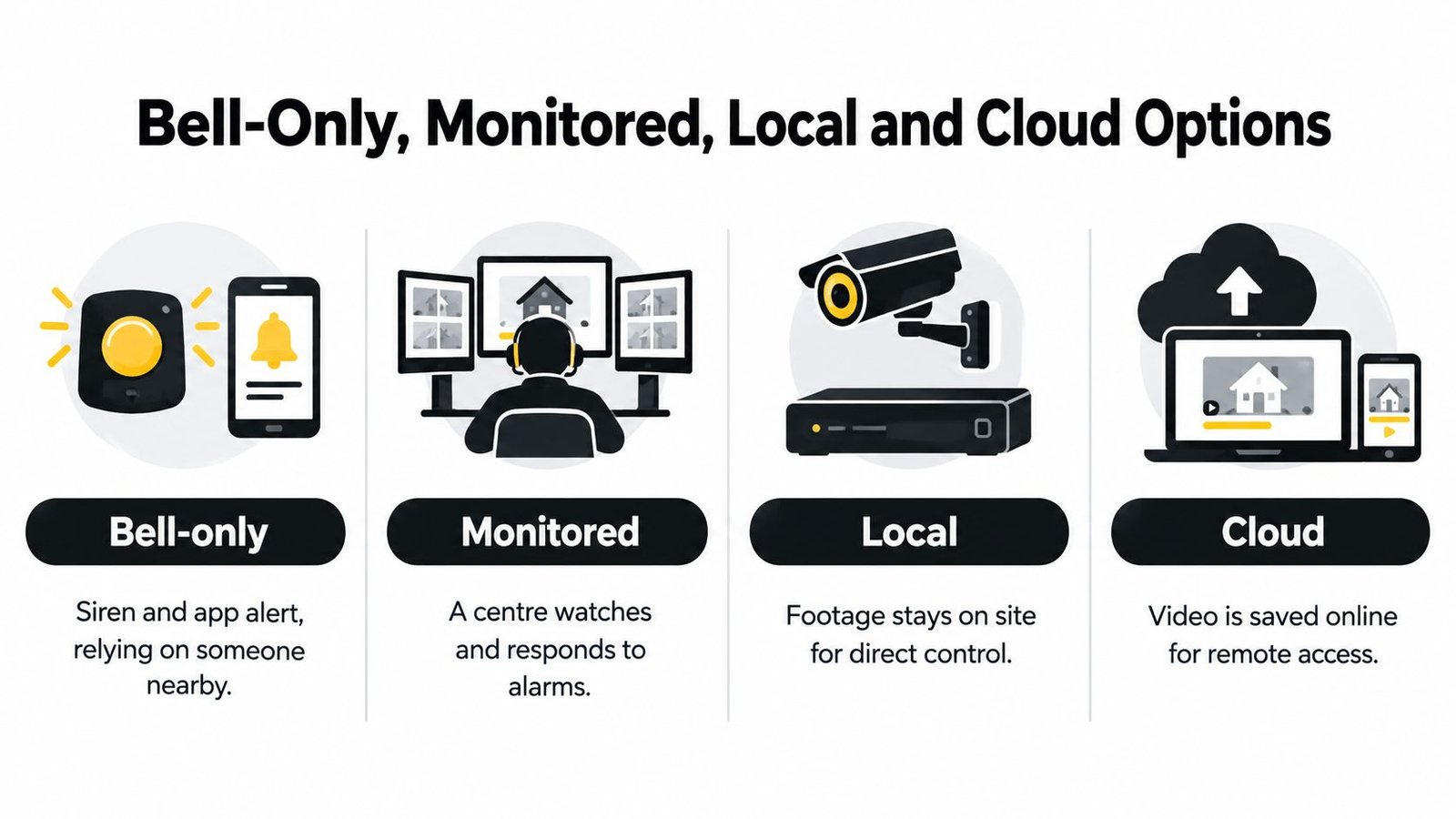
A bell-only alarm sounds locally. Some systems also send an app notification, but that does not provide professional monitoring. Someone still needs to check the alert and follow an agreed response plan.
A monitored alarm sends signals to an alarm receiving centre, which follows agreed instructions. Confirm who the centre will contact, who can act as a keyholder and what happens if the signalling path fails. Monitoring does not, by itself, guarantee a particular emergency-service response. For details on how the arrangement works, read what a monitored alarm system does.
These options describe different responsibilities, not a simple progression from basic to premium.
Choose where evidence lives
With local recording, footage stays on a network video recorder or an on-site hub. Recording may continue during a broadband outage if the cameras, local network and power are still working. The owner or maintainer remains responsible for checking storage, applying updates and securing access.
Cloud storage allows remote access to footage, but depends on the provider, account and internet connection. Research by the University of Edinburgh examines cloud assumptions in smart-home standards and identifies local or edge processing as a possible way to strengthen security, privacy and legal compliance (Edinburgh's smart-home security research).
Ask the installer to set out what the system does in each condition:
- Local functions: Check whether recording, alarm triggering and locally stored door credentials still work without internet access.
- Remote functions: Confirm which clips, controls and notifications depend on the cloud.
- Power resilience: Specify which equipment has backup power and what the system is designed to keep running.
An internet-outage test and a power-outage test are different. Ask the installer to demonstrate both safely.
For an alarm proposal, discuss BS EN 50131, grading, signalling and maintenance before assuming the installation meets your insurer's requirements. Balance monitoring costs and response responsibilities against DIY convenience. Choose storage based on whether evidence must remain available during an internet outage, and who will manage its security and upkeep.
Choosing a System for Homes and Small Sites
A Cardiff terrace, a Bristol shop and a shared block may all use cameras, alarms and access control. Their security needs depend on who uses the premises, when it is empty, and who is allowed to enter or review information. Design the setup around those routines, not around a list of devices.
Which Setup Fits the Property
| Property | Priority jobs | Typical extras | Main caution |
|---|---|---|---|
| Family home | Detect unwanted entry and assess visitors | Pet-friendly detection, discreet cameras, video intercom | Match detection to household routines |
| Retail unit | Protect entrances and review out-of-hours activity | Staff credentials, exportable footage | Keep opening and closing procedures clear |
| Warehouse or yard | Assess approaches and control restricted areas | Gate control, lighting coordination | Check the actual scene after dark |
| Multi-let property | Manage shared entry and access changes | Individual credentials, user logs, time rules | Restrict who can view shared-area footage |
| Managed car park | Control authorised vehicle entry | Intercom, gate automation, visitor arrangements | Account for pedestrians and safe operation |
For a terrace, walk the route someone would take towards the building. The rear entrance may need more attention than another camera view of the front pavement. Indoors, detection should fit ordinary movement so residents are not tempted to leave the alarm unset.
A Bristol retailer needs a closing routine staff can follow without confusion. Set detection zones, access permissions and recording to support that routine, with a clear way to manage temporary staff and remove access when someone leaves.
Specify around the people using the premises
Shared buildings call for limited, clearly assigned access. A landlord's need to manage a communal entrance does not mean every resident should see every camera. Decide who issues and removes credentials, who reviews footage after an incident, and how access changes when a tenancy ends.
For a yard or small warehouse, inspect the proposed camera view while the site is operating. Parked vehicles, stock movements and lighting can change what an operator needs to see. A sharp daytime image alone does not show whether the system will be useful after dark or during busy periods.
Wisenet Security Ltd is one local installation option serving Cardiff, Bristol, Newport, Swansea and surrounding areas. Its service information describes CCTV, intruder alarms, access control, intercoms, fire alarms and gate automation, alongside design and maintenance work.
Whether you choose a local specialist or a DIY setup, prepare a short written specification before comparing quotes:
- Risks and hours: State what needs protecting and when the site is unattended.
- Users and authority: List occupants, staff and contractors, and name who manages access.
- Operational preference: Record whether you want bell-only or monitored response, and local or cloud storage.
- Acceptance checks: State what the supplier must demonstrate before you approve the installation.
This gives each supplier the same practical requirements to price, making it easier to compare the overall cost and day-to-day responsibilities rather than unrelated packages.
Installation, Privacy and Keeping It Safe
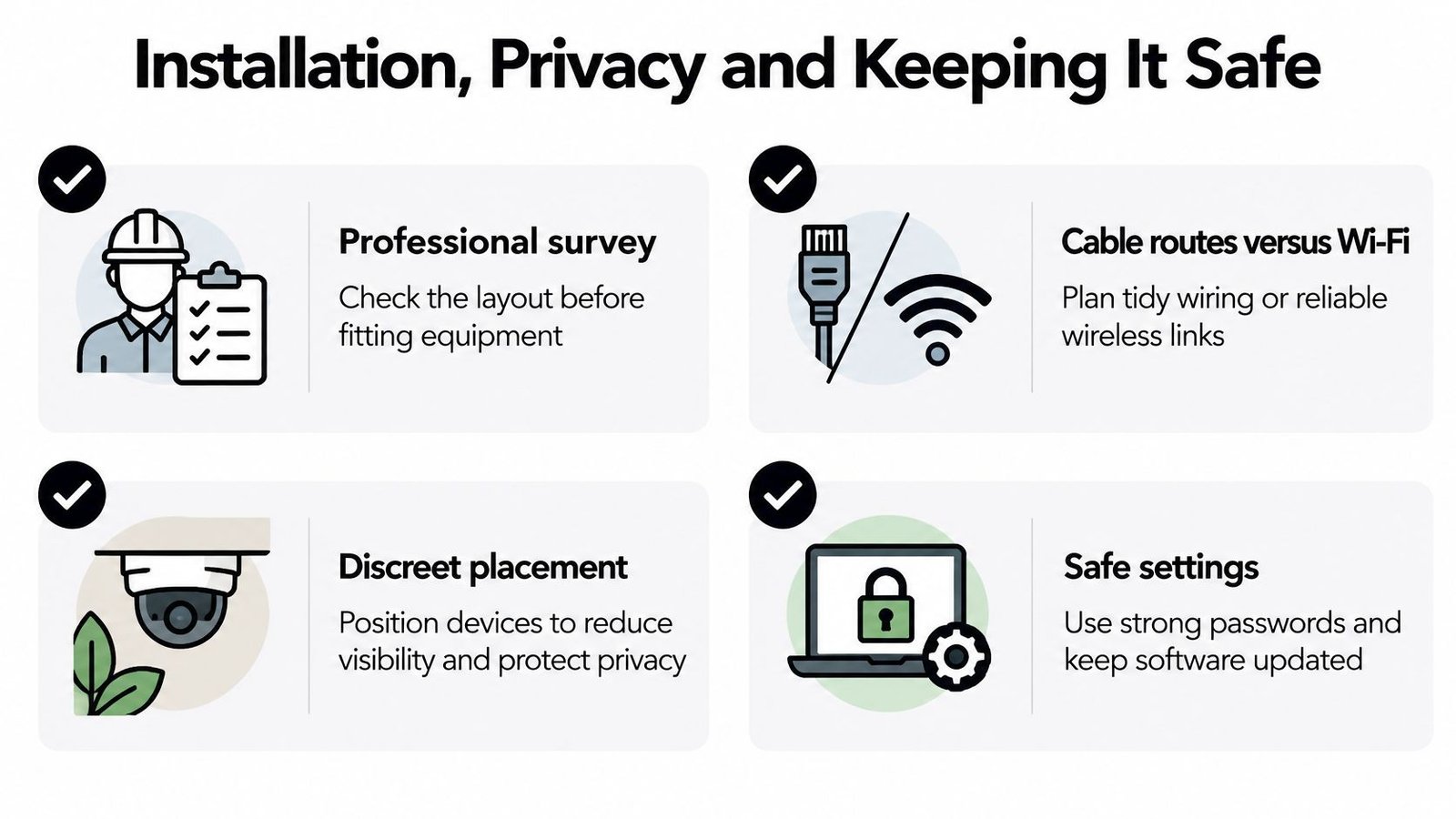
On a Cardiff terrace, a camera aimed at the front path can also catch a neighbour's window. Check cable routes, wireless coverage, lighting and the view from each camera before fixing equipment in place. Adjust angles and use privacy masking to collect only what the system needs. A tidy installation matters, but the view should work after dark as well as in daylight.
The checklist must cover physical installation and digital settings. A system that records the right area can still expose household or business accounts if remote access is poorly configured.
Secure it before enabling remote access
The UK consumer-product security regime focuses on unique credentials, a vulnerability-reporting process and software-update information. Government research describes the risk of internet-connected devices with default logins being found online (UK consumer-IoT cybersecurity technical report).
Change factory credentials before connecting equipment to the internet. Enable multi-factor authentication where available, and check the stated software-support end date. Leave unnecessary port forwarding disabled. A separate camera or IoT network can reduce exposure to other household or business systems, but ask the installer to show that the separation is working.
Use a trusted resource to secure your accounts against privacy risks. Agree who manages updates and supplier access in the installer's cybersecurity arrangements, especially if remote support remains enabled.
Hand over responsibilities as well as passwords
At a shop or shared premises, record why footage is collected, who can view it and how long it is kept. Use appropriate signage where staff or visitors are recorded. Leave audio recording off unless there is a clear reason to enable it. If a tenant raises an objection or withdraws consent, review the lawful basis and arrangements. Consent is not always required, and deletion is not automatic in every case.
Handover test: The responsible person should be able to manage users, retrieve evidence and get support without relying on an engineer's personal account.
Keep a practical handover record:
- Accounts: Name the administrator and record supplier permissions.
- Evidence: Document how to export footage and who may receive it.
- Maintenance: Schedule alarm servicing, battery checks and fire-system upkeep where fitted.
- Support: Record who handles updates and plan for replacement before support expires.
If an account may have been compromised, preserve relevant logs and recordings where safe, revoke unfamiliar sessions, secure recovery details and contact the supplier. Avoid a rushed factory reset, which could erase evidence before the incident is assessed.
Book a Local Survey Before You Buy
Before requesting a quote, walk the property as someone arriving after dark. Check likely approaches, shared entrances and sightlines from inside. On a Cardiff terrace, that may include a rear gate; in a Bristol shop, the stock room or delivery entrance. Note communal corridors that a front-door camera would miss.
Bring decisions, not a shopping basket
List what the system needs to do. For example, you may want pet-friendly detection, control over recordings or a monitored response. Set a firm limit on recurring charges, and say if you would rather avoid continuous cloud video. Those choices shape the design more than a preferred brand.
Bring any insurance conditions and details of equipment you want to keep. Tell the surveyor about planned building work, tenancy changes or different opening hours. Each can affect cable routes, device locations and who needs access.
- Ask for reasons: Have the surveyor explain why each device is proposed for that location.
- Ask about exclusions: Confirm what the quote leaves out and what you must manage.
- Ask for proof: Agree which functions will be demonstrated and what handover documents you will receive.
- Ask about upkeep: Get servicing and ongoing costs in writing, rather than leaving maintenance undecided.
Make the survey useful
Use the visit to test whether the design fits the building and daily routine. Ask who will carry out the survey and installation, whether engineers are DBS-checked, and request an itemised quote that separates installation costs from ongoing commitments.
If the site also needs fire alarms, emergency lighting or access logs, raise those requirements during the survey. Coordinating them early can affect equipment positions and cable routes. Adding them after installation plans are agreed may mean revisiting that work.
You do not need to choose a brand before the visit. Be ready to explain what matters at the property, who will use the system and what you expect the installer to demonstrate. A local survey gives you a chance to compare the proposed setup with your priorities, including the costs and responsibilities that continue after installation.
Wisenet Security Ltd designs, installs and maintains smart home security systems for homes and small businesses across South Wales and the South West. Contact the company to request a free consultation and arrange a local survey before buying equipment.