Remote Access Management for UK Premises
You're in Cardiff for the day, but a tradesperson needs access to a locked plant room in Newport. At the same time, an alarm notification appears on your phone, a tenant asks whether the rear gate was opened overnight, and you need to check the CCTV without handing anyone a permanent key. That combination of physical security and digital control is now a normal operating problem for homes, shops, offices, warehouses, clinics, and multi-tenant buildings across South Wales and the South West.
Remote access management provides the controlled bridge between people, devices, and premises. It lets an authorised person view cameras, manage doors, respond to alarms, and review activity without exposing the whole security system or relying on shared credentials. The important question is not just whether you can connect from outside the building. It's whether that connection is limited, recorded, authenticated, and easy to withdraw.
Table of Contents
- What Remote Access Management Means for You
- Core Features of Effective Remote Access Management
- Security Best Practices and UK Compliance Standards
- Integrating Remote Access with CCTV and Alarms
- Professional Installation and Maintenance in South Wales
- Securing Your Property with Confidence
What Remote Access Management Means for You
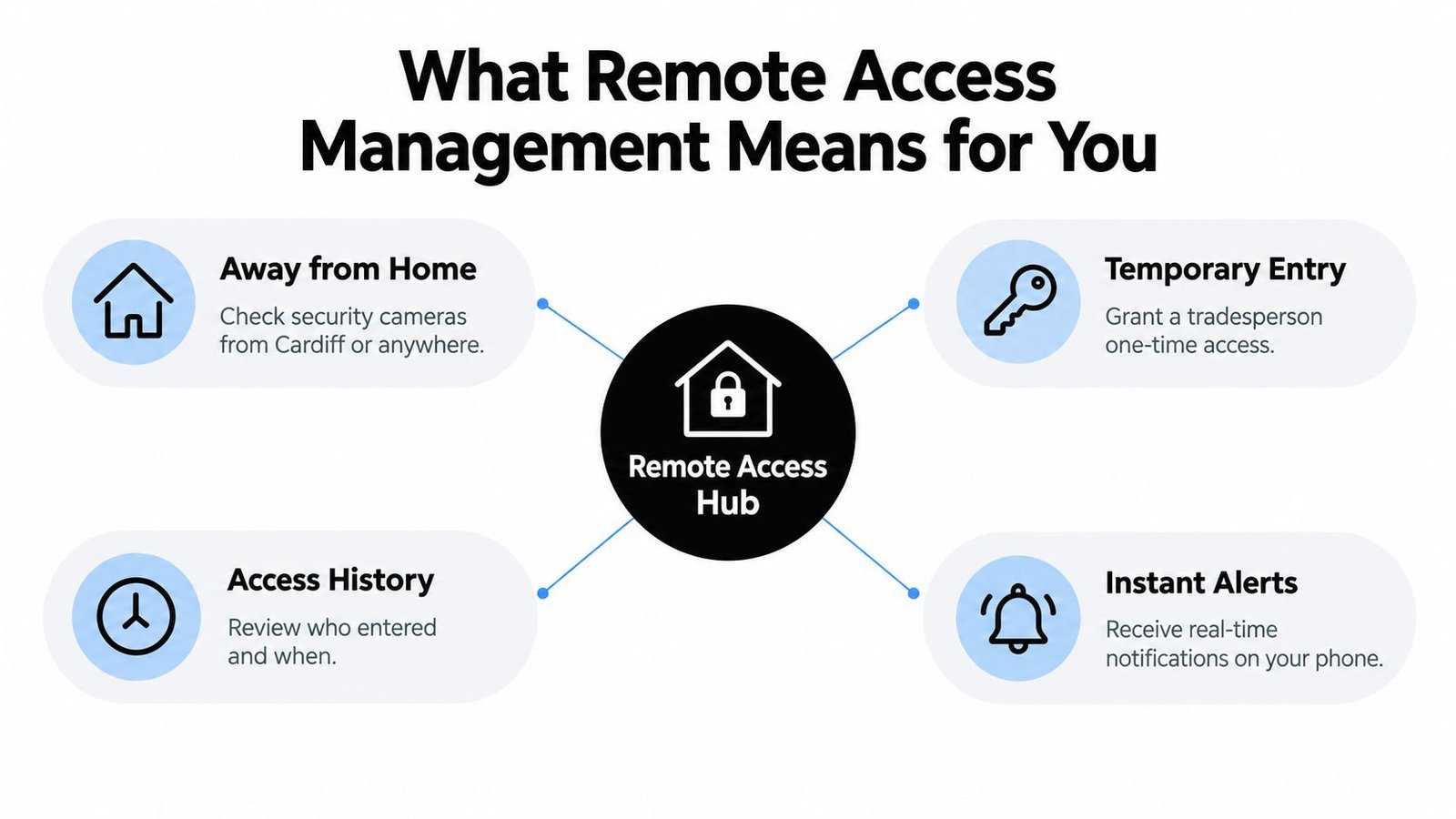
Remote access management turns routine security tasks into controlled digital actions. A homeowner in Swansea might check a driveway camera before letting a delivery driver leave a parcel. A Bristol landlord might issue a contractor a temporary code for a communal entrance, then confirm when that code was used. A facilities manager in Cardiff might review access logs from several buildings without travelling between sites.
The useful distinction is between remote viewing and remote management. Viewing gives you information, such as a live CCTV image or an alarm status. Management lets you take an action, such as releasing a door lock, changing a user's permissions, acknowledging an alarm, or disabling a lost credential. The second category carries greater risk, so it needs stronger identity checks and clearer approval rules.
The practical difference between access and exposure
A poorly configured system can make remote control convenient while creating an unnecessary route into your property or network. A properly designed system places authentication, permissions, encryption, and logging between the user and the protected device. That means a cleaner can have access during agreed hours, while an alarm engineer receives a separate, temporary permission for a specific task.
The pandemic-era shift to home working made this issue impossible to ignore. The Office for National Statistics reported that 46% of working adults in Great Britain worked from home at least some of the time in early May 2020, demonstrating how quickly organisations had to support secure access to business systems outside the office. That operational change also affected physical security. Managers no longer sat beside reception desks, watched entrance monitors, or handled keys in person every day.
Practical rule: Remote control should be treated like a privileged action, not like a convenience feature on a phone.
For healthcare providers, supported living sites, and clinics, remote response can also reduce dependence on someone being physically present for every routine check. Organisations considering 24/7 remote support for clinics should assess how support staff authenticate, what they can access, and whether every intervention is recorded.
A secure CCTV remote viewing service can sit within that wider model, but viewing alone isn't enough. The system should show who accessed the feed, prevent unnecessary administrative privileges, and make it straightforward to revoke access when staff, tenants, or contractors change.
Core Features of Effective Remote Access Management
A dependable system is built around identity and context. It doesn't give every user the same virtual key. Instead, it answers four questions before allowing an action: who is requesting access, what are they allowed to do, when is access valid, and what happened during the session?
Provisioning should follow the person's role
User provisioning is the starting point. Create individual accounts for employees, landlords, site managers, contractors, and monitoring providers rather than sharing one administrator login. A facilities coordinator might view CCTV and manage door permissions, while a finance employee needs no access to either. Role-based permissions keep those duties separate.
The account lifecycle matters just as much as the initial setup. New starters need approved access, temporary workers need an expiry date, and leavers need immediate removal. A monthly user review is useful, but high-risk access should also be checked after changes to employment, tenancy, contracts, or site responsibility.
Time-based access makes permissions more precise. A window cleaner might need a gate code during an agreed weekday period. An alarm engineer may need access only while diagnosing a fault. The system should enforce the schedule automatically, rather than relying on someone to remember to disable a permanent credential.
Logs turn incidents into evidence
Audit logs should record successful and failed sign-ins, door events, alarm actions, changes to permissions, and remote viewing sessions. The value isn't just forensic. A clear record helps a property manager answer ordinary operational questions, such as whether a contractor arrived, which credential opened a store room, or whether an alarm was disarmed remotely.
Logs need sensible retention, restricted administration, and protection against casual alteration. They should also be easy to export when an insurer, investigator, landlord, or data protection officer needs a specific record. A system that produces pages of unstructured events may technically log activity but still fail the practical test.
Mobile control is useful when it reflects the same policy as the desktop interface. Push notifications, biometric device access, session time-outs, and clear confirmation screens reduce the chance of an accidental entry or an unreviewed alarm action. Convenience shouldn't remove the approval trail.
| Feature | What it controls | What to check |
|---|---|---|
| Individual accounts | Identity and accountability | No shared administrator credentials |
| Role permissions | What each user can view or change | Separate viewing from control |
| Time windows | When access is valid | Automatic expiry for contractors |
| Audit logs | What happened and when | Searchable, exportable records |
| Mobile management | Remote response | MFA, time-outs, and confirmation prompts |
Traditional SMS alerts can notify someone, but they don't manage the full identity, device, permission, and audit process. For a useful comparison of alerting and broader administration, the discussion of SMS vs modern IT management provides helpful context. In a premises environment, the same principle applies: a message is only one part of a controlled workflow.
Security Best Practices and UK Compliance Standards
Remote access becomes dangerous when convenience outruns governance. UK organisations should treat cameras, alarm panels, door controllers, intercoms, and connected building systems as part of the security boundary, even when the equipment sits on a separate premises network.
Start with strong identity controls
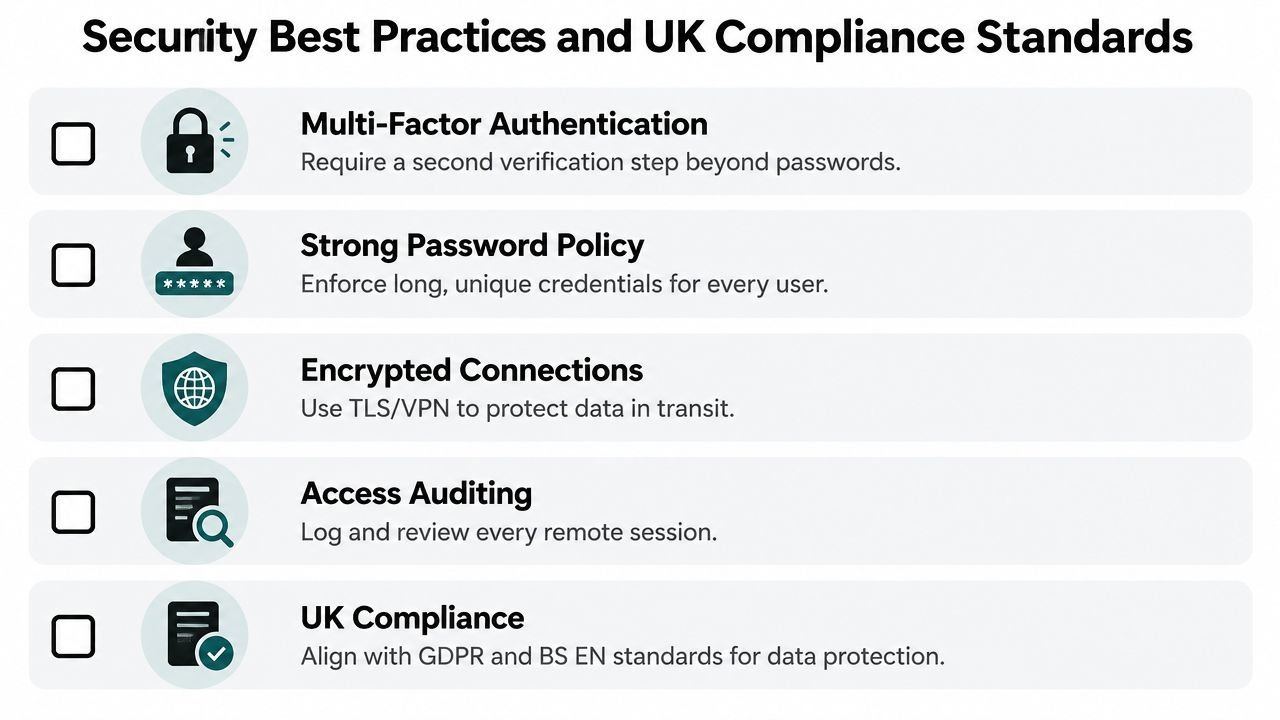
Use multi-factor authentication for administrators and anyone who can open doors, change alarm settings, or access sensitive video. NHS England guidance describes controls including IPSec tunnels, smart cards, and two-factor authentication, while the ICO guidance on remote access security says internet-facing remote-access services should use MFA or comparably strong controls and shouldn't rely on single-factor authentication where personal data could be exposed.
A password alone doesn't prove that the person holding it is the legitimate user. MFA adds another verification step, such as an authenticator application, hardware token, or device-based approval. Teams wanting a plain-language explanation can review this guidance on AUSTRALIAN MFA, while applying the control to their own UK risk assessment and policies.
The UK Government's Cyber Security Breaches Survey 2025 reported that 43% of UK businesses and 30% of UK charities experienced a breach or attack in the previous 12 months. The rate was 67% for medium-sized businesses and 74% for large businesses, which reinforces why remote access deserves formal ownership rather than informal administration.
Reduce the blast radius
Least privilege means a user receives only the access required for their job. A CCTV operator may view selected cameras but not export footage or alter retention. A contractor may reach one door controller for one appointment but not the rest of the site. A tenant may manage their own entrance without seeing another occupier's activity.
The NCSC's 2024 worked example for the water sector describes replacing always-on remote access with just-in-time access, enabled only when needed and disabled immediately afterwards. That approach suits maintenance work particularly well. The approver authorises a task, the system opens a bounded session, and the permission closes when the work ends.
UK government remote-access standards also require approved VPN tunnelling or CASB-based remote network access, prohibit direct administration over RDP or SSH, and require hardened authentication and authorisation through an approved CASB or bastion host. The relevant DWP security standard for remote access also covers cryptography, endpoint guidance, and written training records.
Keep governance alive after installation
The same government survey found that only 75% of UK businesses were actively identifying cyber risks, down from 86% in 2024, while supplier-risk reviews fell to 21% from 36% in 2024. Those figures point to a practical weakness: organisations can buy strong technology and still leave old accounts, unreviewed suppliers, or unpatched devices in place.
For systems that capture identifiable people, vehicle movements, or staff activity, document the purpose, access rules, retention period, and deletion process. A practical guide to CCTV and GDPR in the UK can help businesses connect operational security with data protection responsibilities.
Integrating Remote Access with CCTV and Alarms
CCTV, intruder alarms, access control, and remote access management work better as a connected response system than as isolated products. A door event can provide the context for a camera clip. An alarm can trigger a notification with the relevant view. An access log can show whether a person entered before or after the alarm was set.
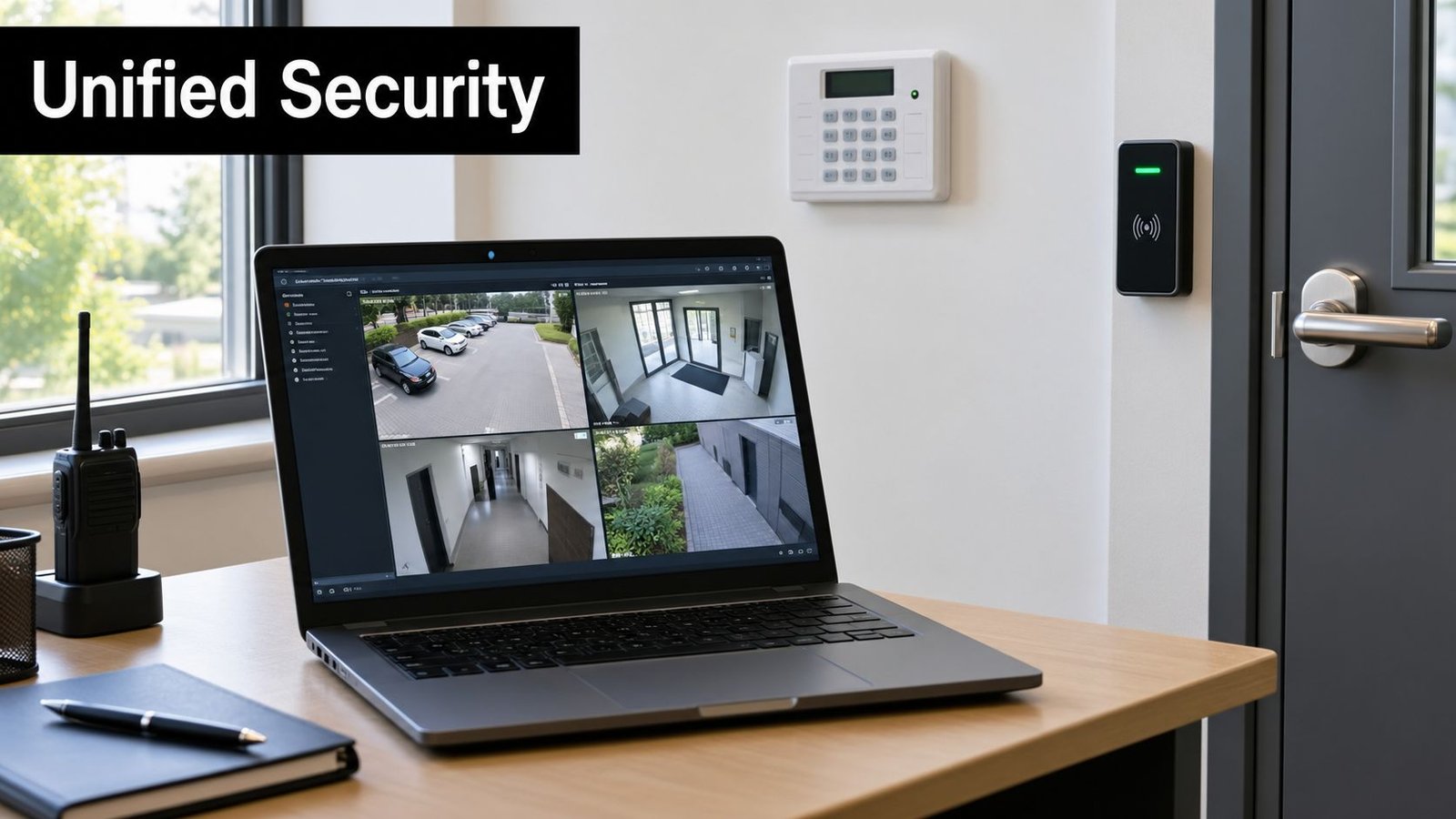
A property manager overseeing a multi-tenant building in Newport might receive an out-of-hours door alert, open the associated camera feed, and contact the tenant or monitoring provider from one workflow. A retailer in Bristol could compare a rear-door access event with video footage before deciding whether to send a guard or call the police. A warehouse operator near Swansea could check whether a triggered alarm reflects a genuine intrusion, a delivery, or a staff member who forgot to unset the system.
Integration should support decisions
The purpose isn't to put every control on one screen for its own sake. The purpose is to help a responsible person make a faster, better-informed decision without giving them excessive permissions.
Useful integrations include:
- Alarm to video: Display the camera covering the affected zone when an alarm activates.
- Access to video: Associate a door event with footage from the relevant entrance.
- Mobile notifications: Send a clear alert with the site, event, and required action.
- Remote audio: Let an authorised operator challenge an intruder or speak with a visitor.
- Event history: Keep alarm, access, and video references together for investigation.
A connected platform also exposes weak design choices. If the camera recorder uses one shared account, the door controller has no audit trail, or remote alarm disarming works without MFA, integration can amplify the risk instead of reducing it. Each connected component needs its own update process, permissions, and fallback plan.
South Wales and the South West present practical challenges that generic cloud dashboards don't solve. Rural properties can have variable connectivity, older buildings may need careful cabling, and coastal or industrial environments can be demanding for equipment. A security system integration service should therefore begin with a site survey, network review, camera positioning assessment, and agreement about who responds to each alert.
A camera tells you what happened. Access control tells you which credential was used. Remote access management determines whether the right person can act on that information safely.
Professional Installation and Maintenance in South Wales
A DIY camera may be suitable for checking a front garden, but a larger security arrangement has more failure points. Door hardware, alarm zones, network paths, user permissions, camera storage, mobile notifications, and emergency procedures all need to work together. A low initial price can become poor value if the installer leaves shared accounts, weak coverage, or no maintenance plan.
DIY and professional work suit different risks
DIY systems offer speed and simple app control. They can work for a small home where the owner understands the settings and accepts responsibility for updates, user removal, storage, and incident response. They become less comfortable when several people need different permissions or when the system protects staff, tenants, stock, vehicles, or sensitive premises.
Professional design adds site-specific judgement. The installer can position cameras to reduce blind spots and privacy intrusion, select suitable alarm detection, separate user roles, connect access control to the right doors, and document how the system should be operated. For a business, that documentation can matter as much as the hardware.
A South Wales or South West provider should also be able to explain:
- Standards: Whether the intruder alarm design aligns with BS EN 50131 and how maintenance supports continued performance.
- People: Whether engineers are DBS-checked, insured, and trained for the equipment being installed.
- Resilience: What happens if broadband, mains power, a camera, or the cloud service fails.
- Lifecycle: How firmware, batteries, credentials, and storage will be reviewed.
- Support: Who responds when an alert arrives outside office hours.
Wisenet Security Ltd provides integrated CCTV, intruder alarms, access control, fire alarm systems, intercoms, and gate automation across Cardiff, Bristol, Newport, Swansea, and surrounding areas. Its access-control work includes remote user management and activity logs, while its maintenance service supports ongoing system checks and remote assistance where appropriate.
A maintenance visit should test more than whether the app opens. The engineer should check camera focus and night performance, alarm communication, battery condition, door release behaviour, notification delivery, user permissions, and event logging. Staff should also know how to report a lost phone, compromised account, or suspicious access event.
The video below gives additional visual context on integrated security systems and how multiple controls can be managed as part of one installation.
Professional support doesn't remove the need for the owner to make decisions. It gives the owner a clearer system, documented responsibilities, and a route to correct faults before they become security incidents.
Securing Your Property with Confidence
Remote access management is now part of ordinary property security across South Wales and the South West. The safe version isn't an always-open connection to a camera recorder, alarm panel, or door controller. It uses individual identities, limited permissions, time-bound access, strong authentication, encryption, and records that someone reviews.
Physical security and digital security should be maintained together. A camera that isn't positioned correctly, an alarm with an exhausted battery, or a former contractor who still has an active account can undermine an otherwise capable installation. Regular maintenance, supplier reviews, staff training, and documented GDPR processes keep the system aligned with the premises and the people using it.
Owners and managers should start by listing every remote connection, identifying who approves access, and testing what happens when an account, device, network link, or power supply fails. For complex sites, professional design and continuing maintenance provide a practical way to keep security controls usable, auditable, and appropriate as the property changes.
Wisenet Security Ltd designs, installs, and maintains integrated CCTV, intruder alarms, access control, fire systems, intercoms, and gate automation for homes and businesses across South Wales and the South West. Visit Wisenet Security Ltd to arrange a consultation about secure remote access, system integration, and ongoing maintenance for your property.