Best Home Alarm Systems UK: No Monthly Fees for 2026
You're probably in the same position most homeowners reach after an evening of searching. One tab shows a cheap smart alarm kit with no contract. Another pushes monitored plans and annual commitments. A third promises “complete peace of mind” but stays vague on what happens after installation.
That confusion is reasonable. In the UK, “no monthly fee” can mean anything from a basic bell-only alarm to a fully app-connected system with cameras, push alerts, and local recording. For homeowners in South Wales and the South West, the right answer usually depends less on marketing and more on the property itself. A modern Bristol flat, a stone cottage in Monmouthshire, and a detached family home outside Swansea don't behave the same when you're relying on wireless sensors, home broadband, and your own phone to handle alerts.
A lot of generic review pages flatten those differences. They compare features on a product page but ignore signal dead spots, awkward entry points, outbuildings, pets, rental restrictions, and whether anyone is available to respond when an alert lands. That's where trade-offs sit.
| System type | How it works | Best fit | Main limitation |
|---|---|---|---|
| Bell-only alarm | Local siren sounds when triggered | Owners who want a simple deterrent | No remote awareness if you're away |
| Auto-dialler or SIM-based alarm | Calls or texts preset contacts | Homes needing direct phone contact without full app reliance | Still depends on you or your contacts responding |
| App-based self-monitored smart alarm | Sends alerts to your phone and often supports cameras and remote control | Users who want remote access and smartphone management | Relies heavily on app use, network stability, and owner follow-up |
Table of Contents
- Understanding Home Alarms Without Monthly Fees
- The Three Main Types of No-Fee Alarm Systems
- DIY Kits Versus Professional Installation
- Essential Features Your Alarm System Must Have in 2026
- Common Pitfalls of Subscription-Free Security
- The Verdict for South Wales and South West Homeowners
Understanding Home Alarms Without Monthly Fees
The phrase no monthly fee sounds simple, but in the UK it usually means self-monitoring. You buy the equipment, install it or have it installed, and you handle alerts yourself instead of paying a company to watch signals around the clock. Reviews of subscription-free systems commonly note real-time push notifications, remote arm/disarm, and live camera viewing without a paid plan, which is why so many buyers now compare them against contract-based systems rather than treating them as a niche option (subscription-free home security systems explained).
That model appeals to homeowners for one obvious reason. Ongoing charges disappear. The cost sits mainly in the hardware and setup, and you keep day-to-day control through your phone, local hub, or keypad.
What self-monitoring actually means
Self-monitoring shifts responsibility back to the owner. If a door sensor trips while you're at work, the app sends the alert to you. If a camera records movement overnight, you review the clip. If the system needs a battery changed or a sensor moved, that's your job unless you've arranged support separately.
Practical rule: A no-fee alarm doesn't remove responsibility. It removes the monthly operator who would normally sit between the alarm signal and the response.
That's the part many buyers miss. They compare subscription cost, but not operational burden. If you're happy checking notifications, managing users, and testing the system, self-monitoring can work well. If you travel a lot, ignore phone alerts, or want a third party involved when something happens, a self-monitored setup may not match what you think you're buying.
What it isn't
A no-fee system isn't the same as a professionally monitored alarm. It can still be capable, but it performs a different role. If you want a clearer sense of that distinction, this explanation of monitored alarm systems is worth reading before you compare products.
When evaluating options for the best home alarm systems UK no monthly fee, the primary consideration should be this: do you want lower running costs, or do you want someone else handling the response chain? Those are not the same objective.
The Three Main Types of No-Fee Alarm Systems
Not all subscription-free alarms belong in the same basket. In practice, most homeowners are choosing between three very different approaches, each with its own strengths, weak points, and ideal use case.
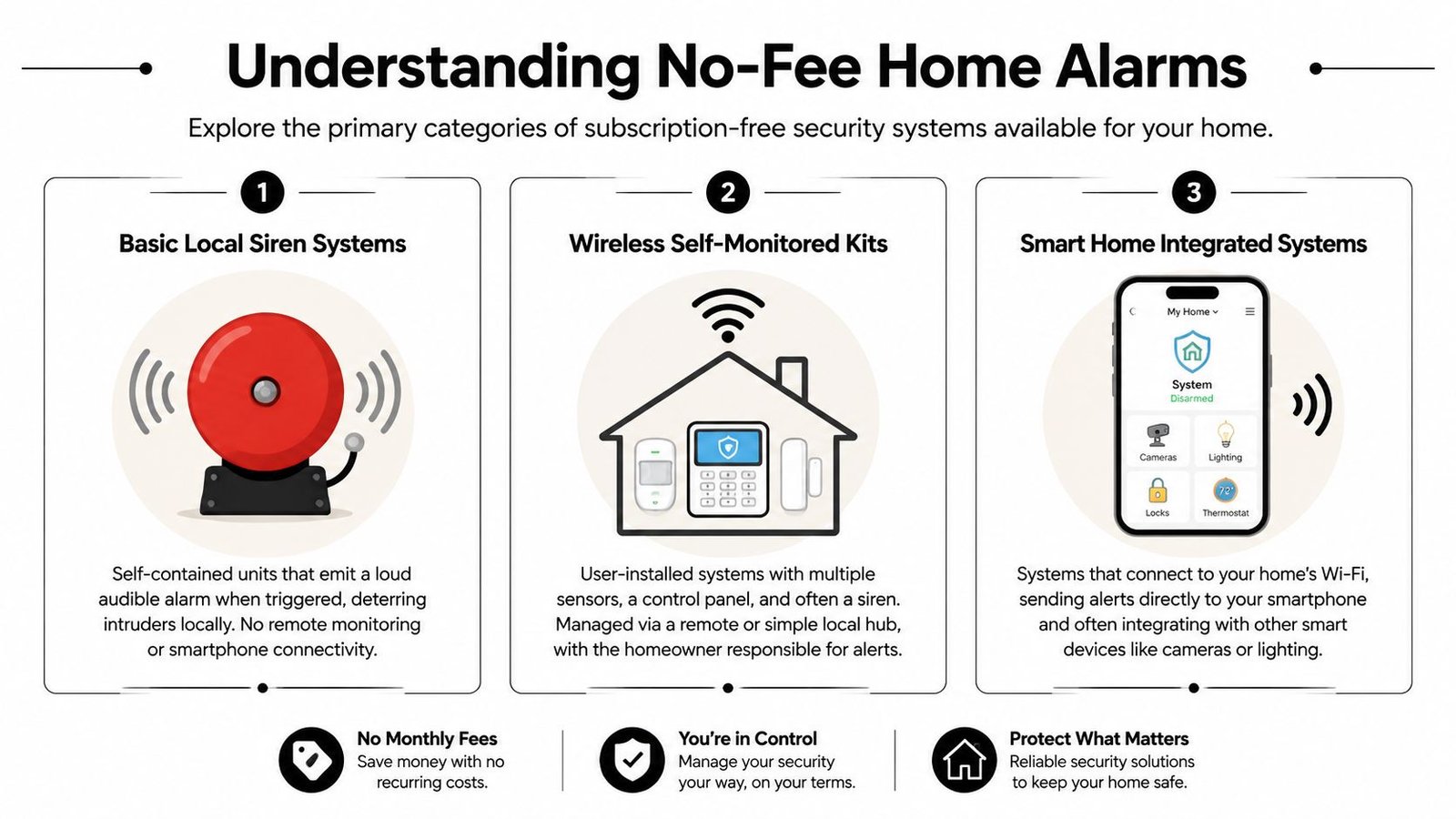
Bell-only alarms
This is the old-school format. A sensor triggers, the external or internal siren sounds, and the system relies on noise and visibility to deter the intruder or attract attention from neighbours.
For small homes or owners who want a straightforward local deterrent, that simplicity can be useful. There's less app dependence, less account setup, and fewer smart features to maintain. Bell-only systems also suit people who don't want cameras inside the house.
The weakness is obvious. If nobody hears the alarm, nobody acts. That's the gap. You also get very little information when an activation happens, so you often won't know whether it was a genuine intrusion, a user error, or a sensor issue until you return.
Auto-dialler and SIM-backed systems
This middle category sits between traditional alarms and modern smart kits. Instead of only making noise, the panel contacts pre-set numbers by call or text. Some systems use a mobile connection as part of that process.
These setups can make sense where the owner wants a direct alert path without leaning entirely on Wi-Fi apps. They're useful for households that prefer a phone call to a push notification, and for properties where local support from a family member or neighbour is part of the plan.
That said, they still depend on the right person answering, recognising the alert, and taking action. They don't remove the need for a response plan. They just change how the message reaches you.
App-based smart alarms
Most interest now centers on modern no-fee DIY systems, which commonly include instant alerts, live streaming, motion-zone customisation, and in some cases 4K cameras and local video storage, which is why buyers increasingly define “best” as a mix of up-front affordability, local data control, and smartphone monitoring (current no-fee DIY alarm features).
One well-known example often cited in this category is Eufy's local-storage approach, where the eufyCam S3 Pro records 4K footage to a local HomeBase hub with zero cloud fees. Another budget example noted in market coverage is Wyze at $20 per camera with free 12-second clips, which shows how entry-level hardware has widened access to self-monitored security. Higher-end names such as Arlo and Reolink tend to focus on better sensors and local storage options rather than contract-based monitoring.
The right category isn't the one with the longest feature list. It's the one that still works properly in your house when the Wi-Fi is patchy, the back door is awkward, and the alert arrives while you're driving.
If you want a broader view of alarm formats before choosing a product path, this guide to different types of intruder alarms is a useful reference.
DIY Kits Versus Professional Installation
A lot of homeowners don't just compare products. They compare routes. Buy a kit online and fit it yourself, or get a system designed and installed for the property.
That decision matters more than the brand badge on the box.
Where DIY systems make sense
DIY alarm kits have improved sharply. For many households, they're no longer crude gadgets with a siren and little else. Good kits now offer app control, camera integration, local storage options, and useful automation. If you live in a smaller property with a clean layout and strong Wi-Fi, a self-installed system can cover the basics well.
They also suit owners who like managing technology themselves. If you're comfortable pairing sensors, testing trigger points, naming zones, and tweaking motion areas, DIY can be efficient and cost-conscious.
DIY tends to work best in these situations:
- Modern flats and smaller homes: Fewer entry points, shorter wireless distances, and simpler layouts reduce setup risk.
- Shorter ownership horizons: If you don't want to commit heavily to one integrated setup, a modular kit is easier to move or expand.
- Users who check alerts promptly: Self-monitoring only works if someone responds to it.
- People who value local data control: Many no-fee systems appeal because they avoid recurring cloud or monitoring costs.
Where professional installation changes the outcome
Professional installation matters when the property is harder than average, or when the owner needs stronger reliability. Older houses in South Wales and the South West often create exactly that problem. Thick internal walls, extensions added over time, detached garages, conservatories, and mixed building materials can all affect detector placement and wireless consistency.
A good installer doesn't just mount devices. They design coverage. They decide which entry routes matter, where false alarms are likely, what detector type fits the room, how to protect the panel, and how users will arm and disarm without creating friction. Those choices have more impact on daily reliability than most homeowners realise.
The other difference is standards and accountability. If compliance matters for your insurer or for your own peace of mind, the install route becomes more important than the feature list.
| Factor | DIY Alarm Kit (e.g., Eufy, Ring) | Professional Installation (e.g., Wisenet Security) |
|---|---|---|
| Setup | User installs sensors, hub, app, and rules | Engineer designs placement and completes installation |
| Property fit | Best for straightforward layouts | Better for complex homes, outbuildings, and awkward access points |
| Reliability | Depends heavily on owner setup quality | Depends on site survey, equipment choice, and installer competence |
| Standards | Varies by product and how it's fitted | More suitable when compliance is a key requirement |
| Maintenance | Owner handles batteries, testing, and troubleshooting | Support can be arranged as part of ongoing service |
| Response model | Self-monitored through app or direct alerts | Can be configured around bell-only or monitored options |
| Expansion | Often easy to add devices within the brand ecosystem | Better for tailored integration across multiple security elements |
| Cost profile | Lower entry point is common | Higher up-front spend is common, but with more design input |
Field observation: Most alarm failures I see in residential settings come from poor device placement, weak user routines, or unrealistic expectations about what a phone alert can do on its own.
There's also a practical point many buyers miss. A professionally installed system doesn't have to mean handing over all control. You can still have app alerts, pet-friendly sensors, and flexible user management. The difference is that someone has thought through the layout before the first hole is drilled.
If you already own equipment and are weighing whether to reuse it instead of starting again, this page on installing customer-supplied security equipment covers the key considerations.
Essential Features Your Alarm System Must Have in 2026
Feature lists are where buyers often get distracted. A shiny app and a long compatibility page don't matter much if the core security basics are weak. For a modern alarm system, the shortlist should stay practical.
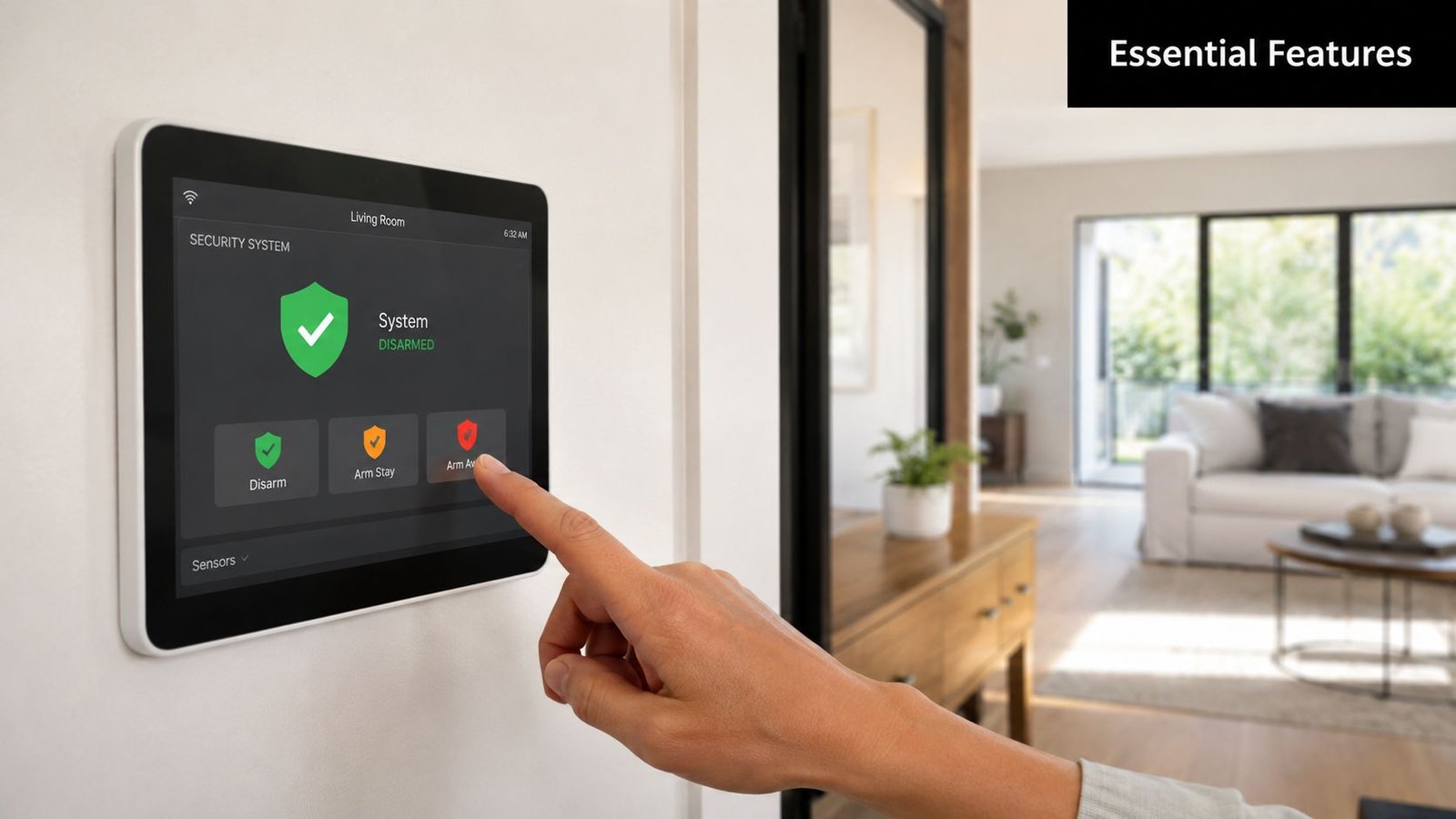
The shortlist that matters
Start with reliable detection. That means door protection where entry is realistic, motion coverage that makes sense for how the house is used, and sensor placement that avoids obvious blind spots. A badly placed premium detector is still a weak detector.
Then look for these essentials:
- BS EN 50131 suitability: If standards matter to your insurer or your own risk tolerance, ask directly how the system and installation align with them.
- Usable mobile alerts: The app needs to tell you what happened, where it happened, and let you respond quickly without digging through menus.
- Pet-friendly sensing where needed: This is important in family homes. Without it, owners often end up reducing sensitivity or bypassing areas altogether.
- Battery and fault reporting: A no-fee system still needs maintenance discipline. You need early warning when devices drop out or power runs low.
- Camera integration that helps, not distracts: Cameras should confirm an event or show approach routes, not replace proper intrusion coverage.
- Simple daily operation: If arming and disarming feels awkward, people stop using the system properly.
A lot of landlords and property managers also need to think beyond the alarm itself. If you're managing access in rentals or HMOs, this guide to keyless entry for landlords is useful context because access control choices affect how residents use the wider security setup.
Questions worth asking before you buy
Ask the seller or installer practical questions, not just technical ones.
- If the internet drops, what still works?
- Where are the likely false alarm points in this property?
- How easy is it to review an alert at night or while away?
- Who replaces batteries and tests the system?
- Can the setup scale if you later add a garage, cameras, or external protection?
The best home alarm systems UK no monthly fee aren't the ones with the longest specification sheet. They're the systems that owners keep armed, understand properly, and can maintain without constant frustration.
Common Pitfalls of Subscription-Free Security
The weak point in subscription-free security isn't usually the idea. It's the assumption that once the kit is on the wall, the job is finished. It isn't.
Recent coverage makes an important point. The question isn't only which system is best, but which no-fee system fits a specific UK property type and risk profile. The cheapest route can reduce monthly spend, but it also moves responsibility for evidence retention, maintenance, and app usability onto the owner (what no-monthly-fee systems give up).
The hidden jobs become yours
A no-fee setup often looks cheap because part of the labour has moved from the provider to the homeowner. You become the person who checks signal strength, replaces batteries, reviews missed alerts, updates settings, and works out why the kitchen PIR suddenly started behaving oddly.
Common problems include:
- Alert fatigue: If the app sends too many low-value notifications, people start ignoring the important ones too.
- Weak response planning: An alarm trigger matters less if nobody in the household knows who checks what, who calls whom, or what happens when you're on holiday.
- Poor evidence handling: Local storage is useful, but only if footage is easy to access, retained properly, and still available after an incident.
- Neglected testing: Sensors and contacts don't maintain themselves. Systems need periodic checks, especially after decorating, broadband changes, or furniture moves.
A phone alert is not a response service. It's just a message. The rest depends on whether the owner sees it, trusts it, and knows what to do next.
Property type changes everything
This matters a lot in South Wales and the South West because housing stock varies so much. A new-build in Cardiff Bay behaves very differently from an older terrace in Newport or a rural property outside Bath. Older walls can interfere with wireless performance. Multi-level extensions create awkward dead zones. Detached garages and garden rooms stretch consumer-grade ecosystems beyond what they handle gracefully.
Flats and rentals create a different problem. You may be restricted in what you can drill, where you can place external sounders, or how neatly you can run power to cameras and hubs. In those settings, a compact no-fee smart kit can be a sensible compromise, but only if the layout and tenancy conditions support it.
A common mistake is buying for price first and property second. That's backwards. The right order is property, risk, user behaviour, then budget.
The Verdict for South Wales and South West Homeowners
If you live in South Wales or the South West, the right choice usually comes down to how demanding your property is and how much responsibility you want to keep on your own shoulders.
When a no-fee DIY system is enough
A self-monitored kit can be a sound choice if your home is relatively simple. Think modern flat, compact semi, or rental where installation freedom is limited and the main goal is clear alerts, visible deterrence, and basic remote oversight.
That route also suits owners who are disciplined with technology. If you'll maintain the system, check event logs, test devices, and respond to alerts promptly, a decent no-fee setup can cover everyday residential needs without locking you into recurring charges.
In that scenario, the win is control. You own the equipment, you control the app, and you avoid contract creep.
When professional design is the better decision
For many family homes, older properties, and homes with more than one vulnerable access route, the balance shifts. Detached and semi-detached houses in the region often have side paths, rear access, patio doors, sheds, garages, and irregular extensions. Those features make planning more important than the product brand.
A specialist installer becomes the more dependable option. A company such as Wisenet Security Ltd designs and installs residential alarm systems in South Wales and the South West, including setups aligned to BS EN 50131 with options such as bell-only or monitored configurations, mobile alerts, and pet-friendly sensors. That's a different proposition from buying a box online and working out the coverage afterwards.
A key benefit isn't prestige. It's reduced guesswork. Someone surveys the property, identifies weak points, places equipment where it performs properly, and helps avoid the common failure modes that DIY buyers only discover after a false alarm or a missed event.
Local reality: In this region, housing condition and layout often decide the success of an alarm more than the logo on the keypad.
For homeowners in Cardiff, Bristol, Newport, Swansea, and surrounding areas, the practical answer is simple. If your property is easy, your habits are disciplined, and your risk level is moderate, a no-monthly-fee DIY alarm can be sensible. If your home is larger, older, more exposed, or you want stronger reliability and cleaner compliance, professional installation is usually the safer call.
If you want a straight answer on what fits your home, Wisenet Security Ltd offers consultations across South Wales and the South West. That's the quickest way to find out whether a no-fee self-monitored setup is realistic for your property, or whether a professionally designed alarm will save you time, false alarms, and expensive compromises later.