

How to add device into Hikvision -Hik-Connect App
How to add device into Hik-Connect App Through IP/Domain
1) Launch Hik-Connect App;
2) Adding device through input the IP, port ,user name and password manually
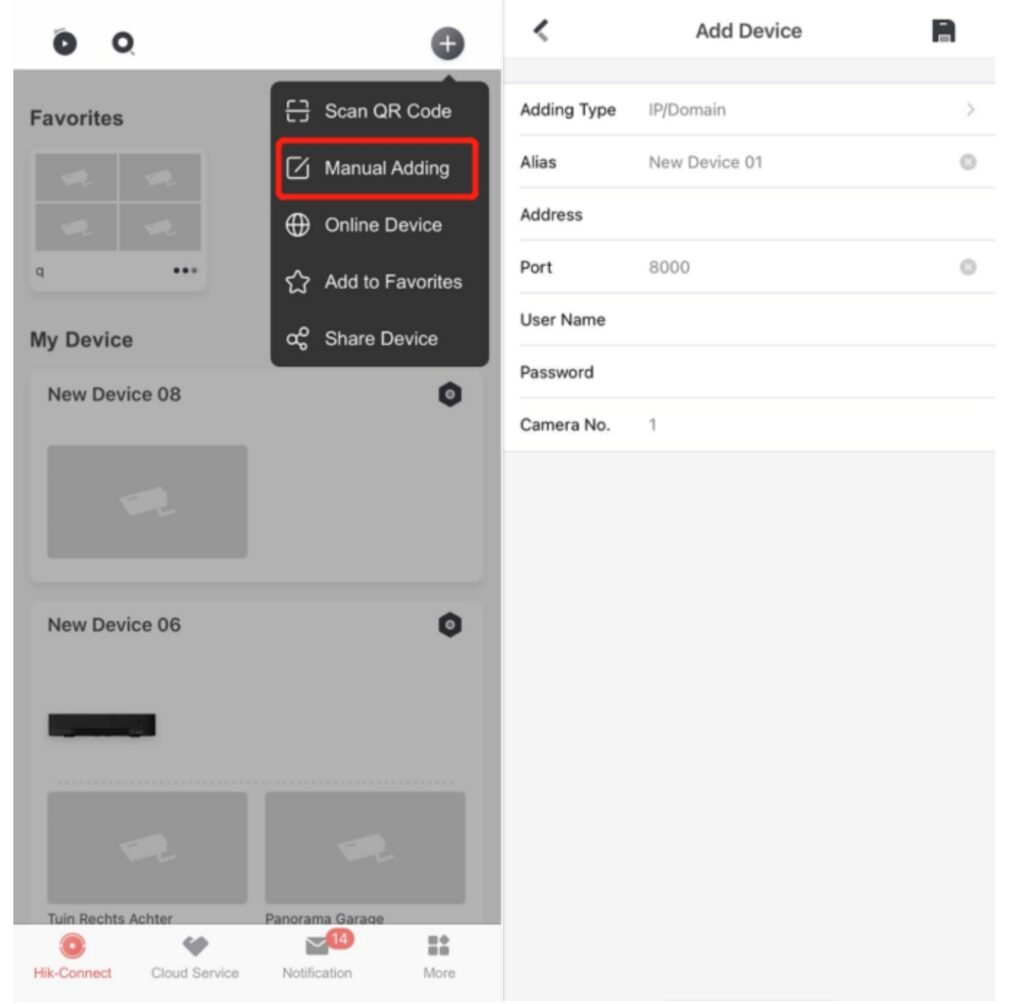
3 Once completes the adding process, users can live view, play back, and make some remote
configuration.
Since it is not necessary to register a Hik-Connect account to add a device in this way, so
the device is not bound to the account, only bound to the current mobile phone.
For more information please visit our Home page