
CCTV System Maintenance: A Complete UK Guide for 2026
A lot of people only think about cctv system maintenance after something has already gone wrong.
A shop owner in Cardiff checks footage after an overnight break-in and finds the front camera has been slightly out of focus for weeks. A landlord in Newport opens the mobile app after a vehicle incident and discovers one recorder stopped saving properly days ago. A homeowner near the coast realises too late that salt, rain, and grime have dulled the image from the driveway camera. The system looked fine at a glance. It just didn't perform when it mattered.
That's the true cost of neglect. Not the cleaning cloth. Not the service visit. It's the moment you need evidence and don't have it.
Modern CCTV isn't a passive box on the wall. It's a live system made up of cameras, power supplies, storage, network hardware, apps, firmware, user permissions, and in many cases internet-facing access. If any one of those parts is ignored, the weak point usually shows up at the worst possible time.
In South Wales and the South West, the usual issues are predictable. Outdoor cameras collect dirt quickly. Brackets shift in wind. Moisture gets into weak terminations. Network changes upset IP cameras. Passwords stay unchanged for too long. Businesses move stockrooms, counters, entrances, or tenant layouts, but the camera coverage and documentation never get reviewed.
Regular servicing fixes that. It turns CCTV from something you hope is working into something you've verified.
Table of Contents
- Introduction The Real Cost of Neglecting Your CCTV System
- The Pillars of Modern CCTV System Maintenance
- Your Essential CCTV Maintenance Checklist
- Troubleshooting Common CCTV Faults Before They Escalate
- DIY Checks vs Professional Servicing Making the Right Choice
- Decoding Professional Maintenance Contracts and Costs in the UK
- Staying Compliant CCTV Regulations in South Wales and the South West
Introduction The Real Cost of Neglecting Your CCTV System
A break-in happens on a wet Tuesday night in Newport. By morning, the camera is still showing a live picture, but the recorder has the wrong time, one channel dropped out overnight, and the clip you need is either missing or useless. That is how many owners find out their CCTV has not been maintained. Not when the system stops completely, but when it fails at the exact moment it is meant to help.
I see this regularly across South Wales. A system can look fine on a monitor and still have faults that ruin its value as evidence. Time drift, failing hard drives, poor night performance, blocked notifications, unstable remote access, and overloaded power supplies often sit unnoticed for months. Networked systems add another risk. Cameras and recorders that have not had firmware updates, password reviews, or app access checks can become a cyber security problem as well as a security tool, especially on newer setups with remote viewing or AI CCTV system features.
Good maintenance is not just a matter of keeping the picture clear. It means checking that the system records properly, stores footage reliably, keeps accurate timestamps, and remains secure from unauthorised access. For UK users, there is also the compliance side. Businesses, landlords, schools, and even some homeowners forget that signage, retention settings, and data handling still need periodic review under ICO and data protection rules.
The cost of neglect shows up in different ways:
- Homeowners: footage may be too poor, too late, or too incomplete to help after a theft, vandalism incident, or neighbour dispute.
- Small businesses: missing clips and incorrect timestamps can weaken incident investigations, insurance claims, and staff disciplinary cases.
- Landlords and managing agents: shared-area systems often develop faults unnoticed until a tenant complaint or serious incident exposes them.
- Anyone using remote access: weak passwords, old firmware, and forgotten user accounts can leave the system exposed online.
One simple rule applies. If you have not checked playback, timestamps, recording status, and remote access recently, you do not know whether your CCTV is working properly.
Servicing keeps the system useful, defensible, and safe to rely on. In practice, that means fewer unpleasant surprises, better evidence when something goes wrong, and less chance of finding out too late that the cameras were only giving you a false sense of security.
The Pillars of Modern CCTV System Maintenance
Maintenance is frequently reduced to one task. Clean the lens.
That helps, but it's only one part of the picture. A working CCTV system depends on several layers staying healthy at the same time. In practice, I treat maintenance as four connected pillars, even though owners usually only notice one of them when something goes wrong.
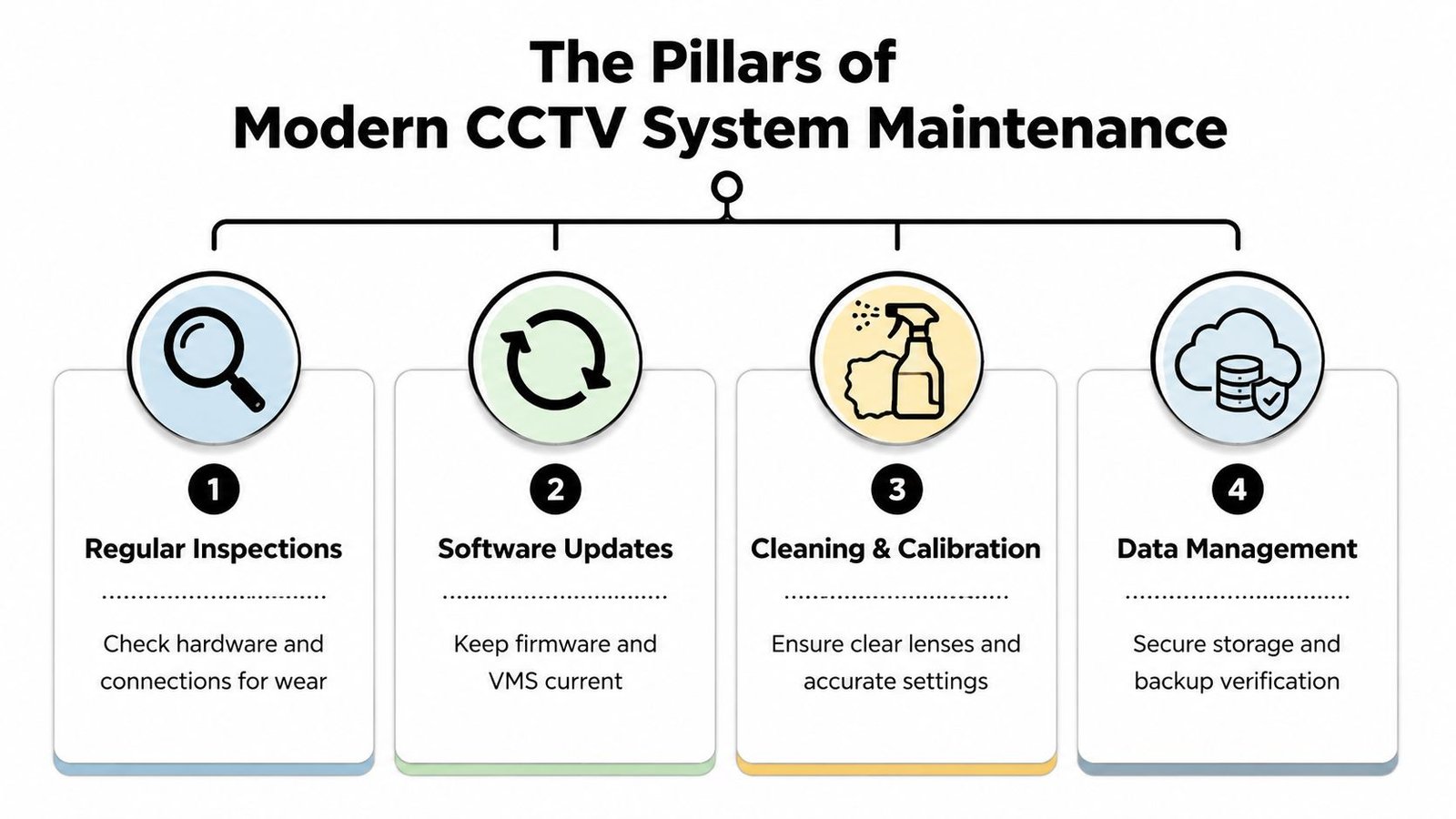
Physical condition
This is the part people recognise straight away. Cameras need stable brackets, clear housings, protected cable entries, healthy power supplies, and a clean field of view. In coastal or exposed parts of South Wales, physical wear shows up faster than many owners expect.
Dirt, moisture, movement, corrosion, and cable strain all chip away at reliability. A camera doesn't have to fail completely to become poor evidence.
Digital and cyber security
Networked CCTV has changed the maintenance job. Cameras and recorders now rely on firmware, remote apps, local networks, and internet access. If those aren't reviewed, the system can stay online while gradually becoming less secure and less reliable.
This is the part many homeowners and small firms miss, especially after upgrades that add remote viewing or analytics. If you're also considering more advanced monitoring features, it helps to understand how AI CCTV systems improve security because smarter systems bring extra maintenance responsibility as well.
Legal compliance
For businesses, landlords, and multi-tenant sites, CCTV maintenance also includes lawful operation. A camera can be technically perfect and still create problems if signage is outdated, access permissions are too loose, or retained footage no longer matches the reason the system was installed.
Data and recording management
The final pillar is the one owners often overlook until a recorder fails a search. Good maintenance checks that footage is being stored correctly, retained appropriately, and recovered when needed. There's no value in sharp live images if the archive is incomplete or difficult to retrieve.
Good cctv system maintenance protects four things at once. Image quality, uptime, security, and admissibility.
If one pillar is ignored, the others start carrying too much weight. That's why a proper maintenance routine always goes beyond a cloth and a ladder.
Your Essential CCTV Maintenance Checklist
A camera can show a clear live picture and still fail you when you need evidence. I see that regularly. The feed looks fine on a phone, but the recorder has stopped keeping footage, the clock is wrong, or remote access has been left open on an old user account.
That is why a workable maintenance checklist needs structure. Weekly checks catch obvious problems. Monthly checks deal with image quality, storage, and user access. Quarterly or annual servicing covers the underlying faults in power, network hardware, and weather protection that shorter checks miss.
For UK users, there is another layer. If the system is networked, maintenance includes cybersecurity. If it records beyond your private boundary or is used by a business, school, landlord, or shared site, maintenance also includes compliance checks around signage, retention, and access to footage.
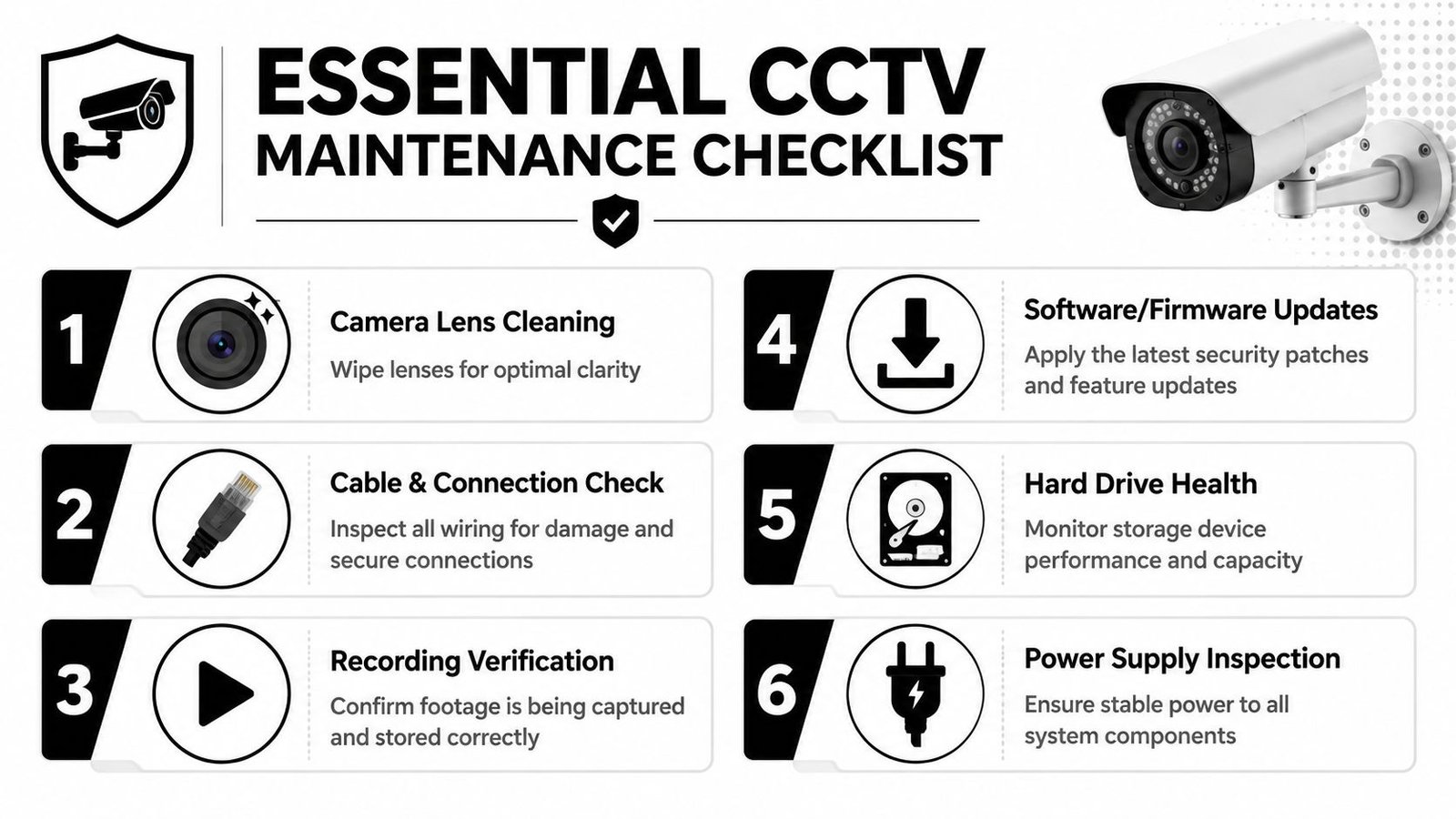
Weekly checks that catch obvious failures
Weekly checks are simple, but they prevent the usual embarrassment. An incident happens, everyone assumes the system has it covered, then someone finds a camera has been pointing at the wrong place for days.
Start with these:
- View every live camera individually: Check for blur, glare, dirt, spider webs, condensation, vibration, and shifted angles.
- Review a short playback sample: Confirm the system is recording properly, not only showing live view.
- Check the date and time: Incorrect timestamps can weaken the value of footage for police, insurers, staff investigations, or neighbour disputes.
- Look for new obstructions: Delivery cages, stock, scaffolding, overgrown hedges, and parked vehicles often create blind spots gradually.
- Test alerts and notifications: If motion alerts are firing constantly, people stop looking at them. That usually means the scene or sensitivity needs adjustment.
- Spot signs of tampering: A partly covered lens, a housing turned slightly off line, or repeated loss of view needs attention straight away.
For a house, this might take ten minutes. For a shop, office, yard, or rental block, it should be part of a routine site check with someone clearly responsible for doing it.
Monthly tasks that protect image quality, recording, and cyber hygiene
Monthly maintenance is where the routine starts to separate a reliable system from one that only looks reliable.
Use a proper monthly check to cover the camera, the recorder, and the networked side of the system:
Clean lenses and housings properly
Use a microfibre cloth and a cleaner that is safe for optics. Dirt on a dome cover is enough to ruin infrared performance at night. On coastal sites around South Wales, salt residue is a common problem.Inspect brackets, seals, and housings
Check for movement, corrosion, cracked seals, and signs of water ingress. A small split in a seal often turns into misting and then camera failure.Check recorder health
Log into the DVR or NVR and review disk status, recording capacity, warnings, failed channels, and search performance. A recorder can keep running while a hard drive subtly degrades.Test playback from different cameras and times
Pull daytime and night footage. Make sure images are usable and the retention period matches what you expect.Review user access
Remove old users, old phones, former staff devices, and any login that no longer has a reason to exist. The National Cyber Security Centre advises changing default passwords and keeping connected devices up to date in its guidance on how to protect your home devices from cyber attacks.Apply firmware and software updates carefully
Plan updates outside trading hours, check compatibility first, and test every camera and recorder function afterwards. Firmware is maintenance. On IP systems, it is no different from checking the lens or the hard drive.Check remote access settings
Confirm remote viewing still works for authorised users only. If port forwarding was set up years ago and nobody has reviewed it since, it needs checking.
A simple monthly rule of thumb helps:
| Area | What to verify | Why it matters |
|---|---|---|
| Camera image | Focus, glare, dirt, night clarity | Poor evidence usually starts here |
| Recorder | Active channels, disk health, search and playback | Recording faults often go unnoticed |
| User access | Current accounts, password hygiene, remote logins | Old permissions create avoidable risk |
| Site changes | Layout, shelving, signage, entrances, parking | Coverage can become outdated |
| Compliance | Retention period, signage, reason for recording | A working system can still be used poorly |
Plenty of owners skip the access and firmware side because it is less visible than a dirty lens. That is a mistake. A networked CCTV system with weak passwords, old firmware, or unused admin accounts is a security risk in its own right.
To help with the practical side, this walkthrough is worth watching before you do your next check:
Quarterly and annual work that prevents bigger faults
Quarterly and annual servicing is where deeper faults are found before they turn into call-outs or lost footage.
For IP systems, that means checking network performance as well as cameras. Switch faults, overloaded PoE budgets, bad terminations, and unstable broadband can all cause freezing, dropouts, and missing recordings. The problem often looks like a faulty camera when the cause lies in the cabling or network hardware.
A proper service visit should include checks such as:
- Network and PoE testing: confirm switch ports are healthy, cameras are drawing stable power, and added devices have not pushed the switch beyond its limits
- Cable route inspection: look for abrasion, UV damage, rodent damage, loose containment, and damp at entry points
- Power resilience checks: test battery backup, power supplies, and surge protection where fitted
- Environmental inspection: look for moisture ingress, failed glands, corrosion, and movement in exposed brackets
- Recorder and storage review: confirm drives are healthy and recording retention still matches the site's needs
- Coverage review: make sure camera positions still suit the current layout and risk points
- Compliance review: confirm signage, retention practice, and access arrangements still match the purpose of the system
For business users and anyone covering shared areas, compliance needs checking at service time, not only when a complaint lands. The ICO sets out clear expectations on CCTV use, including fairness, retention, and handling access requests, in its guidance on video surveillance including CCTV.
That matters locally. In South Wales and the South West, I see plenty of sites where the hardware is serviceable but the paperwork and permissions are not. A small business may have changed layout, staff, or opening hours since the system went in. A landlord may be recording more area than they first intended. Those are maintenance issues too, because they affect whether the system is still fit for purpose.
If you only check whether the picture is live, you will miss the faults building underneath it.
On exposed sites, weather needs treating as part of the service schedule. Wind loosens brackets. Driving rain finds weak seals. Coastal air attacks metalwork and dome covers. An annual professional service usually picks up that slow damage before winter turns it into a failure.
Troubleshooting Common CCTV Faults Before They Escalate
Most CCTV faults start as small symptoms. Slight blur. A camera dropping in and out. Night footage looking milky. A missing recording clip. If you deal with them early, the fix is often simple. Leave them alone and they usually become a bigger call-out.
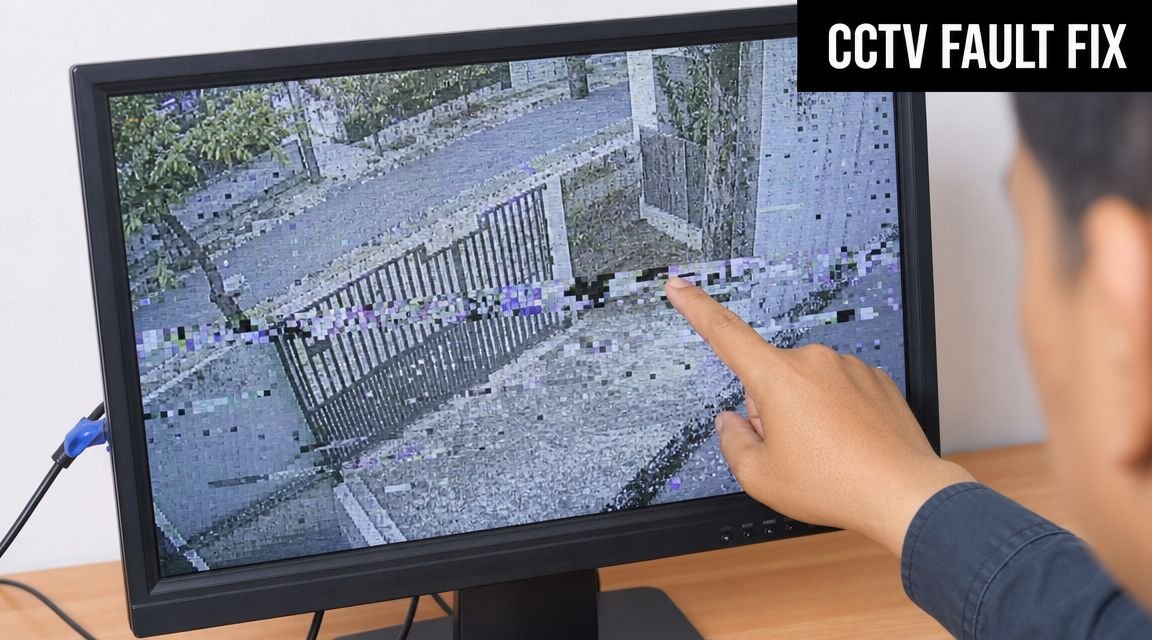
Blurry or weak image
Start with the obvious before assuming the camera itself has failed.
- Clean the lens and housing: fingerprints, spray residue, dust, and spider webs are common causes.
- Check focus and angle: some cameras are knocked slightly off line.
- Look for condensation: if moisture is inside the housing, cleaning the outside won't solve it.
- Review the scene at night: infrared reflection from dirt, nearby walls, fascia boards, or cobwebs often ruins darkness performance.
If daytime footage is acceptable but night footage isn't, the issue is often reflection, contamination, or poor positioning rather than a dead camera.
Camera offline or intermittent
An offline camera isn't always a failed camera. It may be a power, switch, cable, or network issue.
Work through it in order:
- Check whether only one camera is affected
- Confirm the recorder or app can still see other cameras
- Inspect local connections if they're safely accessible
- Check whether the switch port or power feed has dropped
- Reboot only when you've noted the fault properly
If several cameras fail together, think shared infrastructure first. Power supply, PoE switch, recorder issue, or network path.
A camera that keeps coming back online on its own usually has an underlying issue that still needs fixing.
Night vision problems and recording gaps
Night vision faults usually come from contamination, scene design, or failing illumination. Recording gaps usually point to storage, power interruption, or network instability.
A quick fault guide helps:
| Symptom | Likely cause | First action |
|---|---|---|
| White haze at night | Dirty dome, spider web, IR reflection | Clean housing and check nearby surfaces |
| Very dark night image | Failed IR, poor angle, blocked illumination | Compare with another night clip and inspect camera position |
| Missing clips | Storage issue or stream drop | Check recorder warnings and test playback on other channels |
| Choppy playback | Network or power instability | Check shared equipment before replacing camera |
Call a professional when the fault involves sealed housings, electrical work, network diagnostics, recurring dropouts, or any issue where the recorder and camera disagree about status.
DIY Checks vs Professional Servicing Making the Right Choice
A camera can show a live image and still be letting you down. I see this regularly on small sites around South Wales. The owner has cleaned the front, checked the app, and assumed all is well, but nobody has looked at password hygiene, failed firmware updates, storage health, or whether the system still matches how the property is used.
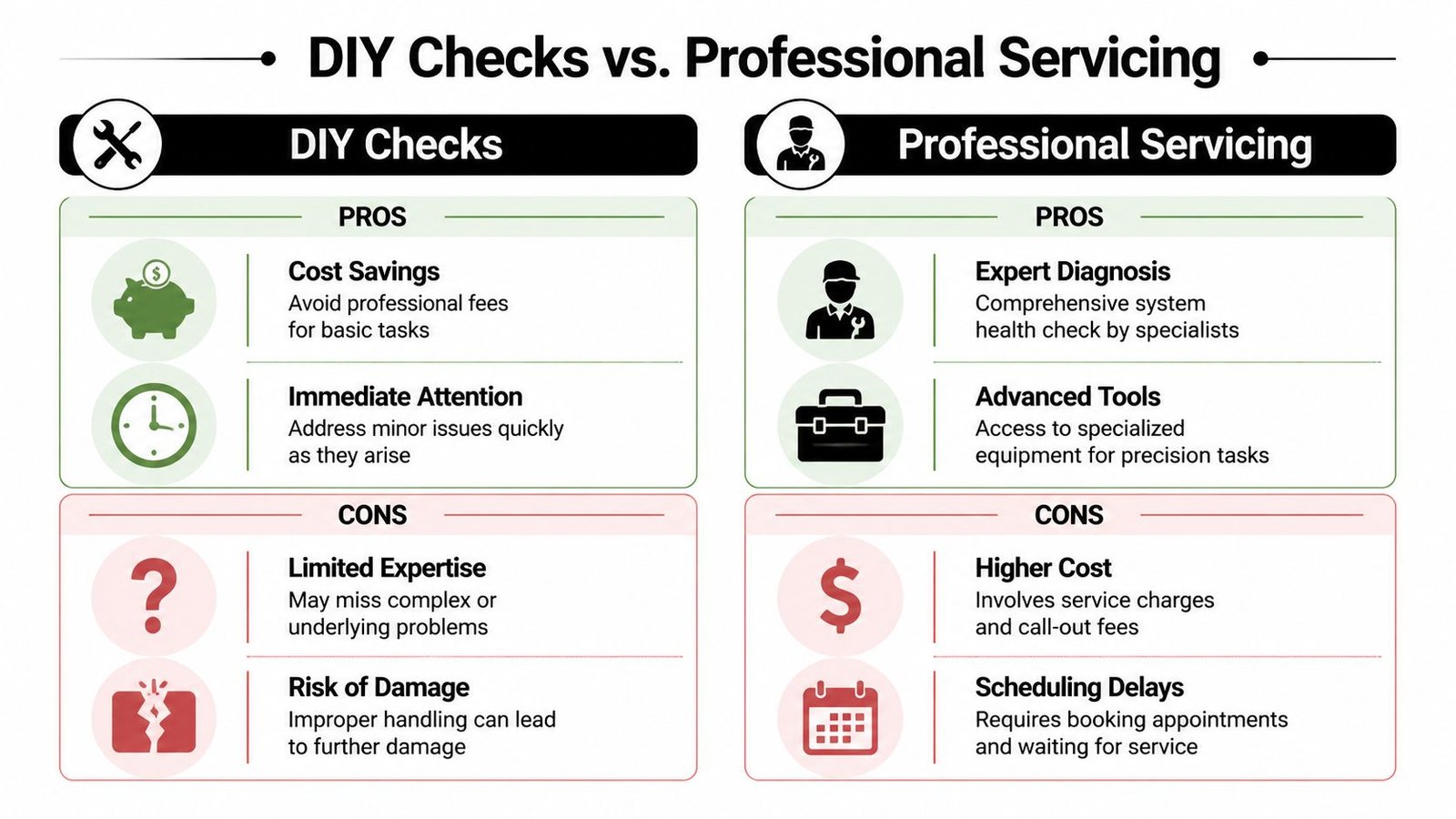
The sensible split is simple. Owners should handle frequent low-risk checks. Engineers should handle work that affects recording reliability, electrical safety, network security, and legal defensibility.
What you can usually check yourself
For a home, shop, office, or small yard, these are reasonable owner checks:
- Visual review: confirm each camera still covers the right area and the picture is clear enough to identify what you need it to identify
- Safe cleaning: clean accessible housings and domes with suitable materials, without opening sealed units
- Playback and export checks: make sure recordings can be found, played back, and exported when needed
- User access review: remove old logins, check who still has app access, and confirm remote viewing is only enabled for current users
- Basic compliance housekeeping: check signage is still in place and make sure changes to doors, desks, parking areas, or neighbouring boundaries have not altered what the system captures
These checks catch the obvious. A knocked camera, a dirty dome, an expired app login, or a view now blocked by new signage or plant growth can all be spotted quickly.
They do not tell you whether the recorder is dropping frames overnight, whether a switch is running out of PoE budget, or whether an old default password is still sitting on a camera reachable from the internet.
What should be left to a professional
Call in a professional where the job affects system integrity or evidence quality.
That includes recurring offline faults, water ingress, failed seals, power issues, cabling faults, storage errors, recorder problems, and any work involving network changes. It also includes the part many owners miss completely. Cybersecurity maintenance. On IP systems, that means checking firmware status, closing unnecessary remote access methods, reviewing port exposure, confirming user permissions, and testing whether the system still follows current good practice.
For UK users, there is another reason to get qualified help. Compliance is not just about having a camera on the wall. If your system records staff, customers, shared accessways, or public-facing areas, periodic checks should confirm that retention settings, signage, access controls, and camera coverage still line up with ICO and data protection expectations. That matters for small businesses in South Wales and the South West just as much as it does for larger sites.
| You can usually do this | Call a professional for this |
|---|---|
| Check live view and playback | Diagnose repeat dropouts or intermittent faults |
| Clean accessible housings | Investigate moisture ingress, failed seals, or internal contamination |
| Confirm time, date, and basic user access | Review firmware, remote access exposure, and account security |
| Spot obvious obstructions or glare | Test PoE load, switch health, bandwidth, and recorder performance |
| Check whether signage is still visible | Assess whether camera use and retention still meet site compliance needs |
Professional servicing also gives you a written maintenance record. For businesses, that can be as important as the repair itself. If footage is needed after an incident, you may have to show that the system was maintained properly and that any failure was identified and acted on in a reasonable way.
Cost matters, of course. For smaller sites, the right balance is usually simple owner checks between planned service visits, not trying to do everything yourself. If you are budgeting for upgrades or weighing service value against system age, this guide to CCTV installation costs for homes and businesses helps put maintenance decisions in context.
Wisenet Security Ltd is one example of the kind of provider that can handle scheduled servicing where CCTV ties into alarms, access control, or multi-building coverage. That sort of support is usually the better long-term option for systems you rely on for security, evidence, or insurance.
Decoding Professional Maintenance Contracts and Costs in the UK
A failed camera after a break-in is expensive. A vague maintenance contract is how many owners end up there.
The contract needs to spell out what the engineer will test, what gets cleaned and verified, how faults are prioritised, and what falls outside the agreed price. If those points are missing, you are not buying planned maintenance. You are buying a phone number.
What a solid maintenance contract should include
Good agreements are specific. They set visit frequency, define response times, and record exactly what happens on site. That matters more with IP CCTV, where faults can sit in the recorder, switch, app, broadband router, user permissions, or camera itself.
Ask for the maintenance scope in writing. It should cover:
- Scheduled service visits: fixed intervals, not only callouts after a failure
- Camera and recorder testing: live view, recording, playback, and export checks
- Storage review: confirmation that footage is retained and can be retrieved properly
- Firmware and software checks: especially for network video recorders, apps, and connected cameras
- Network and power checks: PoE load, switch condition, power supplies, battery backup where fitted
- Cybersecurity housekeeping: password policy, user account review, remote access settings, and unsupported devices
- Service documentation: visit reports, fault history, recommendations, and parts replaced
- Exclusions: accidental damage, ISP changes, third-party IT issues, vandalism, and hardware replacement if not included
In South Wales and the South West, I would also ask how they deal with coastal corrosion, damp, and repeated weather exposure. Those conditions shorten the life of external housings, seals, brackets, and connectors. A contract that ignores that local reality will miss faults until water gets into the camera or the picture drops out in bad weather.
How pricing usually works
There is no single UK tariff that fits every site. A four-camera house setup, a shop with analytics and remote access, and a multi-building business park all need different levels of support.
In practice, price usually follows risk and complexity. The main factors are camera count, access equipment needed to reach them, recorder and storage type, network dependency, out-of-hours cover, and whether the CCTV ties into alarms, gates, or access control. Annual plans are common. Some providers also price per visit, with faults and parts charged separately.
The cheapest contract often strips out the work that prevents repeat failures. You see it in the small print. One annual visit, no firmware checks, no remote access testing, no network diagnosis, and slow response unless you pay extra. That can look fine on paper until an incident happens and footage is missing, timestamps are wrong, or the recorder has been exposed online for months without anyone noticing.
Cost should be judged against consequence. If the system is there for evidence, staff safety, insurance support, or site security, the right question is not only "what does it cost?" but "what failure am I accepting if I buy the bare minimum?"
If you are pricing a new setup and ongoing upkeep together, this guide to CCTV installation costs for homes and businesses gives useful context for the overall budget.
Some owners also compare specialist security support with broader outsourced maintenance services when they are managing several sites or mixed building systems. That can help with budgeting, but CCTV still needs provider-specific knowledge, especially where recorder security, remote access, and evidence handling are involved.
Before signing, ask for the actual maintenance checklist and sample service report. If the provider cannot show what they inspect, test, update, and document, keep looking.
Staying Compliant CCTV Regulations in South Wales and the South West
A camera can be recording perfectly and still put you on the wrong side of UK data protection rules.
I see this problem more often than outright equipment failure. The system works, the footage is clear, and nobody has reviewed whether the views, retention settings, user permissions, or warning signs still match how the site is being used. For homes this usually comes up when a camera starts covering a neighbour's boundary or public footpath. For businesses, it often happens after a layout change, a new tenant, or staff changes that leave too many people with recorder access.
Compliance checks need to sit alongside technical servicing because networked CCTV is now both a security system and a data-processing system. That means checking the lawful purpose of each camera, who can log in, how long footage is kept, and whether remote access is still secure. If you want the legal side set out clearly, this guide on CCTV and GDPR in the UK for businesses is a useful reference.
For sites across South Wales and the South West, I would review five points during every planned service visit:
- Camera views: make sure each camera still covers the area it was installed to protect, without drifting into unnecessary coverage of neighbouring property, shared access routes, or staff break areas.
- Signage: check that signs are still visible at entrances and match the current operator details and purpose of the system.
- User access: remove old accounts, tighten permissions, and confirm who can view, export, or delete footage.
- Retention settings: confirm the recorder is not holding footage longer than you need for the stated purpose.
- Cybersecurity hygiene: check passwords, firmware status, port exposure, remote access methods, and whether the recorder is still visible from the open internet.
That last point is one many owners miss. A system can meet the basic installation brief and still be poorly maintained from a cyber point of view. Old recorder firmware, weak passwords, or unsafe port forwarding create risk long before a camera fails. In practice, a compliance review without a security review is incomplete.
Larger sites and mixed-use buildings often struggle because nobody is clearly responsible for checking both physical performance and record-keeping. In those cases, broader support models such as outsourced maintenance services can help define who owns recurring checks, service records, and escalation when issues are found.
Regular compliance review is not box-ticking. It is how you keep a CCTV system useful, defensible, and appropriate for the property as it changes.
If your CCTV system hasn't been properly checked in a while, now's the time to put it right. Wisenet Security Ltd provides CCTV maintenance and servicing across South Wales and the South West, helping homeowners, businesses, landlords, and site managers keep systems reliable, secure, and properly maintained.